


If you’re looking for a no-fuss way to see real-time energy consumption on your Ubuntu laptop as you use it, a new GNOME Shell extension makes this deliciously easy.
“Why would I want to see energy usage?” – anyone asking that question probably doesn’t.
This is more for the curious folk; those keen to reveal the relative power demands of the software they run, the tasks they perform, they hardware settings they use, and the devices they connect – more of an educational tool than an essential one.
Of course, you can monitor power consumption on Linux without any extension. Command line tools like upower can do it, as can some system monitors, and there are dedicated GUI energy apps, like Power Statistics which is included in Ubuntu.
However, what the Power Tracker GNOME extension offers is an ambient way to gauge that energy consumption without needing to be focused on it: don’t need to keep an app running, or switch to/from one to check the readings.
Power Tracker GNOME Shell Extension

Power Tracker doesn’t have any additional dependencies so once it’s installed on a laptop (or other device with a battery – desktops work differently1), it should begin reporting stats immediately.
Active power consumption (in watts, with the minus sign denoting that it’s taking that much power) in the top bar. Glance at it as you work to see how different apps, tasks, and hardware features you run/change affect energy demands.
While you don’t get a per-app breakdown or the ability to isolate an app and track its energy usage individually, it give an over of power demands.
You may notice that when you use a specific app a sizeable energy spike occurs (running your battery down) and an alternative app doesn’t. This could lead to you making energy-conscious computing choices.
…Or just giving you some satisfaction from confirming ‘yep, knew that app was a battery killer’.
How high can I fry?
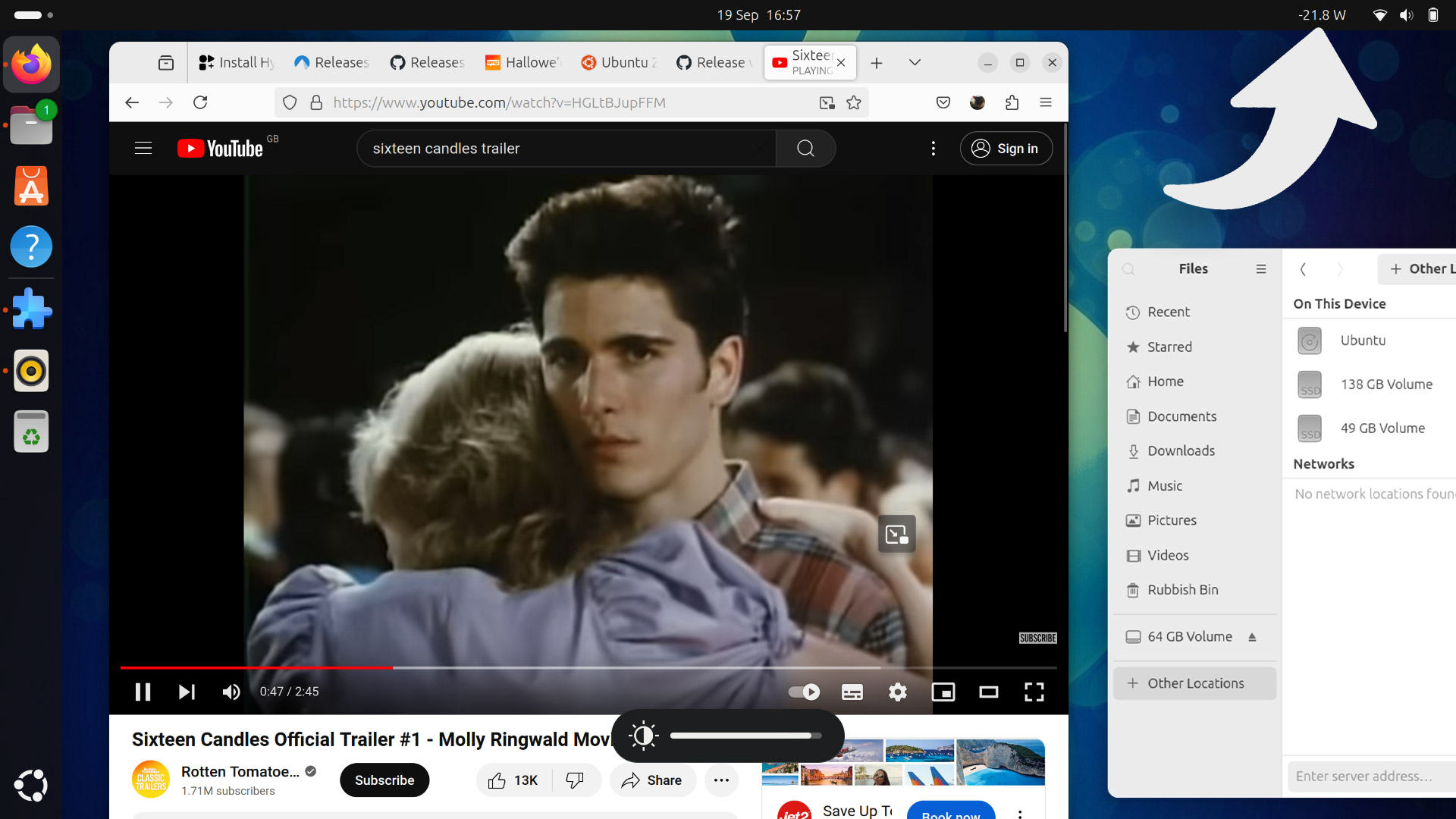
I opened a bunch of apps, browser tabs, played video and music, connected some USB devices, cranked up screen brightness, and turned on high performance mode to see how high I could make the power usage soar.
All obvious stuff —charging your phone from your laptop’s USB-C ports uses more power than USB-A, who knew!—but it is fun to visualise these otherwise “invisible” power increases in real-time.
Still, this is not a scientific tool. Accuracy isn’t lab-grade. Don’t place too much stock in the stats, or get obsessed with keeping within a certain range.
And remember: your laptop is there to function. If a power hungry app is needed, don’t sweat it — even though your battery might ;)
No preferences are included. You can’t change the update interval, prettify the text label, or click the energy label to see a short history of power usage. Not essential features by any means, but similar efforts, like this Plasma widget, offer some of those.
Install Power Tracker in Ubuntu 24.04 LTS
This isn’t an extension you need to leave enabled and running 24/7 (though you can). Much like system monitor extensions, it’ll be most useful for times you have a hunch something is (in this case) using more power, and use it to check.
Interested in goofing around with it too (or using it for a more sober purpose)?
Go try it out!
Power Tracker works with GNOME 46 (Ubuntu 24.04 LTS), and can be installed from the GNOME Extensions website (though it is easier to install from the Extensions Manager app).
• Get Power Tracker on GNOME Extensions
- AIUI PCs tend to lack the physical power monitoring doohickeys that laptops (by necessity of running on battery power and needing to control power input) have. This means tools like upower have nothing to probe for info – if I’m wrong, let me know ↩︎