

Ubuntu offers a powerful, configurable, and easy-to-use desktop experience out of the box. However, as the saying goes, one size doesn’t fit all.
Customising Ubuntu’s look and layout is easy. Install those essential apps, add useful GNOME Shell extensions and take time to tailor things into something in-tune with your own need. The beauty of using Linux is that we can do this (and boy, do we).
For most of us, this is not a major undertaking. It’s a few apps, setting a nice wallpaper, maybe an extension and a few fonts.
But what about those wanting something more bespoke? Choices can be paralysing, not to mention longwinded setups and the need to find things, install them and configure then with dotfile.
Wouldn’t it be great if you could run a command to have someone else set it up for you?
Enter Omakub.
Omakub – One Command Transformation
Omakub is a new bash script to transform a fresh Ubuntu 24.04 LTS installation into focused (and rather flashy) web dev station kitted out with apps, add-ons and a keyboard-driven UI.
Plus, it only take a single command to do it.
Omakub’s developer, David Heinemeier Hansson, created it to streamline his own “Linux box bootstrapping” as well as help employees at his company, 37signals, switch to Linux.
“No need to write bespoke configs for every essential tool just to get started or to be up on all the latest command-line tools”, he explains on the website.
The script is billed as “an opinionated take on what Linux can be at its best”, and opinionated is the word to keep in mind if you try this.
Nothing Omakub does can’t be done other ways, manually, using other tools.
Hansson says that the choices his script makes aren’t necessarily better than ones made by others. Rather, his script offers a fast way to get a preconfigured setup on a vanilla Ubuntu install.
Why is it only for Ubuntu?
Many Linux developers choose ‘bleeding edge’ distros like Arch to work on, so why is this script focusing on repurposing Ubuntu as a base?
Popularity, according to Hansson.
“[Omakub is] using vanilla Ubuntu because that’s one of the most widely adopted Linux distributions, and one that is even a pre-install option from many computer vendors.”
“But while Ubuntu has a great package manager in apt, many of the tools that developers want either haven’t been packaged, need more recent versions than what has been frozen in the LTS, or need actions post-install necessary for the best operation.”
Those knee-deep in the world of nixOS or avowed advocates of Arch et al won’t have need for a script that makes choices for them. They know the tools they like, where to get them and likely have dot files stashed away ready to configure them.
This effort isn’t for them.
It’s for those switching to Linux from Windows who may not know and may not want to spend countless hours watching YouTube tutorials, scouring Reddit threads or gawking at GitHub repos to find out what they’d like, before they’ve tried anything.
An opinionated and pragmatic mixtape

While Omakub helps curate a web-dev-friendly setup on Linux it is far from being a FOSS nirvana.
Anyone allergic, anti, or otherwise antagonised by the idea of having closed-source and commercial software at their fingertips should avoid it.
Software choices here opt for pragmatism over dogmatism – it’s a mixtape in tune with practical needs, not a manifesto beating the drum for idealised ones.
For example, Google Chrome is set as the default web browser. This is not a value judgement. It’s a rational realisation that many day-to-day web devs will need to work for/within a Chromium homogeny.
Omakub script also installs a selection of other GUI software to ‘bootstrap’ a practical coding environment. Austere and utilitarian isn’t the aim, but including everything one could need for a usable and enjoy able Linux daily driver (hence Spotify and VLC) via one script: –
- Google Chrome
- VScode
- Zoom
- 1Password
- Pinta
- Ulauncher
- Xournal++
- Flameshot
- VLC
- Spotify
The Alacritty terminal is also onboard and, arguably, serves as the real centrepiece. It’s configured to use Zellij for multiple-pane shenanigans, and integrates additional CLI tools, including exa, fuzzy-finder fzf, zoxide, rg and bg.
Some of the command-line and non-GUI tools included:
- Docker (preconfigured with MySQL + Redis)
- Lazydocker (for fancy Docker control)
- NeoVim
ghGithub CLIrbenvfor Ruby managementnodenvfor Nodejs management
GNOME Shell remains the default desktop experience, albeit altered with add-ons to effect a keyboard-driven, window-tiling workflow. Pointer-led interaction is still there but the compelling UX features which make this what it is use keyboard shortcuts.
Several custom themes with corresponding wallpapers are available, and easy to switch between. Cascadia Mono is used as the default terminal font, and there are a myriad of other smaller tuneups throughout.
But, just like on any operating system (well, maybe not Windows) Omakub convertees are free to ignore, remove, or disable anything the script does which doesn’t suit their own needs – it’s not set in stone just a preconfigured starting point.
Want to try Omakub?
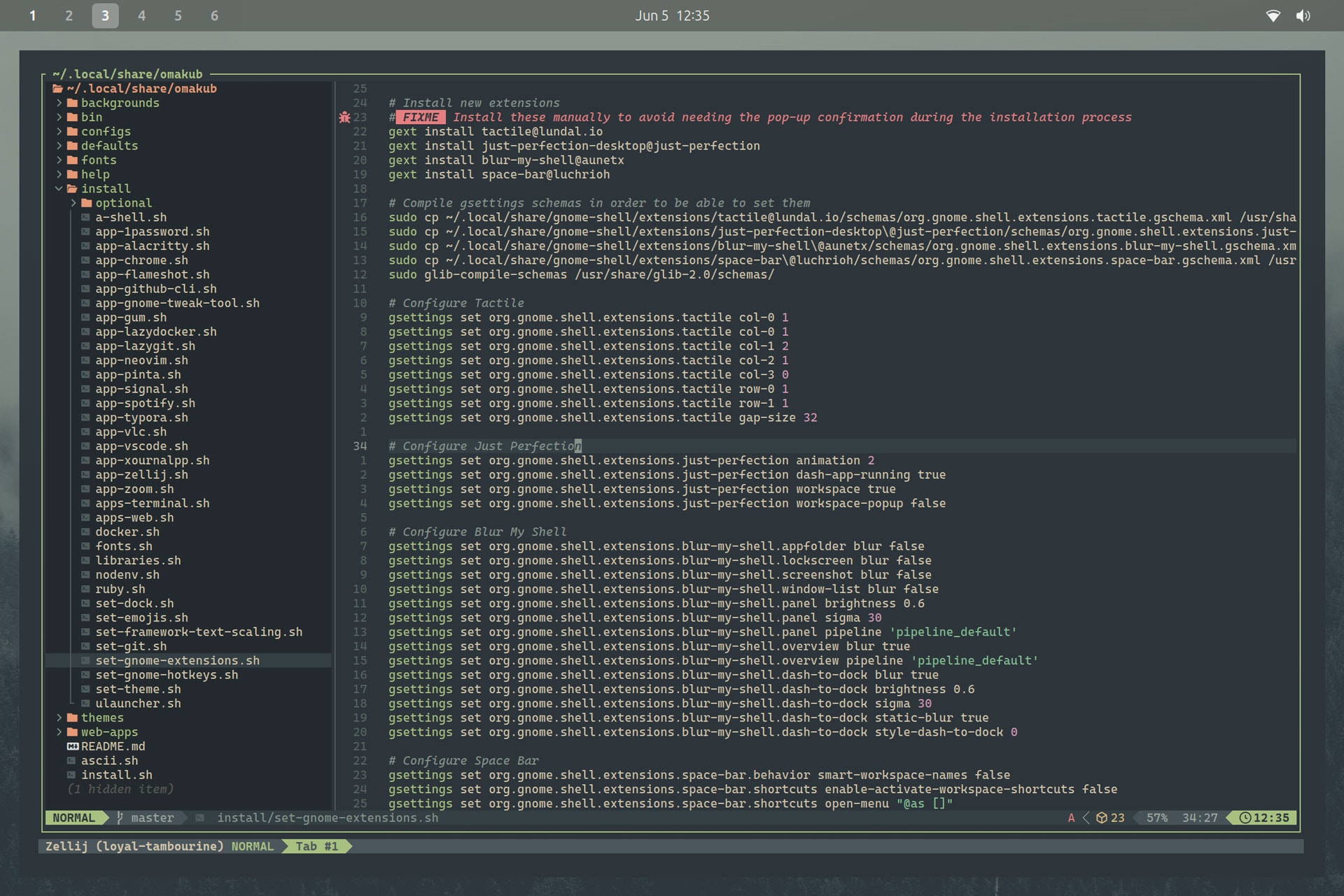
You can check the contents of the Omakub bash script on Github and hit up the (rather epic) website to see the results in action in a comprehensive 25 minute video. That explains the “why” behind its creation, who it’s aimed at, and why you might want to try it.
And if you do want to try it you’ll find the command you need to run on that website.
Omakub MUST be run on a FRESH Ubuntu 24.04 LTS install, or to one on which you have not made any major changes. Run it on an existing setup by all means but keep in mind it’s configured to alter a pristine one – you’re be on your own if things go Oma-kaboom!
The command downloads and executes the script. Everything else is automated save for approval for 4 GNOME Extensions. Once the scripts completes, logout to ensure the new settings take effect. I recommend a reboot too, but YOLO.
Obviously keep in mind that running scripts from the internet is generally frowned upon in Linux circles. If you are doing to run this PLEASE look at what it does first. You can preview the script on Github – though it may have changed since I looked at it for this article.
Also keep in mind that undoing the changes this script makes will require more than a single command!
But, at face value since I lack the bandwidth to try this, Omakub looks to be a terrific transformation tool that delivers a lot of value with little effort.
Omakub’s software choices and aesthetic changes won’t be universally adored, but that is sort of the point: a one-command opinionated time-saving jump-start for newbies switching to Linux to focus on a specific type of web dev.
Thanks Makhate & David