


Here are two GNOME extensions you can use to keep an eye on stock prices from your Linux desktop without needing to open a web browser or a dedicated app.
In a fast-paced world folks want quick and easy access to real-time stock market data. While there are websites that let you view stock prices online, it’s often more convenient to get the information through the OS itself.
So the GNOME extensions in this article will satisfy those who spend a lot of time at their computer and want to see the latest stock prices for specific companies/stocks. There’s no need to keep a browser tab open, or fish a smartphone out of your pocket as you can view the latest stock prices hassle-free.
Why not invest in one of these time-savers?
Stonks
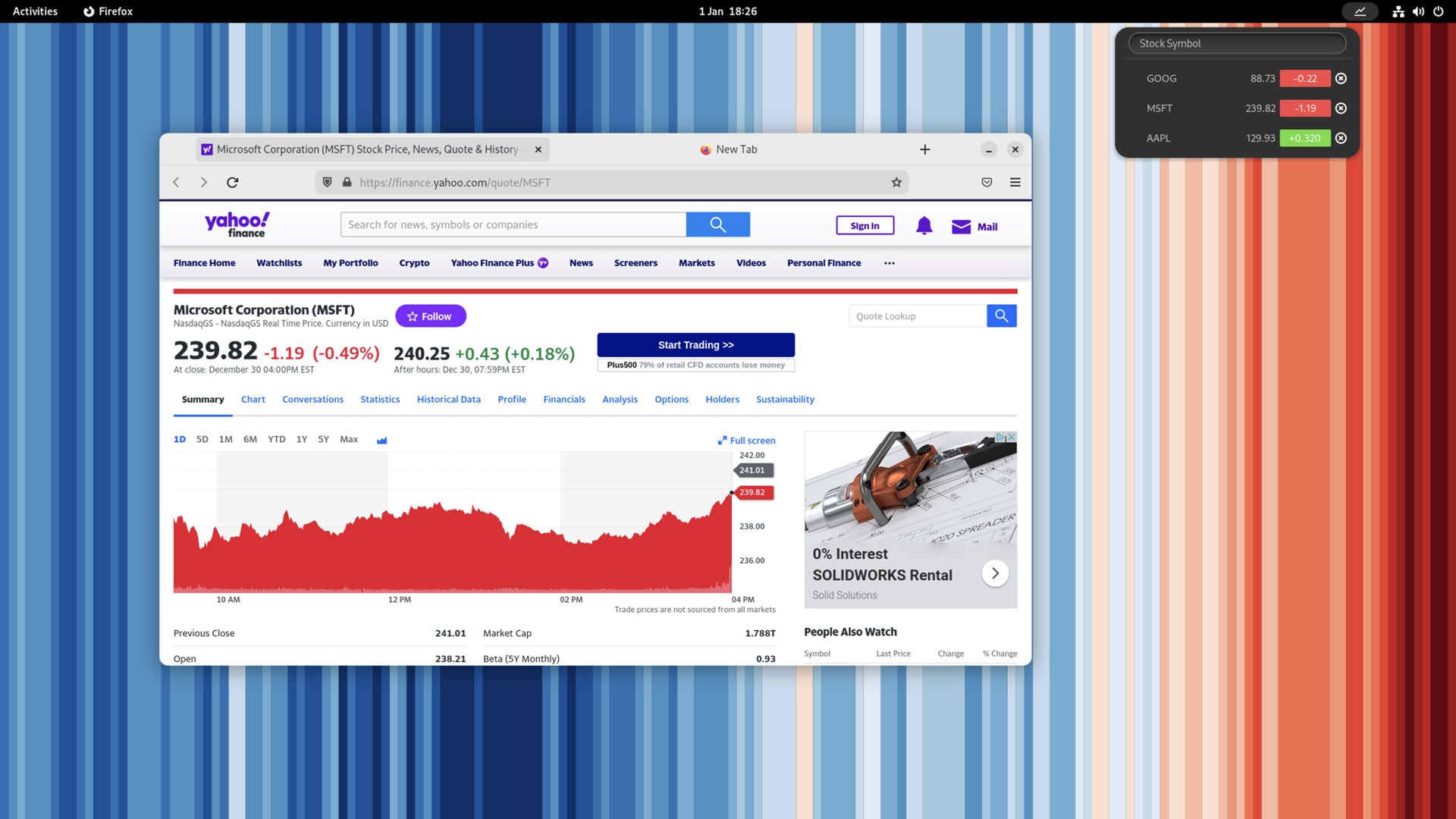
Stonks is a free, open source extension for GNOME Shell that leverages the comprehensive finance.yahoo.com API. It’s dead simple to use, and the one best suited to casual use.
When installed, Stonks puts a discrete icon in GNOME’s top bar (or Dash to Panel, if you use that) next to the status area. Clicking on the icon to open the menu, enter a stock symbol (the unique abbreviated name that identifies a stock market company/publicly traded shares) and hit enter to add it to the list.
Repeat for all the stocks you want to track.
When you want to check current stock prices you mouse up to the top bar and click on the chart icon to open the menu. Click on the stock symbol in the menu open the corresponding page on the Yahoo! finance website. Click the value change (the bit in red/green) to toggle between change in value and change in percentage.
Get Stonks on GNOME Extensions website or by searching for it in the (terrific) Extension Manager app available on Flathub and the repo of many leading Linux distros.
Stocks Extension
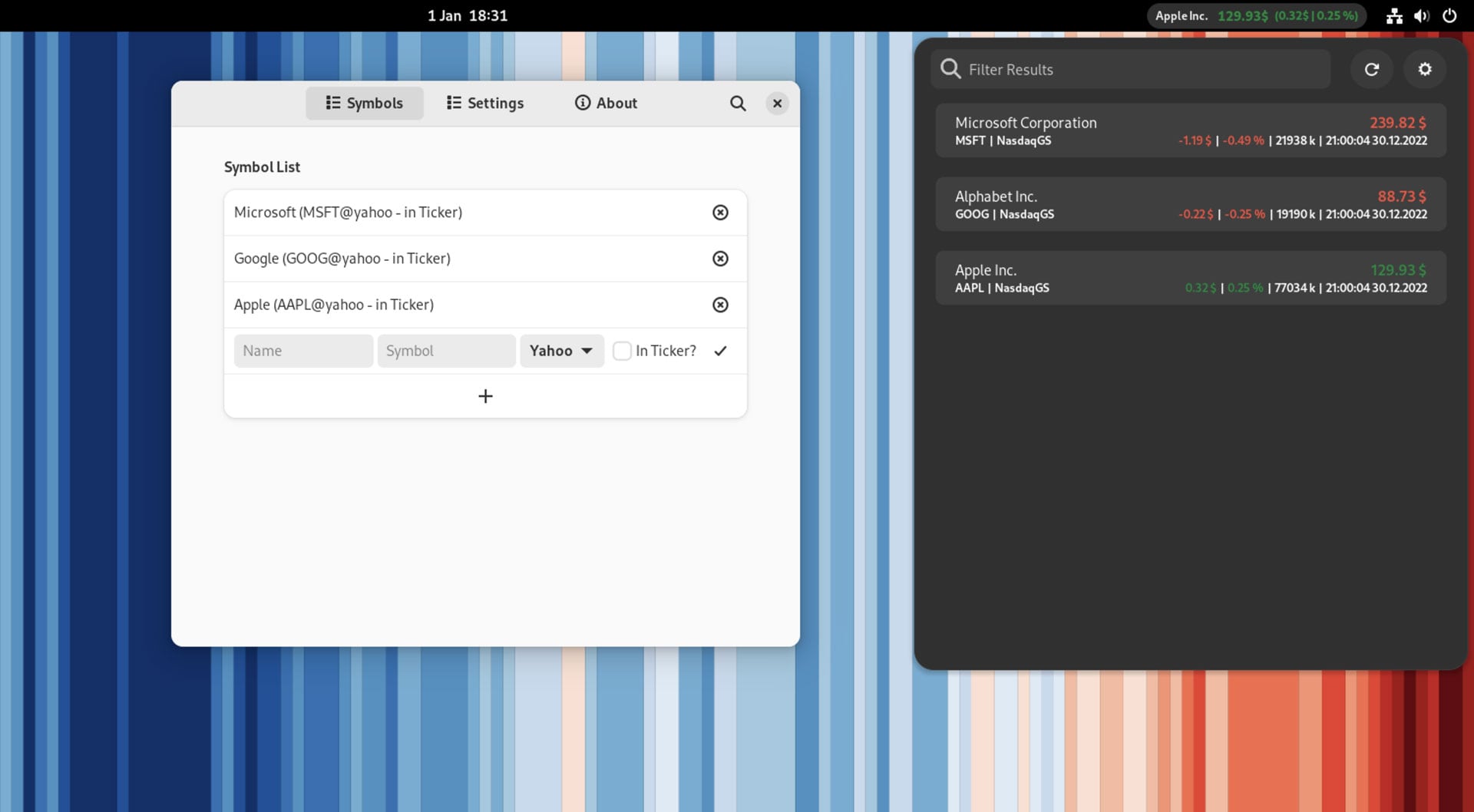
Like the look of Stonks but want to use something more immediate with more detail? Try the Stocks Extension for GNOME Shell instead. Stocks Extension does everything Stonks does plus a whole lot more.
First off, it’s glanceable. The extension puts a stock ticker in the panel so you can see stock price (for any stocks you add) instantly, no need to open a menu. The extension cycles through the stocks you add to show the current price of each. The ticker speed is adjustable, and you can choose how many stocks appear.
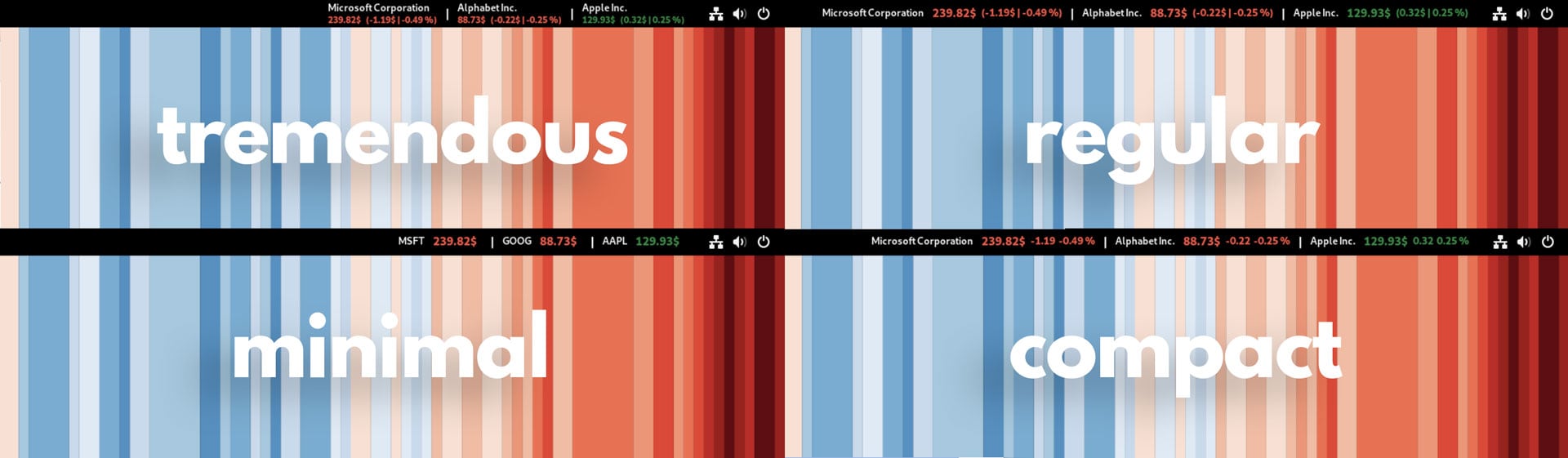
There are 4 panel layouts to choose from, each showing more/less data for configured companies. The ticker can be place on the left, middle, or right of the top bar. Red values indicates the price is down, and green values indicate that the price is up:
Data is cached for 10 seconds and reloads automatically, or you can open the menu and click the refresh button to instantly fetch the lates data. The extension supports Yahoo Finance and eastmony.
Click on the ticker in the top bar to open the menu. This displays a market summary for any stocks you’ve added, including the current/close price; the value change in currency; value change as percentage; the volume of traded shares; and the time/date of the information you see.
Click on a listed stock to reveal an info page with a lot more data, including share price at open & close; highest and lowest values; the exchange the stock is listed on; previous close price; and total volume traded.

There’s also an embedded graph that conveys the stock performance over a (selectable) time period. Mousing over the graph allows you too specific data points.
Get the Stocks Extension on GNOME extensions via the EGO website or a desktop app like Extension Manager. Source code can be found on GitHub.
Summary
Overall, viewing stock prices from the GNOME Shell panel is a convenient and efficient way to stay up-to-date on market movements without being tied to a browser, or obligated to open an app and keep switching to it.