
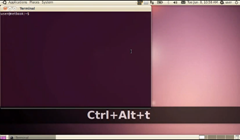
Screenkey desktop recording tool displays key presses on screen

image

Screenkey display key presses on-screen, making it a perfect foil for use in ‘how-to’ or tutorial videos.

The application is the work of Pablo Seminario who was inspired by a similar, though more comprehensive, screencasting tool available on OS X called ‘Screenflick‘, with Screenkey aptly emulating the following feature specifically: -

"Screenflick can tap into user interface events like key presses and mouse clicks and highlight them in the movies you create. This is extremely useful for training videos and video podcasts, or wherever you use keyboard shortcuts." ~ Screenflick website

Screenkey is based upon the key-mon project code.

Screenkey in action

The following short video demonstrates the feature Screenkey provides: -


Download

Install Screenkey by downloading the following .deb file. Once installed the application can be launched from the Applications > Accessories menu.

Remember to switch Screenkey off when you’re done or you’ll continue to get a running commentary on every keystroke!

Related posts:

  1. OMG Video: Desktop Recording in Ubuntu €“ No Sammich For You!
Post a comment or leave a trackback: Trackback URL.
  • http://olympusdigitalpen.blogspot.com/ dr. watson

    awesome.

  • Anonymous

    That looks so cool, I might start using it when I’m *not* screencasting :D

  • VforVincent

    That. Is. Brilliant.

    Love tiny, super-useful apps like that.

  • Anonymous

    great app .. really useful

  • http://www.kilobitspersecond.com/ Jay

    One thing conspicuously absent from Linux is a feature-rich desktop recording tool. Most that exist are just barely passable.

    • http://omgubuntu.co.uk/ d0od

      There certainly is room for improvement. In fact the inspiration behind this application – Screenflick – would be a noble goal for screencasting developers to aim for.

    • Antonio

      Then there’s the unfortunate case that some don’t work with certain graphics cards (with an ATI Radeon 4500 it brings the computer to a standstill)

      The only feature rich application that I’ve seen is Recorditnow http://kde-apps.org/content/show.php/RecordItNow?content=114610 It’s a kde app but will work with gnome

  • hachel

    so you don’t have to start it as root as with previously mentioned key-monitors?

    • hachel

      you don’t, I just tested :)

      I think it was key-mon that needed to be started as root. Wonder why this one doesn’t

  • http://el-bhm.myopenid.com/ el-bhm

    This cla- ssic
    Cheeeeeeeesy Music!
    Tarararaaaa
    Rape! -ed! my! ears.
    Rararararara.

    • http://twitter.com/smartiyanov Stepan Martiyanov

      o yes, do you know artist?

  • http://el-bhm.myopenid.com/ el-bhm

    Pimped Gnome – looks sick.
    Pimped Xfce – looks sick
    KDE4 by defaults – looks close to sick
    whipped up “any”Box – looks neat and clean.

    Why there are so few apps to screencast? Where is logic?

  • http://twitter.com/explodingwalrus Carl Draper

    Just don’t type your passwords into it! obviously.

    • http://twitter.com/jfigueroaNYG Jorge Figueroa

      didn’t mean to like…
      How do you intend to install a program or change some settings without a password, hmmm?
      Doesn’t seem very obvious

      • http://twitter.com/cedr cedr

        If you’re going to make a tutorial, make it on a virtual machine with a password other than your own?

        • https://launchpad.net/~seahorsepip Seahorsepip

          log in as root and then do the stuff…

        • https://launchpad.net/~seahorsepip Seahorsepip

          log in as root and then do the stuff…

      • ninjapirate89

        Or you could copy your password before you start the recording then just paste it whenever you need it.

    • Carl

      What I would do, having thought about this for a second, is temporarily set up some weird shortcut that quits and starts screenkey, perhaps on my right control, since it does nothing useful.

      Just tap control key before typing password, tap it again after…

      Job done.

  • rAX

    Thanks, this is better than key-mon ;)

    • http://www.google.com/profiles/the.red.shortcut rAX

      After using it, I think it misses the mouse keys plus mod keys when pressed alone!

  • Roberto

    wish it worked for me — I get YACPE (yet another cryptic python error):
    Traceback (most recent call last): File “”, line 1, in
    File “/usr/lib/pymodules/python2.6/Screenkey/screenkey.py”, line 167, in Main
    s = Screenkey()
    File “/usr/lib/pymodules/python2.6/Screenkey/screenkey.py”, line 74, in __init__
    self.listenkbd = ListenKbd(self.label)
    File “/usr/lib/pymodules/python2.6/Screenkey/listenkdb.py”, line 80, in __init__
    self.devices = evdev.DeviceGroup(nodes)
    File “/usr/lib/pymodules/python2.6/Screenkey/evdev.py”, line 150, in __init__
    self.devices.append(Device(fileName))
    File “/usr/lib/pymodules/python2.6/Screenkey/evdev.py”, line 102, in __init__
    self.readMetadata()
    File “/usr/lib/pymodules/python2.6/Screenkey/evdev.py”, line 118, in readMetadata
    self.name = ioctl(self.fd, EVIOCGNAME_512, buffer)
    IOError: [Errno 22] Argumento inválido

  • Anonymous

    That’s pretty sweet.

  • Anonymous

    What if one needs to enter a password?
    Also, I didn’t know about Ctrl-Alt-T before :D

  • dodo3773

    It needs more options and settings. It seems more like a beta right now with great potential.

  • Fernandoduzdevich

    Type your comment here. Yes it`s brillant, i know Pablo , he is a genius. Go pablin go

  • Anonymous

    Wonderful, thanks! I used key-mon but this is more aesthetic.

  • Anonymous
  • Coen

    Link no longer works.

    • http://omgubuntu.co.uk/ d0od

      Fixed.

  • http://slolinux.si kv1dr

    Awesome program. Now you don’t need to zoom in anymore, when you are recording your desktop :)

  • http://twitter.com/Afrodiseum N.C. Weber

    Rolf Steinort, the fellow who does the Meet the GIMP video podcast uses something similar, but it’s smaller and not as obnoxiously intrusive. Or can you adjust the settings on this thing?

  • http://twitter.com/Afrodiseum N.C. Weber

    Rolf Steinort, the fellow who does the Meet the GIMP video podcast uses something similar, but it’s smaller and not as obnoxiously intrusive. Or can you adjust the settings on this thing?

  • http://twitter.com/piratelv Levi

    Is it me or have I read this before? Is this just a republish of an older article? because there are 3 months old comments.

  • http://twitter.com/piratelv Levi

    Is it me or have I read this before? Is this just a republish of an older article? because there are 3 months old comments.

    • http://b.wardje.eu/ Ward Muylaert

      Most definitely the case

  • http://www.google.com/profiles/Yogotiss Yogotiss

    How convenient for [How To] videos on Youtube!

  • http://twitter.com/magnatajp tanimoto

    Very nice . tanks