

AI-powered voice typing is coming to Ubuntu in Myna, a speech-to-text feature that lets you talk into any valid text field. It’s still a work in progress, but I grabbed an early build to see how it’s shaping up.
With Ubuntu 26.10 now entering its freeze, the user-facing pieces of myna are falling in to place. This week, a new GNOME Shell extension was added to default installs to provide an on-screen indicator when myna is listening and recording.
To be clear: Myna is not a GNOME Shell extension. It’s an orchestrator that loads an AI model, handles hot-key activation, passes audio from your microphone to the AI model and then pass the transcription output back to the text field of an app using IBus1.
But the extension is important. It’s the bit you’ll see, so that you know Myna is listening to and processing audio.
You can see Myna in action in the (quick) screen recording below. It shows Myna being activated to and used to transcribe a simple sentence straight into the Text Editor app:
Myna’s GitHub page says2: “Whether you are looking to dictate text hands-free, improve accessibility, or streamline your workflow, myna brings seamless voice recognition directly to your Linux ecosystem.”
In the version I tried, I activated Myna by pressing (but NOT holding – a change from how Canonical described the feature previously) super + t, having focused the text field in the app I want to use voice typing with.
An onscreen display (OSD) appears to indicate that listening is active. As I talked, an animated ‘wave’ inside the OSD oscillate.This is a nice bit of confirmatory feedback so you know it’s working.
When done, pressing the same keyboard shortcut again stops listening. The OSD animation goes flat as the audio is transcribed in the background. After a short pause, the text appeared in the text field of the app I wanted.
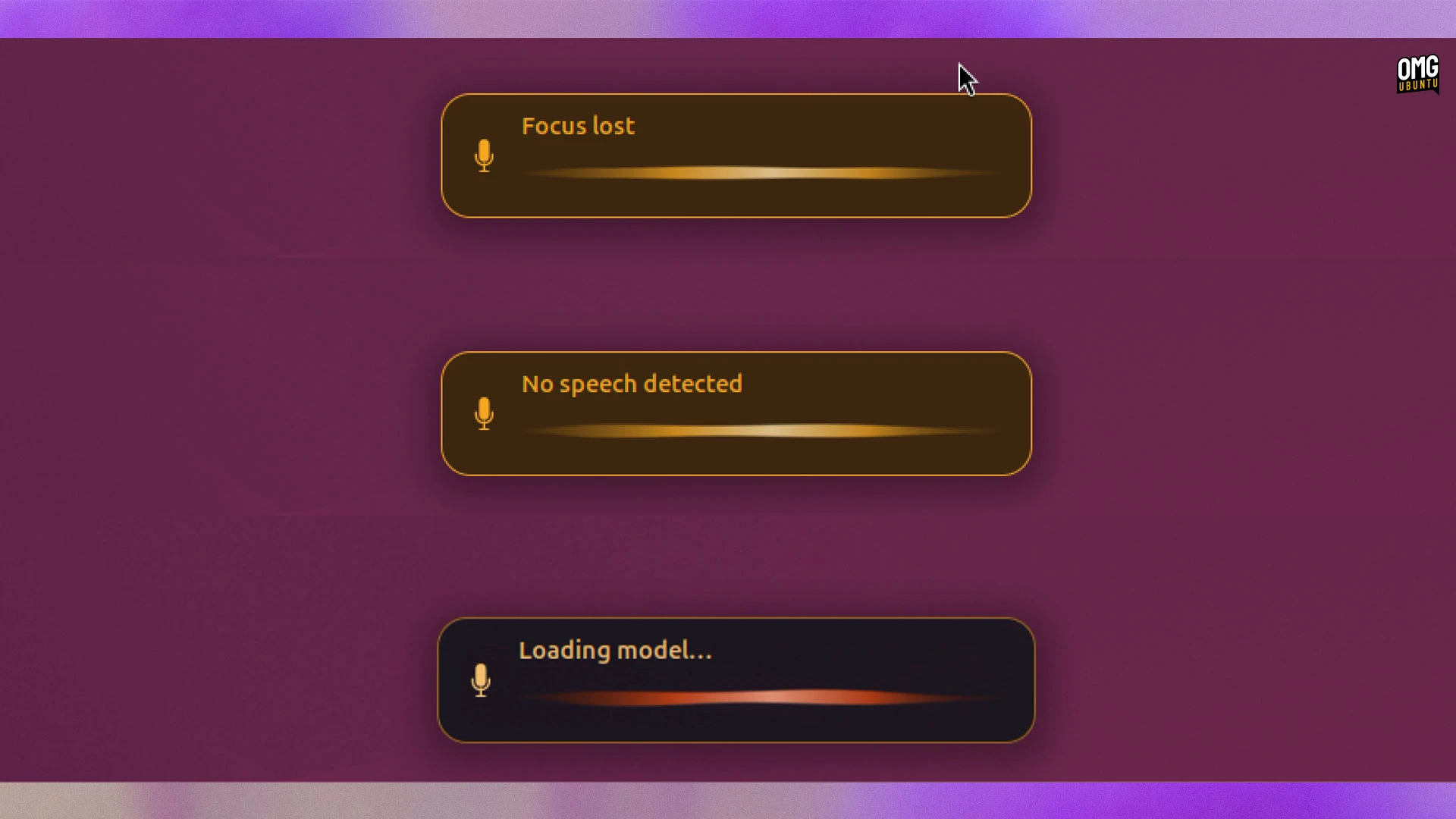
According to the spec, if you close or minimise the ‘target’ window after activating Myna, it will stop working. I couldn’t get that to reliably happen, though the myna OSD did let me know focus was lost on occasion.
Focusing a different window or alt-tabbing away from it won’t, per the spec, interrupt the input. Myna keeps track of the intended target – which means you won’t end up with the right thing pasted into the wrong text field!
If Myna doesn’t hear any audio, it tells you so; it can’t transcribe silence or, alas, work telepathically.
Different AI models will power Myna
No audio leaves your device, say Canonical. Myna doesn’t rely on cloud models; it works entirely offline, figuratively and literally. And any audio that is used for transcription is not stored, logged or trained on.
In my testing myna used Whisper. But a variety of local AI models will be available (all as snaps), including some that can run solely on NVIDIA GPUs, some CPU only, some that have broader language support, etc.
By the time this feature is ready for wider testing, the best local AI model for your system’s hardware is used.
I haven’t found any of the voice snaps, or the myna orchestrator, on the Snap store yet, but I got it things up and running from source code on GitHub. As the feature will be distributed as a snap
The good news is that it worked, fairly accurately, albeit a tad slowly (I was running WIP source code in a virtual machine, so I’m taking nothing as read). Input landed in most fields I tried, including the text editor, GNOME Shell overview and Firefox.
Dictation for Ubuntu, not dictated by Ubuntu
Canonical will take a deliberate approach to AI features in Ubuntu, per its VP of Engineering, Jon Seager. He said using AI for its own sake rarely works, and that any features found in Ubuntu will need to offer real value to users.
Not a fan of AI?3 Myna is expected to be opt-in and. Both it and the speech recognition models that are downloaded on-demand will be Snaps, so easily removable (and avoidable).
- A Wayland-native inout method is planned for a future release. ↩︎
- If you play AI writing-tell bingo, congrats on completing a row! Full house would’ve required “with ease”, “elevate” and an “it’s not X, it’s Y” construction. ↩︎
- The Myna repo has nested folders of cross-referencing
.mdfiles, structured and worded to unambiguously steer and assist AI agents in understanding/set out constraints. However, it’s not clear if any of Myna’s code itself has been generated by AI tools. ↩︎