

They say never judge a book by its cover, and few do if said book is a dictionary, but what about desktop dictionary apps?
I recently came across Wordbook, a modern English-English dictionary powered by OpenEnglish WordNet and eSpeak for pronunciations. Wordbook is in GNOME Circle, and its GTK4/libadwaita UI is a good fit for the desktop.
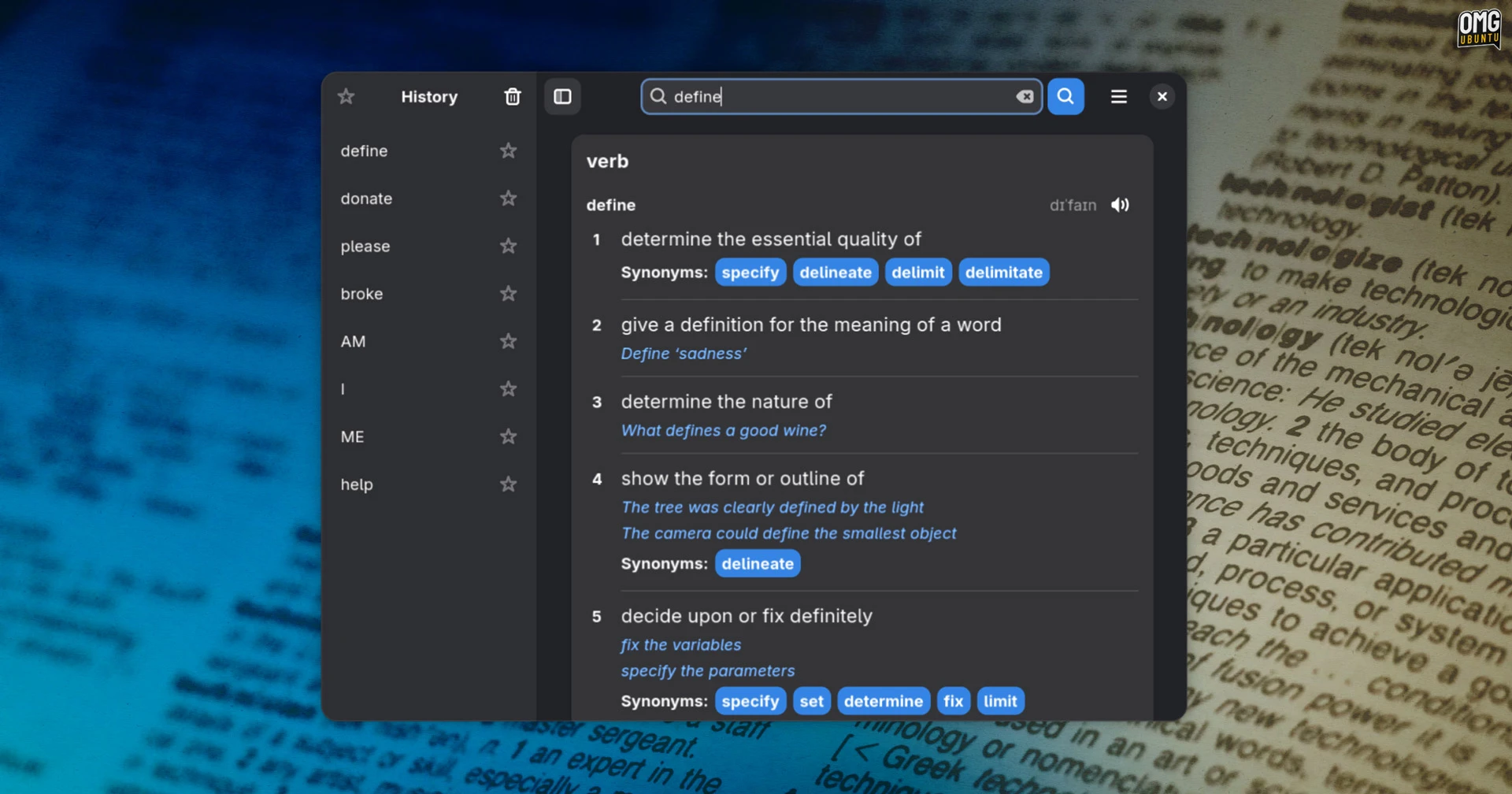
Wordbook uses a lexical database, with words grouped into ‘synsets’ based on their meaning. It makes it easier to explore related words, distinguish between words that look similar (but have different meanings) and find different precise alternatives.
A random word option, favourites and history, and auto-completion are also included. All useful to people who are learning English. And it can cope with typos too, matching to the words that were likely what the typer was aiming for (ahem, it me).
Best of all, it works entirely offline.
But what of GNOME Dictionary? That provides more of a conventional dictionary lookup tool, but it normally requires internet access and the UI is quite dated. If all you need is “what does this word mean?”, it works – Wordbook works better, in my opinion.
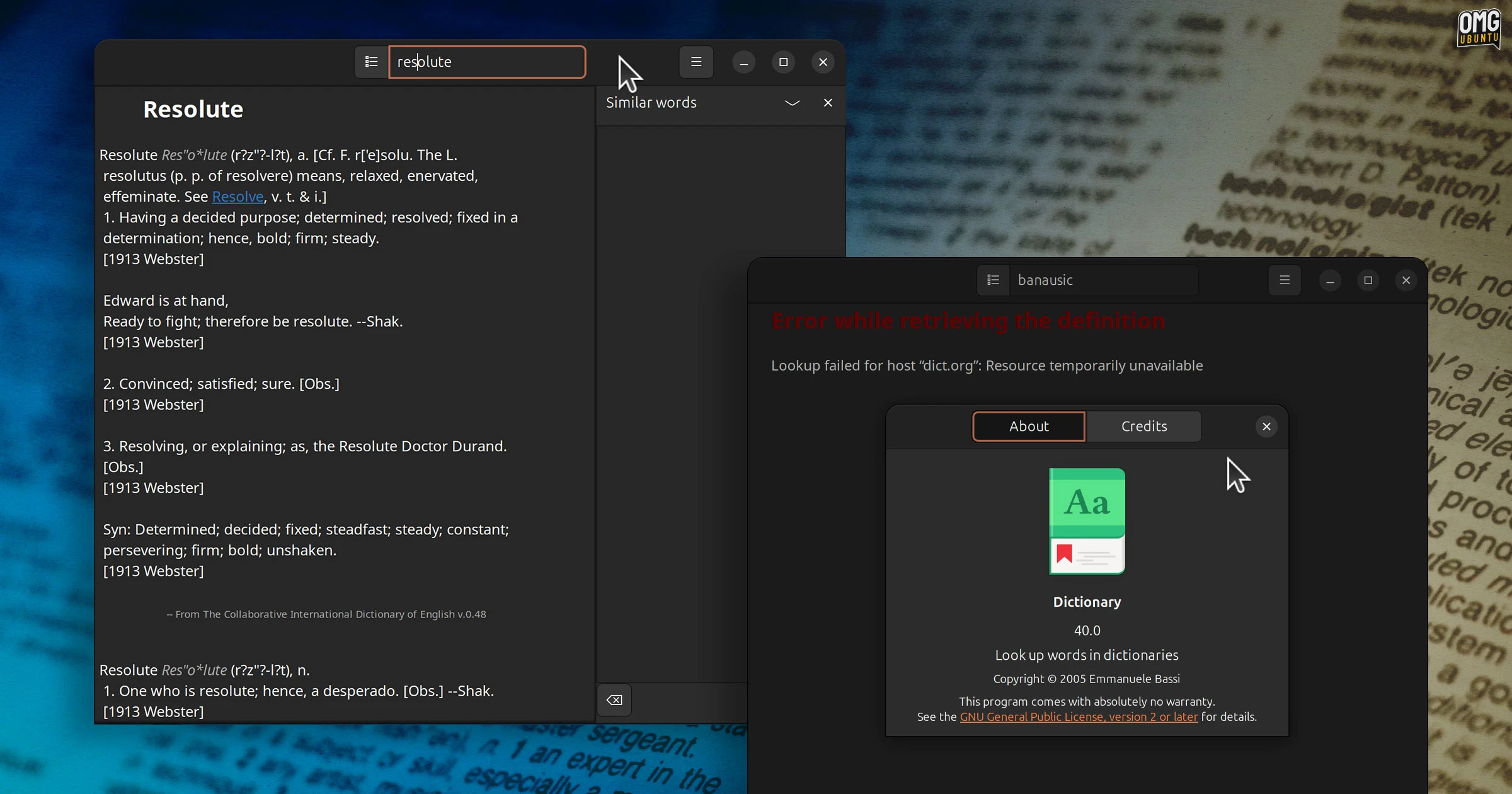
By and large, it’s faster to find word definitions using a web browser. Same with synonyms; ask a search engine for an alternate word and it’ll yield greater specificity – and with LLMs in the mix, potentially1 land a term with the exact meaning you wish to convey.
Even so, an offline-capable dictionary, with pronunciation included, has its uses, e.g., unreliable internet, distraction-free working, those not wanting to funnel every query through big tech’s maw.
Wordbook’s features also sound like they’ll be of particular benefit to non-native English speakers who are trying to master the language (and its many quirks).
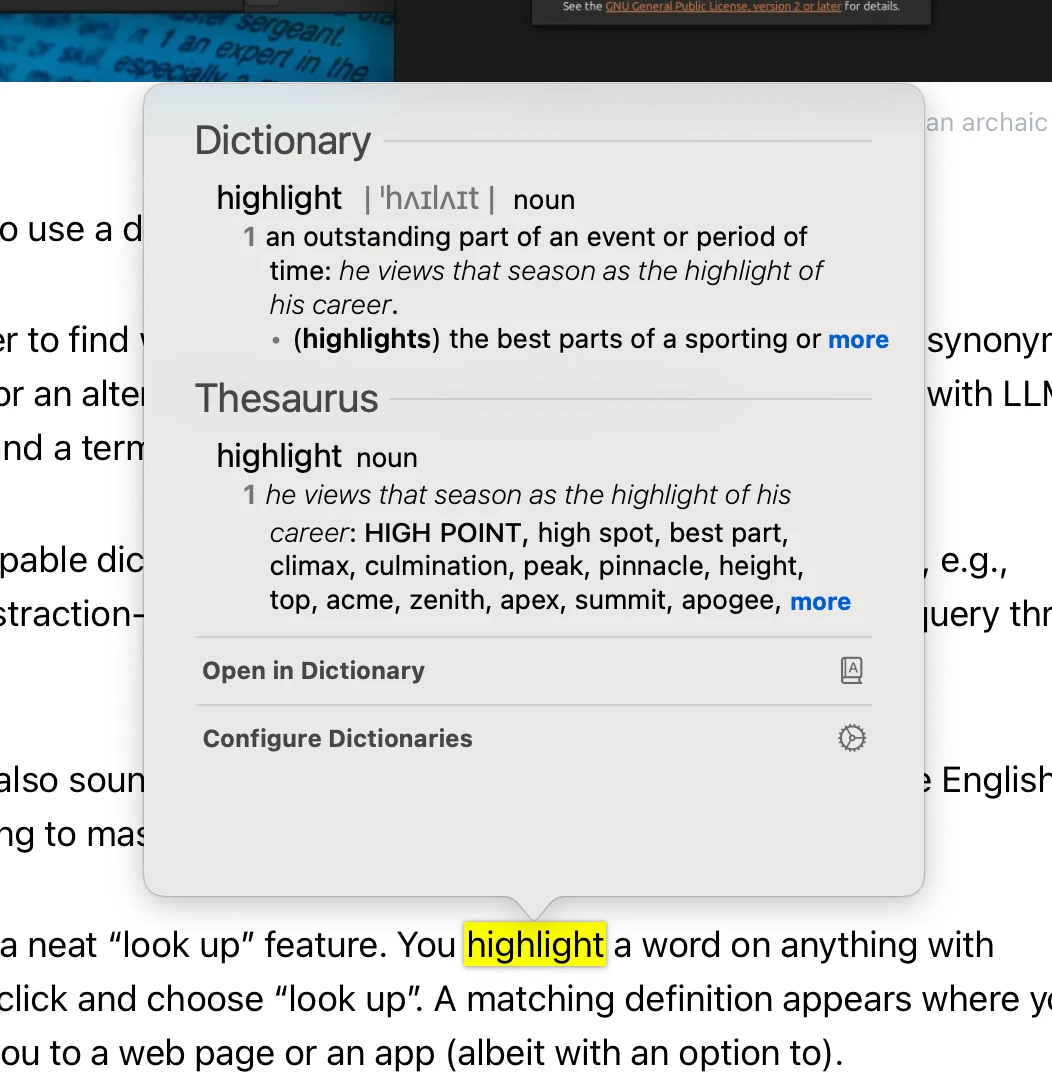
macOS and iOS have a neat “look up” feature.
You highlight a word on anything with selectable text, right-click and choose “look up”. A matching definition appears where you are, without punting you to a web page or an app (albeit with an option to).
I really like that approach.
In writing this, I was surprised to see that, with GNOME Dictionary installed, you can’t look up the meaning of words in GNOME Shell’s overview. It can do calculations, show you the time in other countries and surface emoji to copy to the clipboard.
But define a word? No.
Perhaps Wordbook could extend it by adding definition lookup? Edit: WordBook does include a GNOME search extension (it needs to be turned off in Settings > Search), which lets you get quick definitions from the Overview search results page.
The floating search results in GNOME 51 is only part of bigger ambitions in mind for the feature. A desktop search tool that can answer “what does this mean?” natively would be the very definition of useful.
You can find WordBook on Flathub.
- Emphasis on potentially if LLMs are being trusted. ↩︎