


Ubuntu’s App Center software tool makes it easier to manage and update Deb software in its latest update – and nets a few extra options for snaps, too.
The changes are part of Canonical’s goal of making App Center, first introduced in Ubuntu 23.10, the epicentre (I’m sorry) for software management on Ubuntu, both Snap and Debian-based packages.
A recent update to App Center (in Ubuntu 26.04; may come to earlier versions too) adds support for showing and managing Debian packages installed on your system from the Ubuntu repos, using PackageKit and Appstream on the backend.
Previously only snaps were listed in App Center, but now your Deb apps appear right alongside them:

This addition plugs a gap in modern Ubuntu’s software management since the distro swapped its fork of GNOME Software (Software Center) for its home-grown App Center, written in Flutter and Dart.
App Center already let you search and install Deb apps from within the Ubuntu archives, but to ‘remove’ them graphically you had to go to the listing page directly – there was no way to see a list of installed Deb packages to remove (or quick-jump to said listing page to do it).
Now there is.
You open App Center, go the Manage section (option in the sidebar) and a newly expanded row of options is shown below the ‘Installed apps’ heading. A combined list of is shown by default, but can use the Package type dropdown to only view snaps or only Debs.
You can also sort Debs by most/least recently updated, size or installed.
Might it one day support Flatpak? Nothing to stop someone contributing the code to find out.
Snap revert option on app listings
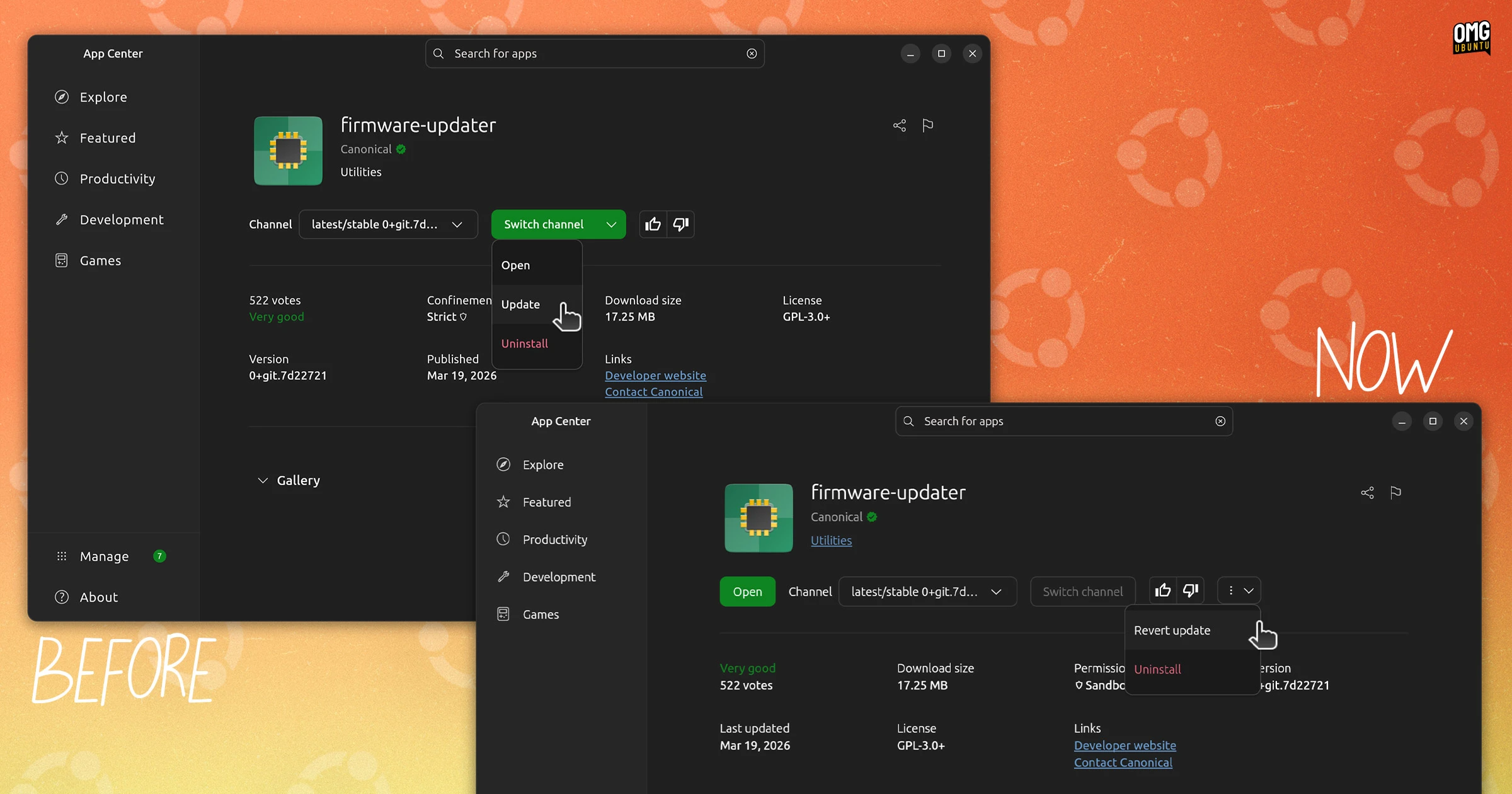
Other changes in App Center ahead of 26.04 LTS – changes which may be available to users on earlier versions of Ubuntu as well – include rigged Snap app listings. On installed snaps, an ‘open’ button is shown on the listing page itself, and a ‘revert’ option added to the drop down.
A merge request is open to add support for purging app data when uninstalling snaps through the App Center. This would be welcome. A backup of app data is taken and retains when you uninstall a snap, in case you re-install it later – acting as a well-meaning cruft accumulation service.
Giving users the ability to say “no, really; I want expunged”, would free up disk space.
App-athetic Center
Do these changes make App Center better? Certainly. Canonical’s out to consolidate the disparate ways we find and manage software on Ubuntu, which should make both the distro easier to use and the experience of finding apps.
However, if this is to be the primary way to manage and update all sorts of software, I do hope more attention goes into the design. Flutter is not GTK, but if it’s trying to look like it belongs on the Ubuntu desktop, tackling the visual inconsistencies would be a good start.
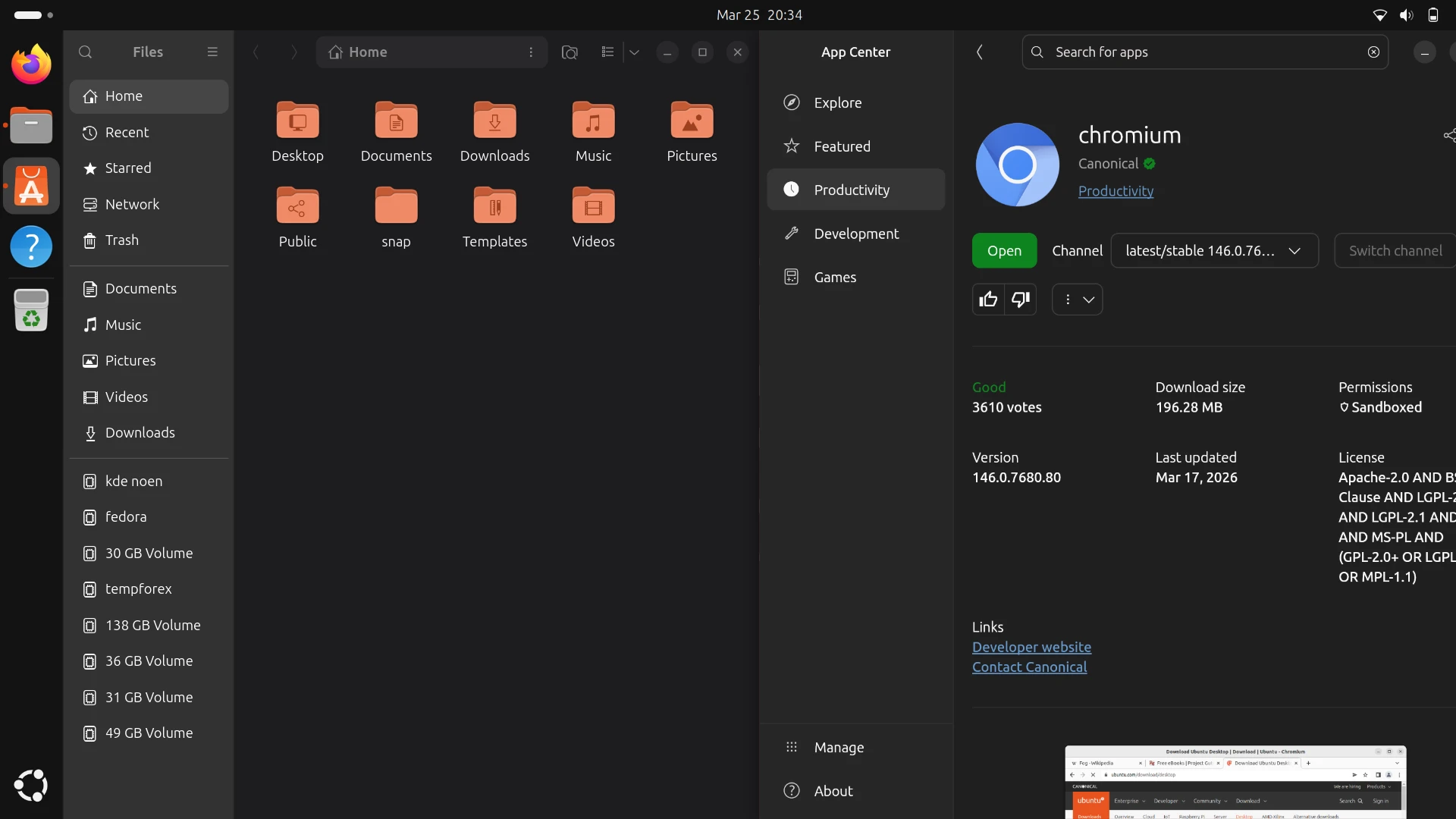
—and the app remains stubbornly inflexible at resizing. It can shrink to a degree, but not fully – it won’t ‘snap’ neatly to either side of my display: window controls trail off screen if it’s on the right, or overlap with the other snapped window if on the left.
It has been said that usability is a feature too.