


If you haven’t check in with Ubuntu’s app prompting feature for a while, there’s more reason to do so in the latest release.
Recent improvements to the snap-focused security feature, which Canonical’s Oliver Calder has shared an update on, aims to “empower users” by letting them grant apps system and hardware access at runtime rather than retrospectively.
Android or iOS use similar prompts, showing screen modals asking if users if they want to “allow Acme App to access the camera” with options to deny or “only while using the app”. Nifty stuff on mobile, but on a desktop? Well, Canonical feels it has a use.
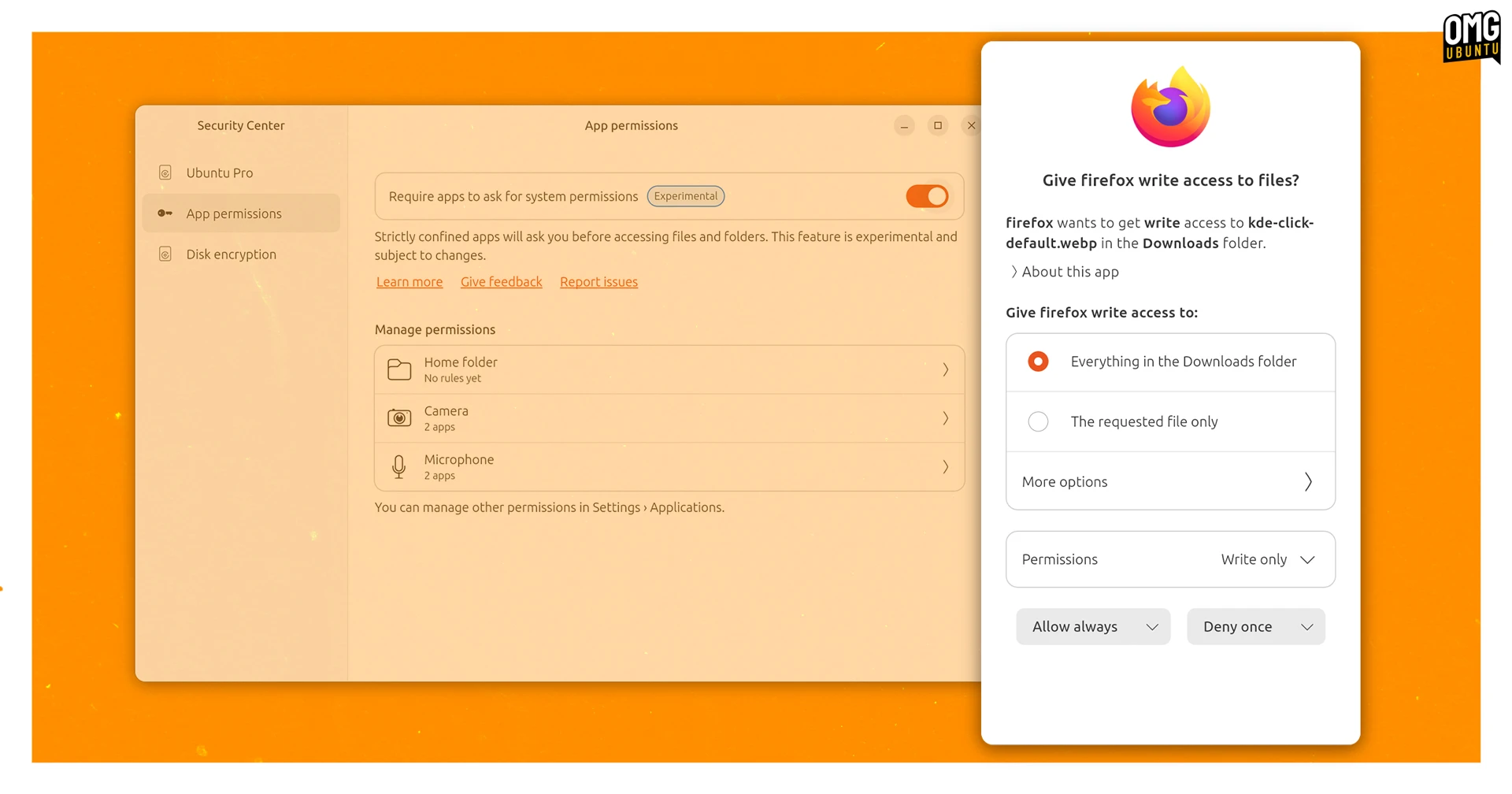
For now, Ubuntu’s app prompting effort remains an ‘experimental’ feature users need to manually enabled. But in the recently released Ubuntu 26.04 LTS it’s less naggy and provides greater control over app permissions.
When an app requests access, you can allow or deny it, decide how long the permission lasts and, in some cases define specific folder paths, so rather than, e.g., an image editor having access to all of ~/Pictures, you could contain it to just PNGs in ~/Pictures/MySpecialFolder.
The plan is to “continue to add functionality and refinement over the coming cycles”. No word on when it’ll be flipped on for everyone.
What’s changed recently?
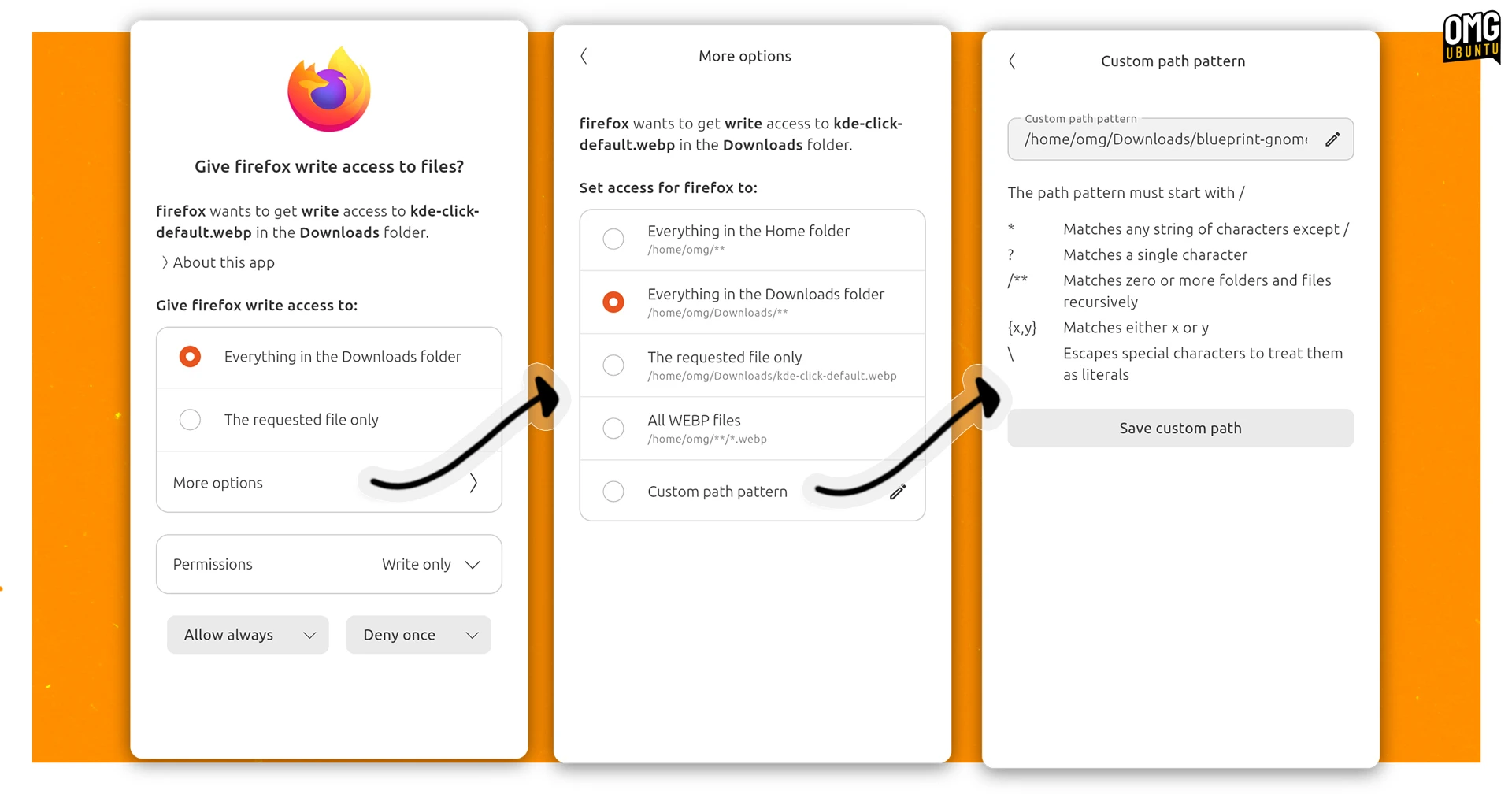
The app prompting feature has improved steadily since it was added in Ubuntu 24.10. Ubuntu 25.10 reduced the frequency of repeated prompts, added temporary rules that expire on logout and extended prompting to cover the camera interface.
Ubuntu 26.04 LTS brings redesigned dialogs and support for the audio-record interface, which apps can request to listen to or record audio from (like your device’s microphone). Adding that required “clever changes” to WirePlumber to work, says Calder.
Calder says there’s work to “upstream the prompting kernel features from Ubuntu” to the mainline kernel, so that this could work elsewhere.
As both prompting client app and user-facing controls are distributed as snap, and snaps update independently of the rest of the system, all of these improvements are available to users on Ubuntu 24.04 LTS and 25.10 too, not just 26.04.
How it all works
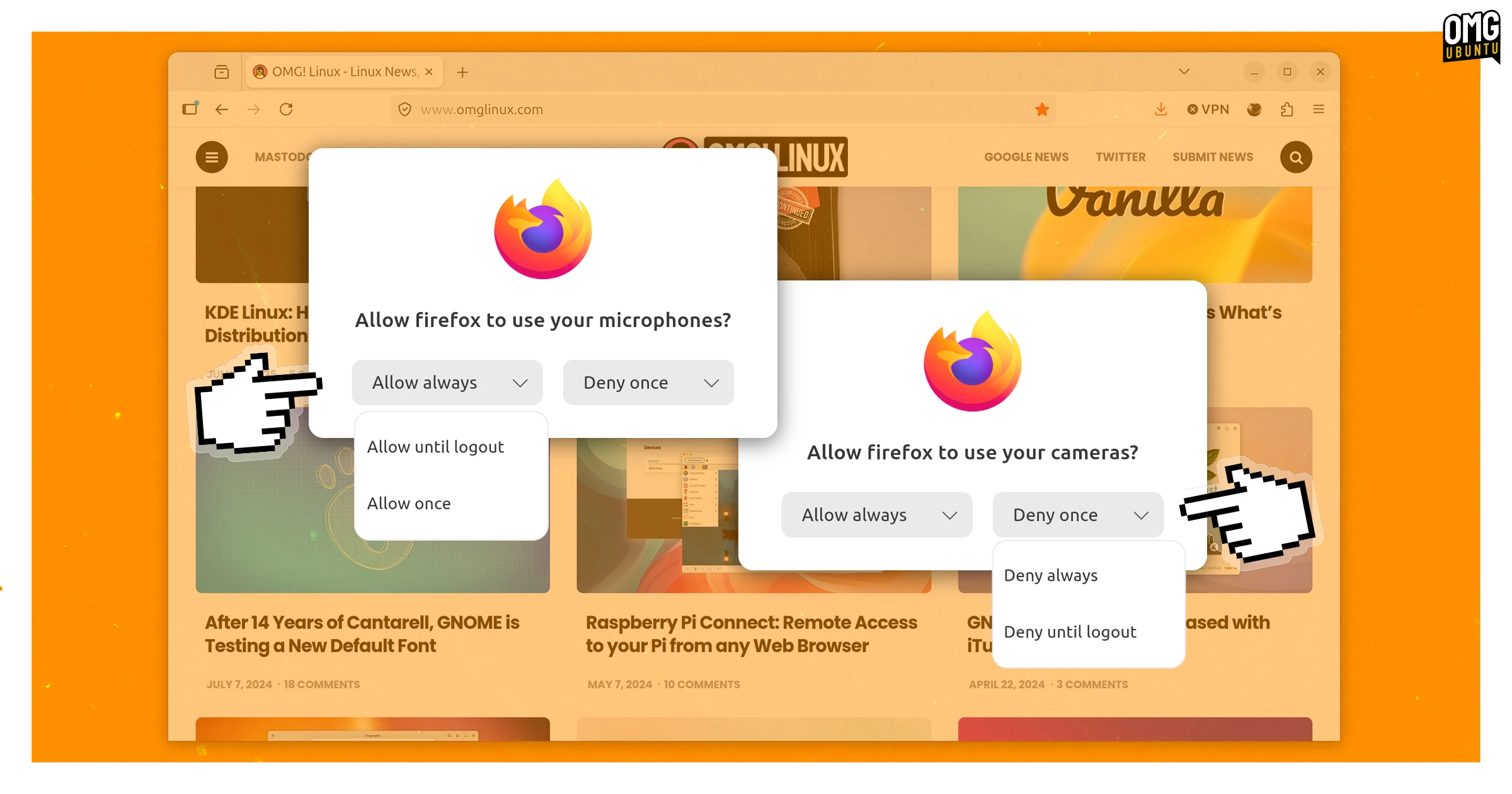
Typically, Snaps are able to connect to standard ‘interfaces‘, like home for files and folder and camera for webcam, automatically. When prompting is turned on, a user needs to explicitly grant permissions rather than the app receiving them automatically.
Ubuntu uses AppArmor to handle app permissions for Snaps (and Deb packages), with available permissions defined in a profile. If there is no rule allowing a particular operation, AppArmor intercepts it and passes the request to snapd.
Snapd checks whether an existing prompting rule covers the request. If it does, it responds. If not, it triggers the prompting client, which then shows the user a dialog. Once the user responds, snapd creates a new rule for future requests and passes the decision back to AppArmor.
This, says Calder, gives users “an extra level of control and peace of mind about the permissions of applications running on their system”. It all happens quickly too.
Once granted, app permissions can be managed from the desktop Security Center, with a wider selection of system permissions available to toggle on/off via Settings > Apps.
Try it out
If you’re on Ubuntu 26.04 LTS, head to the Security Center to enable prompting. If you’re on Ubuntu 24.04 LTS, you must install the security-center snap first, then open it and opt-in to prompting (you can opt-out again at any time).
You will only see prompts from Snap applications. Debs are managed via AppArmor, while Flatpak software uses XDG Portals to define and control permissions, some of which can be controlled through Settings > Apps panel.