

If you need to compress a video to a specific file size on Ubuntu, which tool do you reach for — HandBrake or FFmpeg?
Both are solid, capable choices, but they are not the only Ubuntu video tools available.
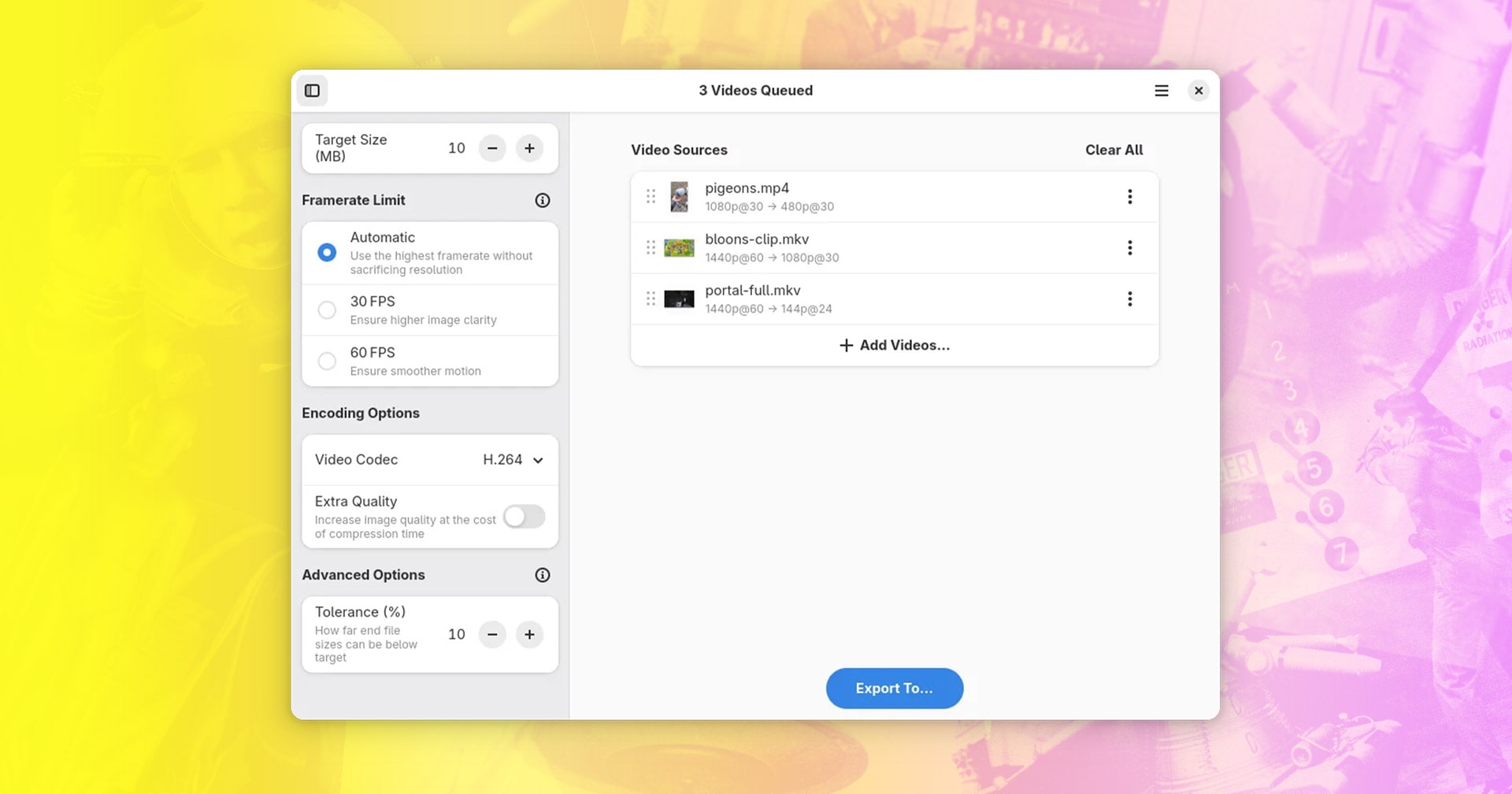
Constrict, a new Python-based GTK4/libadwaita video compressor for Linux, recently hit Flathub promising to end the “manual trial-and-error of re-encoding at various bitrates” through a simple FFmpeg GUI that compresses videos to exact file sizes.
To casual users, HandBrake’s sprawling feature set can feel overwhelming, and harnessing FFmpeg’s power requires mastery of arcane commands1 requiring precise input. It’s no surprise that free online video converters like CloudConvert are popular.
Constrict is an alternative to those tools, able to automatically calculate the ABR (average bitrate) resolution, framerate, and audio quality of a video to meet the target file size.
Rather than guess quality settings and hope the end file is small enough for what you need (to meet an upload limit on social media or email), you can specify exactly how large you want the final file to be.
The app says it will try to “retain as much audiovisual quality as possible for the file size given. However, extremely steep reductions in file size can cause significant loss of quality in the output file, and sometimes compression may not be possible at all.”
Features include:
- Bulk compress multiple videos and save to a specific folder
- Frame limits to opt for a more clarity or smoother footage
- Hardware acceleration (VA-API only)
- Tolerance settings to provide some leeway in output files
- Choice of H.264, HEVC, AV1, and VP9 encoding codecs
- ‘Extra Quality’ toggle at expense of compression time
- Support for GIF sources
The app compresses and encodes files locally, on your computer, with no cloud connections or AI gubbins. This will mean compression is as fast as your hardware — on my Ubuntu Chuwi laptop, that is not very fast at all…
Constrict is not a replacement for FFpmeg or HandBrake, and it won’t be much use to anyone looking to compressing length video files down to a smaller size whilst retaining the best quality. This answers a different need, one where compromise is expected.
You can install the app from Flathub using the link below, or grab the source code from GitHub.
- Or rather, mastery of a search engine ;) ↩︎