


NordVPN has announced a major update to its Linux app, adding a much-requested GUI front-end that makes it easier to control, configure and monitor secure connections.
Linux users have been able to use an official, comprehensive command-line interface for NordVPN for many years.
The addition of a graphical user-interface (which can be used alongside the command-line one) should help the company broaden access to its services by making it easier to use NordVPN without needing to look up commands and type them in.
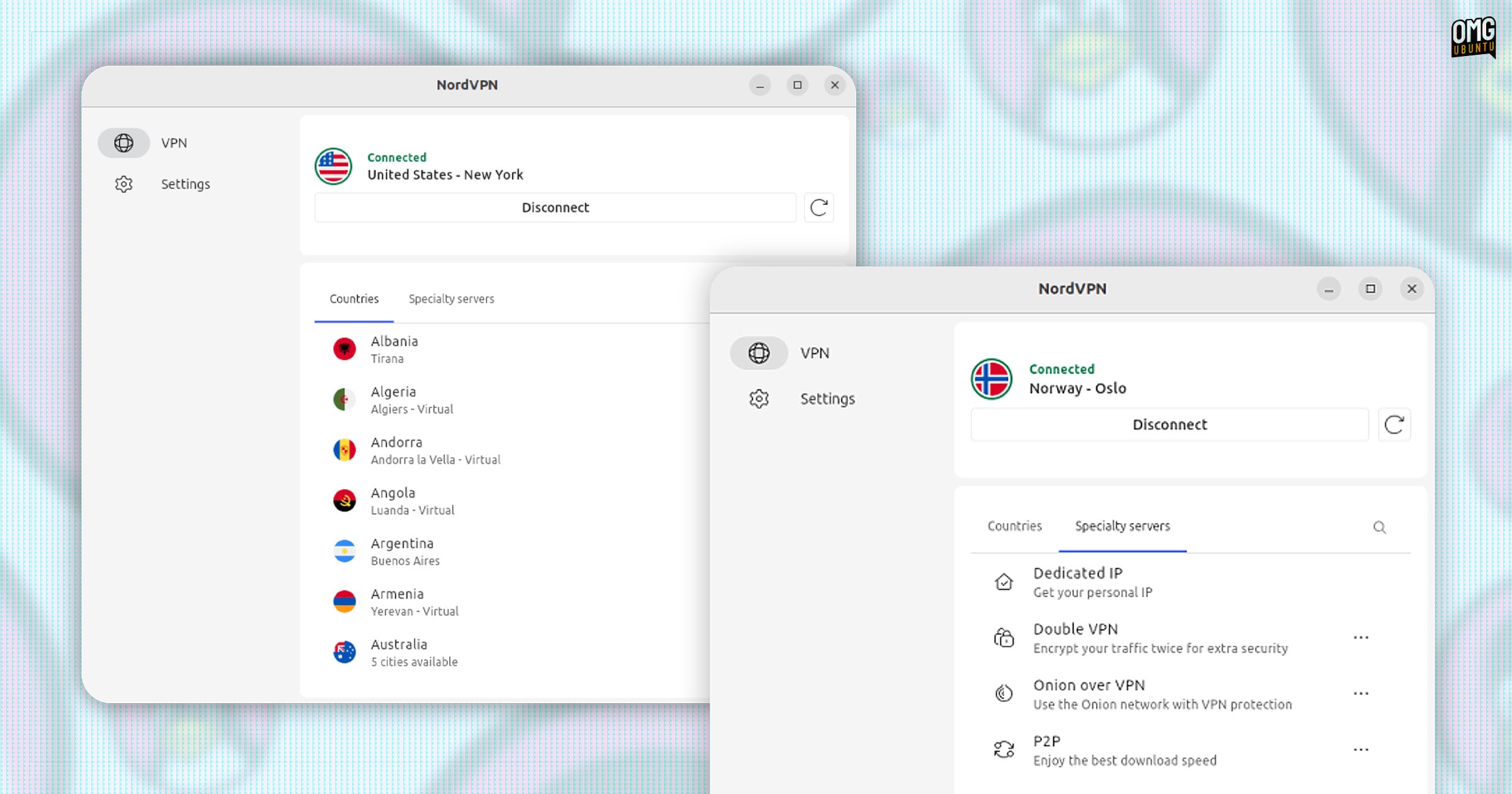
NordVPN say the Linux GUI provides “visually rich elements and ease of use without compromising advanced features. With just a few clicks, users can connect to a server, manage preferences, and monitor their VPN connection – no commands required.”
And, for those wondering, both CLI and GUI NordVPN Linux apps are open-source.
Linux users are an incredibly important part of our community, and we’re thrilled to make their experience even better. The new GUI brings the familiar simplicity of our apps on Windows and macOS to Linux, all while preserving the reliability, speed, and security NordVPN is known for.
Marijus Briedis, CTO of NordVPN
The cybersecurity company say most key features of NordVPN, like post-quantum encryption and NordWhisper, can be enabled and configured through the new GUI.
However, a few, like Meshnet, are available only through the CLI (which can be run side-by-side with the GUI, so users can pick the one that works best for them, as and when needed).
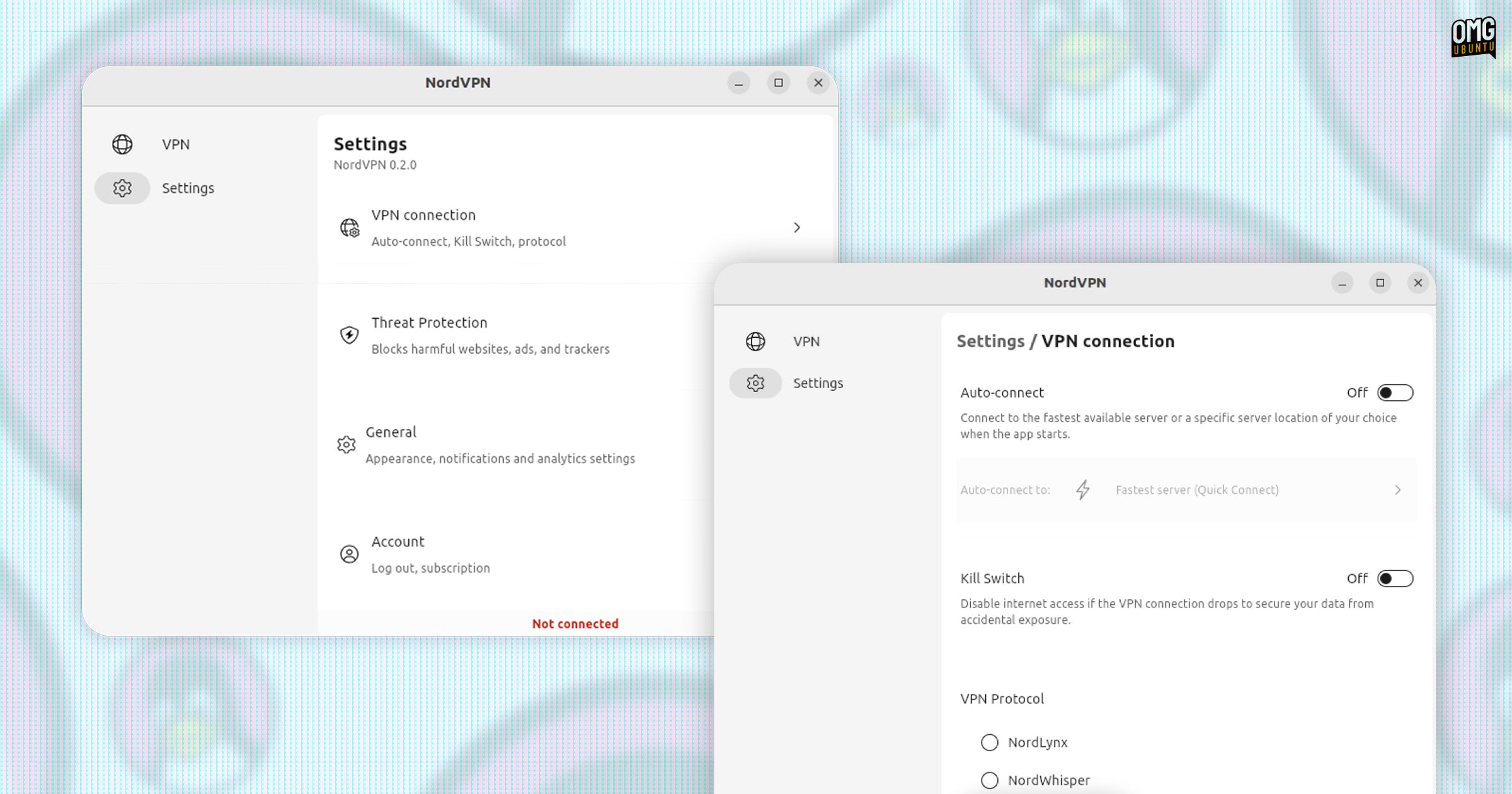
NordVPN says it plans to bring more features to the desktop app through “ongoing updates and enhancements based on user feedback”. If you’re a NordVPN customer, be sure to let the company know know what’s missing to help direct development.
According to NordVPN’s support docs, the NordVPN CLI app must be installed to use the GUI. The GUI is currently only available in DEB or RPM packages (installed via a script, see below), while a Snap app version is “planned for the future”.
Install NordVPN Linux App
If you go to download the NordVPN Linux app through the official website you won’t get given a traditional DEB installer, but a command you need to run in the Terminal.
Running the script — which support both RPM and DEB-based distros — will add the official NordVPN Linux repo, then install the relevant package from it, along with any required dependencies.
The command uses wget to download an official installer script that, when paired with a nordvpn-gui switch, will download and install the new graphical client.
sh <(wget -qO - https://downloads.nordcdn.com/apps/linux/install.sh) -p nordvpn-gui
Once everything is installed, the app can be launched from your desktop app launcher, just like any other app, login with your account, and go from there.
Worth using?
NordVPN is undeniably popular and has has a massive marketing machine behind it—ahem, a few of its adverts haven fallen foul of the UK advertising standards agency—so it’s a bit surprising it’s taken this long to offer a full desktop Linux app.
Given its market saturation, this update is sure to be welcomed.
As Linux users we are well-catered for when it comes to VPN services, many of which are deemed, by Linux-minded privacy advocates, too preferable due to being outside of US jurisdiction. Earlier this year, Vivaldi browser added Proton VPN access.
I use Mullvad. I find its pricing fair (with no contracts), its commitment to privacy and anonymity iron-clad, it’s on the list above, and—crucially for me—doesn’t incentivise people to say it’s good (i.e., affiliate kickbacks, sponsoring YouTubers, etc).
Ultimately, the best VPN for Linux is the one with the features you need, at the price you want to pay, with the app or configuration approach you prefer. With an official desktop GUI now available on Linux, NordVPN betters its chance of being it.