

If you installed Ubuntu 25.04 (or upgraded from 24.10 before the gate was closed due to various pernickety issues) you might have noticed that window buttons in GTK apps.
Ubuntu user Cristiano Fraga G. Nunes certainly did, filing bug report to report that “…on Ubuntu 25.04, the window control buttons (minimize, maximize, close) appear at inconsistent sizes across different GTK applications.”
As he notes, GTK4 apps like Nautilus and Text Editor use smaller window buttons than in GTK3 apps, like Terminal which uses larger buttons (the same size GTK4 apps did in Ubuntu 24.10):
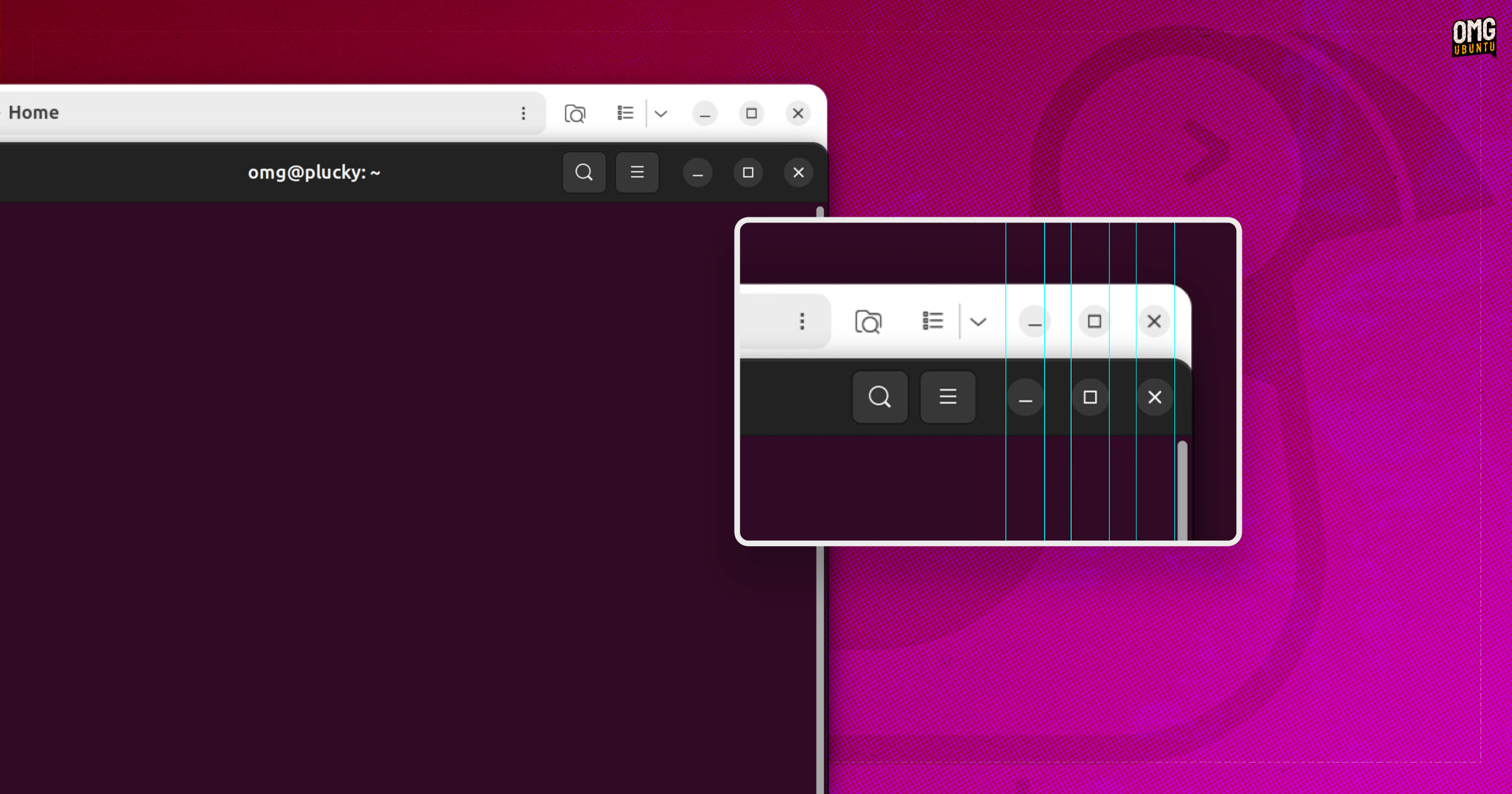
Why the discrepancy?
Ubuntu uses Yaru as is default ‘theme’, a modified version of the libadwaita stylesheet (‘theme’, if for brevity’s sake) which adjust various aspects to suit Ubuntu’s preferred branding and design cues.
Yaru is applying different window button sizing to GTK4 apps (like Nautilus) than it does for GTK3 apps (like Terminal), hence the former having smaller hit targets than the latter – where buttons are the size they’ve always been.
If you’ve noticed this bug, and been bugged by it, you’ll be pleased to hear a fix is on the way.
Accepted in the plucky-proposed repo today is a patched version of libadwaita, which will filter out to the regular repos should it cause no regressions elsewhere).
And if you hadn’t noticed this bug (or had but were not bothered) it’s nonetheless reassuring to know that finer details are just as well tended to in Ubuntu, much like the Yaru oversized icon fix that made it in to 25.04 proved earlier in the cycle.