


Edit, Microsoft’s open-source command-line text editor, added syntax highlighting, improved regex handling in Find & Replace and new editing shortcuts in its v2.0.0 update.
Microsoft open-sourced Edit last year. It’s a small, cross-platform text editor with VS Code-style keybindings, mouse support, handles LF and CRLF line endings and lets you open multiple file. The clean terminal user interface (TUI) is super easy to use.
The Edit v2.0.0 release came out earlier this year, but the unofficial Linux snap package (msedit, maintained by Canonical’s Aaron Prisk) only updated on 14 September – that update is how I heard a new version was out.
Belatedly, here’s what’s the new version brings.
Edit’s nimble syntax highlighting
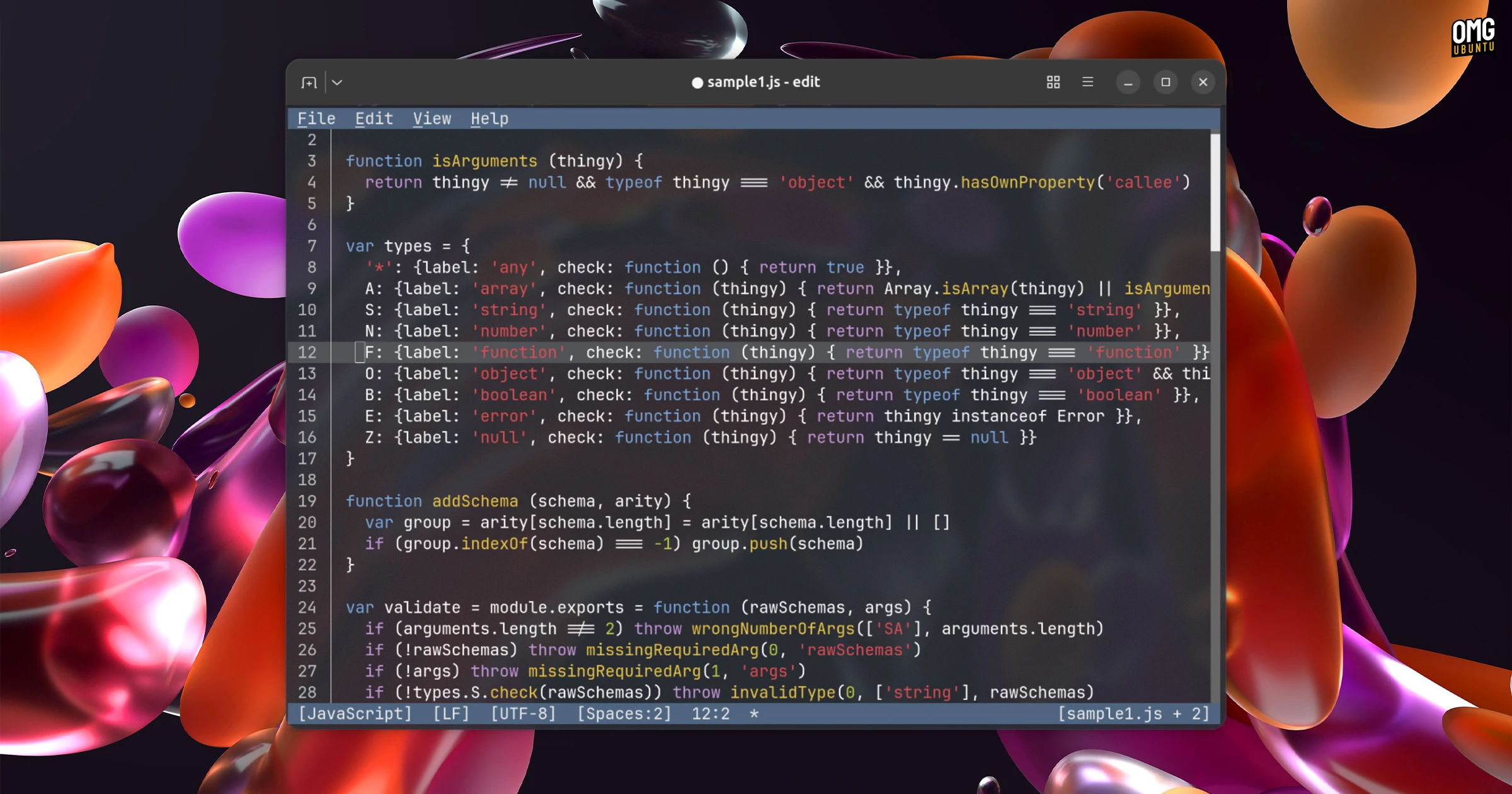
Syntax highlighting in Edit v2.0.0 is the big-ticket addition. Developers built a custom, lightweight syntax highlighter that only adds 40Kb to the binary, but covers over a dozen popular programming languages:
- C
- C++
- C#
- F#
- Go
- Java
- JavaScript
- JSON
- Lua
- Markdown
- Odin
- PowerShell
- Python
- Ruby
- Rust
- Shell script
- TOML
- XML
- YAML
It also processes text at >100MB/s, per the release notes, which makes for a pretty nippy experience for anyone working with long files regularly.
Other improvements from the change-log:
- Find & Replace can reuse matched text in replacements
- Alt + Up/Down can be used to move lines
- Tab and Shift + Tab indent/unindent multiple selected lines
- Ctrl + L selects the current line
- Whitespace inside selections is now visible
- The • in a terminal titles indicates files with unsaved changes
- Opening a directory via the CLI opens the file picker
- The file picker uses natural sort –
file2.txtcomes beforefile10.txt - Missing parent directories auto-created on save
One request since launch has been for a way to customise the tool. This release beings initial settings.json support, albeit limited to files.associations for now.
Bugs were squashed, the package now builds with Rust v1.93 or later (previously required a nightly build) and a snapcraft.yaml file was added to the Github repository, giving the unofficial Snap package a supported build configuration.
Edit doesn’t outgun Vim or Emacs (it lacks the depth of either), but that’s intentional; Edit is aimed at folks who want to work with files in a terminal, albeit not super heavily, but aren’t versed in modal editing models – and don’t wish to be.
Which probably explains why I like Edit (which goes by the package named of msedit on Linux) as it’s very obvious how to use it. The lack of syntax highlighting was a glaring omission given the use-case, so I’m pleased to see that rectified.
Install Microsoft Edit on Ubuntu
As mentioned, Edit v2.0.0 release has been available for a while, but the package on the Snap Store was only updated to the new build recently.
To install Edit on Ubuntu open your terminal and run sudo snap install msedit --classic. Once complete, you can access it by running msedit .