

Right on schedule, a new update to the Mozilla Firefox web browser is available for download.
Last month’s Firefox 134 release saw the New Tab page layout refreshed for users in the United States, let Linux go hands-on with touch-hold gestures, seeded Ecosia search engine, and fine-tuned the performance of the built-in pop-up blocker.
Firefox 135, as is probably intuit, brings an equally sizeable set of changes to the fore including a wider rollout of its new New Tab page layout to all locales1 where Stories are available:
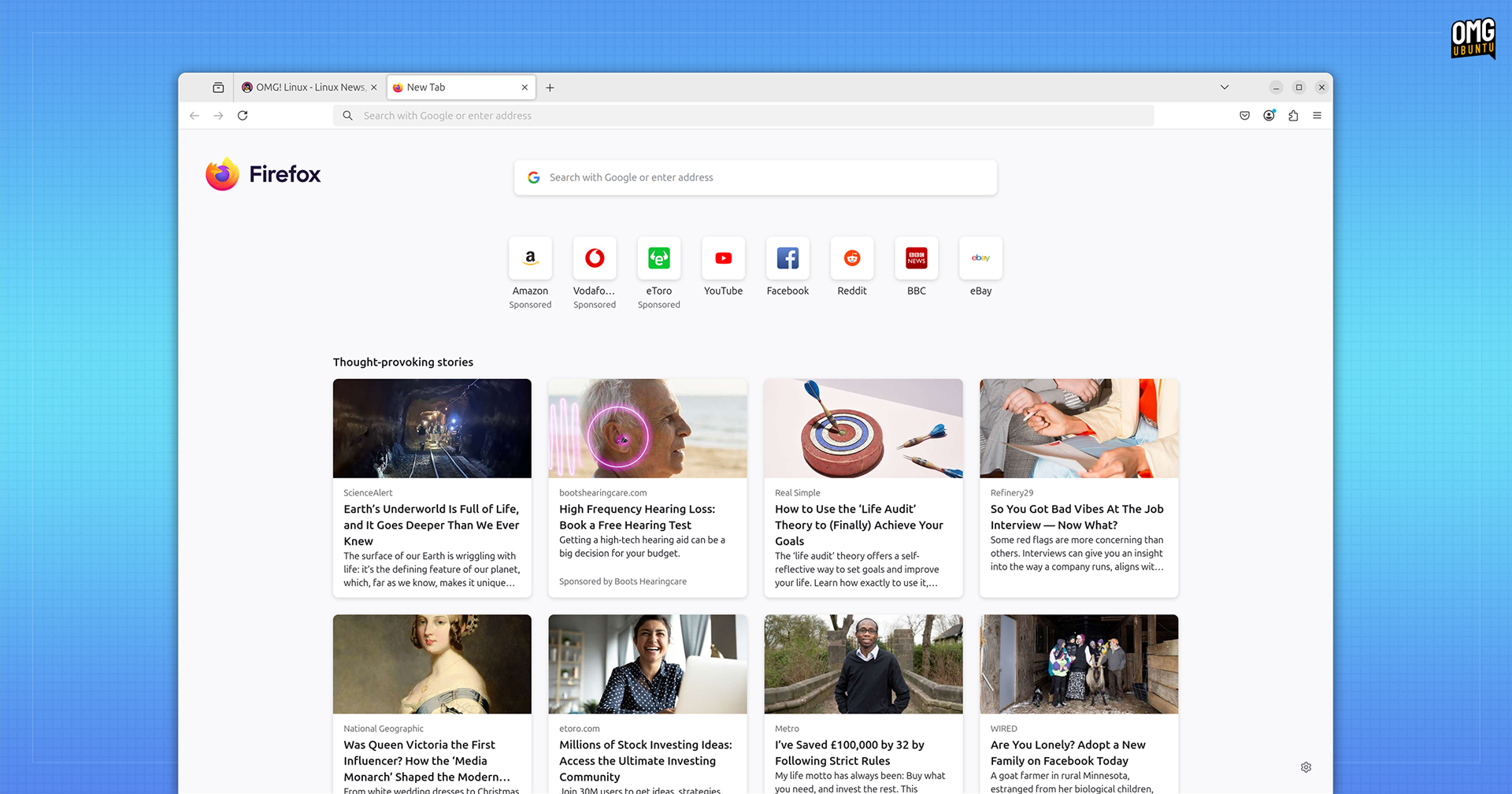
It’s not a massive makeover, granted.
But the new layout adjusts the size and position of the Firefox logo, shifting it to the left. The change prioritises the search box, site shortcuts, and Stories (the latter of which will now span 4 columns when viewed on wide displays).
Further changes to the New Tab page are in the works, including control over what sorts of Stories are surfaced by Pocket once it begins recommending ‘relevant content’ based on your browsing history, per an updated privacy page from Mozilla.
Also benefiting from a global roll-out in Firefox 135 is credit card autofill, a feature which first debuted in select locales a few releases back.
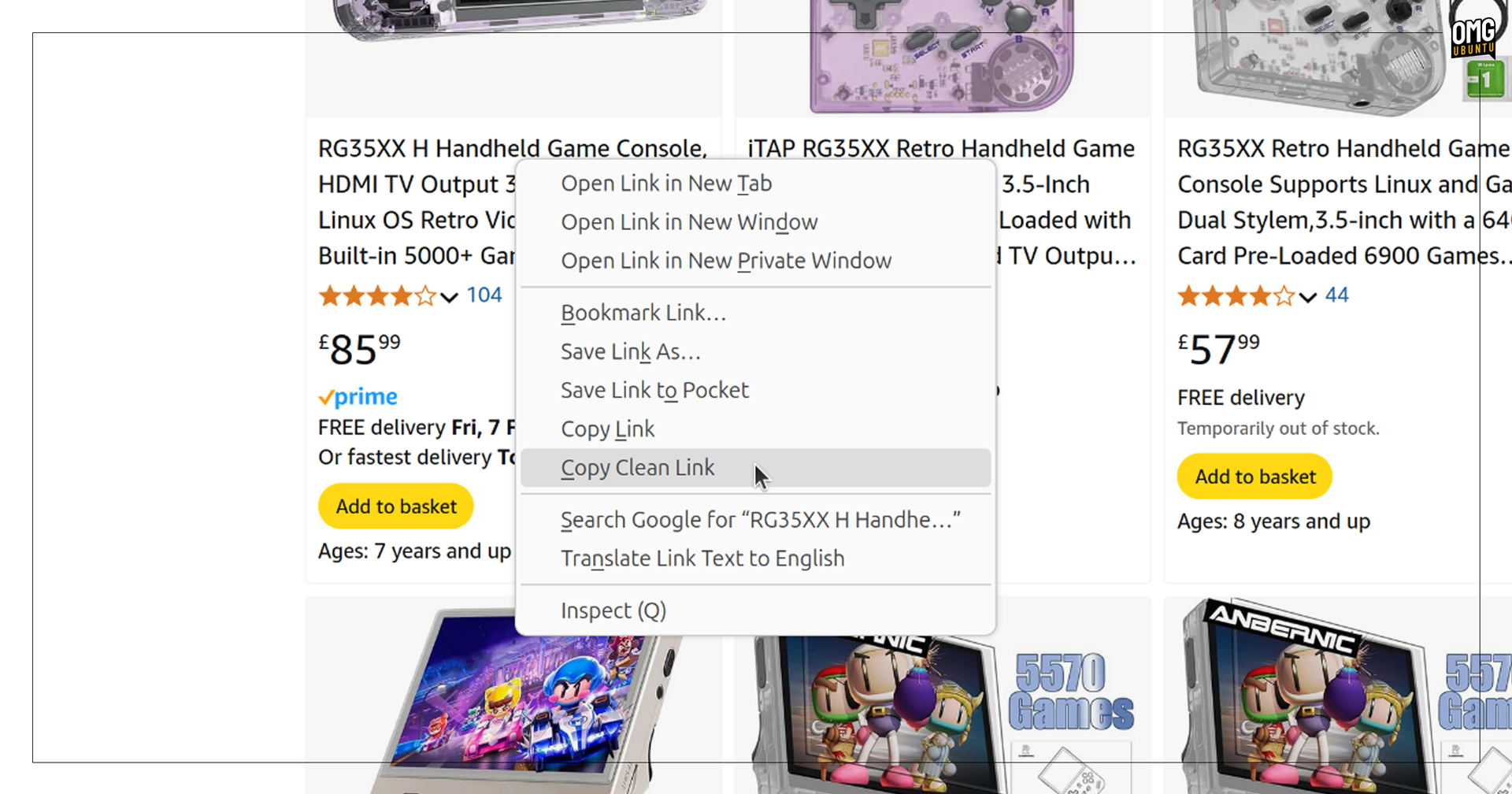
Firefox 135 renames its “Copy without Site Tracking” option to a less-wordy “Copy Clean Link”. No other changes, but Mozilla say the new label should “help clarify expectations around what the feature does” —it cleans links, y’all!
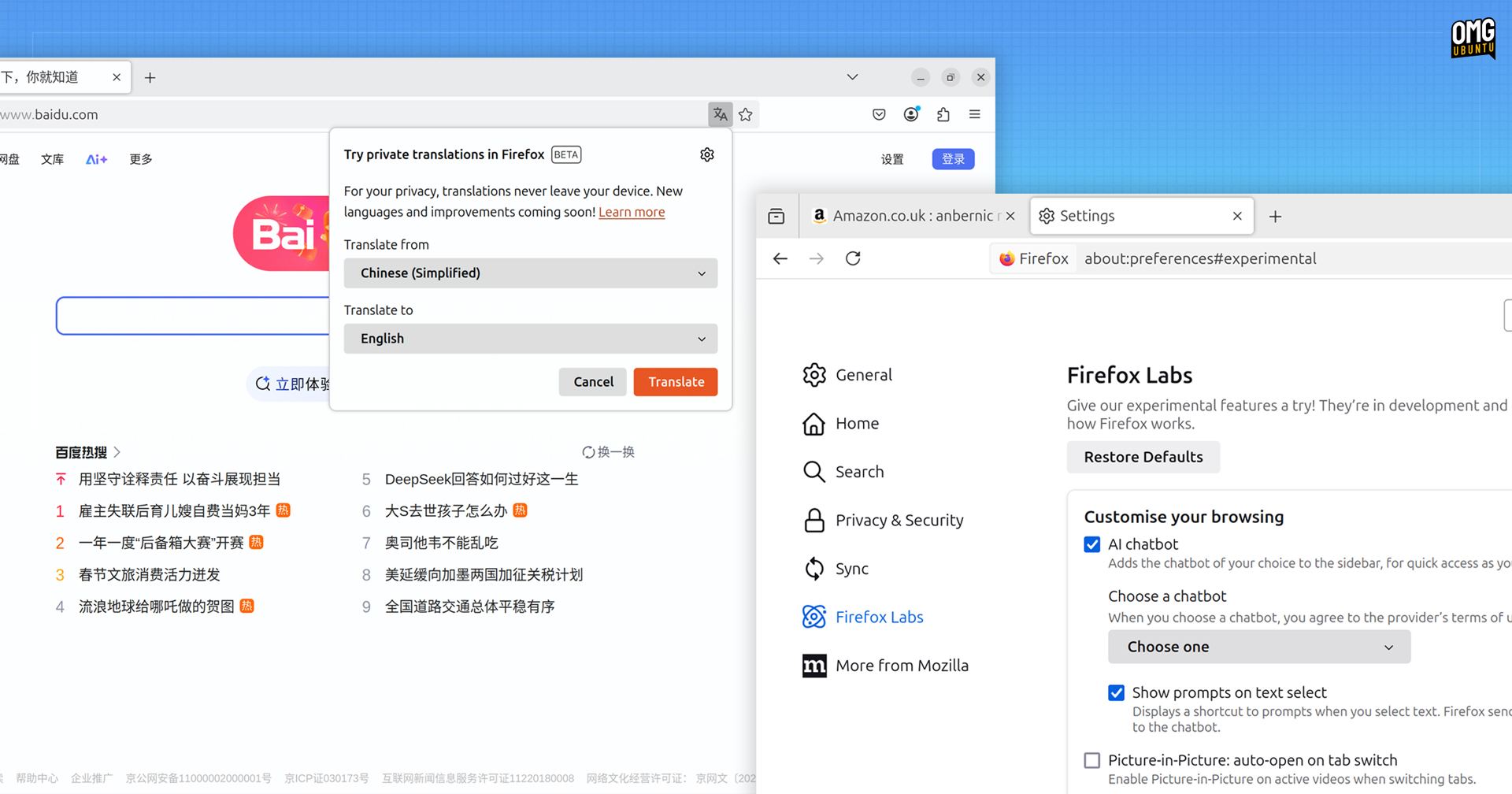
Mozilla mention that “AI Chatbot access is being gradually rolled out to all users” as of this release. The feature isn’t new, doesn’t appear to have gained any new AI chatbot providers, and remains opt-in through Settings > Firefox Labs option.
But if you’re interested in trying it and previously lived in a locale where it wasn’t available, have at it.
Finally on the ‘features’ front, Firefox 135 expands language support for Firefox Translations, its privacy-preserving translation tech, to convert text/pages in Simplified Chinese, Japanese, and Korean to a chosen language – of which Russian is now available!
On the security side, Firefox 135 enforces certificate transparency for servers using certificates issued by a certificate authority in Mozilla’s Root CA Program and begins rolling out CRLite certificate revocation checking2 to improve the process.
The browser also ships “safeguards to prevent sites from abusing the history API by generating excessive history entries, which can make navigating with the back and forward buttons difficult by cluttering the history.”
Web platform and developer-related changes include a new console command $$$ for searching within a page, post-quantum key exchange mechanism (mlkem768x25519) for HTTP/3, and support for WebAuthn getClientCapabilities().
Ubuntu users will be pleased to hear that Firefox 135 snap supports native messaging through the new WebExtensions XDG desktop portal. This means integration features, like the KeePassXC app, work as they should OOTB.
Firefox 135 removes the ‘Do Not Track’ option—drama ensued when this was first announced—though a “Tell websites not to sell or share my data” setting remains available (the latter makes clear it’s a request that websites respect privacy, not an assurance).
See the official change-log for further information on this update.
Getting Firefox 135
If you’re reading this from Ubuntu then you probably have Firefox installed already since it’s the default web browser. You’ll be upgraded to Firefox 135 in the background from today (and if the browser is running you’ll be prompted to restart to apply the update).
If, for reasons un-intuit to me, you don’t have Firefox already installed and you want to install it, you’ve a veritable buffet of options, ranging from the official Snap package, official Flatpak, and official Firefox DEB from the Mozilla APT repo.
There’s also a distro-agnostic Linux binary on the Mozilla website – now provided in XZ format (replacing BZ2) for faster downloads and extraction times – which you simply download, unpack, and run by double-clicking on the firefox file inside.
However you have it installed, the Firefox 135 update will start making its way to you from today.