
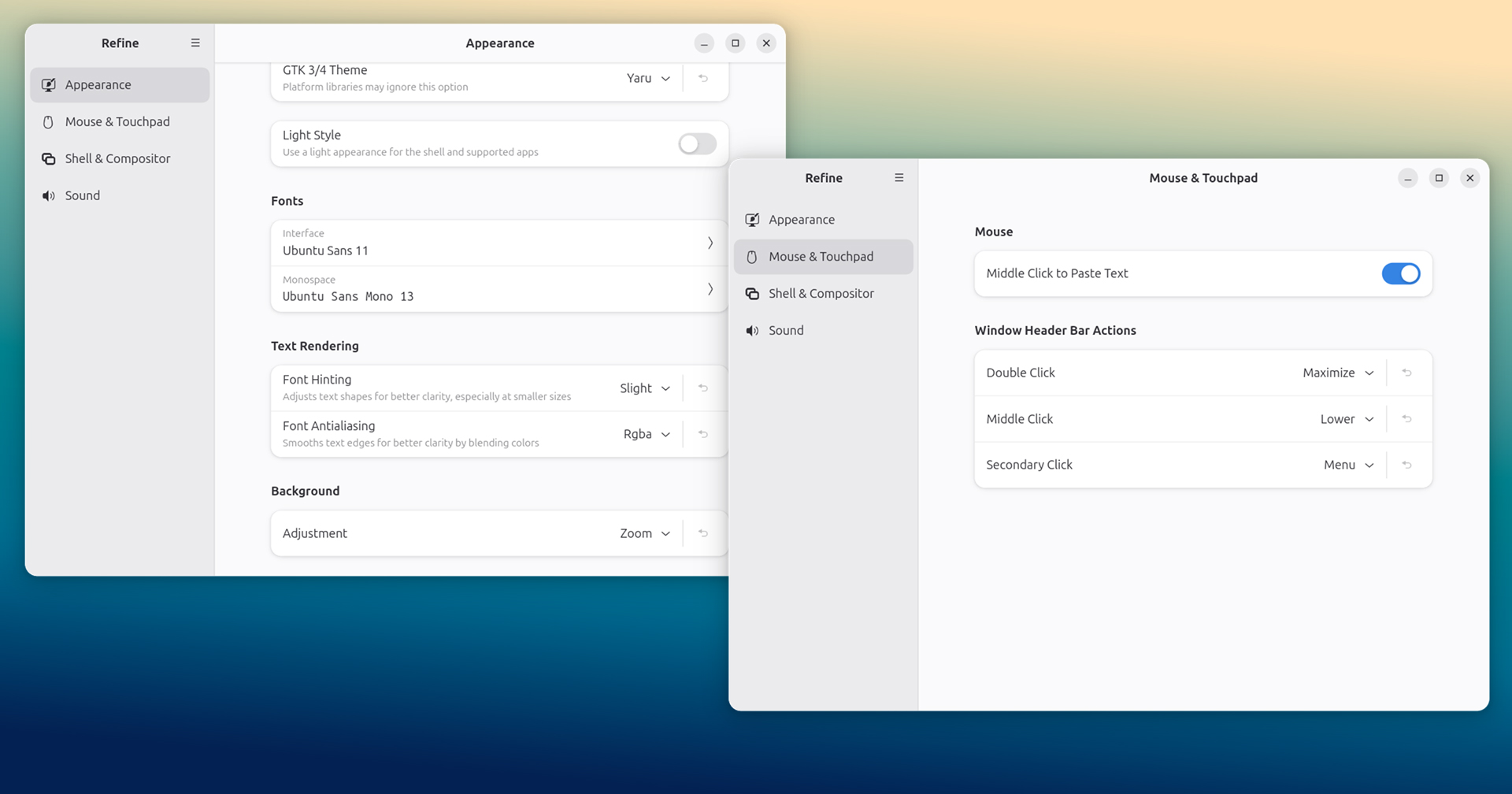

A clutch of new customisation and configuration options were added to Refine, a GTK4/libadwaita app in the vein of GNOME Tweaks (but better), over the weekend.
Refine is compelling due to its goal of offering the “convenience to add or remove options without touching a single line of source code” — though for a GUI option to exist it must be hooking into a variable within GNOME, i.e., it can’t magic up a toggle to make it rain glitter!
A brief bit of turbulence ensnared those attempting to run the tool on Ubuntu after I covered it in early January as an update prevented it from running on non-vanilla GNOME sessions, like Ubuntu’s.
Thankfully, the ‘unsupported environment’ issue has since been remedied by a warning screen. Though scary, the bulk of settings in Refine do work in Ubuntu there’s just no support/guarantee from the app’s dev that it won’t lead to catastrophe.
Refine, Refined
Refine 0.4.1 began rolling out on Flathub a few days ago, bringing more GUI controls for otherwise hidden or hard-to-access options in dconf.
Among them, the ability to set a preferred Windows Header Bar action for double-clicking, middle-clicking, or secondary-clicking, i.e., whether it will maximise, maximise horizontally, maximise vertically, menu, minimise, shade or do nothing to the window.
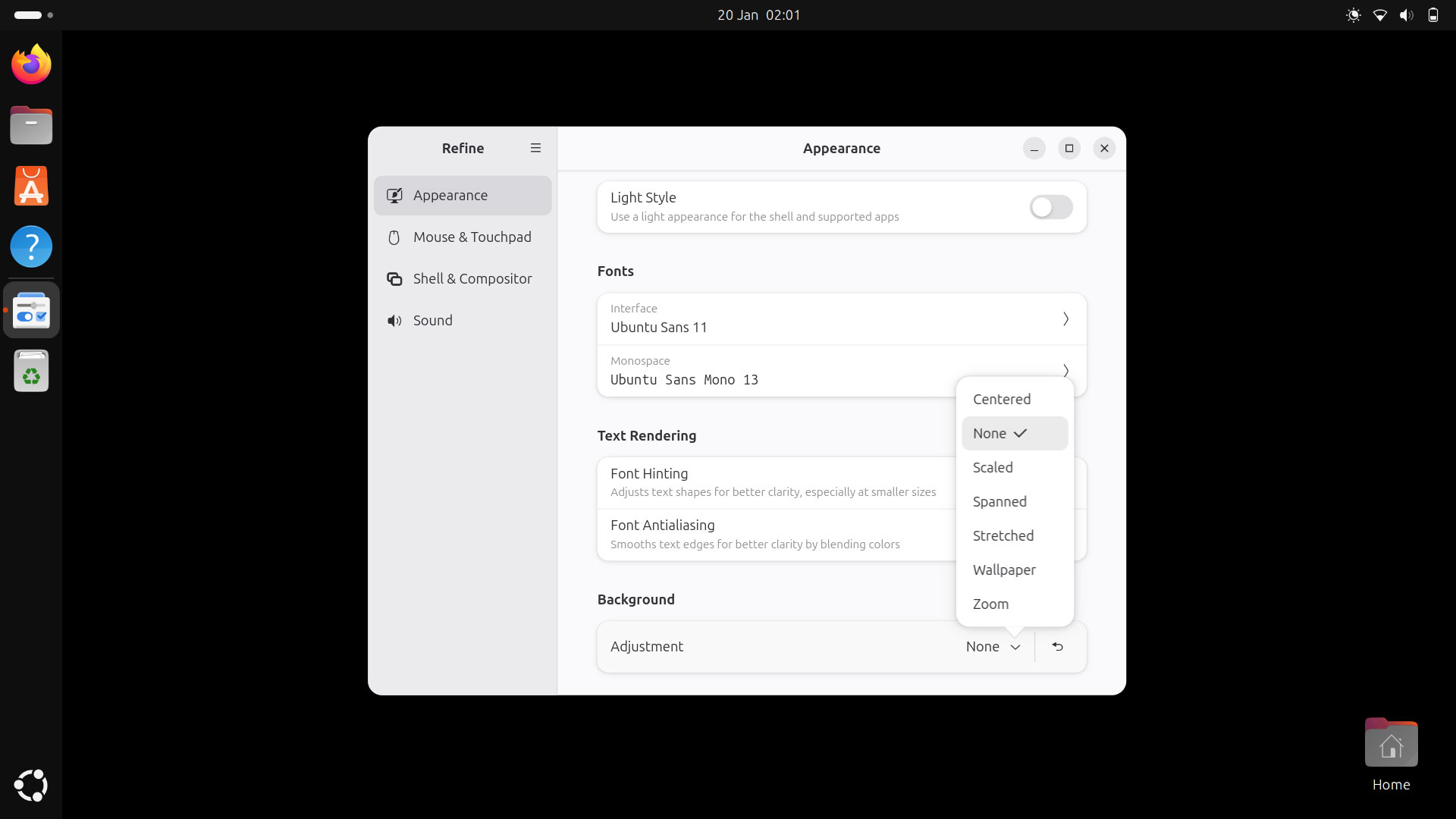
While wallpapers fans—no? Just me, then—can set a global preference for how backgrounds are applied, i.e., whether the image is centred, scaled, stretched, spanned, zoomed, or opt to have no desktop wallpaper at all.
And you can set a window focus mode from one of three options. To crib and paraphrase from the underlying dconf description:
- “click” – windows must be clicked to focus them
- “sloppy” – windows (only) get focus when mouse enters the window
- “mouse” – window get focused when mouse enters window, lose when it leaves
All of Refine’s newly added options at-a-glance:
- Font hinting and font antialiasing options
- Wallpaper preference (centred, none, scaled, stretched, zoom, etc)
- Window header bar options
- Resize with secondary click while holding window action key
- Window focus mode options
- Automatically raise on hover toggle
- “Middle Click Paste” renamed “Middle Click to Paste Text”
- “Legacy Themes” renamed “GTK 3/4 Theme”
From a brief test, all of the new options work within in Ubuntu’s customised GNOME session, but be aware some other settings available in this tool only function in a standard GNOME session.
The new options add to the preexisting ones, which include theme and font choices, modal window behaviour, centred new windows, and adjusting the increment that volume up/down keys step use.
Fancy trying it out?
Refine source code is on Gitlab, and the latest stable release is available to install from Flathub.