


You can access a music controller in GNOME Shell from the notification shade. It stays out of view but is there when you need it — but perhaps you want something more visible?
You can pit currently playing track info (album art, artist name, track title) in the top bar by installing an extension for GNOME Shell.
Being able to look at the top of my screen to read the name of the track playing is great when I listen to a playlist of tracks on Spotify I’m not familiar with.
—far easier than than interrupting my workflow by switching app or clicking on the notification shade to find.
Besides that, having ‘now playing’ info on show all the time I’m listening to music just looks cool to me!
I use MPRIS Label + Controls as it works with most Linux media players, including Rhythmbox, Spotify, TIDAL Hi-Fi, command-line audio players like MusikCube, and more.
And it’s very configurable, letting me craft a look and layout that suits me personal tastes.
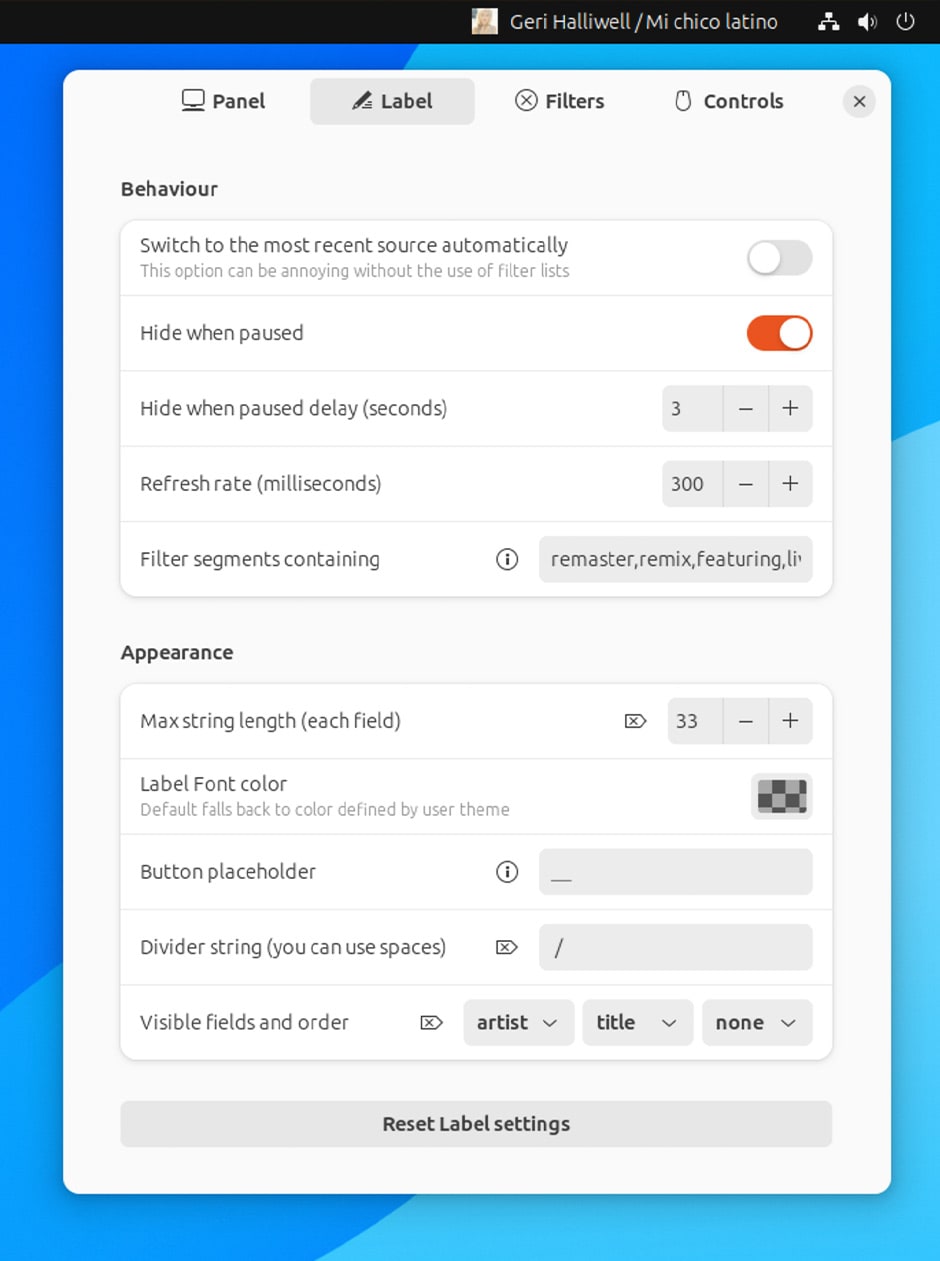
Thing is, it doesn’t show player controls. Instead, the idea to ‘control’ playback using mouse clicks (which can be customised, e.g., left click applet to skip track, right click to pause). It’s fine, but whenever my media keys lose focus, I forget which is which.
Spotify Controls is a GNOME Shell extension that embeds playback controls and track information in the top bar for. Unlike the GNOME extension I use this one only works with Spotify. Not a big drawback for those who use Spotify exclusively/religiously.

Once installed (and only when Spotify is open) this extensions shows:
- Spotify logo
- Artist (when something is playing)
- Track title (when something is playing)
- Play/pause, next, and previous controls
Customisation is limited, sadly.
There are options to choose which side of the top bar the indicator sits, e.g., furthermost-left, left, center before date/time, center after date/time, etc. But no label editing/formatting settings, no option to hide the Spotify icon, or bring Spotify into focus when clicking the label.
Hey: ideas for future updates, perhaps!
Try the Spotify Controls GNOME Extension
Spotify Controls is not a revolutionary add-on, far from being essential to enjoy Spotify on Ubuntu (and other GNOME-based Linux distributions).
But those who use Spotify and find these kinds of doohickeys handy to have at hand —not everyone considers a spartan screen a useful one, heh— it’s worth checking out, especially as older extensions of this ilk don’t support recent versions of GNOME.