
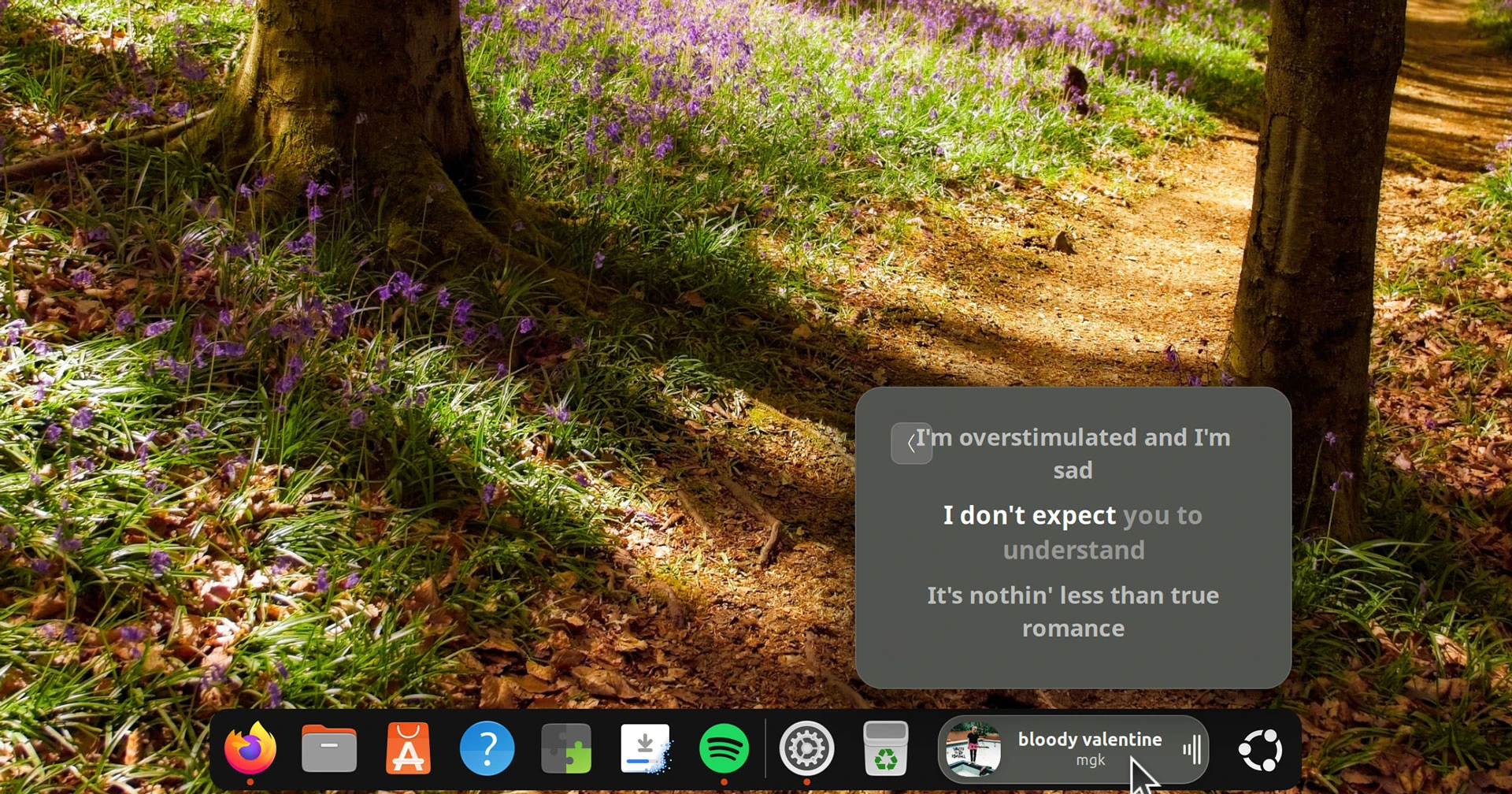

An updated version of Dynamic Music Pill, the GNOME Shell extension to put now playing track info and lyrics in your panel or dock with animated flourishes, is out.
If you’re prone some desk-side crooning, Dynamic Music Pill v1.3.0 brings two new lyrics provider APIs, BetterLyrics and BiniLyrics, with TTML1 parsing to provide word-by-word karaoke-style highlighting.
If there’s word-level synced lyrics for the track being played, the extension shows them in the applet controller (click on the album art inside of to access the lyrics view) or the panel, depending on how you’ve configured it:
Dynamic Music Pill can show word-level synced lyric highlighting in the pill itself – dock or panel – if you enable the ‘word-level karaoke in pill’ toggle.
Here’s a video of how that looks when enabled:
If word-by-word lyrics aren’t available for the currently playing track, the extension happily falls back to line-by-line synced or static lyrics, if available from the four lyrics providers it supports in total. If no lyrics are found, you get nowt.
Is this fun? Sure. But depending on the pill width (you can set a fixed width, if you want) and how fast the lyrics are sung or rapped, it can be hard to keep up – lines whiz by too far, not giving you much time to register the words being highlighted2.
It certainly looks difficult in the dock rather than a panel, as there’s less width, though the greater height means text is readable…
Not a fan of warbling? No worries; there are some smaller quality-of-life improvements in the new Dynamic Music Pill v1.3.0 release.
The extension already lets you adjust volume by scrolling over on the pill, but now you can choose what volume you change when doing it: the active media player or your overall system volume. An in-pill OSD shows feedback on levels when using this feature.
The shadow beneath album art in the pill popover can be turned off, if you’d prefer a flatter look.
Minor bugs resolved include a quirk whereby clicking on the progress bar with album art turned off would jump to the start of a track rather than to where it was intended.
Getting this update
Dynamic Music Pill v1.3.0 is available to download from GitHub or get it on GNOME Extensions.
It works on GNOME 46 (Ubuntu 24.04 LTS) and later, though the most recent release with the features mentioned here does need GNOME 50 (Ubuntu 26.04 LTS).
sudo apt install gnome-shell-extension-manager), or from Flathub.
If you have it installed already, this update will arrives automatically – you’ll need to log out and back in for the update to apply.
There are a heap of settings to sift through and try: visualiser styles, background colours, compact mode, animated rotating cover art and lots more.
Get Dynamic Music Pill on GNOME Extensions
- TTML (Timed Text Markup Language) is a W3C standard XML format made for subtitles, which is why it’s well suited to timing individual words rather than whole lines. ↩︎
- It could show just one word at a time in the pill, in dock mode at least. It’d be trippy, sure, but a single word “heartbeat” would fit constrained width better than a line. While I’m being greedy with wants, an easy way to toggle lyrics on and off would be nice. Opening settings gets old. ↩︎