


Ubuntu 22.04 LTS was released on April 21, 2022 with a slew of new features – the best of which I recap in this post.
As well as a comprehensive rundown of what’s improved, you’ll also find more info on Ubuntu 22.04’s support period and details on how to upgrade to Ubuntu 22.04 from an earlier version of Ubuntu.
Plus, there’s a link to download Ubuntu 22.04 so you can try it out for yourself.
Ubuntu 22.04 LTS (Jammy Jellyfish)
Ubuntu 22.04 LTS has the codename “Jammy Jellyfish“. In the UK, where Canonical is based, ‘jammy’ is used as an adjective to describe someone or something lucky or fortunate. As for what a ‘jellyfish’ is—I should hope that doesn’t require an explanation!
Fans of (largely useless) trivia will be interested to hear that 22.04 is the 36th Ubuntu release since 2004, and only the second to carry a codename beginning with the letter ‘J’. The last one was Ubuntu 9.04 “Jaunty Jackalope” which, incidentally, was the first release this blog covered.
Ubuntu releases are typically referred to using their codename before release. After this they’re referred to by their version number. That makes sense because the version number is a date, and does can slip – Ubuntu 6.06 LTS was released two months later than intended.
How long is Ubuntu 22.04 supported for?
Ubuntu 22.04 is a Long-Term Support (LTS) release and will receive ongoing app updates and critical security fixes for five years from release. New Linux kernel releases and graphics driver updates are also rolled out as software updates every six months or so.
While overall support for Ubuntu 22.04 ends in 2027 it is likely that Extended Support Maintenance (ESM) will offer updates for a further three to five years. ESM updates aren’t automatic and do require you to enrol your computer in for Ubuntu Advantage/Ubuntu Pro (which is free for home users).
In 2024 it will be possible to upgrade Ubuntu 22.04 LTS to Ubuntu 24.04 LTS, and users will be able to upgrade to Ubuntu 22.10 later this year on an opt-in basis — just keep in mind that Ubuntu 22.10 is a regular release only supported for nine months.
Ubuntu 22.04 release schedule
Key dates in Ubuntu 22.04 release schedule were as follows:
- Feature Freeze: February 24, 2022
- UI Freeze: March 17, 2022
- Ubuntu 22.04 Beta: March 31, 2022
- Kernel Freeze: April 7, 2022
- Release Candidate: April 14, 2022
And the final stable release released on April 21, 2022.
Five point releases were issued. The first, Ubuntu 22.04.1 LTS, was released in July 2022, while the final point release, Ubuntu 24.04.5 LTS was released in September 2024 (bringing a new Linux kernel backported Ubuntu 24.04 LTS).
What new features does Ubuntu 22.04 have?
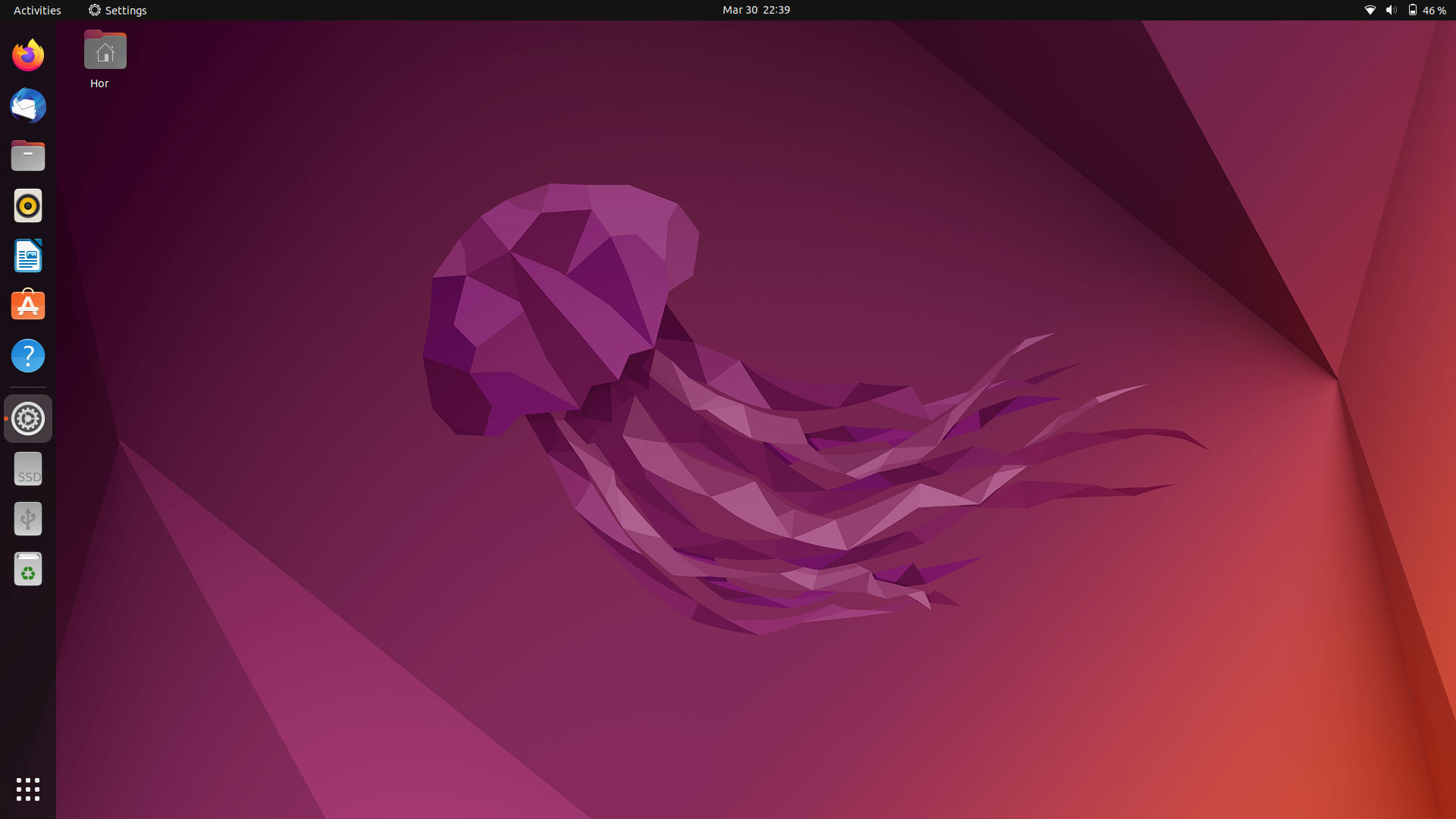
Those making the upgrade from Ubuntu 20.04 to Ubuntu 22.04 LTS will find the list of “what’s new” more sizeable than those who hop on up from Ubuntu 21.10.
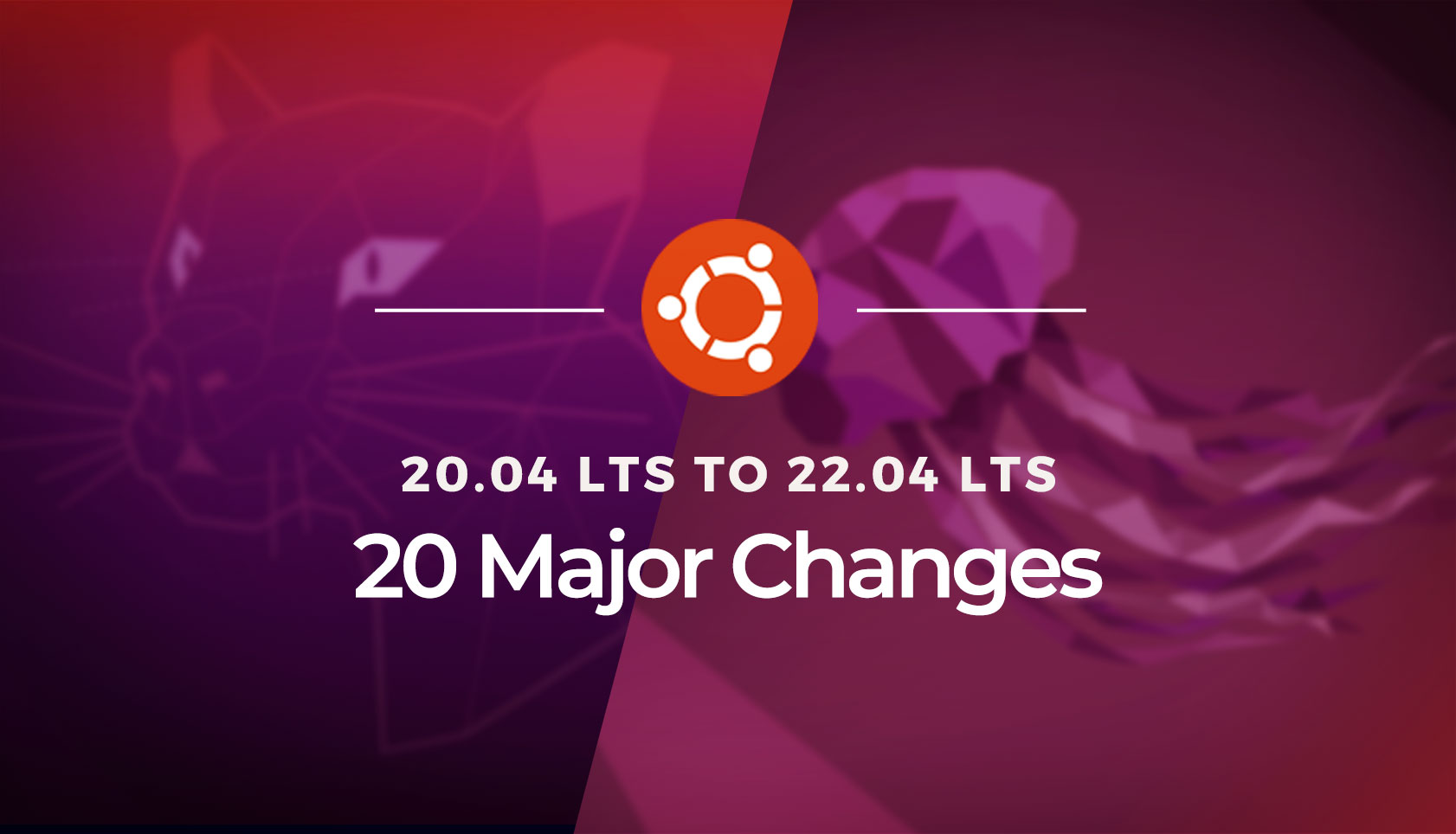
A quick overview for LTS upgraders: Ubuntu now uses Wayland as default display server (yes, even for NVIDIA users); and ships with GNOME 42.
This introduces a new horizontal workspace switcher and a horizontal app launcher that lets you rearrange apps. You also get new touchpad gestures for entering and existing the switcher and launcher under Wayland.
Check our release recaps for Ubuntu 20.10, 21.04 and 21.10 for details on other changes added since the last LTS release, or read our upgraders guide for further information.
Plenty of Improvements
While Ubuntu 22.04 includes the bulk of the recent GNOME 42 it doesn’t ship with apps that have been ported to GTK4/libadwaita. Ubuntu felt the ports would not get enough testing before the April deadline so held back on most.
Ubuntu 22.04 does include the latest GNOME Shell desktop, its (awesome) new screenshot tool, and the latest version of the Nautilus file manager, which gains a scrollable path bar, and the ability to create and extract password protected .zip files.
Plenty of visual changes are also on offer as Ubuntu switches to a lighter version of its Yaru GTK and icon set by default.
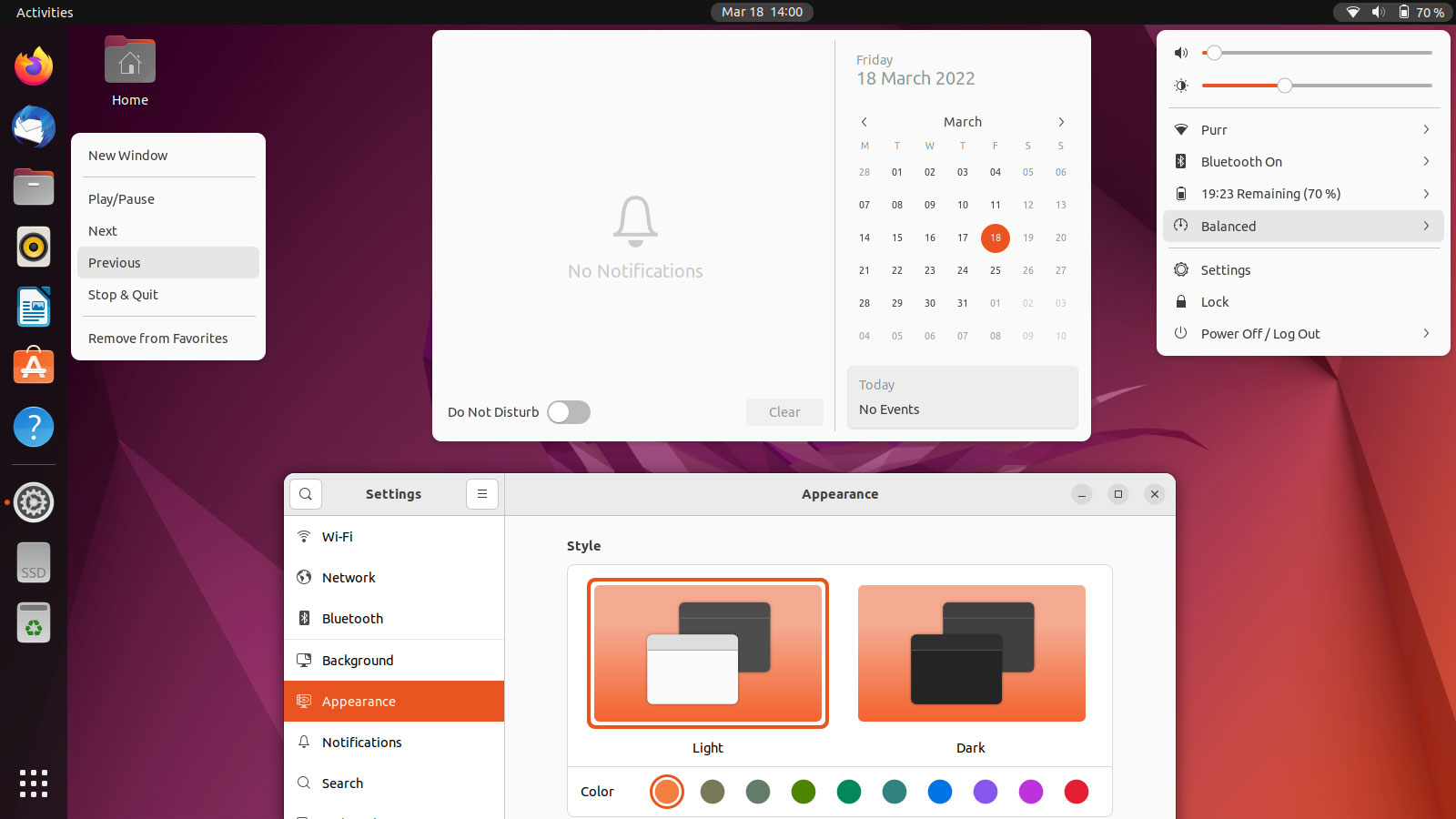
The Yaru GTK theme, icon set, and GNOME Shell themes all adapt to changes in GNOME 42. For example, the Shell theme no longer uses “call outs” in applet pop ups; applets are more compact; and the ‘accent’ colour Ubuntu uses is reduced to a single colour — which you can change, though more on that in a moment.
You get to choose an accent colour in Ubuntu 22.04 LTS (Ubuntu’s iconic orange is the accent by default). The “light” and “dark” settings are also more logical: light modes makes (almost) all parts of the UI light, while dark finally makes everything dark, including the Shell theme.
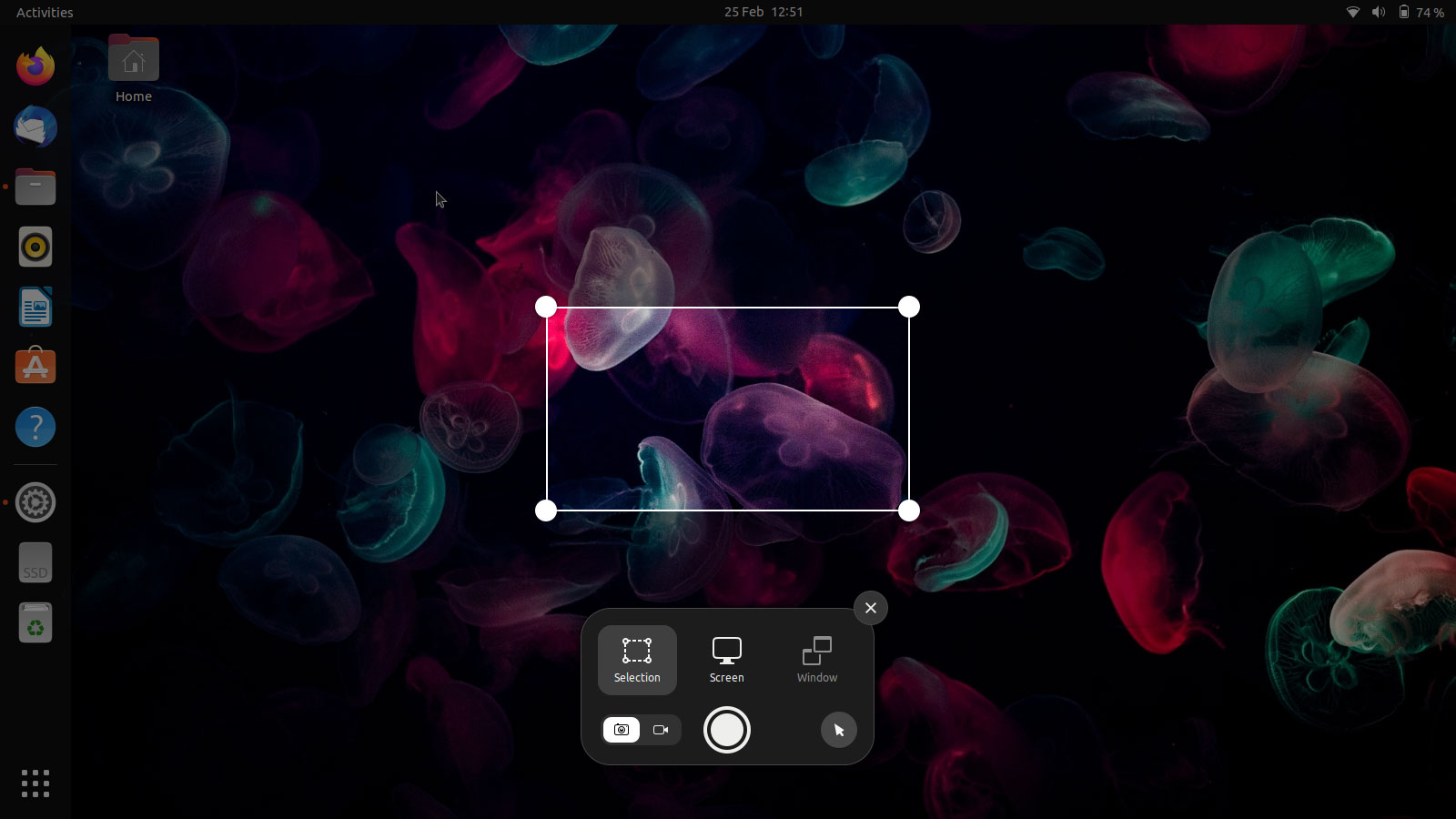
A brand new screenshot UI is included, which can be accessed at any time by pressing the prnt scrn button (or launching the screenshot action from the app launcher). Rather usefully, the tool can now take screen recordings as well as screen captures.
Updated versions of many apps core apps are present, including new versions of Mozilla Thunderbird, LibreOffice, and Mozilla Firefox (which is now a Snap, whether you want it or not).
Proposed changes at-a-glance:
- GNOME Shell 42
- UI accent colours
- Linux kernel 5.15 & Mesa 22
- Wayland by default
- New Multitasking options in Settings
- More Ubuntu Dock options in Settings
- Desktop icons show in bottom right by default
- Change power mode from Status Menu
- New power saving behaviours
- Native RDP support
- Support for 2GB Raspberry Pi 4
A few things you won’t find included (which were tentatively planned for) including the new Flutter-based installer, Flutter-base Firmware update tool, and Ubuntu Pro integration in the Software & Updates app.
Where to download Ubuntu 22.04 LTS
You can download Ubuntu 22.04 LTS from the official Ubuntu website (keep in mind it’s a 3GB .iso image, so don’t boop the button to download it if you’re a capped mobile connection).
Currently use an older version of Ubuntu, such as Ubuntu 20.04 LTS or 21.10? You can upgrade to Ubuntu 22.04 LTS directly.