

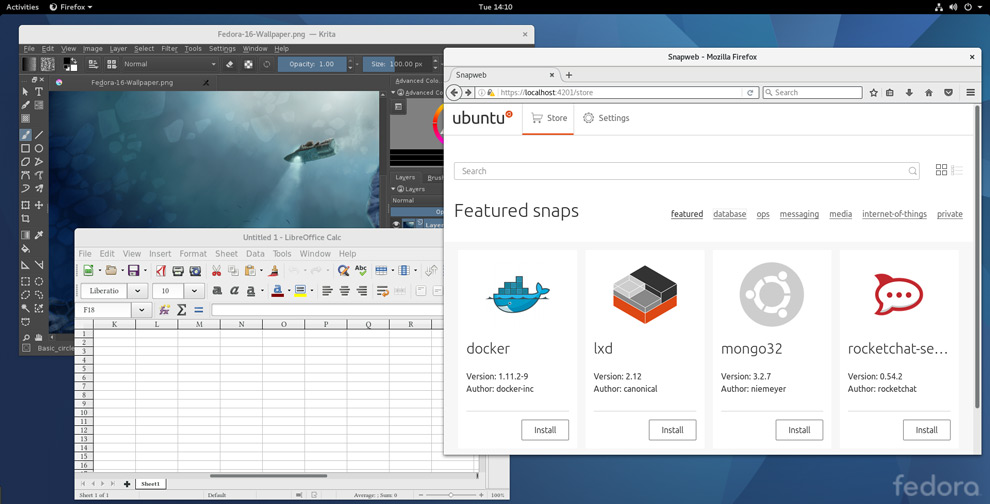
In the image above you’re looking at Snap apps running on Fedora Linux.
Yup, you guessed it: support for Snappy, the distro-agnostic package management ‘n distribution framework — which I really need to find a more concise way of wording — has landed in Fedora 24, 25 and 26.
Also Read: 6 Essential Snap Commands
Snaps make it easier for application developers to package, distribute and update their software, with updates pushed out automatically to users. Transactional updates allow users to quickly roll back to a previous version, and support for delta updates (which only update the bits of an app that has changed) is on the way.
On Ubuntu, which uses AppArmor, Snaps are safely confinement from the rest of the system. Fedora doesn’t ship with AppArmor, which means Snap apps run unconfined. Work on adding confinement support to a SELinux backend is something developers are looking to add and say they welcome contributions.
Install Snap on Fedora 24 or later
The snap package that powers Snap apps is available direct from the Fedora archives. Anyone running Fedora 24 or later can run this command to install it.
sudo dnf install snapd
And then, just like that, a world of Snap apps are automagically available, from the latest LibreOffice to server and CLI tools.
”When installing a snap for the first time, the “core” snap (which provides base libraries for snaps) is installed as well,” Snapcraft developer David Calle says.
For example, to install Deepin Music, a stylish desktop music app for Linux desktops, you run:
sudo snap install deepin-music
To uninstall run:
sudo snap remove deepin-music
The Snapcraft.io website has more detailed information and documentation on getting started with Snaps.