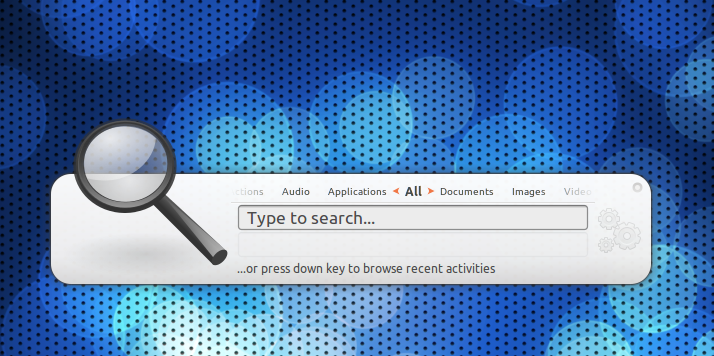
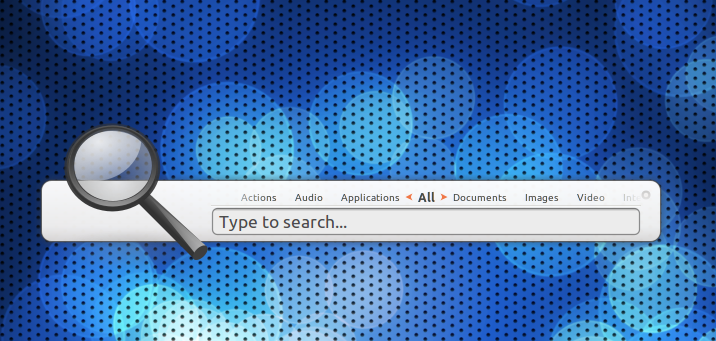
Meet Synapse – the super fast new GNOME Do replacement

It’s finally arrived. After weeks of leaking screenshots and juicy tidbits on a ‘mystery new launcher’ we can reveal what it is.

Called Synapse, the launcher is light, fast, zeitgeist powered and can do some incredible things thanks to tight Zeitgeist integration.

Synapse launcher in Ubuntu

Why Synapse, why not Do?

The idea for Synapse was born from a merging of ‘Sezen’ – which allowed a way to search Zeitgeist log conveniently from your panel – and the more familiar GNOME Do. A visually slick n’ quick way to not only launch apps but also give an easy way to thumb through your Zeitgeist log.

If we were to slap a really 90′s style TV Commercial slogan on Synpase it’d be: “Find anything. Fast.”

What does Synapse do?

I’ll let Synapse developer mhr3 explain: -

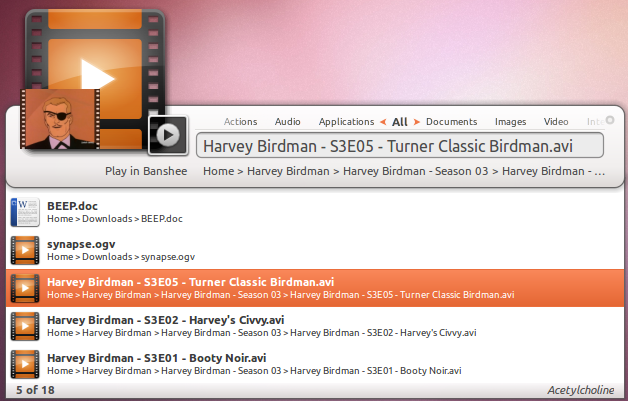
“It well… searches stuff… If you ever used Gnome Do / Quicksilver / Gnome Launch Box, you’ll feel right at home with Synapse, if not, the only thing you need to do is run Synapse (or press Ctrl+Space to summon it), type what you’re looking for, and Synapse will present you a list of items that match your query.

Once you found the item you were looking for, you can perform an action on it (and these are defined by the plugins you’re using). If you don’t like the default action, just press Tab and search appropriate action.

And besides this primary use-case, you can also browse recent items which were logged by Zeitgeist, in case you close a document by mistake or just want to hear again the music track that played a few minutes ago.”
Features

The default set of plugins shipped with Synapse are as follows: -

  • Applications – searches your desktop files
  • Banshee – allows you to play/enqueue music files in Banshee
  • Commands – runs any command (ie. “sudo apt-get update”)
  • Devhelp – search documentation using Devhelp
  • Dictionary – find definitions of words
  • Directory search – allows opening of commonly used directories
  • Gnome session – log out, shut down, restart
  • Hybrid search – complete Zeitgeist results by searching for similar files
  • Rhytmbox – play/enqueue music files in Rhythmbox
  • UPower – suspend & hibernate your computer
  • Zeitgeist – search anything logged by Zeitgeist

But thanks to the Zeitgeist integration pretty much any application can integrate with Synapse simply by integrating with Zeitgeist.

Download

Static screenshots don’t do Synapse justice, as the speed and lovely animations can only be witnessed in true fluid motion.

So why wait? Try it out right now.

  • sudo add-apt-repository ppa:synapse-core/ppa
  • sudo apt-get update && sudo apt-get install synapse

Once installed launch it from Applications > Accessories > Synapse

Usage

Just like GNOME Do and similar launchers Synapse is ‘called’ using the keyboard combination Ctrl + Space. If you have a different shortcut hardwired into your actual synapses you can change it to any combination you like via the settings menu.

Synapse Settings menu

Settings

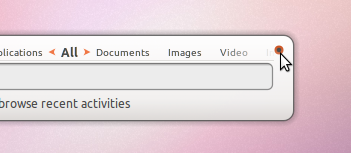
As well as being the place to customize the keyboard combination for calling the launcher the settings menu also offers up a few extra choices such as whether it should start on login and what theme you’d prefer to use.

Can’t find the settings menu? Just hit the ‘pip’ on the upper-right hand side of the launcher.
Themes

There are four themes included by default.

Default

Dual

Mini

Virgillio

Which you use is entirely down to you: they all have plus points – Virgillio is the least ‘flashy’ and ‘mini’ is the most ‘bar’ like and default the least widest.

Related posts:

  1. Zeitgeist adds more data providers, speeds up, will appear in GNOME-Shell and gets a dedicated MeeGo dev
  2. Zeitgeist, GNOME Activity Journal Get New Releases
  3. Meet Elegant New Jabber Client ‘Synapse’
Post a comment or leave a trackback: Trackback URL.
  • Anonymous

    E: Unable to locate package synapse

    • http://twitter.com/MehdiKrit Mehdi Krit

      did you make sure you updated after you added the source? it’s working fine for me on maverick

    • https://launchpad.net/~davidnielsen David Nielsen

      No love for Natty, yet.. or so seems.

      • http://pulse.yahoo.com/_FA7LYSNLUP7Q4R2JGFLSFAK76Y Daniel

        sadly…

  • http://geekninja.blogspot.com/ AW

    Everything I needed to know… except how to install it.

    • http://geekninja.blogspot.com/ AW

      By the way, It think you have to use this PPA:

      ppa:synapse-core/ppa

      I don’t see synapse in mhr3/test-ppa

  • http://twitter.com/Levickas Lukas

    is it faster/lighter?

  • http://twitter.com/Hexual Ian ‘IZO’ Cylkowski

    I am happy to have contributed the logo and icon design for this. =] I’ve just installed it now. I can say, it is FAN-FRICKEN-TASTIC. Very, very fast and the tight Zeitgeist integration is DELIGHTFUL. It is basically Gnome-Do PLUS.

    /izo

    • http://omgubuntu.co.uk/ d0od

      I was going to ask mhr3 about the icon as well – good work!

      I’ve been using this for the last day and have to say: it’s like Gnome DO all over again: once you’ve used it you can’t imagine not using it

      • http://twitter.com/Hexual Ian ‘IZO’ Cylkowski

        Cheers man! =D Yeah I’m finding it an absolute joy as well… I’ve been wanting a GNOME-Do with Zeitgeist backend for such a long time now. Christmas has come early! Let’s hope theming it is nice and easy. =]

        /izo

  • http://twitter.com/inkubux Francis Belanger

    Docky Integration would be awesome. I miss Gnome-Do+Docky

    • Anonymous

      Well docky has zeitgeist integration and so does this new thing so there isnt much to gain from having it integrated into docky again.

    • http://twitter.com/barnabascacambo Luís Fernando

      Man, i know what you mean…

  • Anonymous

    Interesting but the keybinding of ctrl+space isnt very nice for developers who like code completion in their IDEs since thats the exact same binding.

    • Anonymous

      I changed my content assist shortcut to shift+space, works for me.

    • http://twitter.com/imxset21 Pedro Rittner

      That’s why I use +Space :P

      • Anonymous

        Well you could just use the super button since its not used by anything

        • http://www.google.com/profiles/harveycabaguio Harvey

          But won’t keyboard shortcuts that use the windows key be interrupted?

      • https://launchpad.net/~brettcornwall Chauncellor

        It’s so obnoxious that Disqus auto-closes your “tags” for you. :/

    • Anonymous

      if you use SCIM or iBus it clashes, too…

  • Anonymous

    Is this basically Gnome-Do 2, or is it a totally separate project?

    • http://omgubuntu.co.uk/ d0od

      A separate project from GNOME Do but it’s developed by many many of the same team who created Do.

      GNOME Do 2 was to be completely rewritten so with a new UI like this… with many of the same features etc

      • Anonymous

        But if Synapse is here, where does it leave Do which is I would say “on a leave”.

        Now we have two competing product in open source world having the very same set of features. And I must say, this one really COMPETES with Do.

        I wonder why do we need Do anymore… all over again a duplication which I don’t like at all in case of a launcher. :(

      • http://wiki.go-docky.com/index.php?title=Main_Page PsyberS

        Wrong there, d0od. The Synapse team is not in any way affiliated with the GNOME Do team. No overlap at all.

        Michal is working on AWN.

        So basically, I see this as Do+Docky = Team A and AWN+Synapse = Team B. That is how the teams overlap for these 4 products. And yes, my team is Team A. :-D

  • http://pulse.yahoo.com/_7H577ZISFBO6LGNDVIFFXBJDJI David Moraes

    Oh my GAWSH it’s AMAAAAAAAAAZING hahahaha! I never thought I’d find this useful, but it opens up my files SO QUICKLY!

  • http://pulse.yahoo.com/_YGP4AXRUMTVA7PKNAPYB4H5MTQ Brazilan NYC

    Does it need Mono to work?

    • Anonymous

      no it uses Vala

      • http://pulse.yahoo.com/_YGP4AXRUMTVA7PKNAPYB4H5MTQ Brazilan NYC

        Thanks.

      • http://twitter.com/bonzi200x sajith kalathingal

        Eggsellent

    • http://www.celsius1414.com/ Celsius1414

      sudo apt-get install synapse
      Reading package lists… Done
      Building dependency tree
      Reading state information… Done
      The following extra packages will be installed:
      libgtkhotkey1 libzeitgeist-1.0-0 zeitgeist zeitgeist-core zeitgeist-datahub
      zeitgeist-fts-extension
      The following NEW packages will be installed:
      libgtkhotkey1 libzeitgeist-1.0-0 synapse zeitgeist zeitgeist-core
      zeitgeist-datahub zeitgeist-fts-extension

      • http://pulse.yahoo.com/_YGP4AXRUMTVA7PKNAPYB4H5MTQ Brazilan NYC

        Thank you!I’m installing it now.

    • https://launchpad.net/~davidnielsen David Nielsen

      Sadly it is not powered by true awesome(tm)

    • http://twitter.com/lilo346 Omar Owens

      what the hell is mono lol

  • http://twitter.com/thecosmicfrog Aaron Hastings

    I like it. Except for one thing, pressing Ctrl-Space after Synapse is running doesn’t CLOSE it. You have to press Escape to close. A little bit annoying.

    • Anonymous

      I always use F6 for gnome do, prefer one key,
      command + space on a mac makes sense as the keys are next to each other

      • Anonymous

        Just out of curiosity, why F6? It seems like a reach to me

        • Anonymous

          F1 to F5 are taken by “useful” functions in Applications.

          When I use gnome do it is the start of new set of chars to be typed and F6 is very reachable with my right middle finger

          • http://profiles.yahoo.com/u/R25APX2NWD4262MDEYS2BWWEZU Mikolaj

            That’s as long as you do not use any file manager of the Total Commander type… then all your F keys do something useful. :)

      • Anonymous

        crtl+space is an unfortunate choice for a default shortcut, imo, especially for anyone who uses multiple IMEs.

    • Anonymous

      i would prefer an icon on the panel to open / close.

      sometimes i forget is even installed, the icon reminds me.

  • http://mirek2.mp/ Mirek2

    Hm… it tells me that it depends on libgtkhotkey1, but alse that libgtkhotkey1 is not installable…
    What am I doing wrong??

    • http://twitter.com/mhr3 Michal Hruby

      You need to enable the “universe” repository.

  • http://kreuger.myopenid.com/ Kreuger

    Im not interested in this but HUGE props for showing Harvey Birdman. That’s an epic win.

  • Anonymous

    does it save your preferred action for an item?
    Gnome-do could do this but it would always screw up the saving

  • http://twitter.com/blitzkid_ Matthias

    Great stuff! One thing: I can’t open Wine applications (like Spotify) with it. That used to work with Gnome-Do.

    And we need more plugins. :)

  • http://twitter.com/nicoburns Nico Burns

    Wow, this is amazing – finally a modern launcher which doesn’t lag! Great job!!

    A do agree that Ctrl-space (or whatever shortcut) should close it again though, that is very annoying – should be a quick fix for an otherwise pretty perfect program though :)

  • montini

    curious if it is going to have plugins – cause I must admit the main thing I was used to in Gnome DO is call google maps by ” map my_desired_location”. It would be awesome to have that back, because speaking of speed of synapse – it IS something…

  • Anonymous

    rather than a massive icon for .jpg a massive thumbnail of the image would be more useful

  • http://gbutola.wordpress.com Gaurav Butola

    sudo apt-get remove gnome-do && sudo apt-get install synapse
    This is what I did.

  • http://twitter.com/neyfrota neyfrota

    i got core dump.. something about “GeeMapEntry” .. just search libgee2 at synaptic and upgrade libgee2

    • Anonymous

      do `sudo apt-get dist-upgrade` (info from webupd8.org’s post about synapse – can’t seem to post a link, sorry)

  • http://pulse.yahoo.com/_PPUH2HLD4JIBGYWOHWG43MFSYM GhoppaC

    The best would be to have it as a search box in a panel so that you wouldn’t even need to press anything to start it up, just write and search… could someone do something like that?

    • http://manequin.pl manequin

      But you would have to click it first, keyboard shortcut is much faster option.

  • http://twitter.com/1000hams Adrian Locket

    I love it! Only complaint is that it doesn’t remember your last application.

    Example if I press T It goes take screenshot then terminal. When I select terminal, it doesn’t become the first choice like in DO

    • daas88

      Kupfer does that too! I’m sure the author will implement that option soon enough :)

  • http://blastfromthepast.se/ Tommy Brunn

    Where’s the source repo? I think this might be a good fit for my laptop, but it’s running Arch, not Ubuntu.

    • http://www.khattam.info _khAttAm_

      launchpad.net/synapse-project/0.2/0.2.0/+download/synapse-0.2.0.tar.gz

    • Anonymous

      There’s a PKGBUILD in the AUR.

      Edit: Oops, I was overly quick to post: there’s a pkgbuild in the AUR as of this morning–so I’m guessing you might have posted it…? : )

      • http://blastfromthepast.se/ Tommy Brunn

        Wasn’t me. Either way, the PKGBUILD fails. Or rather, the libzeitgeist PKGBUILD fails, and since libzeitgeist is a dependency for Synapse, the whole thing fails.

        Hopefully it’ll be fixed sooner rather than later.

        • Yi Sun-sin

          Fixed. Basically needed a specific patch to Gio. See comments on AUR for more details ;â‹…).

  • Anonymous

    It doesn’t seem to remember which application I picked for certain inputs. For example, Do learns that when I type “t” I want to launch Terminator, not Terminal or Take Screenshot. Synapse insists on offering me Take Screenshot.

  • http://twitter.com/nparseghian Nicky Parseghian

    No setting to force the position of the app to be on 1 screen. I have an Nvidia conf with Twinview enabled and, unlike Gnome Do, it will pop the window right between my 2 screens. Kinda annoying, which is too bad since it seem to be a killer app…

  • http://twitter.com/tedil tedil

    I haven’t thourougly looked at it yet, but it seems it’s missing an Alias plugin.
    Even better would be intelligent word recognition, for example:
    You enter “Word” or “write” and want to start Open/LibreOffice Writer with that, but the search results list doesn’t contain it. So you (either close or) delete what you have typed and enter “OpenOffice Writer” instead and Synapse then connects “Word” (or “write”) with the app you have just started.
    I hope you get what I mean, it’s hard to explain.

  • http://twitter.com/CharlieThePilot Charlie Andrews

    Verrrrryyyy nice. My only tiny gripe: I can’t get the compiz animations to play nice with it…. anyone know what window name (or something else) to use?

    • http://www.khattam.info _khAttAm_

      Not sure, but this could help: mhr3.blogspot.com/2010/11/did-you-ever-wonder.html

  • http://forteller.net/ Børge / forteller

    I wish I could tell it which screen to open up in. Now it opens in the middle, splitting it between my two screens and making it unusable for me. :(

    • https://launchpad.net/~andycandet Andy C.

      I think you can do that with Compiz (Place Windows plugin).

      • http://forteller.net/ Børge / forteller

        Sounds good. But:

        1. That is too hard. It should be easy for normal users to do this.

        2. For some reason incomprehensible for me I can no longer use Compiz. I had to turn it off for a while, and when I tried to turn it back on it turned it on for a split second before telling me that desktop effects could not be turned on.. :/

  • zekopeko

    Who ever named this thing sucks at googling. There is already a FOSS project with that name.

    • http://twitter.com/bonzi200x sajith kalathingal

      Did you mean synapse.im?? Its dead now

      • zekopeko

        What if somebody starts working on it again?

        • http://www.google.com/profiles/Argot.pryer Argot Pryer

          I guess they’ll have to rename it…

          • zekopeko

            You are talking about this project, right?

        • http://interesting.co.nz Benjamin Humphrey

          I honestly don’t think it’s the end of the world if a new FOSS project uses the same name as an old, defunct instant messenger that’s also FOSS.

          You’re making something out of nothing.

        • Heiner Valverde González

          Maybe I can give a try to that, the interface looks gorgeous and if there will be a way to include libpurple on it, it will be a killer application, not only for XMPP but for many other messaging apps

      • zekopeko

        What if somebody starts working on it again?

    • http://twitter.com/mickstep Michael Stephenson

      IIRC It’s a defunct Qt based mono based instant messenger application for Jabber I gave it a go when it hit Digg back when digg didn’t suck.

    • http://twitter.com/mickstep Michael Stephenson

      IIRC It’s a defunct Qt based mono based instant messenger application for Jabber I gave it a go when it hit Digg back when digg didn’t suck.

  • Anonymous

    I wish this could do web search.

  • http://worldoweb.co.uk Ridgey

    I am loving it already.

  • http://acepelon.myopenid.com/ acepelon

    Am I alone in wanting this kind of program to integrate clipboard/ shelf functionality? Kupfer is ok for this.

  • http://twitter.com/davbren David Gross

    This is *so* cool!

  • http://twitter.com/davbren David Gross

    This is *so* cool!

  • Seventh Reign

    Still not as good as Kupfer in terms of complete system control. But still pretty sweet none the less.

  • Seventh Reign

    Still not as good as Kupfer in terms of complete system control. But still pretty sweet none the less.

  • Anonymous

    Will it have prefixes? I think that would be very important and useful. Sure, you can click on the appropriate tab, but frankly “doc: xyz” or “avi: xyz” would be dead useful when searching.

  • Anonymous

    Will it have prefixes? I think that would be very important and useful. Sure, you can click on the appropriate tab, but frankly “doc: xyz” or “avi: xyz” would be dead useful when searching.

  • Anonymous

    When is the aur-script coming?

  • Anonymous

    Is it just me, or does the priority that it finds things work much better in gnome-do. For example, I searched writer to find open office writer. First hit was the icon. Wrong.

    It also doesn’t search WINE. I can launch WINE apps from gnome-do, but not synapse. For now, synapse is Super-Space, and Gnome-do is control-space. Not sure if I’ll keep them both though. Terminal commands are nice. However ctrl-space, t, enter, and I have a terminal on gnome do as well.

  • Anonymous

    Yay for segfaults:

    ** (synapse:9465): DEBUG: synapse-main.vala:94: Binding activation to space
    (synapse:9465): GtkHotkey-DEBUG: Listener Type: GtkHotkeyX11Listener
    ** (synapse:9465): DEBUG: ui-cairo-gtk-base.vala:131: Screen is composited.
    ** (synapse:9465): DEBUG: gnome-session-plugin.vala:172: org.gnome.SessionManager is available

    (synapse:9465): GLib-GObject-WARNING **: invalid unclassed pointer in cast to `GeeMapEntry’
    Segmentation fault

  • http://www.facebook.com/jupiteros Kevin McDole

    It was apparently codenamed Aceytocholine

  • Anonymous

    Hmmm not quite as useful as gnome-do yet (at least for me) it seems to be missing several directories that gnome-do indexed, and I can’t choose any of the music in my library at all, or control pidgin. I’ll keep an eye on this though, it looks like a good start.

  • Anonymous

    This app is really sleek, polished and fast. I’m a fan. Lacks all the plugins Do has, but that’s to be expected, given their time released in the wild…

    However, it doesn’t seem to find my music properly. It recognizes them after I manually open a mp3 file and it gets read into Zeitgeist, but until then, it doesn’t appear as an option. This is kind of bleh, since Banshee doesn’t yet have Zeitgeist integration, which means I’d have to manually open every song (once, at least) for them to be findable. I’m not sure if this is a bug, or if file-finding is supposed to be completely Zeitgeist-dependent.

  • http://www.khattam.info _khAttAm_

    At least link to mhr3′s blog.

  • Anonymous

    I’ll keep Do just in case but I’ll give Synapse a try.

  • Anonymous

    It misses navigation trough filesystem… I miss it from Gnome DO… :) But it is amazing.. the settings screen is sooo like Gnome Do that i thought immediately it was from the same creator of Do… :P

  • http://www.samialtas.somee.com/ samialtas

    I would replace it with Gnome Do. But it’s not dockable…

  • http://twitter.com/joelz Joel Zehring

    Chromium bookmarks are a must in a launcher. I’m sticking with Kupfer, for now. Also, internet search doesn’t return any results.

    • http://interesting.co.nz Benjamin Humphrey

      Write a plugin for it ;)

  • http://twitter.com/mudrain911 Paul Burnham

    works perfect in xfce with no extra gnome dependencies that i can see, if anyone cares to know :)

  • http://twitter.com/Micah_Chen Xubin.Chen (Phoenix)

    I can’t input any character to Synapse with ibus-daemon running. Anyone has any ideas how to fix?

  • http://pulse.yahoo.com/_6466MCVRY6ZBS4CRO3KYZIPBY4 Sonia Baptista

    Nice.

    And it doesn’t never need that mono crap.

    • http://twitter.com/lilo346 Omar Owens

      what is that?

  • http://twitter.com/lukesimulacrum luke simulacrum

    I get that Zeitgeist is cool and should be integrated into apps like this, but it still only finds stuff that you’ve manually opened recently. I still think it needs to integrate the functionality of something like Tracker, which — for better or for worse — lets you accurately search your entire hard drive.

    I use Kupfer right now (used to use Do, but got sick of all the random crashing), and until Synapse is able to actually find things inside folders, I won’t be switching over. In fact, I’m curious as to why people are so excited about this app, as it seems unable to find the majority of files on my computer and there doesn’t seem to be a way to tell it where and how to look…

    I am disappoint.

    • Anonymous

      Zeitgeist isn’t made to substitute Tracker. It’s made to be complementary to Tracker.

      • Anonymous

        I believe OP was saying Synapse should integrate with Tracker (as well as Zeitgeist), not that Zeitgeist should duplicate the functionality of Tracker.

    • Anonymous

      Zeitgeist isn’t made to substitute Tracker. It’s made to be complementary to Tracker.

    • http://stas.nerd.ro/ Stas

      Completely agree, Kupfer is the best!

    • http://twitter.com/barnabascacambo Luís Fernando

      I understand what you`re talking about. But in real world we have to recall what we started working (semantics) more frequently then search the whole system like we do with tracker. I also think the two things are complementary, if you don’t want tracker draining your system resources, than don’t use it. Anyways, some kind of integration would be nice, for users who need system-wide searches.
      I also agree with Stats below, sometimes I think the community loses time by not contributing to existing projects, just because the developer have a slightly different idea.

  • http://twitter.com/lukesimulacrum luke simulacrum

    Also, it’s annoying that you have to delete all the characters you’ve typed since last opening it to start anew. Both Kupfer and Do give you a few seconds grace period, but then allow you to type anew.

    It also looks designed for elementary with little thought to the default ubuntu themes.

    Anyway, there’s obviously some bugs to work out, but I’m glad that someone is pushing the idea of the launcher forward.

    • http://interesting.co.nz Benjamin Humphrey

      It doesn’t match Ambiance but it certainly matches the Radiance theme on Ubuntu.

      Anyway, it’s not like they made it atomic tangerine or hot magenta – “silver” is a fairly neutral colour that works well with almost any theme, which is good, because it’s not just designed for any one operating system anyway.

    • http://twitter.com/mhr3 Michal Hruby

      It’s not designed for a particular theme, it uses the standard Gtk theme colors. You might see that normal windows with Radiance have lightgrey-ish background, and that’s what we use.

  • Anonymous

    with all do respect for your work >>>
    i can’t use it yet because :
    */* it take about 17.7 mega of ram(synapse+zeitgeist-daemon+datahub) .doesn’t have a lot of things to do.can’t change theme yet .can’t run multiple applications.the key to activate it should be the key to hide it ,
    im using Kupfer =13.4 mega ram with many features .
    i may be a ram geek ^)^. cause my system doesn’t use more than 275 mega of ram at start up :P . i want my system to be super fast .

    • Anonymous

      if you want your system to be super fast, you should consider making better use of your RAM… ;) I load lots of stuff into RAM at start-up – up until the point where you start swapping, it’s all win…. (actually, as long as you’re not swapping, the more RAM in use, the faster your system will be)

    • http://interesting.co.nz Benjamin Humphrey

      Y’know, the system using less RAM doesn’t equal an increase in speed. In fact, if you want your computer to be as fast and responsive as possible, it should be utilizing all the RAM it has available to preload apps into memory for quick launching, among other things.

      RAM doesn’t use much power, and lasts for a long time, so there really are no benefits to not using all that you have available unless you have a fetish for small numbers.

      You should install ‘preload’ from the repositories.

  • Anonymous

    The original ppa listed (mhr3/test-ppa ) was incorrect, it has been updated to ppa:synapse-core/ppa, it works now

  • Anonymous

    The original ppa listed (mhr3/test-ppa ) was incorrect, it has been updated to ppa:synapse-core/ppa, it works now

  • http://my-arren.pip.verisignlabs.com/ Αρρεν

    It would be wonderful if synapse will have a plugin for search in tracker database

  • Anonymous

    What’s the state of this app? alpha? beta? production ready? will it destroy my PC?

    edit: hmm…changing the theme crashes/exits synapse immediately..

    • http://interesting.co.nz Benjamin Humphrey

      I’d say beta or release candidate quality.

  • Anonymous

    Btw, does anybody know where I could find that background? I’m bored with the ChromeOS default background =D

  • http://pulse.yahoo.com/_O3CJ7UWMKDKUDJ5NUPTOXDLUL4 Damien Darwin

    Looks like I will be switching from a nearly-dead-project Gnome DO to Synapse real soon.

    But first I need OpenSearch integration. It’s so fast – just select some text, launch DO (Synapse in the future), press ‘w’ and hit Enter for google or Tab-Tab-’first letter’-Enter for other search engines.

  • http://thomaslg.wordpress.com/ ThomasLG

    Nice app! However I’m wondering how you get that magnifier glass icon in your screenshots? I just get some ugly scaled icon ruining its looks. (Using FaenzaWolfe iconset)

  • Anonymous

    Love it! Looks good, works fine… Just love it :D

  • http://twitter.com/connorabruce Connor

    This is great, Gnome Do has been playing up lately, inexplicably not starting on login so I have to do a ALT-F2 to start Gnome Do, before starting anything else, kinda negating the point a little.

    Seems OK so far, only gripes I have is that it uses Compiz, whereas Gnome Do didn’t, making Gnome Do appear faster (I have a long open App effect). This could well be my Gnome Do replacement.

    • http://www.martinsmucker.com Michael Martin-Smucker

      So I’m not the only one? Ever since I upgraded to Maverick, Do hasn’t been starting on login. I tried altering the startup command, but that didn’t work, so I’ve also been using Alt-F2 to launch Do. Kind of defeats the purpose…

      Anyway, I haven’t tried Synapse yet, but even if it’s only half as capable as Do, it will still be an worthwhile replacement if I can count on it to start automatically and not crash in the background.

  • http://twitter.com/GodfatherGuido Shaun Guido

    I’m having a problem registering a shortcut. I like to tie it to the pause/break button, but when i try it I get:

    “Failed to register hotkey ‘activate’ with signature ‘Pause’

    • http://twitter.com/GodfatherGuido Shaun Guido

      seems like it does bind .. but just throws the error

  • aperson

    What is it written in?

    Edit: nvm, it’s in vala. I’d wish there would be links provided that point to the launchpad page or the developers website. I find it annoying when there’s only ppa links.

  • http://twitter.com/pisahmet Ahmet Sezgin Duran

    It’s really very fast :) sudo apt-get remove gnome-do :)

  • Anonymous

    Fantastic.

    Where’s “Open With” again?

  • Waldir Leôncio

    Very good, I’m giving it a try now, but I must say: at least so far it is *definitely* not as fast as Do.

  • Anonymous

    I really like it, works really smoothly.

  • Anonymous

    Does it need compositing?

  • Anonymous

    I like that blue background picture.would you like to share?

  • http://jeremyfrankly.com Jeremy Frank

    Is there going to be any way to get it to use a 128×128 icon instead of 256×256 .pngs?

  • http://twitter.com/gavgoUK Gavgo

    This is not fast it maybe sexy but its not intelligent. So its a dumb blonde right? Joking aside this is not on the same level as Do or Kupfer.

  • http://twitter.com/iwilkomirsky Igor Wilkomirsky

    finally, this is what we’ve been expecting for a long time :D

  • Heiner Valverde González

    I just started using it, and I am very impressed of how fast and smooth is the application.

    Also the look and feel is really true eye candy for my eyes, great job Synapse developers!

  • http://twitter.com/barnabascacambo Luís Fernando

    I do realize it is a little busy, but anyway is interesting to do a fast “filtration” of the itens before you hit TAB. Considering this, that doesn`t bothers me.

  • http://www.facebook.com/schorschi.schorsch Schorschi Schorsch

    can’t get “start on login” workin! It is activated, but the defined “super+space” is dead after booting. I always have to start it manually. An extra-entry for autostart let pop-up the synapse-dialogue after booting. That isn’t what I want. Ideas?

  • http://pulse.yahoo.com/_RQT3PUR3JN5WJ2ZETREERMBM4M Zamato

    Very nice! I’ll be using this a lot.

  • Anonymous

    how can I input Chinese character????????

  • http://twitter.com/amlucent amlucent

    Awesome app! Stunningly beautiful, but the tray icon is really ugly with elementary.

  • http://twitter.com/osfight_de R3s3t@osfight.de

    Any idea how to make synapse indexing my tomboy notes? Gnome Do made that perfectly, allowing me to open any note just by typing the title.

  • http://twitter.com/PabloRD Pablo RD

    Can’t open folders?

  • http://twitter.com/dudesks santosa

    This PPA is not working . pls. help
    I am using 10.04 and terminal says

    Get:3 http://ppa.launchpad.net lucid/main Packages [3,730B]
    Hit http://ppa.launchpad.net lucid/main Packages
    Hit http://ppa.launchpad.net lucid/main Packages
    Hit http://ppa.launchpad.net lucid/main Packages
    Hit http://ppa.launchpad.net lucid/main Packages
    Hit http://ppa.launchpad.net lucid/main Packages
    Hit http://archive.getdeb.net lucid-getdeb/apps Sources
    Fetched 18.0kB in 8s (2,092B/s)
    Reading package lists… Done
    Reading package lists… Done
    Building dependency tree
    Reading state information… Done
    E: Couldn’t find package synapse
    santosa@santosa-laptop:~$

  • http://www.facebook.com/profile.php?id=1355776114 Mychal Phillip Segala Sajulga

    Synapse doesn’t include Tomboy Notes. :/ Reverting back to Gnome-Do

  • Pingback: Synapse « Old Papyrus