

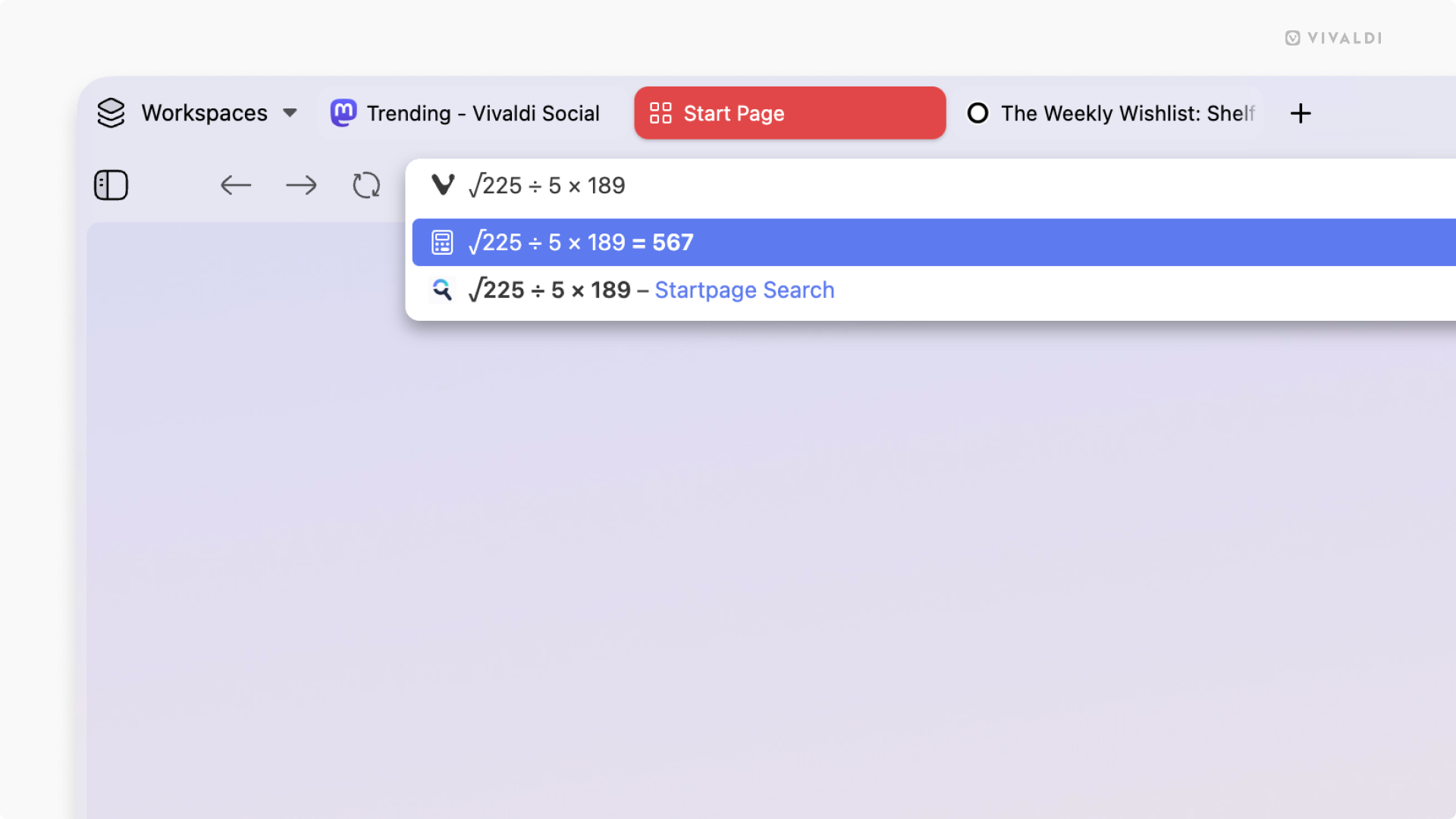
Vivaldi 8.2 rolled out today (3 September 2026) and lets you do quick and private math calculations directly in the address bar.
This may prove useful when you don’t want to open to a new tab or a calculator app. I’ve often narrowed my eyes at an online checkout page after applying a coupon code (don’t judge), muttering “that can’t be right”. A quick number crunch later and, of course, it always is.
You can click to copy the the result to your system clipboard, ready to paste elsewhere.
Previous versions Vivaldi let you do local calculations from the Quick Commands menu, but the company says that “in true Vivaldi fashion”, it wants to give users more way to access it, the way they want to.
Also “in true Vivaldi fashion”, it’s optional; a quick visit to Settings > Address Bar > Address Field Suggestions to uncheck the local calculator setting will nix it out of sight.
Discovering Progress Web Apps (PWAs) is easier in Vivaldi 8.2.
The browser now shows an ‘install’ icon in the address bar when you visit a website that can be “installed” as a local app. Clicking on the icon opens a dialog from which you can install it locally. Manage PWAs in Vivaldi from the vivaldi://apps page.
“We love the web because it works on any device and any operating system”, the browser maker says in adding the feature, noting that PWAs pair the “universal reach of the Web” with the “look and feel of native apps” – except, y’know, they don’t look native.
But the sentiment is nice.
Uncharacteristically for a Vivaldi update, that’s it on the user-facing features front. Bug fixes, security patches, low-level tweaks and a few minor UI changes, naturally, also ship in v8.2. There’s a Chromium update to v152.0.7977.80.
Vivaldi is the web browser that pretty much has and does everything already – built-in email, RSS and calendar tools, timers, to-do lists and new tab page widgets, sidebars for social media, extensions, themes and content blocking…
The list goes (ever) on.
They did reveal that a version of Vivaldi for enterprise is in the offing. Like Firefox ESR, this will be aimed at “organizations of all sizes—from businesses and public institutions, to government departments and schools”, with policy management and customisation controls.
Vivaldi is free, but not open-source software, available for all major operating systems. Ubuntu users can install Vivaldi from the Snap Store or grab a Deb build from the browser’s official website, available for both Intel/AMD and ARM64 devices.