


Under my bed is a giant box of CDs that I’ve been meaning to rip for years. Some aren’t on Spotify, some are, but not the right version and one is by an artist I’m half convinced is a folk memory – perhaps the Mandela effect in action.
Laser is a new GTK4/libadwatia CD ripping application for Linux that’s coaxed me into getting on with the job.
It’s not just old timers who may have need. CD sales in the UK are booming as younger buyers put off by the gentrified price of vinyl turn to cheaper physical formats. A cheap external CD/DVD drive is all that’s needed to listen on a laptop or PC.
Perhaps that’s why, a decade after optical drives vanished from laptops, Linux now has new CD ripping software.
Laser focused on one task
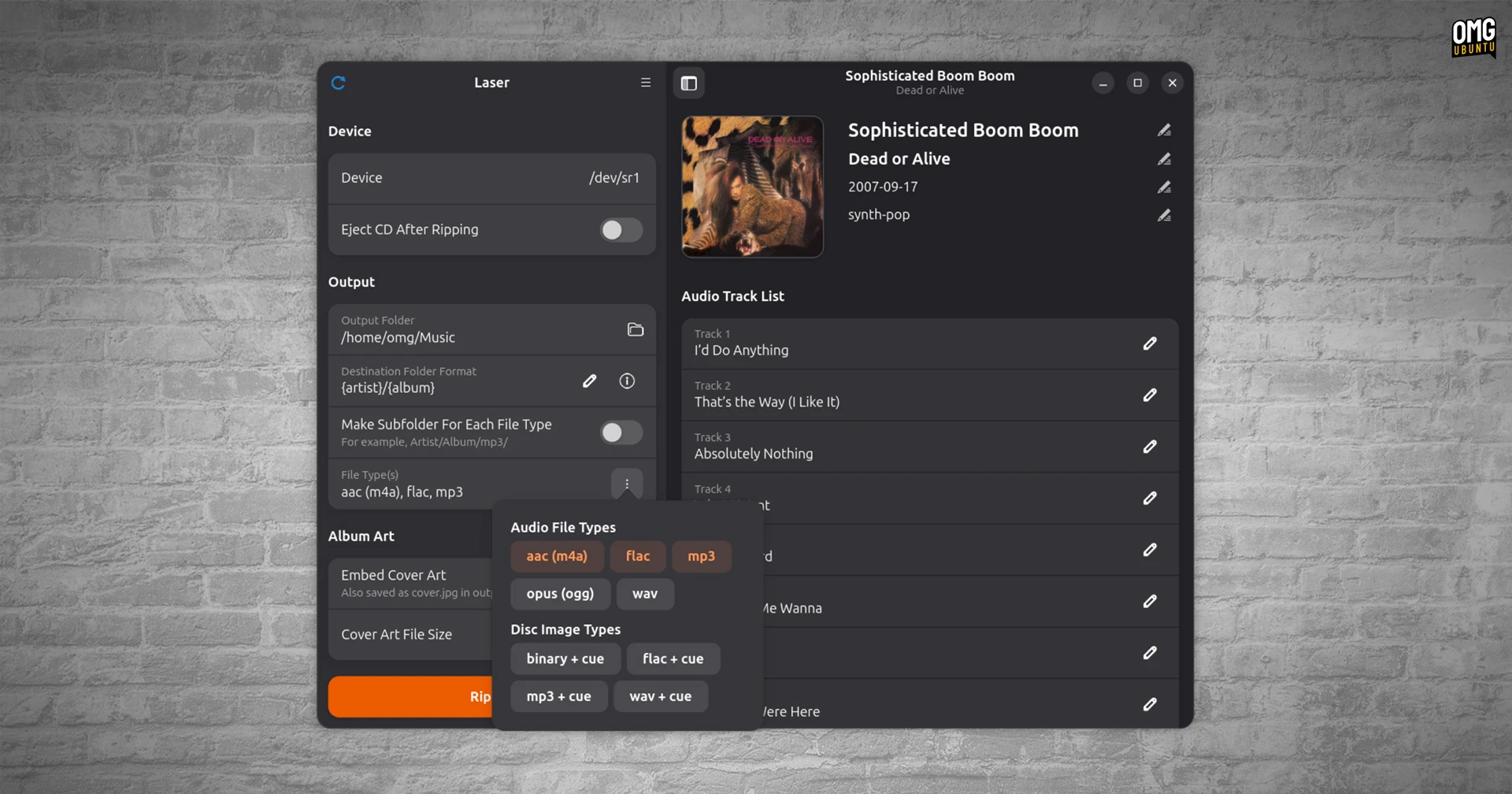
Laser is a modern CD ripping tool with a UI that better matches the vibe of modern desktops – certainly better than older options like Sound Juicer which, though still functional, is GTK3. Rhythmbox can also rip audio CDs, but clicking extract did nothing on Ubuntu.
So, I installed Laser from Flathub, popped in a disc and it immediately pulled track metadata and cover art from an online source. It lets download and embed the artwork in ripped files so they appear in music apps, or you can select a local image file instead.
Individual track titles can also be edited before ripping, which is handy if the database listings don’t match what’s on your copy (or you’re pernickety about how remixes, featured artists, etc are formatted). You can also set how folders for extracted files are structured.
When it comes to ripping, Laser can extract to multiple audio formats in one go – FLAC, MP3, AAC, Opus and WAV. Encoder quality and compression can be configured, and you can archive discs to an image file, i.e., one large file with a CUE sheet.
Finally, when the the extraction is complete (but only if the drive supports it), it will eject the CD.
It can’t do something it should
Here’s weird thing: Laser doesn’t let you choose which tracks to rip – it does every track on a disc, irrespective of whether you want them all.
I find that a peculiar omission.
Deleting the ones you don’t need after is easy, sure, but it’d speed things up to not rip them to start with.
That aside, Laser works well. It produced exactly what I wanted: a good quality rip of some CDs that I can add to my Linux media server and then access/stream locally to my other devices. Job done.
Well, almost.
I only got through 10 discs of 250 stashed in the box under my bed. Nostalgia is a trap! But in digging through them I did discover that my memory of 1990s girlband Vanilla was real and their single No Way, No Way did exist – even if there’s No Way it should’ve.
Get Laser on Flathub