

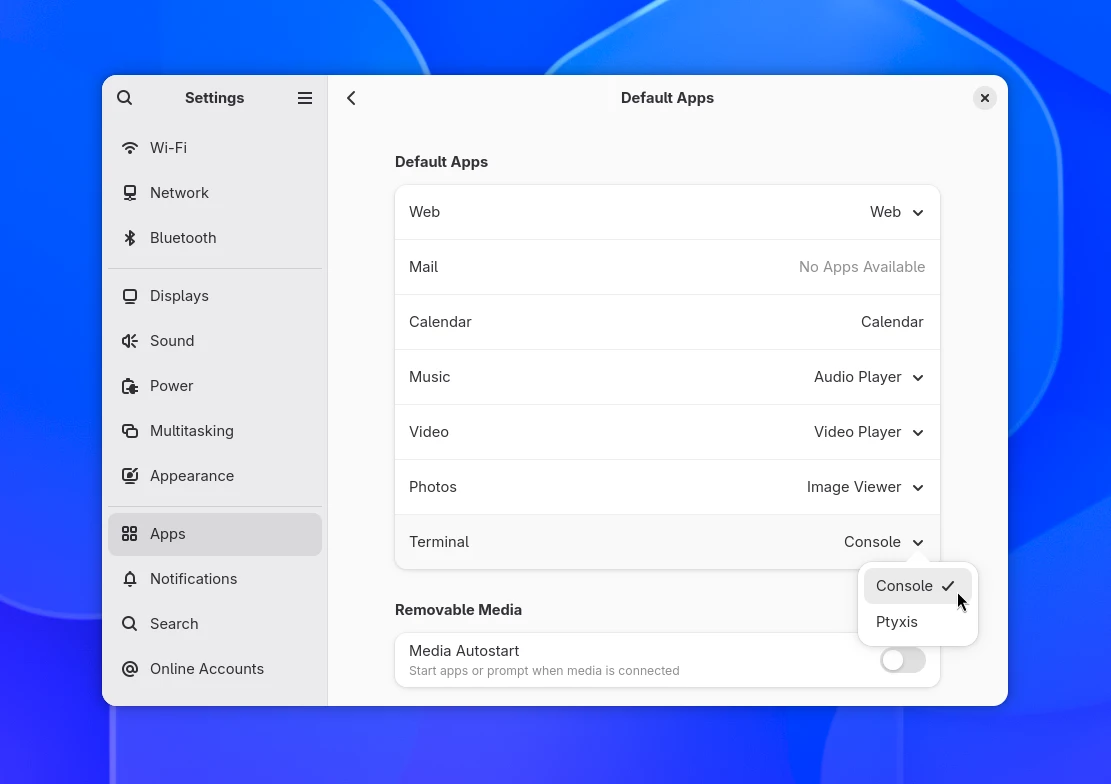
An option pick a default terminal is to GNOME Settings, as the image above, teased by developer Ignacy Kuchciński last week, shows.
Those of you who don’t use the command line often enough to care about what terminal is set as your system default, may be surprised to hear you can’t currently change it1 via a GUI.
If you go to Settings > Apps > Default Apps you can pick your preferred web browser, email client, imager viewer and others apps, but you can’t set a terminal emulator as your system default2.
For developers, the missing option can be annoying.
I’ve installed command-line apps that add a launcher shortcut and thought to myself: “Great, saves me needing to open a terminal and run a command”. But when I click the launcher, it opens an xterm window. Not what I was expecting.
A proper, system-respecting and user-configurable way to change the default terminal is overdue.
Why isn’t there a setting for this already?

Many Linux desktops only know what apps can handle because apps declare it in their .desktop file by listing MIME types, which are a set of standardised labels for file and data formats, or URI scheme handlers for links.
An image viewer can say “I open image/jpeg and image/png files”, a web browser can report “I handle text/html“, an email-client “I intercept mailto: links”, and so on.
Because GNOME knows what those apps can do, it can show you a list of apps to pick from when you want to change the default.
Terminal don’t use file either file types/MIMEs or handle URI schemes, they just launch a shell. Since there’s nothing for them to “handle”, there’s nothing for them to declare and thus no way for desktops to curate a list of suitable “defaults” to pick from.
A new freedesktop application intent specification fixes that.
Where MIMEs describe data, the proposed intents will declare capabilities i.e., apps can say “I have this functionality”.
With those capabilities registered, Linux desktops like GNOME can tell what apps can do what, and use that to populate a list of “default” app options. Aside from terminals, other proposed intents include file managers and calculators.
Those are the broad strokes; there is more to this before it can appear in GNOME Settings, as pieces need to land in the right order: the spec published, Glib support to read those .desktop file declarations and, of course, app makers adding them.
Previous attempts at solving this have stalled out or required a rethink. This time things are moving fast.
While GNOME 51, out next week, won’t include an option allowing you to choose your default terminal, GNOME 52, out next year, might.
- If you’re content with your distribution’s default, why would you? Ubuntu uses Ptyxis these days, a powerful choice (though its maintainer had to leave Red Hat). GNOME proffers Console (aka kgx) as its core terminal app, while Ghostty is my personal go-to these days – not that you asked! ↩︎
- There are ways to change default terminal app on Ubuntu, including running a command, fittingly, from the terminal, or uninstalling every terminal but the one you want. With terminals arguably more useful now than ever, it’s about time this was sorted. ↩︎