
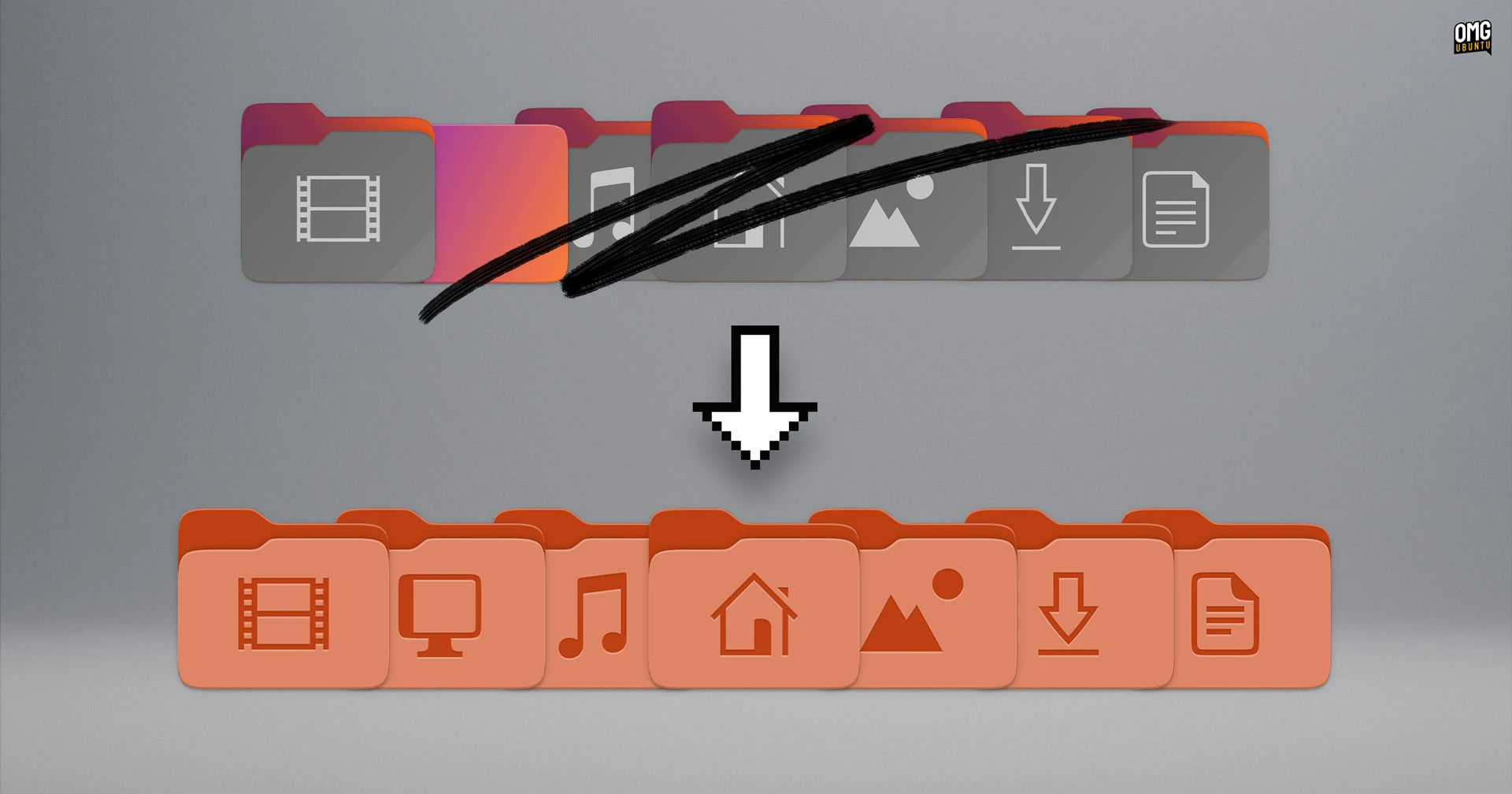

Ubuntu 26.04 LTS is refreshing its folder icons with a squatter shape and more colourful design – if past icon changes are anything to go by, not everyone is going to be thrilled.
The restyled icons are among a number of visual changes to hit Ubuntu 26.04 ‘Resolute Raccoon’ daily builds in recent days.
Redesigned LibreOffice app icons, new accessibility feature symbolics and an adaptive Calculator icon have also been introduced, alongside system-wide theme changes that pull Yaru closer to the style of vanilla GNOME Shell/Adwaita.
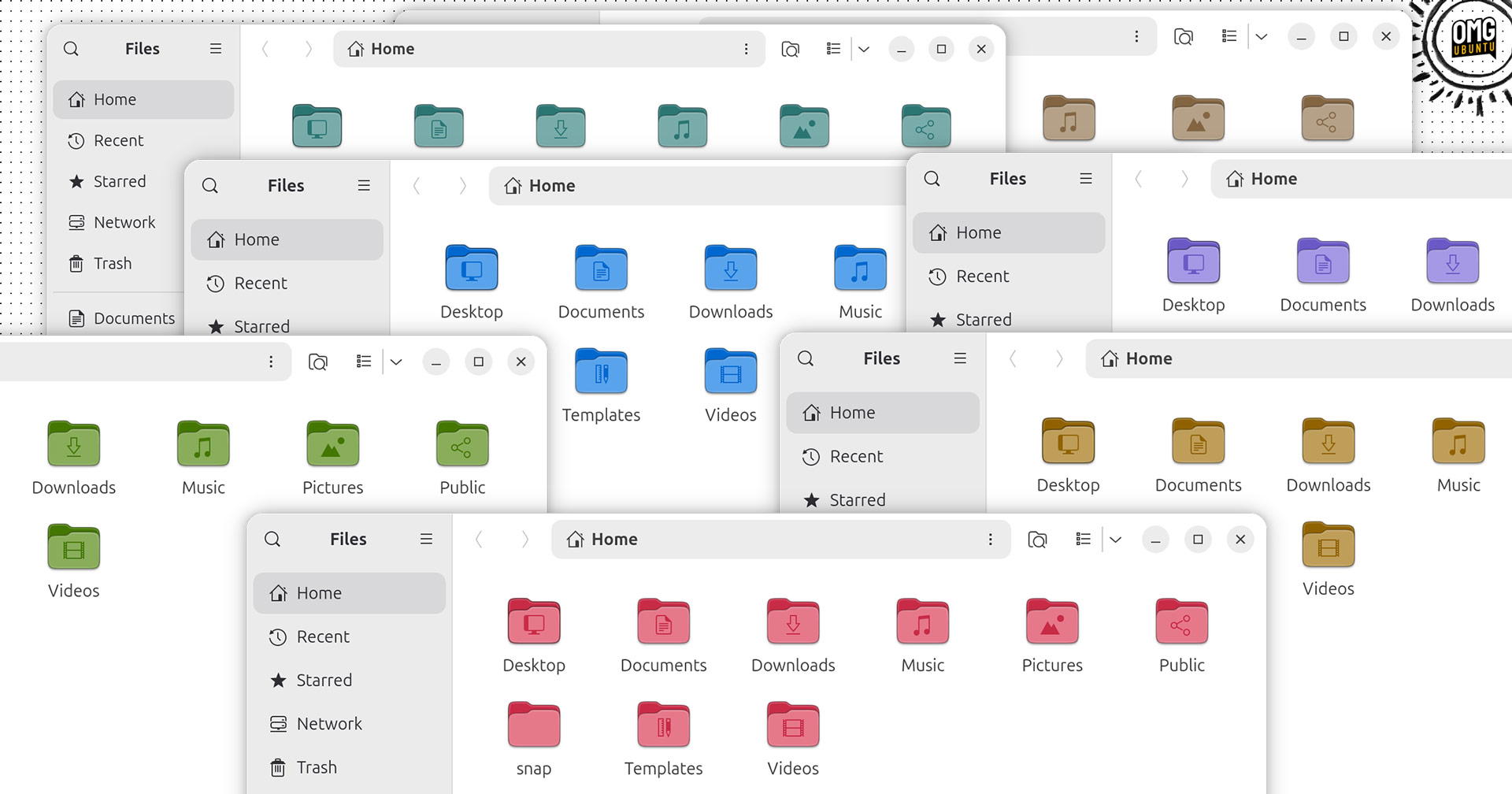
But it’s the colourful new folder icons that most will have strong feelings over since, well, they’re hard to miss:
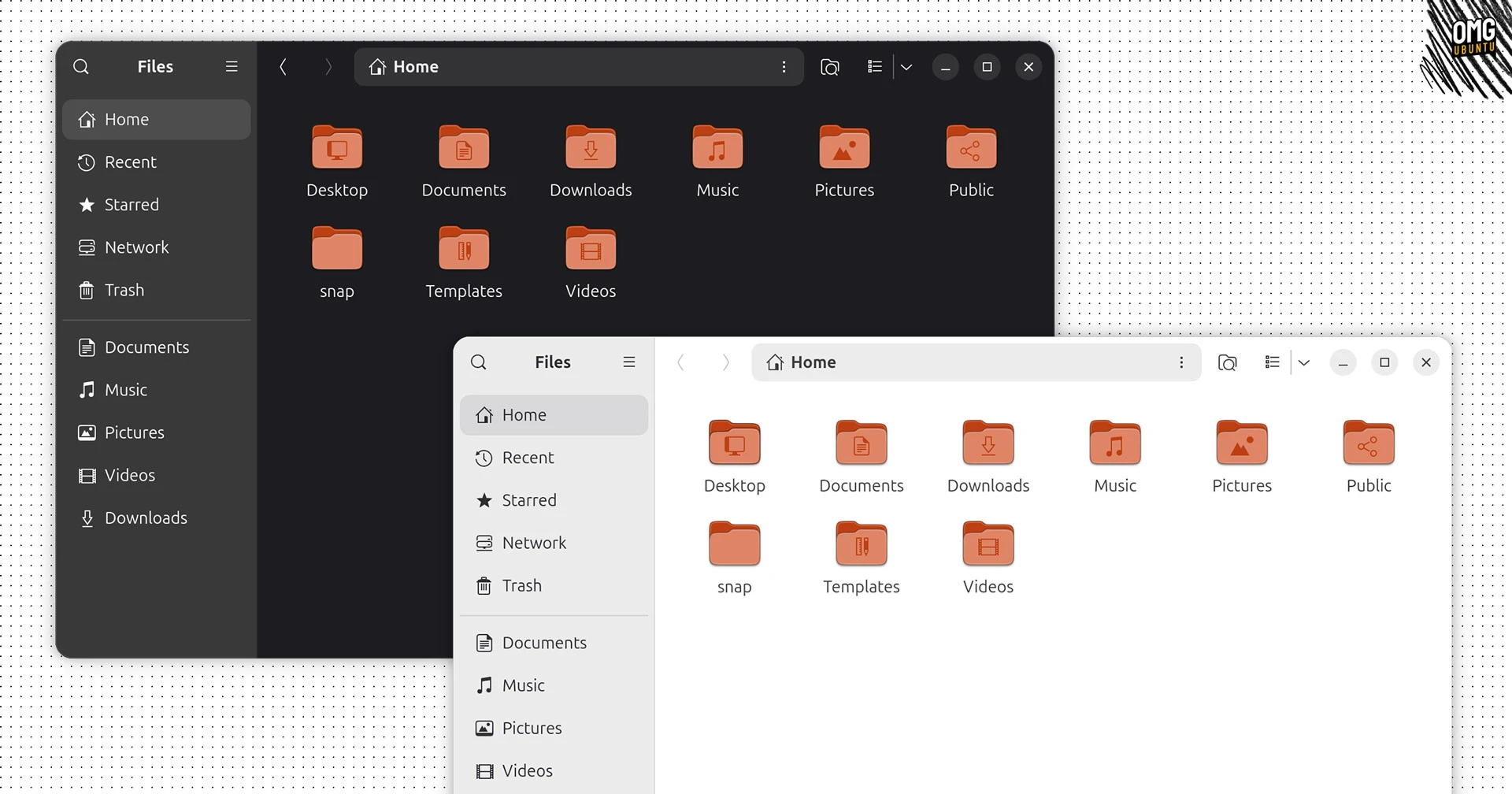
For a reminder of how Yaru’s folder icons (when system is using default orange accent colour) look pre-26.04 theme update, drag the handle on this:


It’s quite a difference, right?
The new folder icons in Ubuntu 26.04 LTS are squatter than before, as the old ones were taller than the default ‘rectangle’ shape used in the rest of the Yaru icon set (which, it turns out, they were never supposed to be).
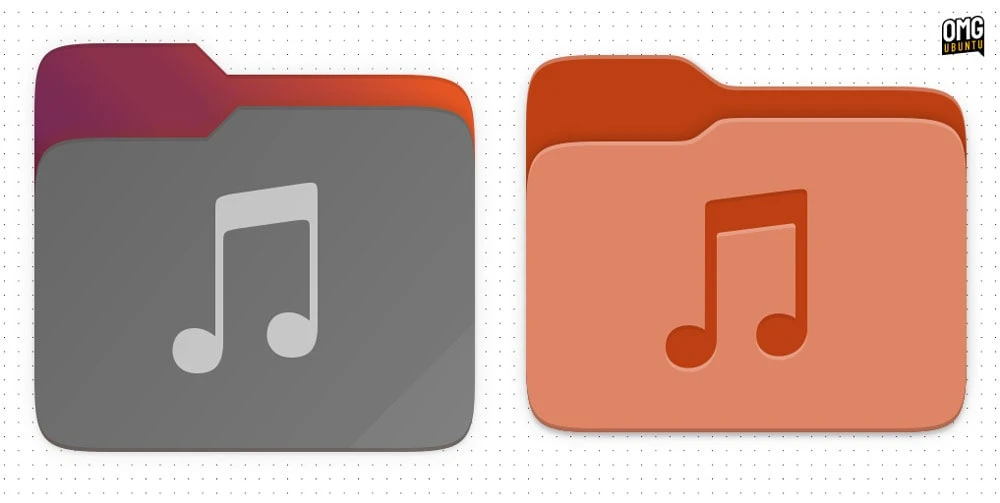
The shape of the folder is refined too. It uses curves, a soft emboss and highlight across the top to convey depth, and gives folder emblems an inset, engraved look:
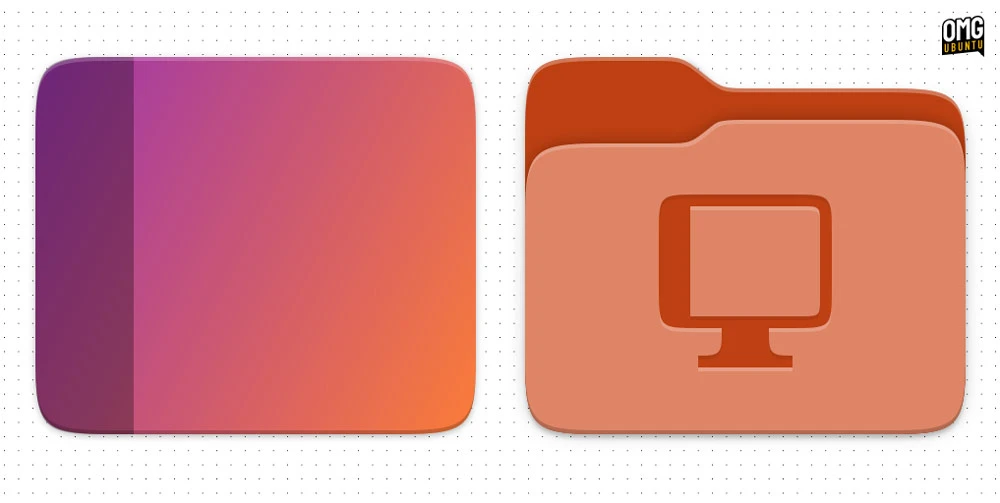
The Desktop folder icon (the one shown in your Home directory) now uses an actual folder motif rather than being styled like a desktop (which, given it was still a folder, wasn’t the most effective communication):
Similarly, the remote folder icon (only appears if you enable a remote mount) has been brought in line, replacing its ‘folder connected to a pipe’ pictogram with an on-folder emblem depicting a cloud.
If you’ve never changed the system accent colour in Ubuntu, you might not have noticed that folder icons subtly change to reflect it. In 26.04, that effect is a lot less subtle as now the whole folder shifts to match your preferred colour rather than just being tinted by it:
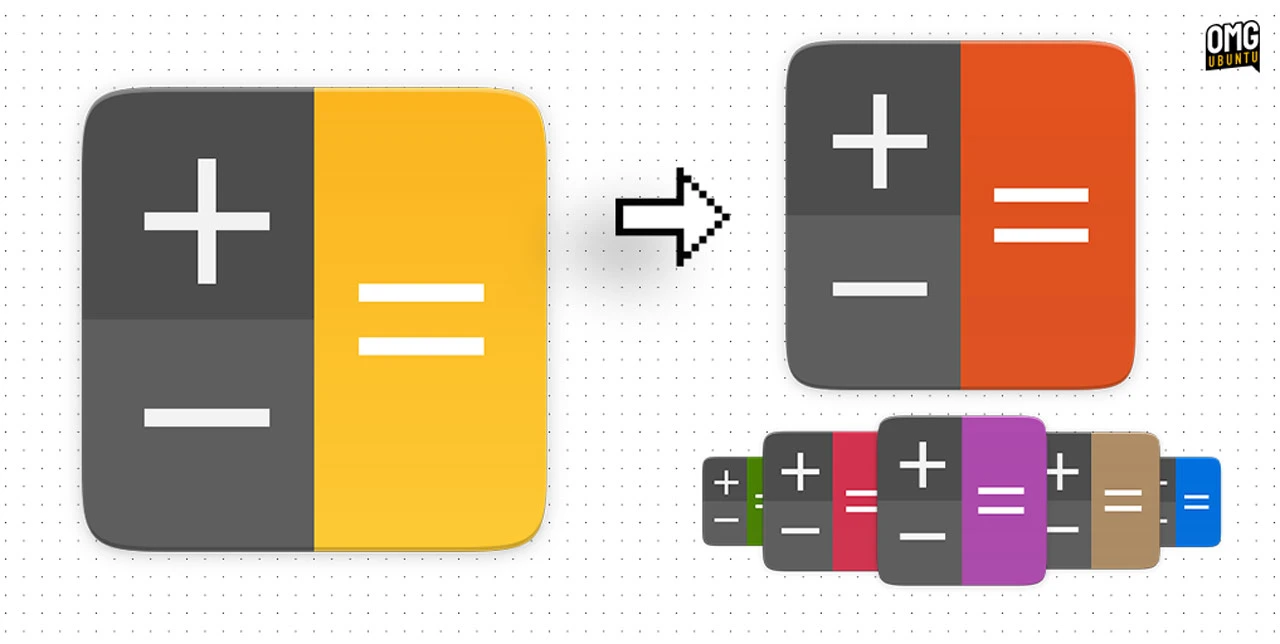
Sticking with icon changes that stick out (to me, anyhow) in this update: the Calculator.
It still uses the same simple design, but now joins the handful of Yaru icons that dynamically recolour when you change the system accent colour Here, your accent colour of choice recolours the ‘equals’ button on the icon:
Rounding out the icon changes is a reworked set of LibreOffice icons. These hew closer to the official LibreOffice icons, albeit reshaped into a more uniform Yaru-consistent style:

A couple of new accessibility symbolics have also been added for sticky keys, bounce keys and slow keys (features now available from the login screen accessibility menu in GNOME 50), while the Wellbeing section icon in Settings got given a slightly thinner treatment.
No more translucent dock (by default)
Icon changes are only part of what’s landed.
As I reported earlier this year, Yaru’s GNOME Shell theme is now more closely aligned with upstream GNOME Shell and Adwaita.
Rather than Yaru’s developers maintaining a separate set of customised theme files, it now applies a set of considered overrides to the vanilla theme. Following upstream defaults alone has allowed Yaru’s developers to drop almost 5000 lines of code from the project.
But while radii and font weight changes sound modest on paper, seen in situ they do alter the ‘tone’ of the Ubuntu desktop somewhat:
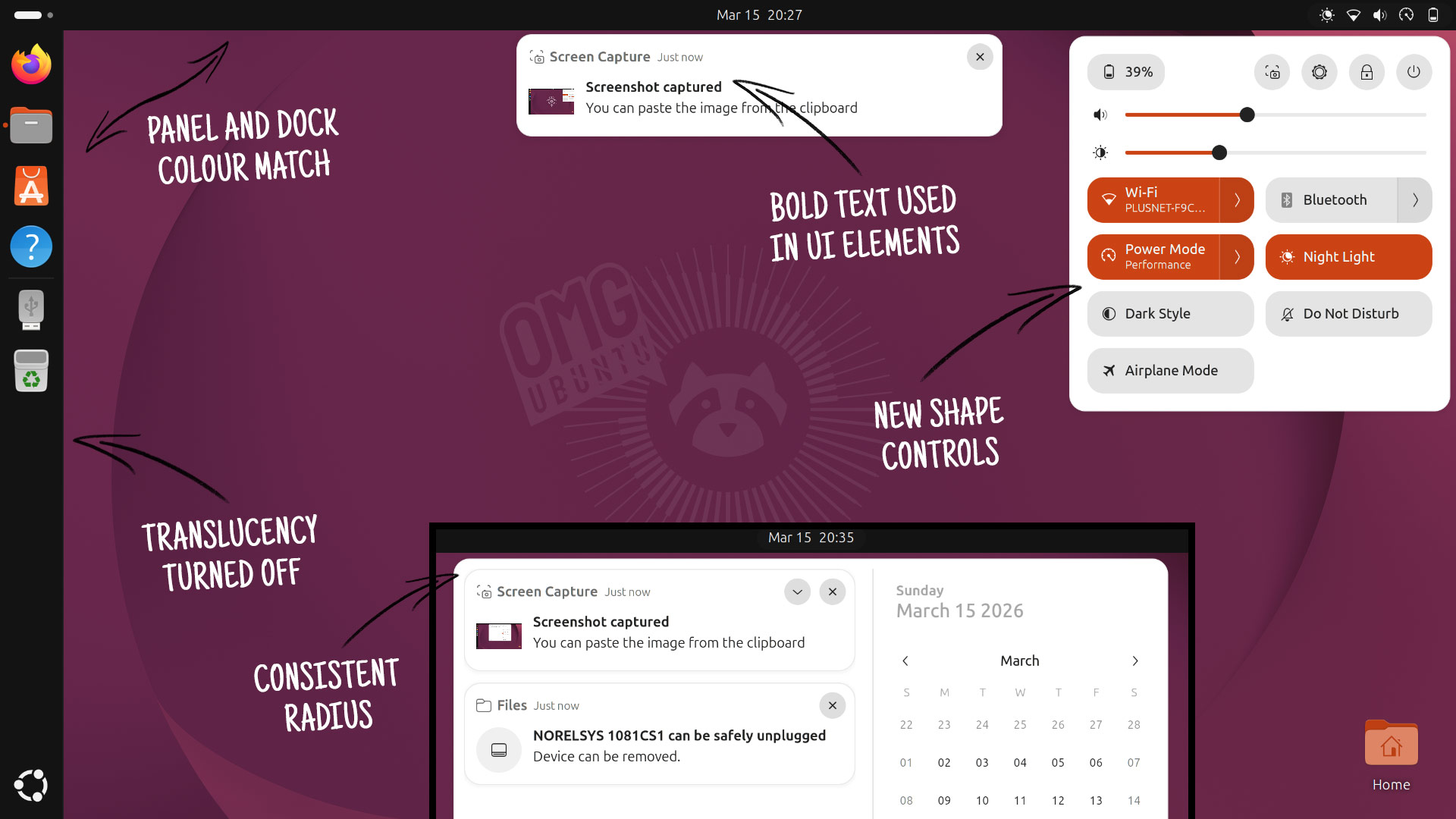
I was rather fond of Ubuntu’s text contrast choices, as notifications, pop-overs and dialogs all felt measured rather than demanding. The switch adds bold text throughout parts of the UI. Putting visual emphasis on so much text dilutes attention, even if better conveys hierarchy.
It’s a definite vibe shift – for the better? Subjective.
However, the changes are going to stick. Following upstream GNOME’s design choices as much as possible results in less downstream ‘maintenance’ work for the Yaru design team. They can instead make changes in a focused and more manageable way.
Other changes see Ubuntu Dock no longer use a translucent background, instead opting for the same opaque colour used in the Top Bar (panel) and overview. Yaru’s designers say this achieves better contrast and fixes an issue where a dock separator could vanish above some wallpapers.
Greater contrast is also given to slider ‘handles’, and (part of the radii changes I mentioned above) you’ll notice a change to the shape of Quick Settings controls, which go from pill-shaped pods to squared-off rectangles.
One thing that isn’t changing until 26.10: Ubuntu’s custom accent colour set, including the ‘Warty’ brown – a nod to the very first Ubuntu release in 2004. The plan is still to switch to using GNOME’s colour palette, but for now, at least, Warty survives.