
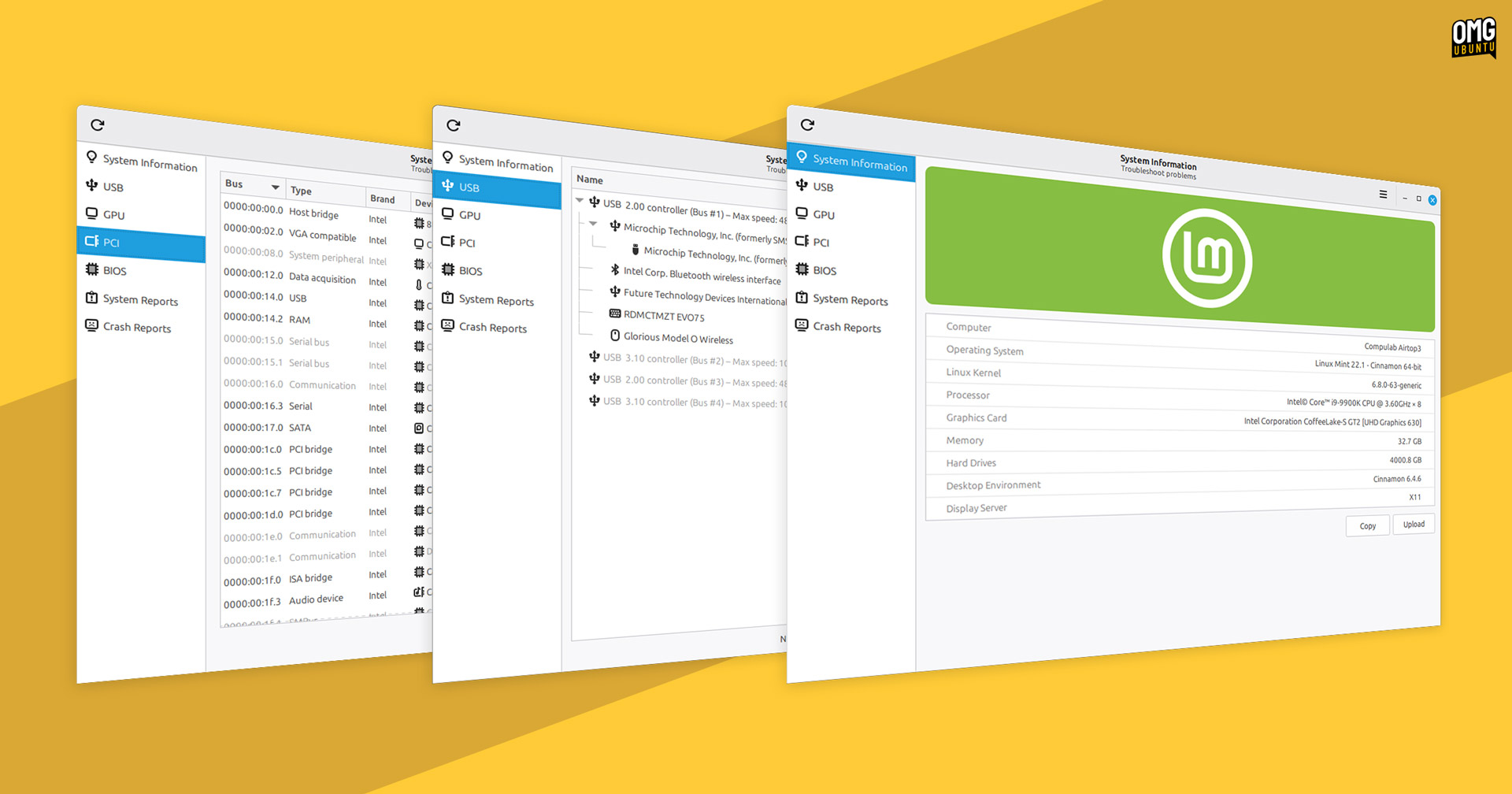

The upcoming release of Linux Mint 22.3 includes a ‘new’ tool that makes it easier to find out detailed System Information — and it looks great.
Oh, the inverted commas around ‘new’ are because the app itself it’s not brand new; the distro’s devs have simply revamped their existing System Reports tool with extra features, new name and expanded purpose — it’s become more like a Linux version of CPU-Z1.
The aim? To make it easier for users to identify which hardware devices, components and drivers are being used on their system. Specificity is a time-saver when troubleshooting hardware-related issues on Mint’s support channels (or in upstream projects).
All of the information shown in this GUI can be gleaned from the command-line, but the burden is on the user to know which commands to run and how to parse output to tease out the relevant parts.
So Mint has “worked on making [troubleshooting] steps a little bit easier” – i.e., less copy and pasting ;)
The improved System Information tool continues to provide a top-level overview of System Information, System Reports and Crash Reports, but expands the scope with 4 new sections that drill down into more detail on available devices:
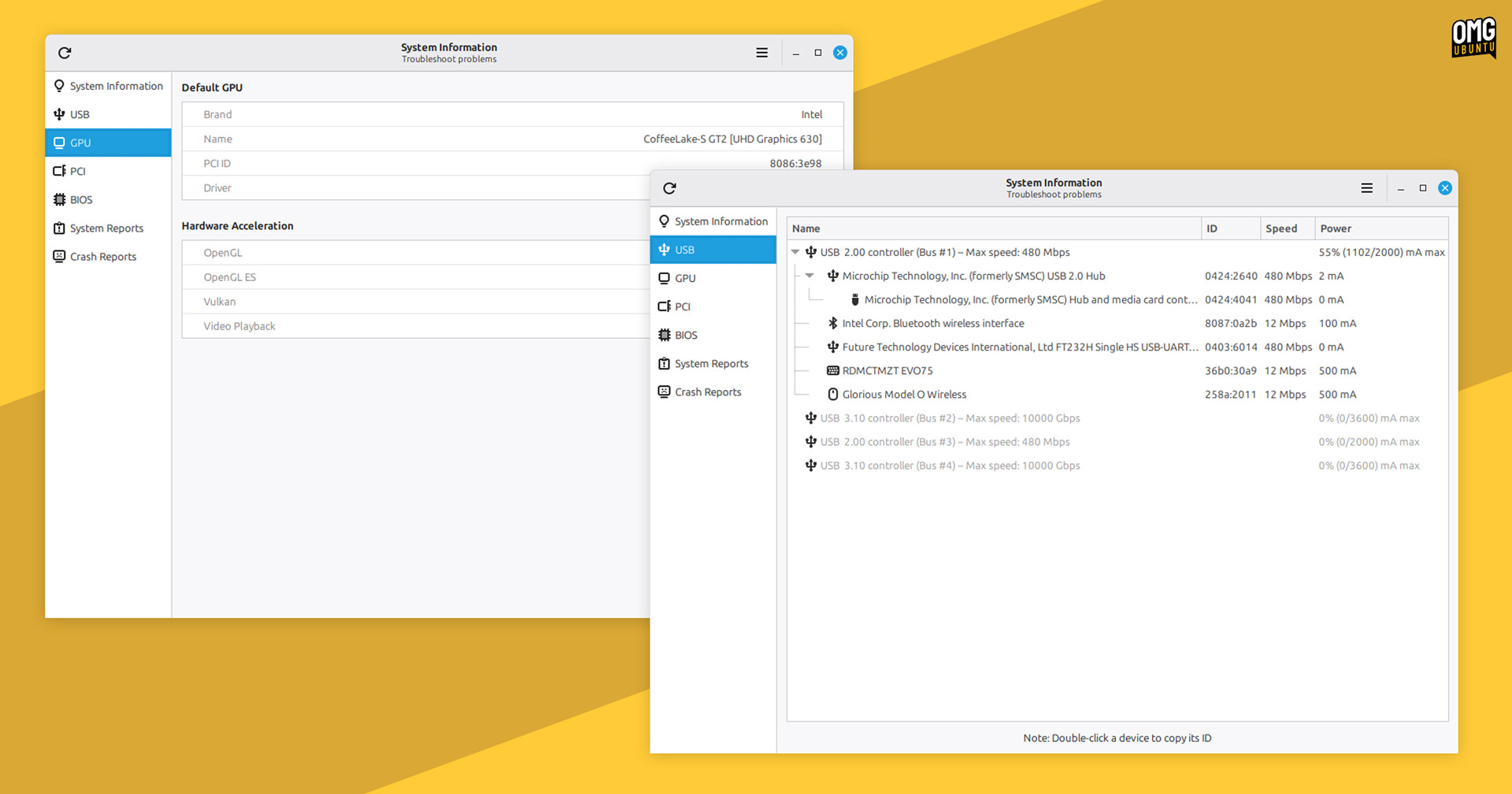
- USB shows attached devices, type, name and ID – grouped by controller
- GPU lists info on graphics card model, driver and hardware acceleration support
- PCI relays internal component details like type, brand, driver and ID
- BIOS conveys motherboard, BIOS version, boot mode and secure-boot status
For me, the USB section acts as a Linux alternative to the USB Tree Viewer for Windows. It shows device speed and power, along with controller max connection speed and total power capacity. If looking to spot issues where things are slower than expected, it will help:
In addition to the new(er) System Information tool is a new System Administration tool. It adopts a similar layout to the former, but Mint say “its goal is slightly different”. It runs with admin privileges and focuses on administration.
This tool is in development and only has one section at present: Boot Menu. From here, you can choose to hide/show the boot menu (GRUB), how long it waits before booting the default option, and an option for adding boot parameters.
Both tools will be preinstalled in Linux Mint 22.3, which is expected to be released in late December or early January 2026.
- Of which there are third-party clones, but having info available in a system tool is handy. ↩︎