


A brand new version of Zorin OS, the user-friendly Ubuntu-based Linux distribution, is available for download.
Zorin OS 18 is based on Ubuntu 24.04.3 LTS with the Linux 6.14 kernel, and uses a heavily customised version of GNOME Shell 46 which, in this update, has been “redesigned” with a floating rounded panel and adds a new window tiling extension.
The distro’s development team say this version aims to ‘significantly improve’ productivity and app compatibility and make the system the “ideal choice” for anyone looking to switch to Linux now that Windows 10 has reached the end of support.
Alongside new ISO downloads for Intel/AMD devices (Zorin OS doesn’t support ARM64 devices), users will be able to upgrade from Zorin OS 17 to 18, including those who pay for Zorin Pro.
Zorin OS 18: What’s New?
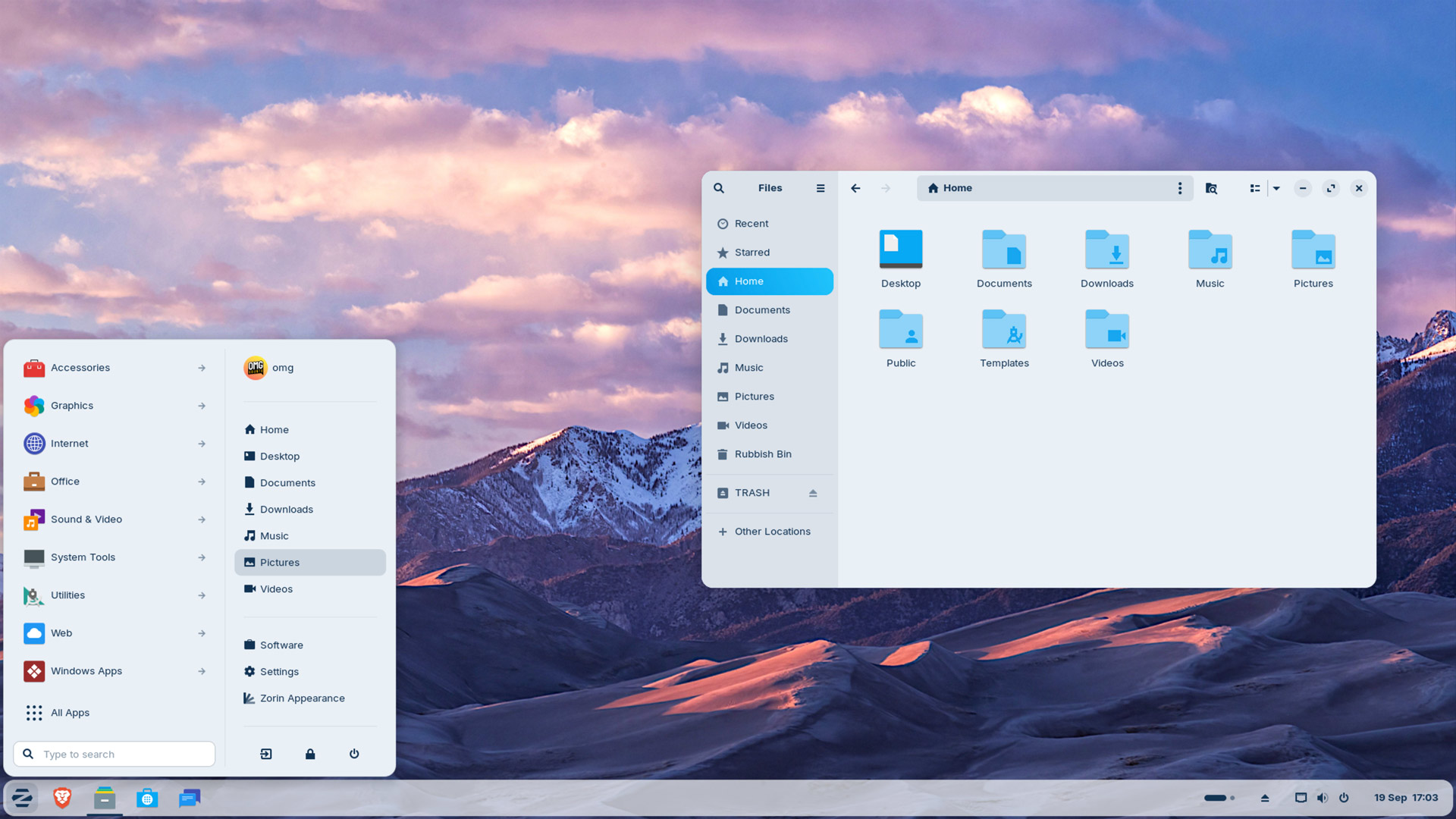
In updating its foundational stack to the latest long-term support (LTS) version of Ubuntu, Zorin OS bags performance improvements thanks to Linux kernel 6.14, recent(ish) NVIDIA, Mesa and Intel GPU drivers, and critical stack components like PipeWire and Wayland.
But the bulk of Zorin’s most interesting changes are user-facing.
Zorin OS 18 delivers a ‘redesigned desktop’ with various visual changes and new feature additions.
The popular Tiling Shell GNOME Shell extension is preinstalled in Zorin OS 18, making it easy for you to quickly tile applications windows in all kinds of ways. You’re not limited to just screen halves or quarters.
“Simply drag a window to the top of the screen, and a pop-up will appear where you can drop it on one of the predefined layouts to arrange your windows. It’s that easy, no need to memorise complex keyboard shortcuts,” Zorin says of the feature.
Adding Tiling Shell to Zorin OS is a smart choice given that the distro’s makers have been heavily marketing their OS as the go-to alternative for Windows 10 users who can’t upgrade to Windows 11 and don’t want to buy a new computer to meet its system requirements.
Tiling Shell was inspired by (and has since bettered) the Snap Assist feature Microsoft includes in Windows 11.
The desktop panel — a customised version of Dash to Panel — now uses a floating, rounded style by default, slightly short of the full screen width. This won’t be popular with everyone, so options are provided to switch to a more traditional fixed-width non-floating panel for those who prefer it.
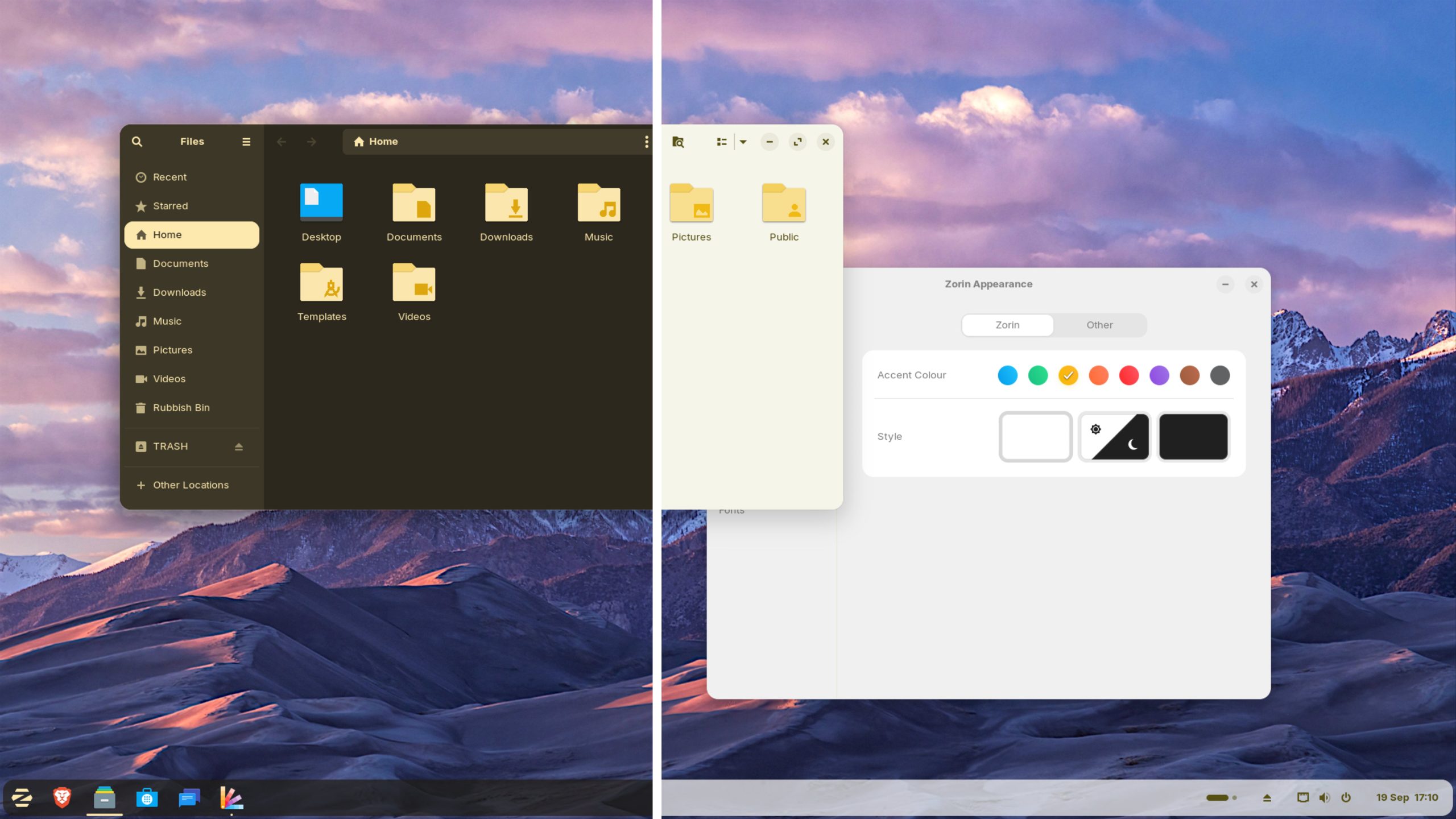
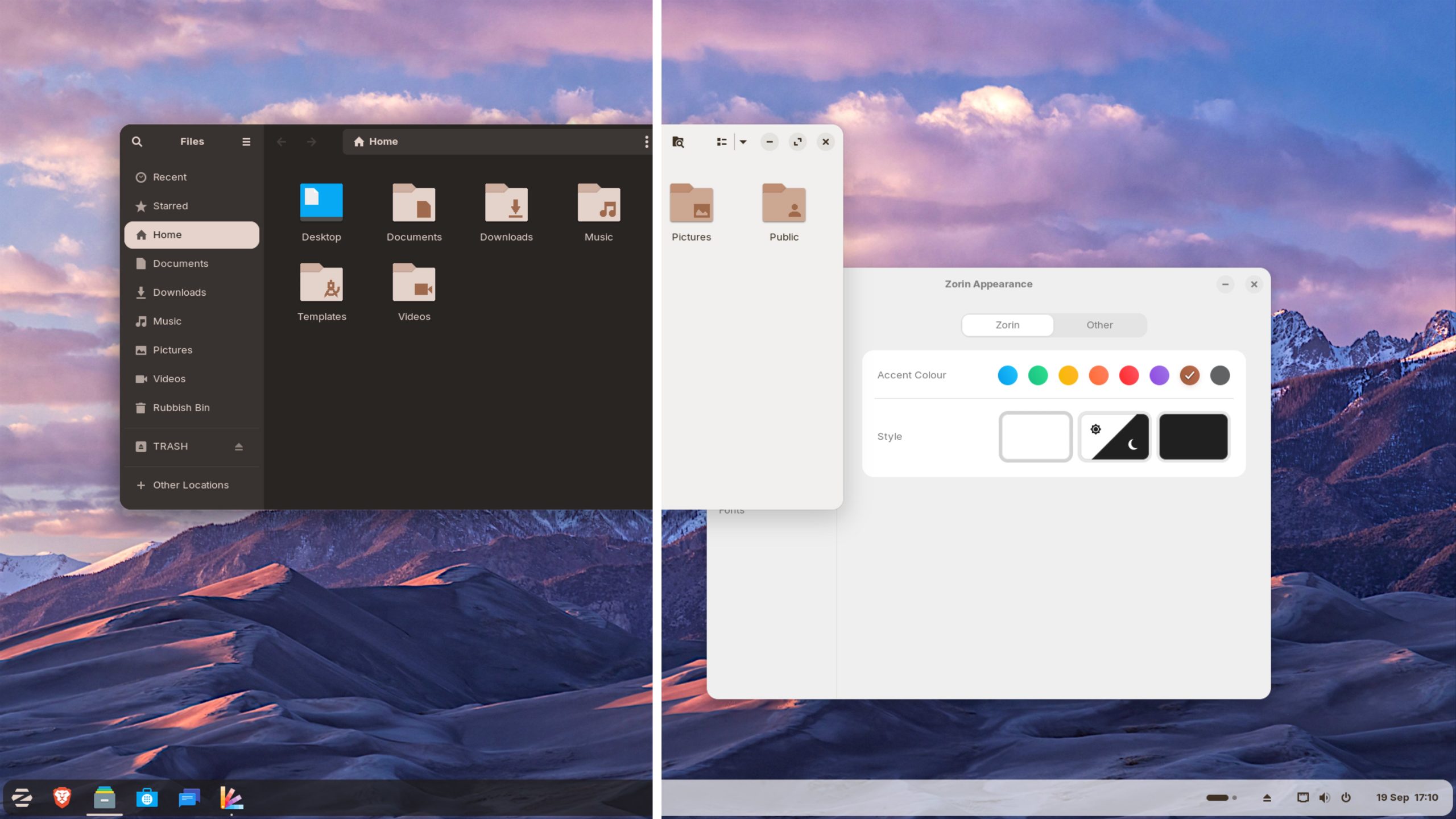
Zorin’s default theme is also refreshed with lighter accents. Two new theme colours (yellow and brown) are included in Zorin OS 18. They work in light and dark mode (and adjust accordingly). While they might sound like unusual colour choices, in practice they look great:
The bulk of other come from the underlying GNOME 46 desktop, which improves the file manager, calendar and other apps, and adds new options, like support for signing into a Microsoft account in Online Accounts to access OneDrive files in the file manager.
A new Web Apps tool is included in Zorin OS 18. This is the one made by Linux Mint that lets you turn any website into a desktop-like app, with start menu entry, icon, panel pinning and other options. All independent of a web browser (any browser installed can be used).
Zorin OS positions the Web Apps tool as way to access software not readily available on Linux, but which is available as a cloud-based version, such as Microsoft Office 365 or Adobe Photoshop Web (the latter does require an Adobe subscription to access).

Zorin OS 17.3 replaced Firefox with Brave as default web browser, a change that has stuck. Thus, you won’t find Mozilla Firefox browser preinstalled out-of-the-box, but you can install Firefox in Zorin OS using various methods, e.g., Flatpak or Snap.
Zorin OS 18 expands its database of ‘suggestions’ in its Windows Compatibility utility. When a user tries to run a Windows .exe file through Wine (which is preinstalled, along with Bottles for easier management), Zorin recommends native Linux alternatives to try instead.
Finally, those who purchase Zorin OS 18 Pro get access to a 3 new desktop layouts: compact panel (and equally compact app menu); a Cinnamon-style desktop (with app menu based on Linux Mint’s redesign), and a layout mimicking elementary OS.
Purchases of Zorin OS 18 Pro include extra preinstalled software, including open source keyboard and mouse sharing app Deskflow, open source file sharing app Warp, open source time tracking app Valot, and open source audio tweak tool Easy Effects.
Download Zorin OS 18
You can download the new version from the Zorin OS downloads page.
Zorin OS 18 Core is free to download and use, but you will see in-OS prompts about locked features, but these can be dismissed. Zorin OS 18 Pro costs ~£48, which unlocks additional desktop layouts, more preinstalled software and helps fund Zorin OS’ development.
Zorin OS 18 is supported with ongoing updates and security patches until at least April 2029 (thanks to Canonical), which makes it a solid choice for deployments in places like businesses, schools, and organisations.