

July was host to a crop of Linux app updates, and in this post I round up and run through the ones which caught my eye but didn’t get the full-write-up treatment.
I’ve covered a lot of Linux app releases this month as full posts, from the big Blender 4.5 LTS release with Vulkan backend to a glut of improvements to screenshot markup tool Gradia, plus a preview launch for Amazon’s AI-infused IDE Kiro – not that everyone was keen on that!
Plus, I covered the big releases we get every month, with Firefox 141 reducing memory usage on Linux, and Thunderbird 141 adding extra email notification actions.
But there have been other releases too.
Some smaller in scope, some yet to see stable releases, and some updated several times in quick succession making it hard to stay on top of the changes in a sane fashion. It’s “some” of those updates I showcase in each month’s Linux App Release Roundup.
Here’s what popped out in July.
Shotcut 25.07
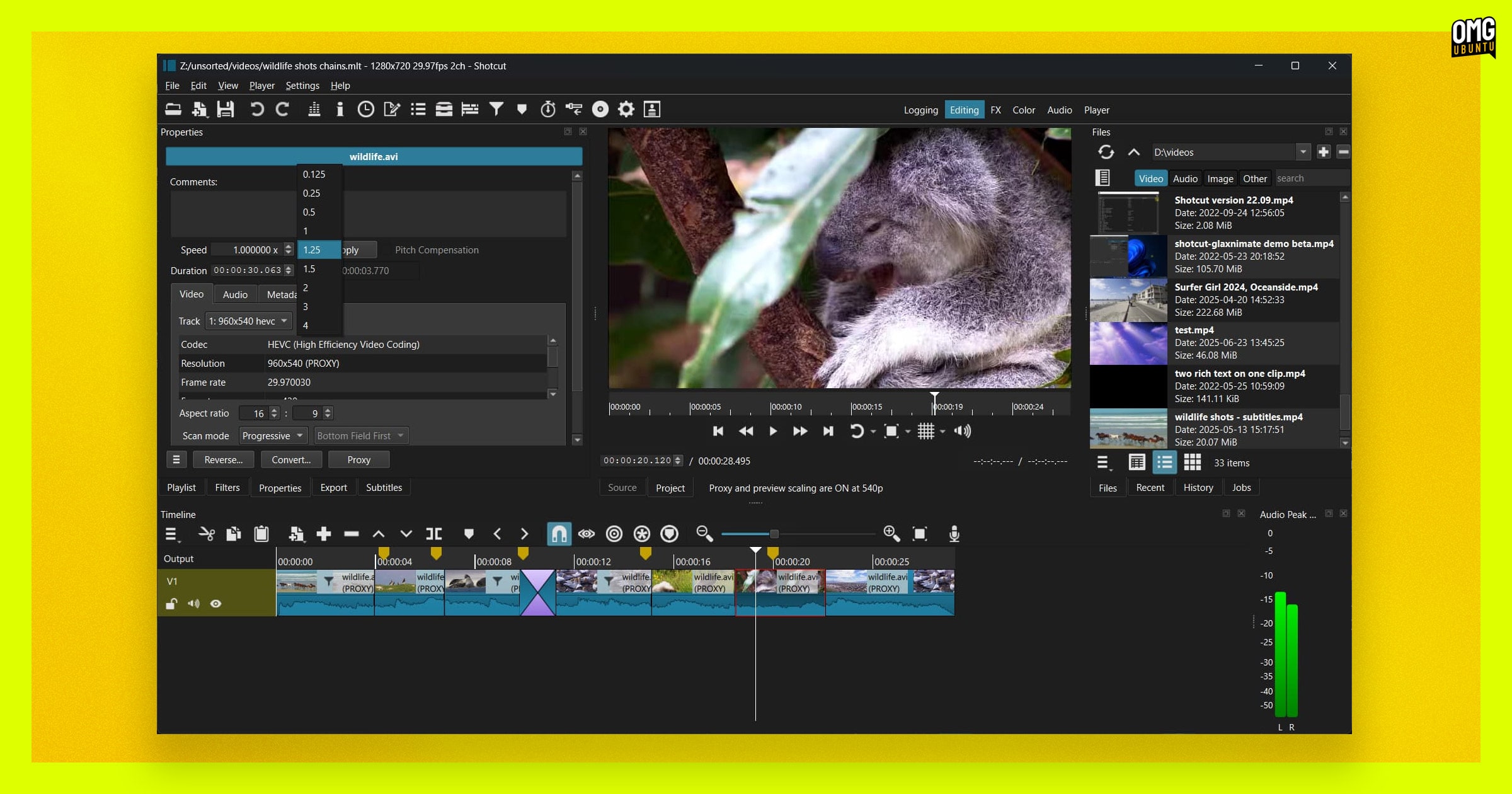
The free, open source video editor Shotcut is a solid choice for cutting together slick edits on Windows, macOS, and Linux thanks to its ever-expanding feature set, including native editing (no import required) and multi-format timelines, video effects, audio editing, and colour correction.
The latest release, Shotcut 25.07, adds more to the mix, including support for roll edit/trim on the timeline if holding Ctrl . This lets you extend one clip while shortening the adjacent clip at the same time, while also keeping your overall timeline length unchanged.
Other changes:
- New ‘System Fusion’ theme (pictured above)
- Whisper models are now downloaded on demand via Speech to Text dialog
- Waveform peak line can be dragged to adjust audio gain (option to disable)
- Slideshow Generator dialog now has an Audio/Video duration setting
- Soft Focus filter set added
- Outline video filter added
- Improved ‘System’ theme
- Fader, surround balance added to Balance audio filter (with 2 channels or more)
- Channels toggle buttons added to most audio filters
- Ability to add/use multiple Mask: Apply filters
- Bug fixes & translation updates
Keen to try these changes out? You can download the latest release of Shotcut for Linux, Windows and macOS from the project’s official download page, where you’ll also find relevant links to report bugs and learn more about its features.
Plank Reloaded
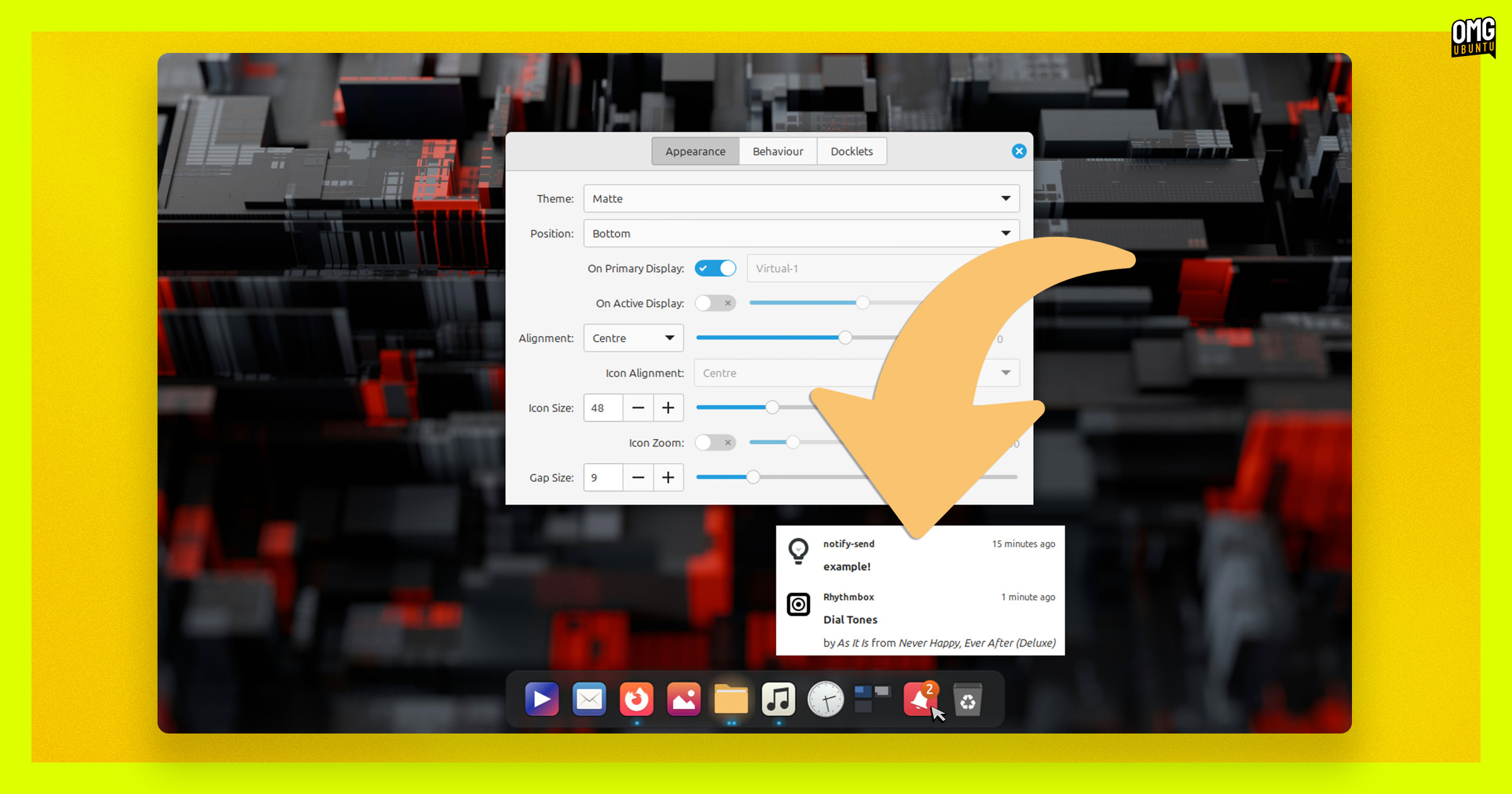
Another month, another bunch of improvements to the revival of the Plank dock, aka Plank Reloaded.
This month saw several releases, adding the following notable improvements:
- New Notifications docklet for system notifications
- Focused app highlight treatment improved in Matte theme
- Bug fixes for centering logic, animations with fractional scaling
- Applications docklet lock, menu spacing has been refined
- Optional systemd service added
- Dock positioning issues during display transitions resolved
- Apport integration reports bugs to project GitHub
- Matching notifications docklet icon when used on MATE desktop
- File manager added to the dock for new installs
Plank Reloaded works across different desktop environments but it does not work under Wayland, only X11/Xorg. New versions can be downloaded as a DEB from the project GitHub releases page, or installed via a repo.
Krita 5.2.10
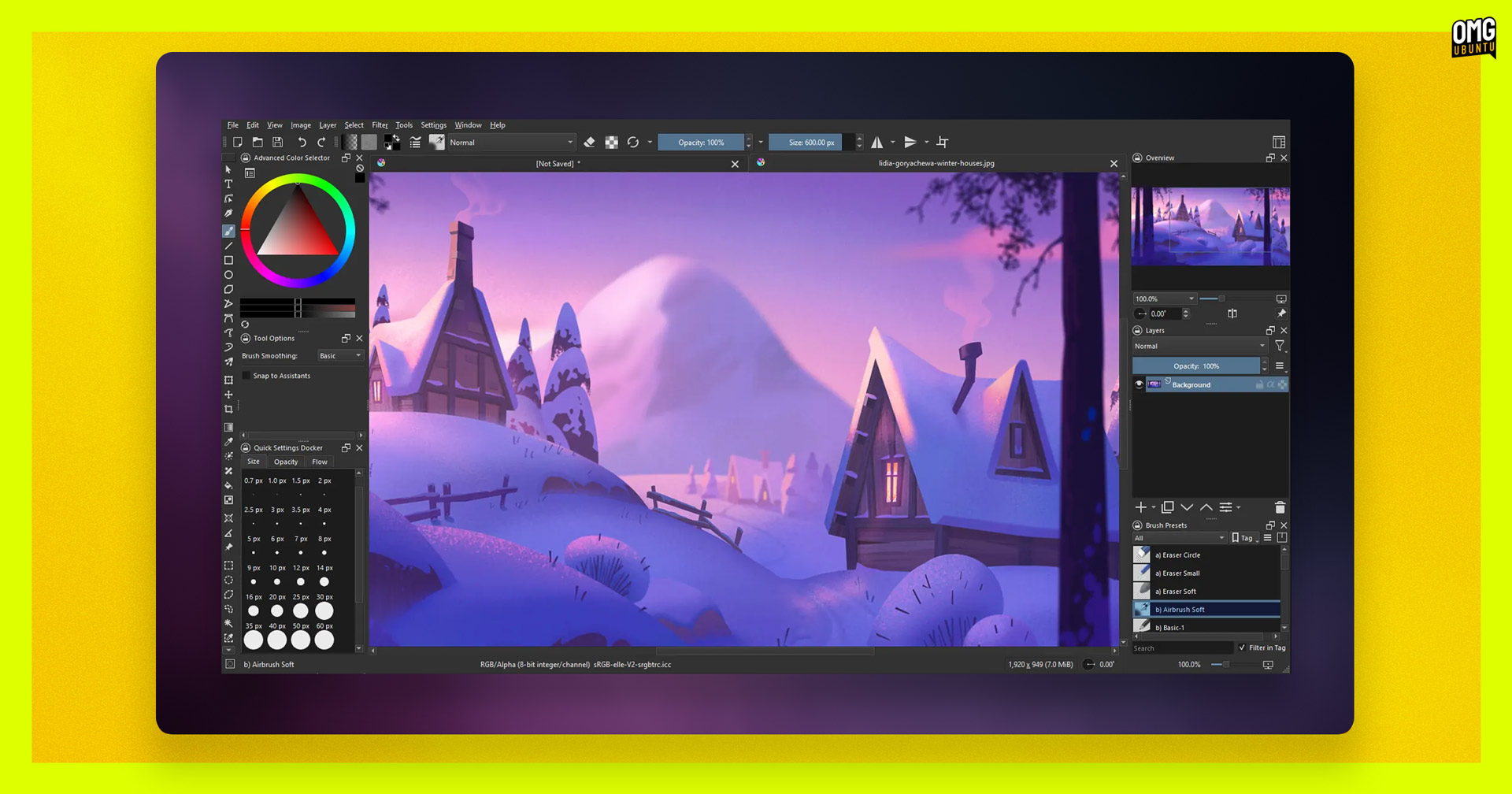
Open source digital painting and 2D animation software Krita issued its last maintenance update before the team shifts focus to Krita 5.3.0, which will bring new features (and further ahead is Krita 6.0, the first to be based on Qt6).
Performance improvements are the main draw (sorry) here, including more responsive canvas panning, status bar, and smoother ruler updates during transformations. The update also now allows onion skin settings to be reset to defaults, which can be handy.
Users with keyboards that have a lot of function keys (gaming keyboards, I guess) will be pleased to hear that Krita now ignores function keys above F12 to prevent interference from apps like WeChat, though it can be re-enabled if needed.
Bug fixes for several issues are bundled inside, including remedies for animation cache problems when adjusting layer opacity, animation transform mask values not scaling correctly, and crashes sometime triggered by clipboard operations or saving ‘extremely big files’.
The Krita website download page has builds for Windows, macOS, Android, and Linux (provided as an AppImage). If you prefer Flatpaks, the latest build is also available on Flathub, while Ubuntu users can seek it out on the Snap store.
Tauon 8.1.3

Tauon music player received a small update this month, one sure to appeal if you like to sing along to your favourite tracks while you’re at your computer since the app has added click-to-seek scrolling for synced lyrics – letting you jump to the current part, mid-way through.
The Tauon 8.1.3 release also adds an experimental auto import playlist feature, with various tweaks to the existing auto export function. More details on how that works and how it differs to what went before in the pull change for the feature.
Tauon is free, open source software available for Windows, macOS and Linux. You can download the latest version for the former two OSes from the project’s GitHub releases page, but Linux users are advised to use the official Flathub build or AUR package.
Kdenlive 25.08 (Release Candidate)
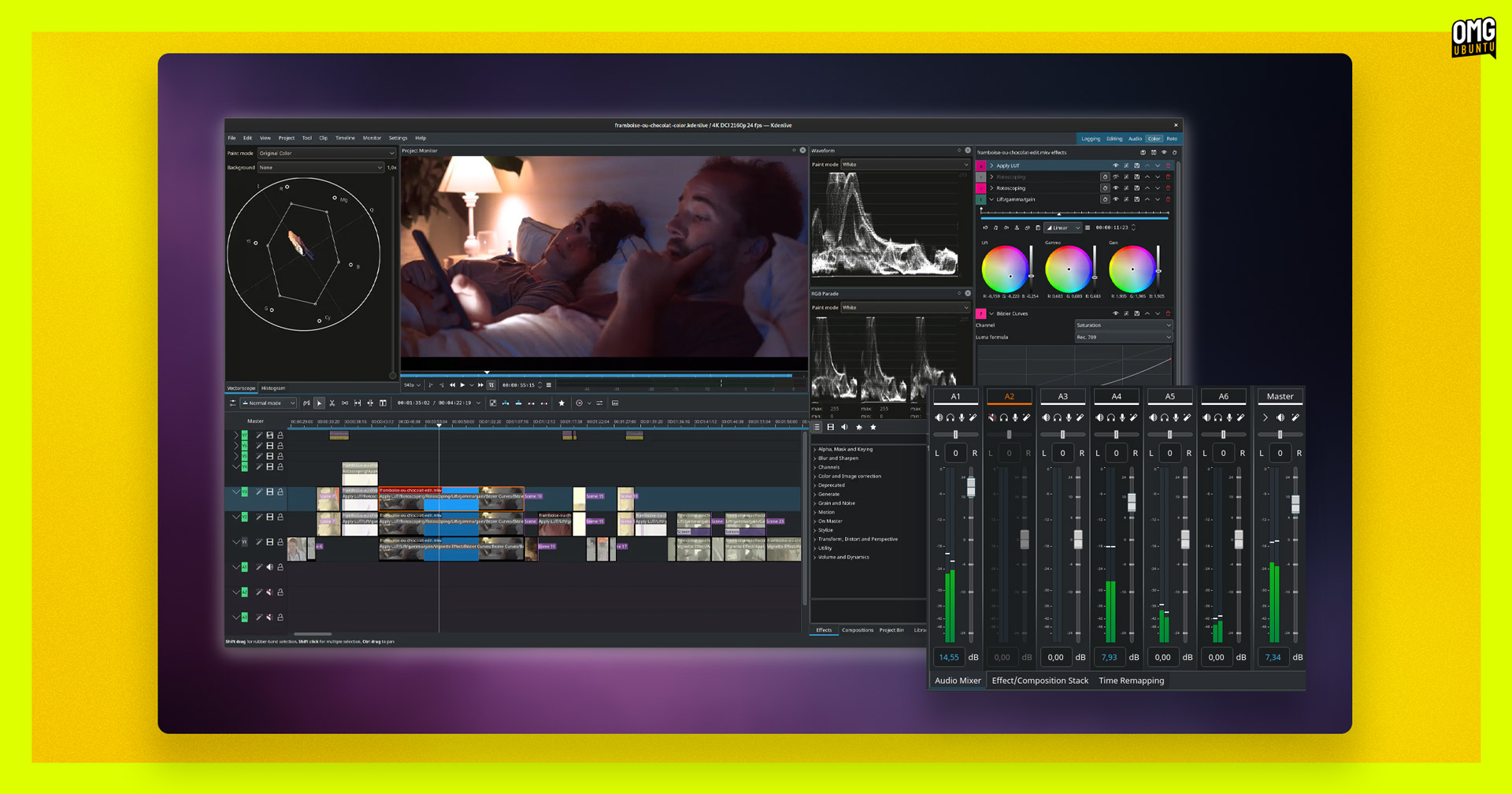
In July, Kdenlive saw a new stable point release (i.e., bug fixes) in the current 25.04.x stable series, but the more exciting release was that of the Kdenlive 25.08 release candidate.
This build brings “some cool features” per the short release announcement, including:
- Optimised interface for use on lower resolution screens
- Keyboard schemes are once again downloadable
- Python compatibility issues with Whisper are fixed
- Power management support to prevent sleep while playing / rendering
- Support for showing start timecode
- Guides list now shows thumbnails
- Redesigned sound mixer
I’ll likely go over some of those changes in more detail in a dedicated post once the stable release is out. Any impatient editors amongst you eager to get an early hands on with those changes can do so using this RC build, but be aware it’s not a stable release yet.
Download the release candidate AppImage, give it executable permission, then double-click to run it – remember to install the package needed to run AppImages on Ubuntu first, of course.
Zed (Text Editor)

Zed, the open source, Rust-based text editor, puts out several releases a month (at least one a week), each packed with a variety of interesting changes. I can’t cover every release or this blog would become OMG! Zed rather than OMG! Ubuntu.
But for those who do keep up, Zed has been adding a lot of AI coding and agentic features for a while (and the developers are bullish on the merits of using—and paying for—AI to assist developer workflows).
Not everyone wants to use AI features in Zed so the users asked for a way to disable it all, wholesale. Rather awesomely, Zed’s developers said “sure”, noting that the editor is built to respect its users’ intents and needs.
As of last week (July 23), it is possible to disable AI features in Zed by adding "disable_ai": true to the settings.json file.
Zed is free, open source software. It can be installed on Linux in a variety of ways (including from source, if you’re hardcore), though not as a snap (someone should sort that out).
libinput 1.29.0
Okay, libinput is not technically an app (see the title of this post), but good luck scrolling through this roundup without it, eh!
A new release eked out while I was compiling this post, so I figured I’d give a mention.
Most notably, high-resolution scroll wheels pick up better detection logic to prevent accidental scrolling, while regular scroll wheels (the sort on most mice, tbh) should feel more responsive by bypassing ‘unnecessary checks’ for high-resolution support.
Other improvements include resolving jumping cursor issues on certain ASUS touchpads, letting tablet users reconfigure eraser buttons as regular buttons, handling of virtual input devices better, and a new debug tool for graphics pads to help, well, in debugging issues with them!
Libinput isn’t something you can (easily update outside of your distribution’s repos, but this latest version will likely feature in most major distro releases in the coming weeks and months.
That’s All, Folks
That wraps up this month’s recap of smaller but noteworthy releases. While these updates might not have gotten their own headlines, they’re still the sort of steady improvements that make daily Linux desktop use all the better.
Got a tip about an app update I should cover? The contact form is always open!