

No-one likes panel clutter. On Windows, you can collapse icons in the task tray to keep them out of sight, as do macOS tools like Bartender.
Lilypad is a GNOME Shell extension that does the same thing on the GNOME desktop. Control which top bar items are always visible, which should be hidden away until expanded and even set the order they’re arranged in.
If you run multiple GNOME extensions1 as well as apps that use a system tray icon (like Discord, Slack, etc), then Ubuntu’s top panel can fill up with clutter fast – a weather add-on, now-playing track info, a time tracking tool like Day Progress, system monitor like Astra Monitor…
Lilypad brings order to the clutter.
Move the icons and applets you don’t want on show all the time into a collapsable drawer. With a single click you can open and collapse the group on demand, like so:
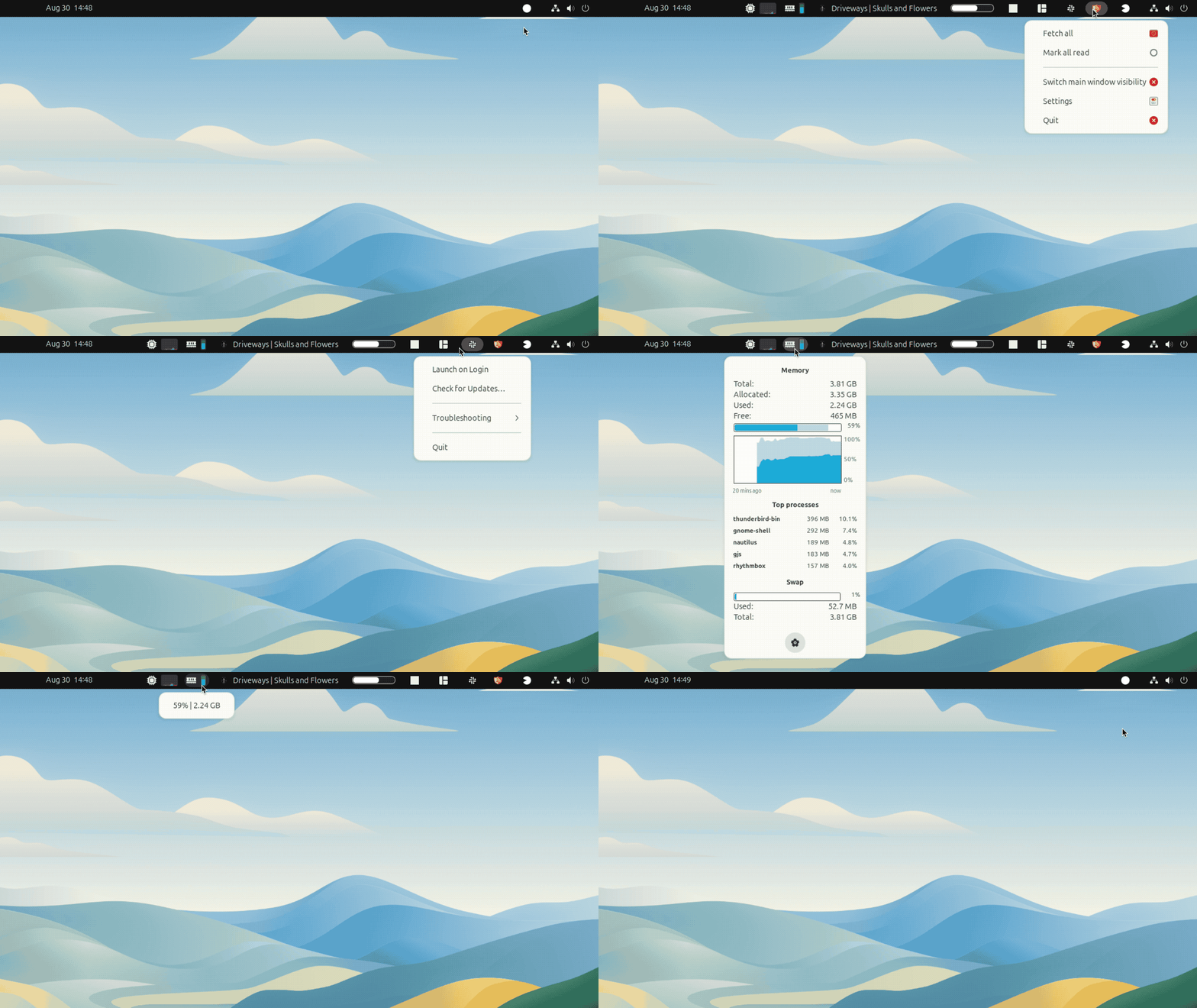
Plus, it’s not just applet-addicts who might find Lilypad useful.
Customisers and aesthetes who favour visual consistency may too.
Now, most GNOME extensions that show icons in the top panel use monochromatic/symbolic icons that match the rest of panel icons.
Alas, the uniformity is often spoiled by apps and add-ons that prefer to use colourful icons, or icons that are too big or icons that are way to small, or have too much padding…
You get the idea.
Lilypad lets you sweeps those ugly icons into a drawer so they’re out of sight, but not out of reach
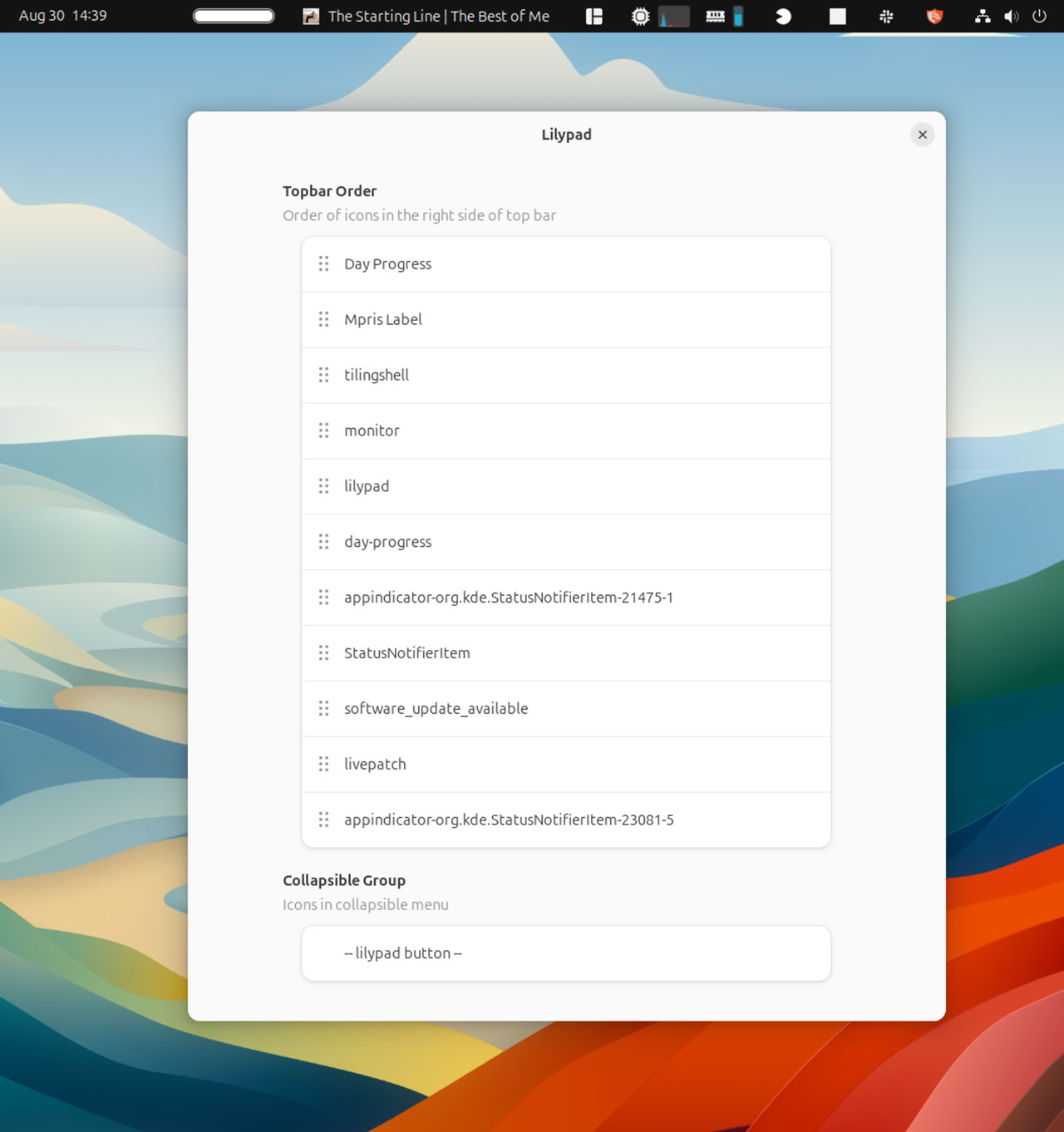
Finally, and most useful, you can use Lilypad to quickly rearrange icons in the top bar. If you’d prefer your extensions applets and tray icons to it in a specific order, this lets you do it.
A nifty little tool, if I do say so myself!
Get Lilypad
Install Lilypad through the Extensions Manager app, then open the extension’s settings window. A window appears showing you a list of active panel icons. Drag and drop to re-order these. To hide items drop them in the Lilypad section at the bottom.
If you’re the kind of person who has a lot of icons, applets, and GNOME extensions sat in the top bar, and you want to visually declutter your panel without losing functionality, features, or access to those things, I recommend checking this out.
• Get Lilypad on GNOME Extensions
- Some may say “you shouldn’t run so many things in the first place”, but, well, some people do. And there’s no reason people should remould their workflow to suit someone else’s of idea of ‘how to use GNOME’ if what works for them, works. ↩︎