


The popular, powerful, and cross-platform video converter HandBrake recently put out a new version with a notable improvement.
HandBrake 1.8.0 now uses GTK 4 for the user interface, dropping GTK 3 entirely.
This toolkit uplift (facelift?) has been in the works for a year or two. Although it’s not using libadwaita (so don’t expect a hugely different look to before, or panic unduly if libadwaita is not your vibe) the HandBrake GTK4 port delivers a number of frontend and backend benefits.
For example, the audio and subtitle track list widgets are now interactive in the GTK 4 build, bringing them in-line with the way the respective lists work in the Windows and macOS clients.
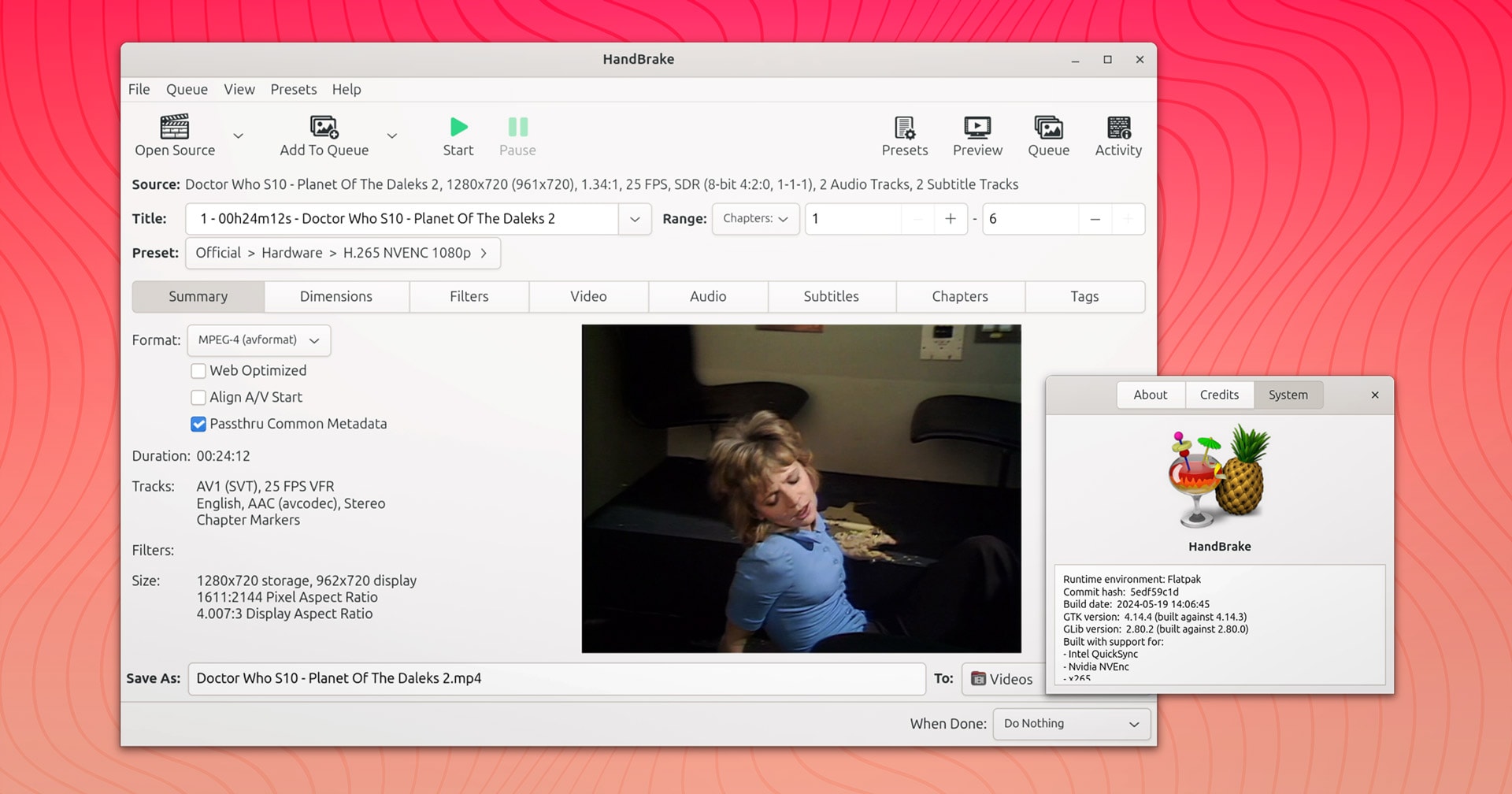
The old GStreamer-based preview window has been replaced by one using GtkMediaStream to reduce the number of dependencies needed by the app and, potentially, lead to more efficient video playback – which is great to hear.
HandBrake 1.8 still makes use of a traditional title bar and menu bar for its main window on Linux, but many secondary windows do adopt GTK Headerbars to provide better consistency with the design language of most other modern GTK apps.

Another upside to the GTK4 port is that the underlying code changes make working on the Linux UI easier than before, a possible boon for new contributors. All being well we’ll see more refinements to the Linux UI in the coming months and years.
HandBrake 1.8.0 has other Linux-specific buffs too: –
- Support for recursive file scanning
- Support for drag and drop multi-file scanning (inc. subtitle files)
- New
--clear-queueand--auto-start-queueflags - Updated icons within the app/symbolic
HandBrake 1.8.0 on macOS offers Metal-accelerated Comb Detection and Framerate Shaper filters, supports dragging and dropping of subtitle files on to the main window, an improved toolbar layout, and can pause encodes when device switches to battery power.
Meanwhile, Windows users can use a new ‘Invert Queue’ option in the ‘Add to Queue’ window, and drag and drop supports recursive folder scanning mode (as it now does on Linux). The .NET desktop runtime requirement is bumped to v8.0.x.
Other changes in HandBrake 1.8.0 across all OSes (some hardware dependant): –
- Muxing VP9 and FLAC in MP4 container
- No longer possible to import legacy plist based presets
- Updated iso639 language codes list
- Support for FFV1 encoding (including preset)
- TrueHD encoder (audio)
- 88.2/96/176.4/192 kHz sample rates for TrueHD + FLAC encoders
- Support for multi-pass CQ with VP9
- Support for VP9 tunes
- Dolby Vision dynamic metadata pass through for SVT-AV1
- Decomb speed improvements
- Improved Framerate Shaper metrics for high depth frames
Plenty of bug fixes make it in too, including a number of issues related to subtitles. For more details see the official v1.8.0 changelog on GitHub.
Install HandBrake 1.8.0 on Ubuntu
You can install HandBrake from Flathub, download a Flatpak installer from the HandBrake website, or make use of an unofficial Handbrake PPA from PandaJim which provides the latest build pre-packaged for Ubuntu 22.04 through 24.04 LTS.
If you search for HandBrake in the App Center on Ubuntu 24.04 LTS it will return (by default) an unofficial snap that hasn’t been updated for 2 years. You can use the DEB filter to install HandBrake from the Ubuntu repo but that’s also an older version, namely 1.7.3.
So if you’re got some media content you want to re-encode (I use HandBrake to squash my Blu-Ray rips from MakeMKV into less gargantuan sized files) this app is a must have.