


It’s time to deck the digital halls: Christmas is coming!
By now you’ll have put your Xmas tree up (which the cat’s since stripped), wrapped a bunch of presents (impeccably well, I’m sure), and said HECK NO to the eggnog (wise; it is gross).
But you didn’t leave your trusty Ubuntu desktop out of the festive festooning, did you?
—You did!?
Bah-humbug!
Consider me your seasonal saviour (but not that one). In this post I show you how add some Christmas cheer to your Linux desktop. A couple of simple tweaks are that’s required to make your desktop look as merry and bright as can be.
Christmas Desktop, Linux Style
1. Falling Snow GNOME Extensions
Snow is Christmas; you can’t have Christmas without snow. Well, you can if you live in the southern hemisphere, I guess!
It’s easy to enable a falling snow effect to the Ubuntu desktop to adds instant Christmas vibes as your work/doomscroll. This isn’t exclusive to Linux; similar tools exist for macOS and Windows. It serves no practical function, but neither do most decorations put up during December.
If you’re running GNOME Shell, then I recommend the Snowy GNOME Shell extension by Artem Prokop.
Artem’s extension works on GNOME 40 and later, and is customisable: options to control how fast snow falls, how much, etc. While it uses unicode snowflakes by default you can enter your own emoji, text or unicode character(s) to rain down.
But if you’re looking for super-bling and have a decent rig, there’s a sack full of animated white stuff (oo-er) in xSnow.
Now, xSnow is older than most of the Christmas hits you’ll hear on loop, being based on code from the early 2000s. The catch is that it’s designed for X11/Xorg. That said, it’s included in the Ubuntu archives, and will work in Wayland (via xWayland – unpredictably, in my experience):
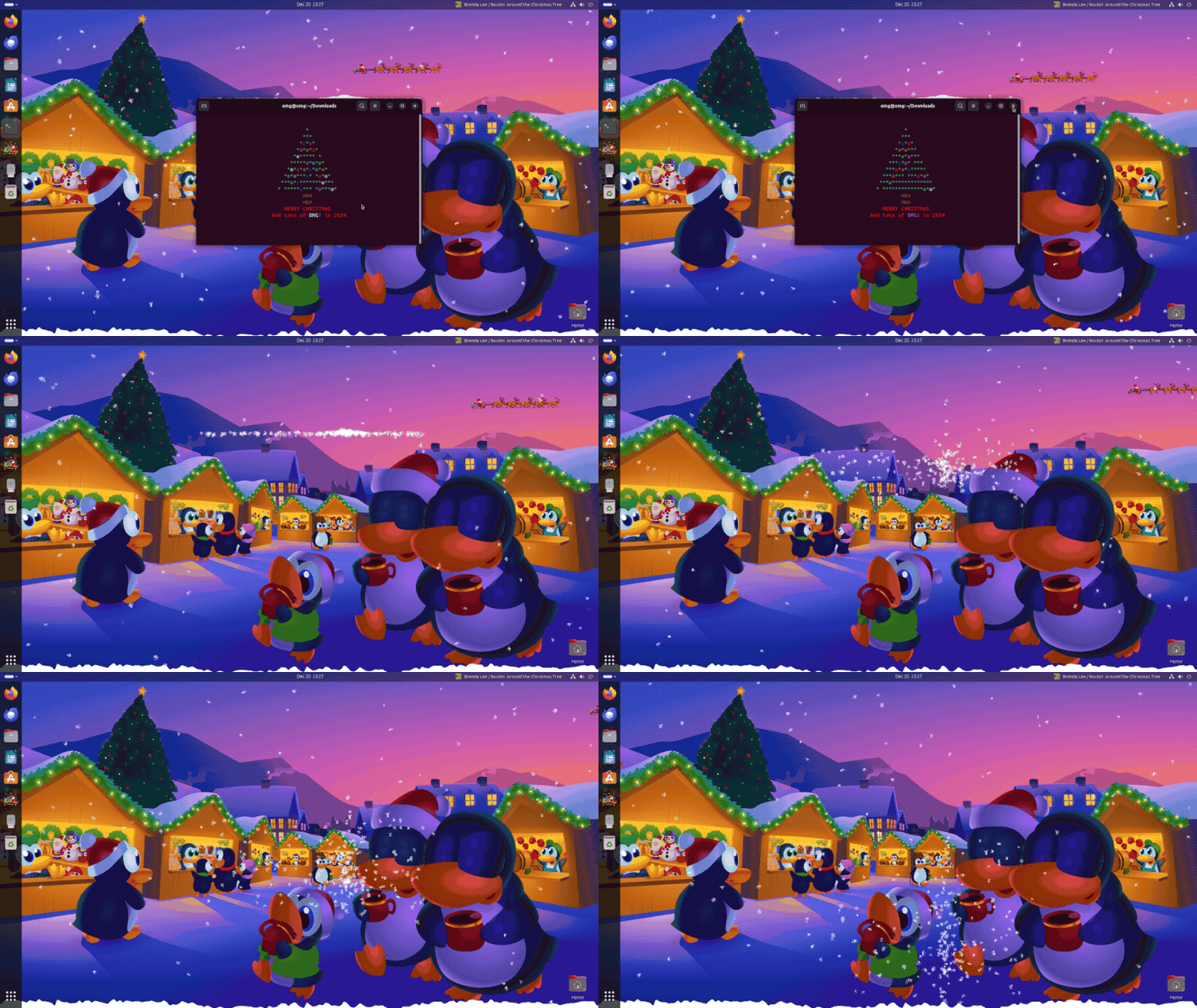
xSnow animates more than just snow.
Want to see Santa’s sleigh pulled by reindeer riding high across your screen? This app gives you the ability to add that — and snow, and other effects. Layer up, go mad and watch as your, er, CPU melts snowmen as xSnow is CPU intensive.
You can install xSnow from the Ubuntu Software/App Center app, or pop open the Terminal and run sudo apt install xsnow to get it. From there, launch the app and play around.
2. Linux Xmas Wallpapers

Now that the the snow is falling all (‘around us, children singing, all night long’) your next festive fix is to set a Xmas desktop wallpaper to seal the deal.
Since you’re using Linux, the Tux-themed Xmas wallpapers made by Mark Riedesel (aka Klowner) are solid choices (and much of a xmas tradition as stockings, Mariah Carey, and mince pies). They’re cute, Christmassy, and created using open-source design tools like Krita and Inkscape.

Mark’s been making these wallpapers almost every year, since 2004. As such, the 8 you see above are but a handful. You can view them all, and download them from his website. The images are mostly all 16:9, and available in PNG and SVG (the latter ideal for high-resolution displays).
3. Terminal Xmas Tree
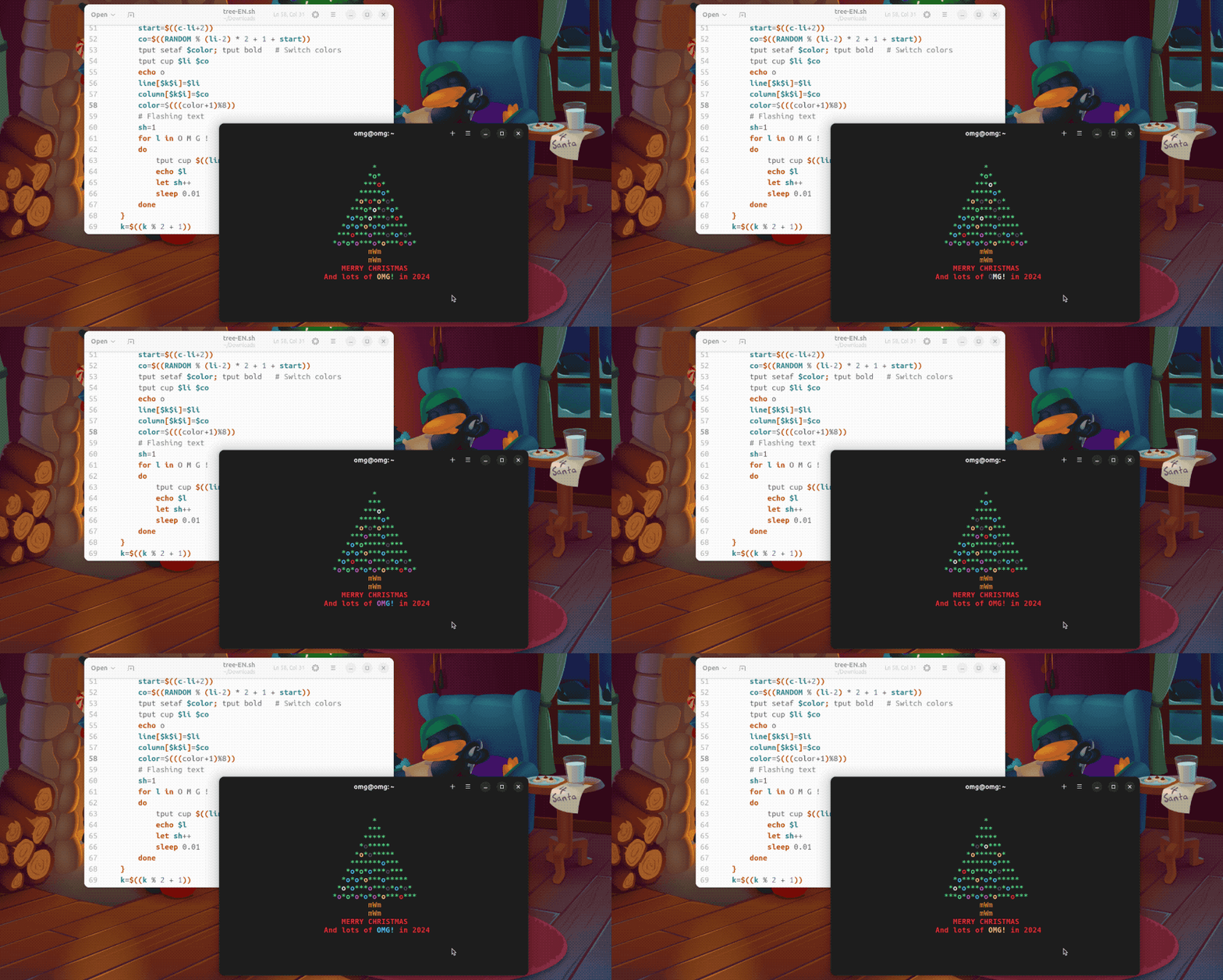
If you live at the command line (or simply keep a terminal open and on screen most of the time) then this animated Xmas via the ChristBASHTree bash script is a seasonal essential. Like all tree trinkets and blingy baubles it’s there to look pretty, nothing else.
Download the script from GitHub, then run at-will (you don’t need to add to it your profile and spend most of January trying to get rid of it).
Note: The version you download won’t say OMG!, but CODE (I edited the script to set the blinking text to read ‘OMG!’ – you can do the same).
Merry Linuxmas!
Superfluous seasonal decorations aren’t for everyone. But whether you embrace Christmas fully or merely put up with it, these tips help you create a classy, Christmassy computing setup — and why not?
We decorate our houses, our trees, and ourselves (ugly xmas sweaters ftw).
No reason our desktops should be left out of the fun!