

When it comes to open-source audio editing software it’s fair to say that Audacity is the headline act — but its aesthetic are rather utilitarian.
Don’t get me wrong: utilitarian is not a bad thing, and the superficiality of the software’s theme is not a pressing concern when functionality is king.
After all, Audacity is popular due to its powerful, professional-grade feature set rather than its looks. Chasing the pervading design whim of the day is a never-ending task, and leads to an endless churn of repetitive releases putting form above function.
And since I’m dolling out the Fs here, familiarity is a feature too. As an app integral to many audio editing workflows, messing with the layout of an app to an effort to be seen as ‘trendy’ often has the un-cool side effect of frustrating long-time users.
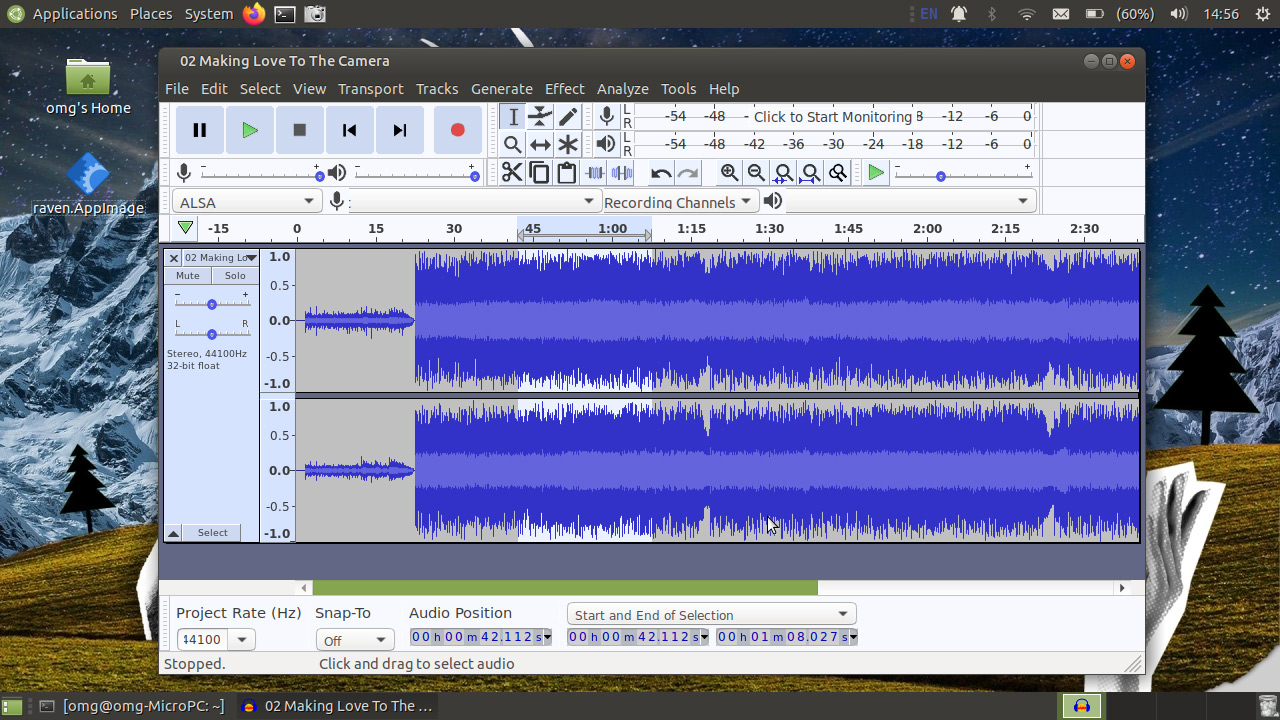
Reams of documentation, tutorials, and how to content are made on the assumption that you’re using Audacity as it came, with each button, toggle, and slider sat in the correct place, as per this screenshot:
But while Audacity may be unable of force major UI changes on its users, its users are free to change the way it looks if they want.
Which bring some to the point of this post: a modern Audacity theme.
If you don’t dig the default look (which, in contrast with other editing apps, is light by default) you can change it since Audacity supports themes. It has a bunch of built-in themes, including a dark option ready-to-use, out-of-the-box.
As I don’t use Audacity (or any other audio editing software, as those who endure my YouTube videos can attest) often, I can’t reel off a bunch of UI tweaks I’m confident would approve, enhance, or streamline your audio editing experience.
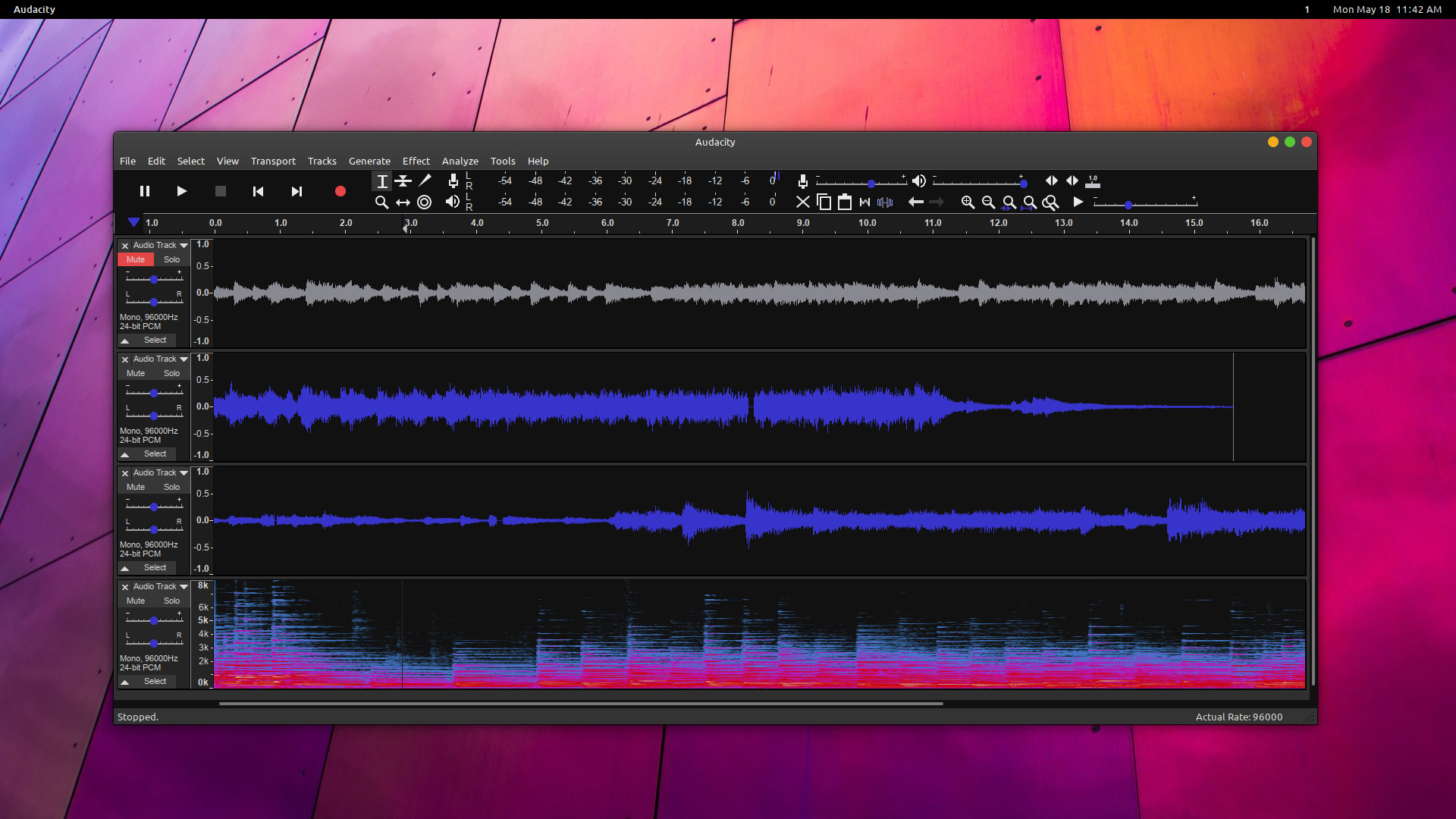
But I can pass on word of a slick set-up shown off by JustPerfection in the comments of my Audacity 2.4.0 release article (and now visible at the top of the post).
I think it looks fantastic.
This theme ticks several of my boxes:
- Dark ✔
- Colourful ✔
- Modern ✔
Even better, the theme comes in a range of different colours (though sadly not orange) including blue, cyan, and purple.
If I was using Audacity on the regular I’d certainly want it to look more like that effort, and a little less like it does OOTB — and if you want to achieve the same look yourself, you can!
To mimic JustPerfection’s ace Audacity look on your system (assuming you have Audacity installed) follow these steps:
- Download Audacity Clean Dark Theme from DeviantArt
- Extract the
.zip - Copy
ImageCache.pngfrom the colour folder you want to use - Paste the file into
~.audacity-data/Theme(if this doesn’t exist, create it) - Go to Audacity > Preferences > Interface
- Chaos the ‘Custom’ theme option
That’s it; Audacity will now use a sleek dark look your eyes will thank you for!
For a complete look JustPerfection recommends hiding (unchecking) the device, selection and spectral selection toolbars using via the View > Toolbars menu.
And should you tire of this ace new look simply follow the steps above in reverse, selecting the “light” or “classic” theme instead of “custom” to get the app looking like its old self again.
h/t JustPerfection