

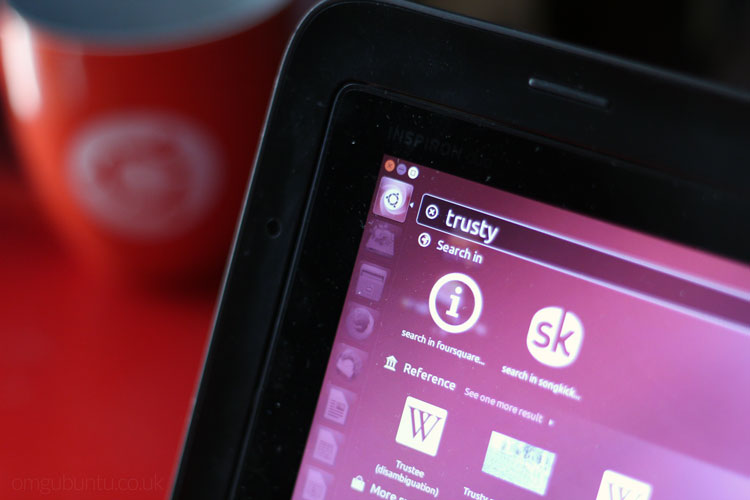
Ubuntu 14.04 LTS is now available for you to download and install on your computer.
Backed by five years of ongoing support from Canonical, the release becomes the recommended Ubuntu version for many — but is it any good?
There’s certainly a lot to recommend in this release, but it’s not perfect. There are a couple of flaws that some may find jarring, and a major removal.
For more on what’s new, read on.
Ubuntu 14.04 LTS Review
It’s no secret that Ubuntu’s Unity desktop has its critics, but since its introduction as the default desktop back in 2011, it, for the most part, has been welcomed by the vast majority of users.
The Unity desktop finally hits its stride in Ubuntu 14.04 LTS
And in its latest incarnation, Unity looks, feels and performs better than ever.
One can’t help but wonder had the desktop been this slick in earlier releases whether the foaming at the mouth over its existence might’ve been less fervent.
The version of Unity in this release does everything you want it to, in a way that no longer feels half-baked or forced. Rough edges have been smoothed out; much wanted options have been re-added (however reluctantly); and with hardware support in the Linux kernel, which underpins the OS as a whole, more robust than ever, Ubuntu 14.04 LTS is pretty much the complete package.

In Ubuntu 14.04 LTS, Unity finally hit its stride. And with this potentially the last proper outing of it, it’s fitting that it’ll be maintained for the next five years.
The Good
Unity Polish

Three key elements are intrinsic to this release looking and working as great as it does: speed, options, and design. All of these thread throughout the OS to enhance rather than overhaul.
Some key changes include:
- New Lock Screen: slick, matches login screen and now easier to access
- Theme Changes: borderless windows, antialiased corners and gradient tweaks
- App & Window Spread Typing: Narrow windows down by name
- App Menu Option: Puts app menus back in app windows
- Unity 8 Preview: Don’t expect anything special or stable, but ideal for developers
Compiz, the graphics engine Unity uses, feels buttery smooth. Animations are seamless, with few (if any) visible tears, glitches or flinching. The UI has also been optimised for high pixel density displays, allowing the OS to play nicely on the latest hardware.
Apps
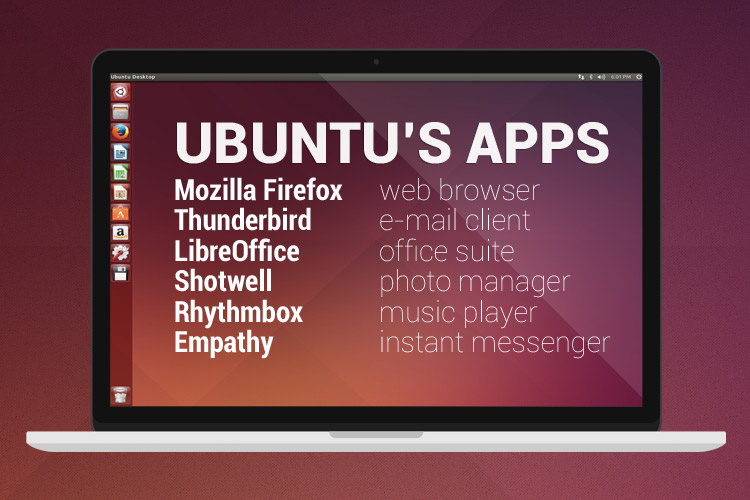
The latest versions of LibreOffice, Firefox, Thunderbird and Shotwell are included. Rhythmbox is updated to version 3.0.2, and Empathy version 3.8.6 — everything you’d expect, and nothing you wouldn’t.
The Bad(ish)
Web Apps
Unity Web Apps no longer use Firefox (or Chromium, if you use that as default) as a container, but the QML-powered Ubuntu Browser used on the phone and tablet builds.
Of itself this isn’t a bad change; in fact, for a whole heap of reasons it makes a lot of sense.
But the browser is neither as featured as Firefox, or as intuitive to use. What’s more, I found the integration with Ubuntu’s Messaging Menu, notification system, launcher, plugins, etc to be buggy and hit-and-miss in my hands-on with it.
When apps do work, they work okay.
Sessions are saved, cookies stored, and scrolling and resizing generally do what you expect them to. Clicking links that would typically open ‘in a new window’ is when things can get confusing.
To access and switch between tabs you have to pull up from the bottom of the app (fiddly to do with a mouse) and work things out from there.
But, in swapping out the browser now, in this release, Canonical is making things easier for themselves down the line. With five years of support on the horizon, and Firefox and Chromium development plans ever evolving, they won’t have to keep patching this feature back in.
No Ubuntu One
The other ‘bad’ is that, due to financial reasons, the Ubuntu One file storage service is no longer included by default. Thankfully, there are plenty of Ubuntu One alternatives able to fill the gap, but it is still a bit of punch in the feels to see a popular part of the desktop experience expunged.
The Awesome:
Did I mention five years of security support and critical fixes?
Yes, you can install this release on your computers and servers safely in the knowledge that you’ll be getting critical security updates and patches as and when they’re issued. Plus, every so often, a new Hardware Enablement Stack (read: Linux kernel supporting new hardware) will be issued to let you get the most our of your hardware and accessories.
Ubuntu 14.04 LTS is available to download from today, with ISOs, details and general support info available on the Ubuntu website.
Final Thoughts

As Ubuntu journeys towards its convergent Shangri-La where phones double-up as desktop PC, this release gives us a (potentially final) pit stop with the version of Ubuntu that we’ve all come to know and love — or put up with.
The codename for the release, trusty, is apt since we’re all going to need to have trust in Canonical and the army of Ubuntu developers as they seek to revolutionise the Ubuntu desktop experience in the coming years with Mir, Unity 8 and entirely new devices.
For many, this stable release may provide a refuge of calm and familiarity amidst the churn to come.