

A new version of the Varia download manager was released at the weekend – an update described by its developers as probably the “biggest since the first release”.
I’ve written about Varia before and, as I said then, I appreciate that the idea of using a dedicated download manager app on the desktop isn’t as obvious today as it was a decade ago.
Most people have fast internet connections, meaning even large downloads complete in seconds, and the built-in download tools in web-browsers are sufficient. Plus, we all tend to use streaming media services these days thus negating the need to download a file at all.
Yet none of that means a desktop download manager app isn’t without a role on modern desktops.
The ‘big’ plus a download manager has over a web browser is the ability to resume/complete an incomplete/interrupted download, even after rebooting your computer. On patchy connections or super-slow internet that causes timeouts, that feature is a boon.
Plus, even with good internet, you may find very large downloads are slower during peak hours than the dead of night – a download manager allows you to schedule a download in advance.
I recap more of Varia’s existing features further down, but this article is primarily a quick look at what’s changed in Varia in this latest update – let’s get to that.
Varia’s Varied New Features
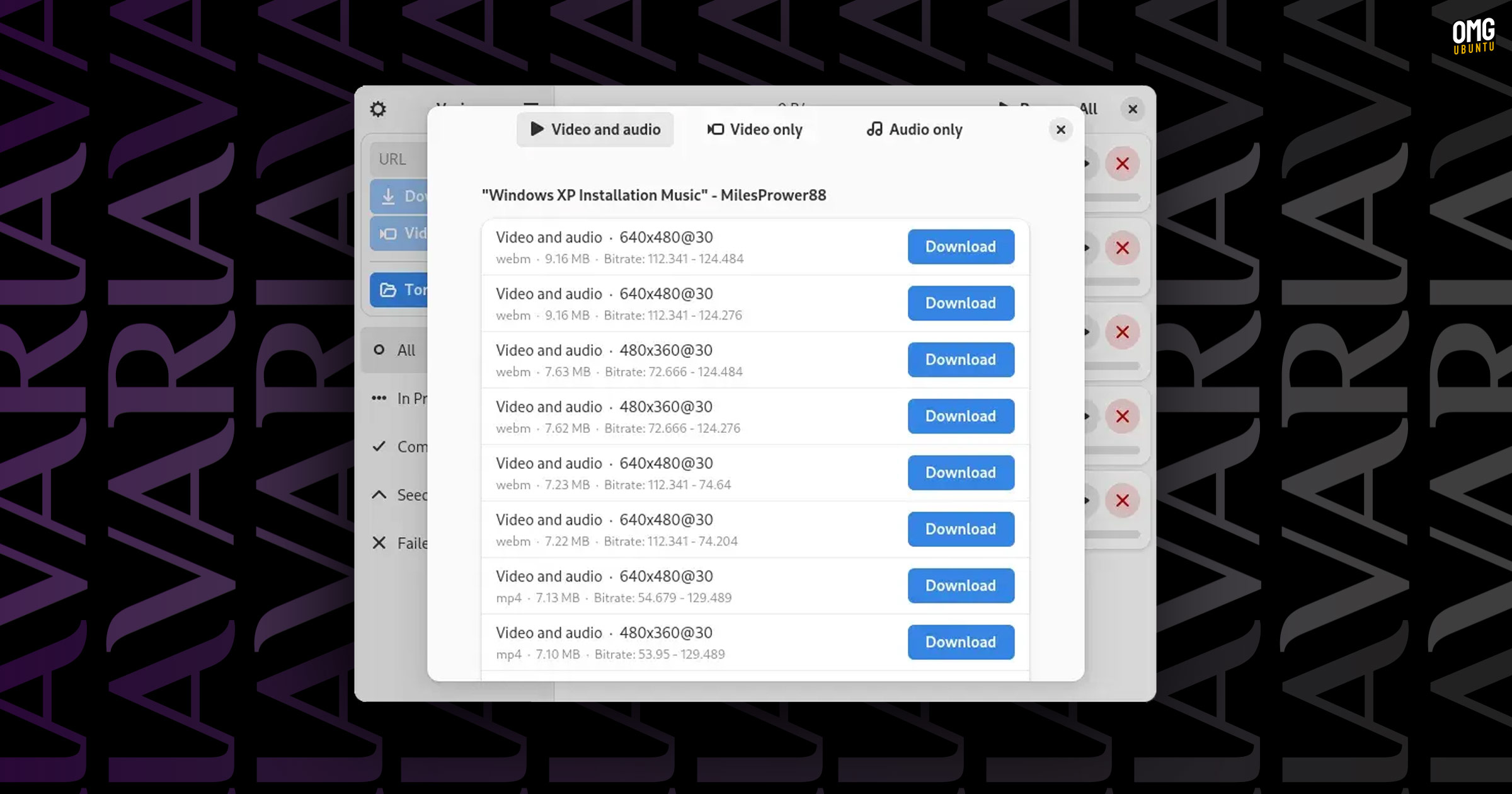
The latest release of Varia adds yt-dlp integration. This makes it possible to download video and audio from supported websites (like YouTube, TikTok, etc) in a variety of available video qualities and formats (will vary based on site and content).
Admittedly this is the first GUI app to do this since downloading YouTube videos on Ubuntu is already easy using Parabolic, powered by yt-dlp. And Linux Mint’s Hypnotix includes support too, albeit to stream videos rather than cache local copies.
But given that downloading videos involves downloading, choosing to download them in a dedicated download manager alongside other supported downloads is undoubtedly a text-book definition of ‘another string to your bow’—does yt-dlp do idioms, too?
Torrent downloading also sees a small boost.
Now, Varia already supported BitTorrent downloads but its range of settings was a little limited compared to fully-fledged torrent client like Transmission.
In this release, Varia add seed ratio settings, lets you set a custom download location, and drag .torrent files on to the app to open them.
Beyond that:
- Adaptive layout permits smaller window sizes and mobile device usage
- Improved handling of downloads for better performance
- Fix to ensure paused downloads stay paused upon relaunch
Plus other bug fixes, tune-ups, and library updates.
In all, it’s a welcome extension to Varia features:
- GTK4/libadwaita UI
- Pause and resume downloads, even between boots
- Download online video and audio from sites supported by yt-dlp
- Download from protected websites (basic auth & cookies.txt import support)
- Simultaneous/batch downloading
- Bandwidth controls & download scheduler
- Firefox and Chrome/ium web extension to redirect downloads to Varia
- Control a remote aria2 instance running on any server
A nifty tool that’s nice to have stashed for the times you need it – be it rarely or frequent.
Varia is free, open-source software for Linux and Windows, written in Python, using GTK4/libadwaita for its UI, and powered by Aria2 for general downloads and (as of this release) yt-dlp for online video and music from supported websites.
Source code is on GitHub, where the Windows build can be found.
Arch Linux users can get the latest stable release of Varia from the AUR, other distros (like Ubuntu) can install the official Flatpak build from Flathub. Although its website states Variaaris is available on the Snap Store, the link points to a page not found.
• Get Varia on Flathub