

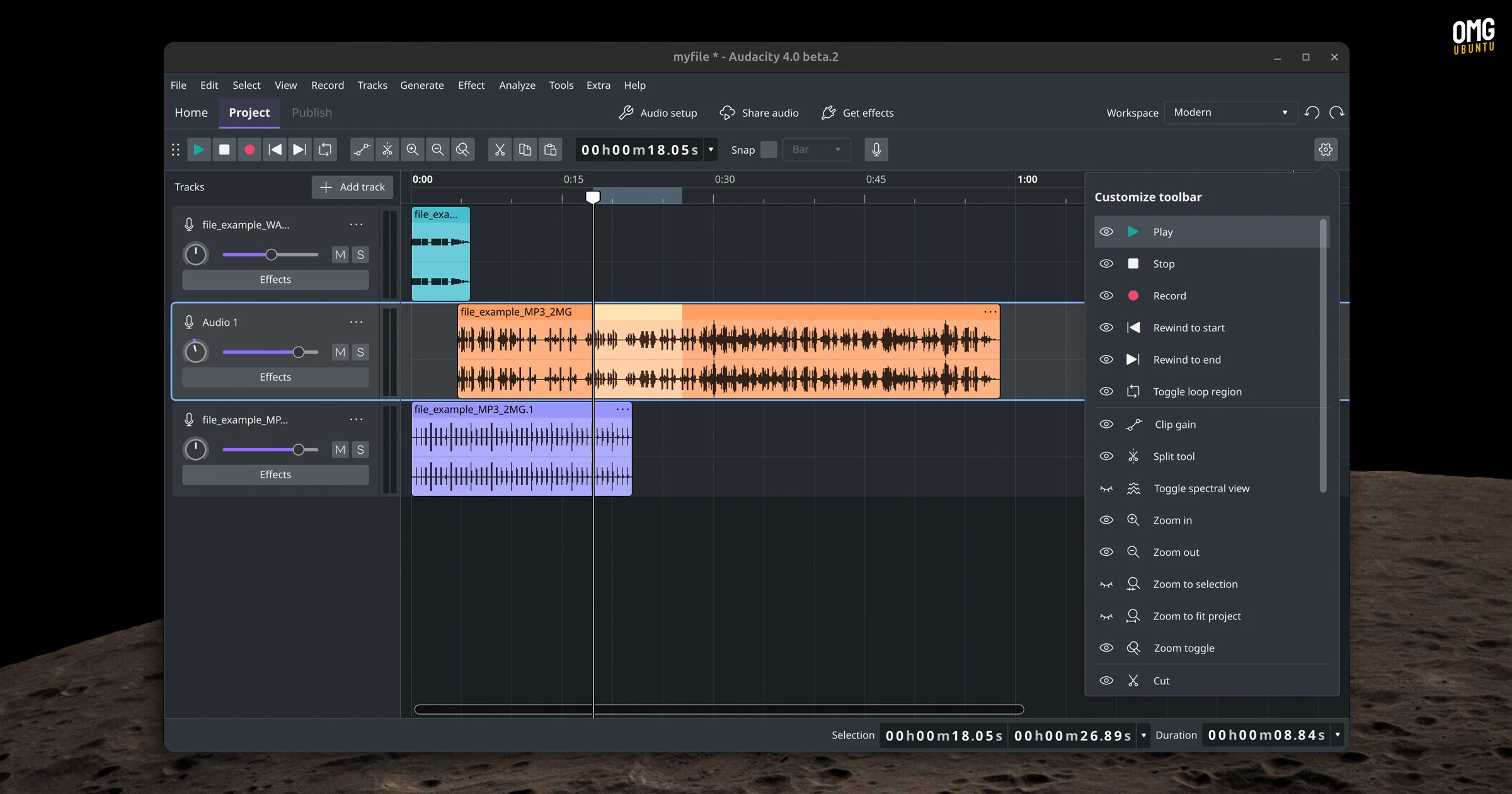
Audacity 4’s first public beta arrived this month with the biggest design change the iconic open-source audio editor has seen in decades.
The audio editor’s interface, built on wxWidgets since the project began, now runs in Qt. However, the audio engine which handles file I/O, project storage and the built-in effects, uses the older codebase, wired up to the new frontend via a module called au3wrap.
In a sense, Audacity 4 is a new look but it sits atop the same core engine codebase (albeit tightened and cleaned up). The Github changelog frames it as “ground-up rewrite” using Qt but this only relates relates to the UI – this isn’t an all-new Audacity.
It is a major refresh mind. The new look (and its new logo) go a long way to addressing jibes that Audacity looks dated.
More than just a new look
Beyond visual changes, there are plenty of new and improved features to check out.
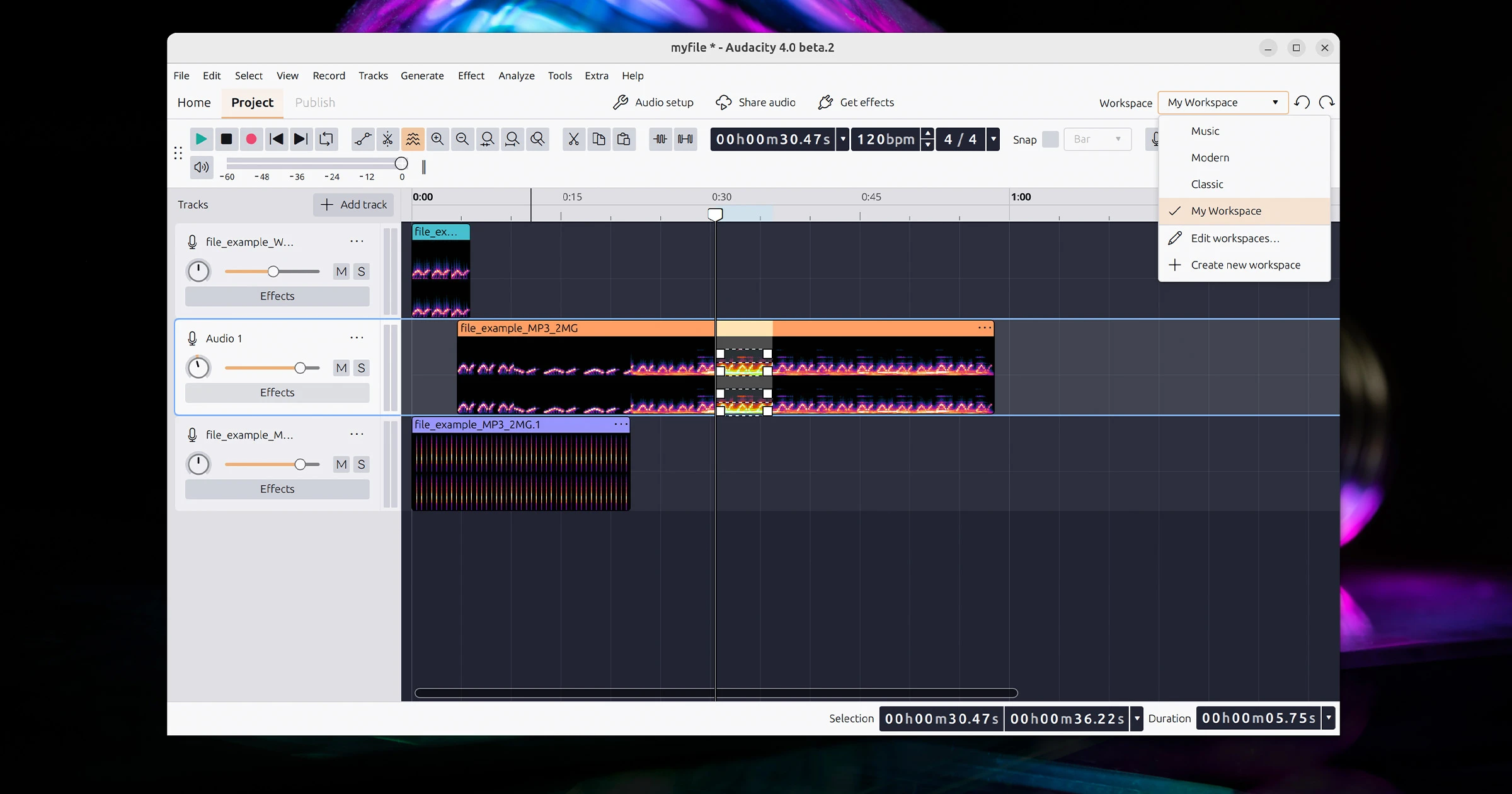
A redesigned envelope tool handles gain curves with drag-and-reshape controls; spectral editing lets you select frequency regions in the spectrogram directly to apply effects to a specific band; and a new metadata editor handles track title, artist, etc tags before export.
Lead-in recording also makes it debut (previously known as punch and roll). This lets you record over a section of audio without affecting whatever comes after it.
Working on multiple projects? They can now stay open at once, and you can copy clips between them. Nyquist and VST3 plugins are supported across all platforms, with AudioUnits on macOS and LV2 on Linux.
There’s also built-in cloud saving via Audio.com (and it WILL nag you about this unless you disable the welcome dialog), some new layout options (customisable workspaces, coloured clips, etc), plus a new dashboard for managing your projects.
What about Audacity 3.x compatibility?
You can open Audacity 3 project files in Audacity 4, with clips, tracks and labels carried across intact. There’s no indication that things work in reverse; given how much has changed, it’s safer to assume Audacity 4 projects won’t open in 3.x.
Keep that in mind if you plan to try a 3.x project in 4.0 and make changes that get saved. Do back up your projects before making any changes.
A number of Audacity 3.x features are not included in 4.0 (beta 2).
Tempo tracks, LADSPA plugins and Vamp analysers are gone. There’s no word (yet) if they’ll be back before the stable release. If you need ’em, stay on the 3.x branch as it’s stable and maintained.
On that note, Audacity 3.7.8 was released alongside the 4.0 beta. A maintenance release with fixes for multichannel FLAC file importing, preset loading in the Distortion effect and, on Linux, a wxGTK interface that looks better on HiDPI displays.
Can I test Audacity 4.0 beta?
You can download Audacity 4.0.0 beta 2 for Windows, macOS and Linux from the Audacity.com/next web page or head to the project GitHub. For the latter, there’s an Intel/AMD 64-bit AppImage to try, but no ARM64 build (yet; there’s one for Windows).
As a beta there’s no assurance of stability. I encountered a number of hard crashes just poking around to take a few screenshots, so this build isn’t ready for anything you can’t afford to lose.
But the broad strokes are present, and they are looking good – question is, do they sound good to you? Let me know in the comments.