

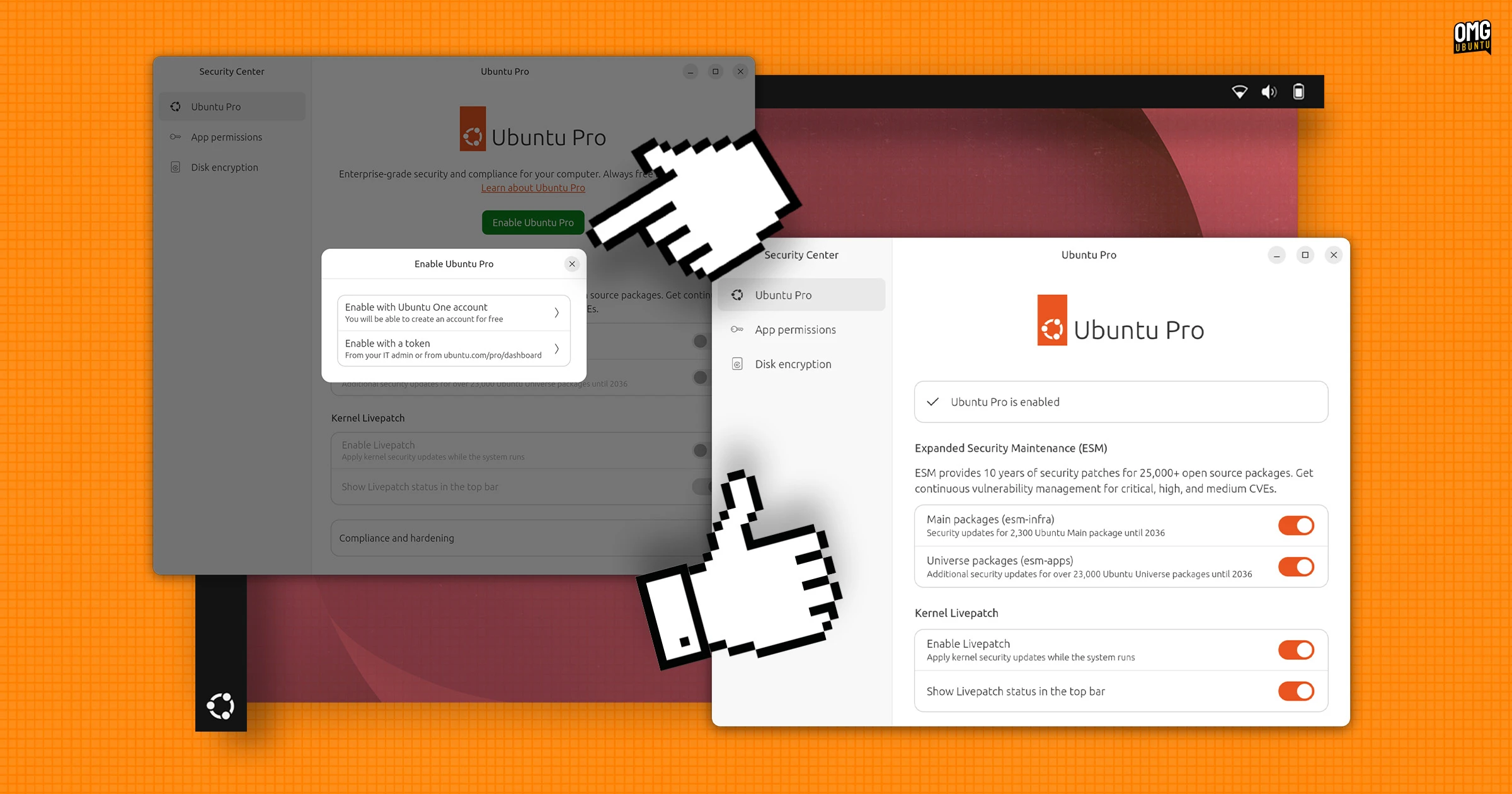
Ubuntu 26.04 LTS dropped the Software & Updates utility from default installs and added Ubuntu Pro settings to the Security Center app. But is the setup experience any better?
The short answer is yes, mostly.
The range of options still mirrors what was found in the old Software & Updates > Ubuntu Pro tab, but the layout is less cramped, with more room for concise explanations of what each setting and toggle does.
Ubuntu Pro is free for personal use on up-to five devices. A paid subscription is required for businesses, enterprises or anyone trying to managing a fleet of Ubuntu installs.
Enrolling is improved. You click on the big green ‘enable Ubuntu Pro’ button and authenticate by logging into your Ubuntu One account in a web browser. If you don’t have an account you can sign up for one.
Once enabled, the Security Center > Ubuntu Pro panels offers toggles to control Extended Security Maintenance (ESM), which provides security updates for over 2300 packages in the main repo and, optionally, over 25,000 packages in the universe repo.
There’s also settings to use the kernel live-patching (applies kernel security patches without requiring a reboot) and a separate toggle controls whether Livepatch status appears in the top bar.
Interestingly, this new enrol flow works on Ubuntu 24.04 LTS, though you must install Security Center from the Snap Store (it was only added to default installs in Ubuntu 25.04). As the Software & Updates utility is still installed, using Security Center isn’t necessary.
For those who don’t want to or can’t use a GUI (e.g., on Ubuntu Server) then the command-line setup remains the same as before, still an easy pro status command away.
Fix “Not Available for This Version” Error in Security Center
If you go the Ubuntu Pro section in Security Center in Ubuntu 26.04 LTS and find a notice that reads: ‘Not available for this version – requires LTS release’, this is a known issue that will be fixed shortly.
To fix the issue in the meantime, open your terminal and run: this command.
sudo snap connect desktop-security-center:system-observe
Once done, the app will correctly detect that your system is a long-term support release and you can go ahead and enrol your device.
More to come?
It’s great to see Canonical finally add more options to Security Center (not that the experimental ‘snap prompting’ feature isn’t useful, but having one app for one non-essential setting since 25.04 looked forlorn).
Hopefully the impetus continues in Ubuntu 26.10 and beyond.
What’s next? A simple way to control and manage Ubuntu’s default firewall would be welcome. And as Security Center is installed as a snap, any additional features wouldn’t need to remain exclusive to newer releases either – as is the case here.