

New versions of open source email client Thunderbird are available for download, with either a handful of new features or a shedload, depending on which version you pick.
Thunderbird 140 is the latest monthly update, while Thunderbird 140 ESR is the newest ‘extended support maintenance’ release (that businesses, enterprises and home users who set a dependable, stable base and unchanging UI can opt for).
Until recently, most Thunderbird installs would track ESR releases, but at the start of 2025 that changed. New installs (those downloaded from the Thunderbird website) now follow the monthly release cadence, which brings new features to more users, more often.
Which version you can upgrade to will depend on your prior choices or your Linux distribution’s preferred release stream. Existing Thunderbird ESR users won’t be upgraded to 140 for a few months, but can choose to do so sooner – just an FYI.
What’s New in Thunderbird 140?
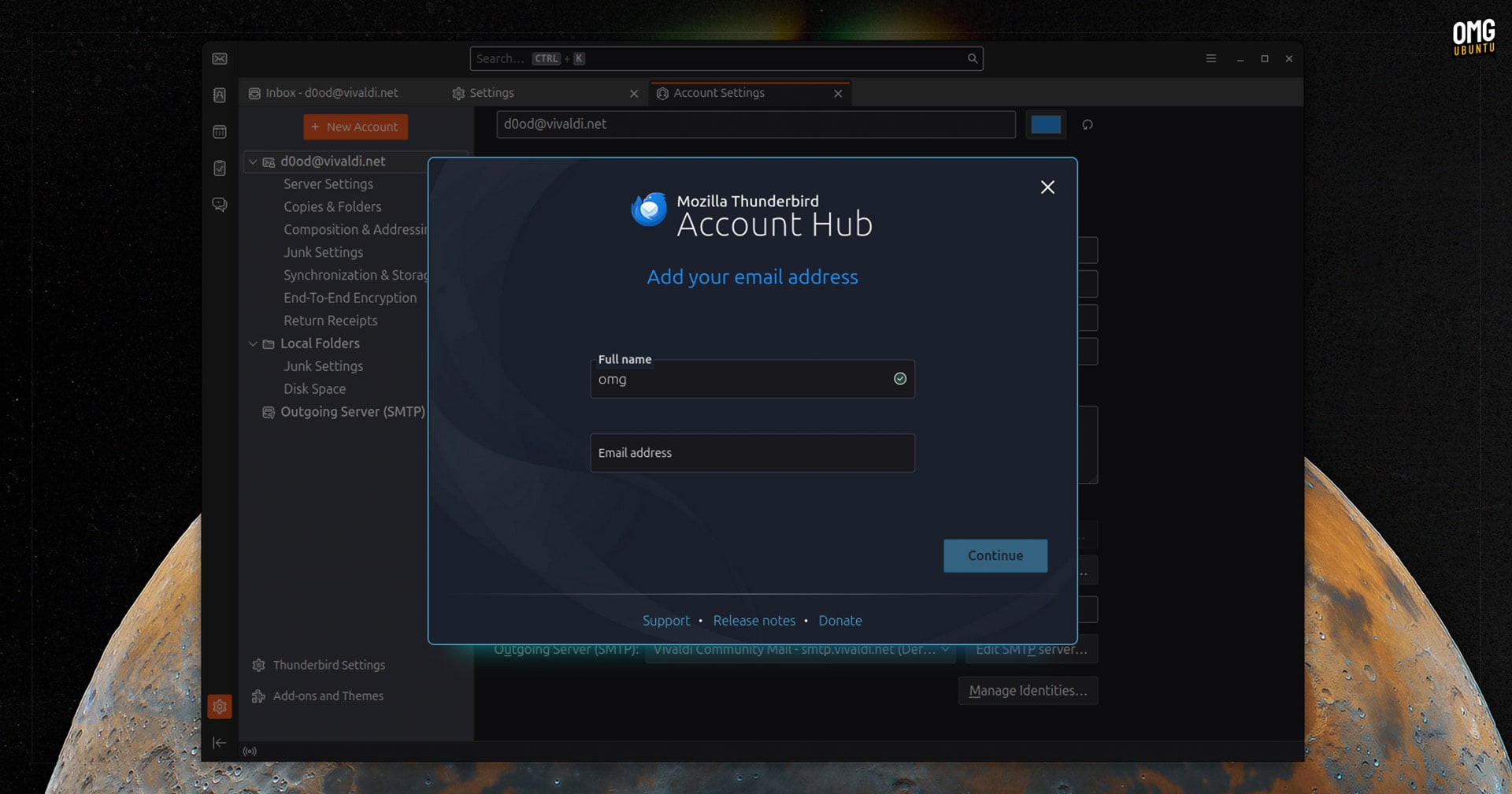
For monthly users upgrading from Thunderbird 139, Thunderbird 140 brings a small selection of notable changes, including a new ‘Account Hub’ dialog when setting up a second email accounts, replacing the previous tab-based approach.
New e-mail notifications now more actions. It was already possible to mark emails as read or delete from desktop notifications. In Thunderbird 140, you can opt to mark mail as spam or star it from the notification directly – but not by default.
To customise actions go Settings > General, scroll ldown to the ‘Incoming Mails’ section and click the ‘Customise’ button that is inline with the ‘Show an alert’ toggle. From the dialog that appears, select your preferred buttons:

Beyond that, options to adjust the appearance of Thunderbird and its mail views move from General to Appearance in the Settings section. This dedicated pane should help more people discover the email client’s customisation potential.
Over 30 specific bug fixes find their way into the monthly release, including:
- Folder cache entries were not cleared when an account was removed
- View Message Source no longer worked for multiple selected messages
- Broken RSS Feed subscriptions
- Some webpage links could be forced to open in Thunderbird
- Repaired folders were not reindexed for search after repair
- Spellcheck failing to highlight misspelled words in compose window
- Density and Font Size menu item buttons used incorrect icons
- Links in calendar event description were unreadable in dark mode
Users upgrading to Thunderbird 140 ESR from an earlier ESR will find a more significant set of changes since there are several months worth of new features, UI changes and other improvements rolled in to the release:
- Native desktop e-mail notifications with action buttons
- Dark mode support in the message pane
- Experimental Exchange Email support
- Message filters are available in Folder Pane context menu
- New Settings > Appearance panel
- Drag and drop re-ordering of folders in the sidebar
- Calendar setup wizard tweaks
Plus bug and security fixes galore, as you’d expect.
Getting Thunderbird 140
Ubuntu’s Thunderbird snap package tracks ESR releases. If you have it installed, you will be upgraded from Thunderbird 128 ESR to Thunderbird 140 ESR in a few months, per the usual ESR upgrade cadence.
If you want to switch your Thunderbird snap to the monthly release channel version to upgrade sooner you, er can’t. The Thunderbird snap has no ‘monthly releases’ channel, and the --beta channel tracks literal Thunderbird Beta which, v141 at the time of writing.
The Mozilla Team PPA does provide a Thunderbird DEB of ESR builds (not updated to v140 at this time) for LTS users, but making use of the PPA is a involved because of Ubuntu’s Thunderbird DEB transition package (which reinstalls the snap) having higher priority.
Instead, download Thunderbird from the official website, which offers a standalone binary runtime for Linux (alongside full installers for Windows and macOS users).