


A major new version of open source productivity software ONLYOFFICE Desktop Editors is available to download.
The latest update to the popular cross-platform LibreOffice alternative introduces a set of striking visual changes, expands file format support to include VSDI diagram files, and adds crop of new AI tools.
Features worthy of a major version bump? The last update was ONLYOFICE 8.3, so it seems so.
For a breezy recap of the changes on offer in this update, read on.
ONLYOFFICE 9.0: What’s New?
ONLYOFFICE 9.0 introduces brand new themes (Modern Light & Modern Dark) using restyled UI elements, more use of spacing in floating ‘island’ toolbars, and new icons. The modern theme is available across the full suite of document, spreadsheet, presentation, form, and PDF editors.
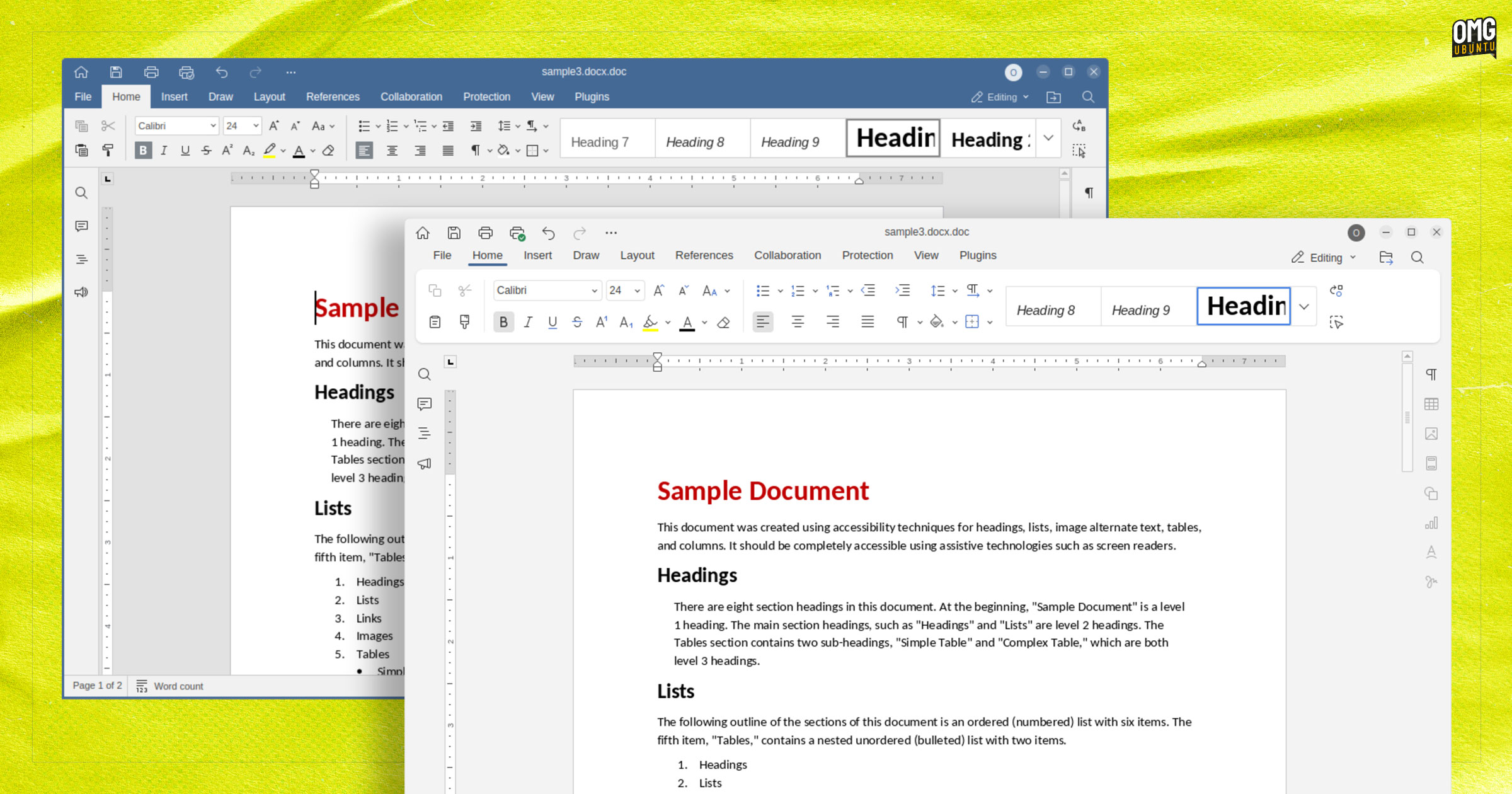
You can see how ‘Modern Light’ compares to ‘Classic Light’ (which remains available to switch back to, for those who prefer it) in the screenshot above.
A redesigned Start screen (shown when opening the app) also features. This sports a lighter and less cluttered look than before, making it easier to start on working on new or existing documents without wading through unnecessary clutter.
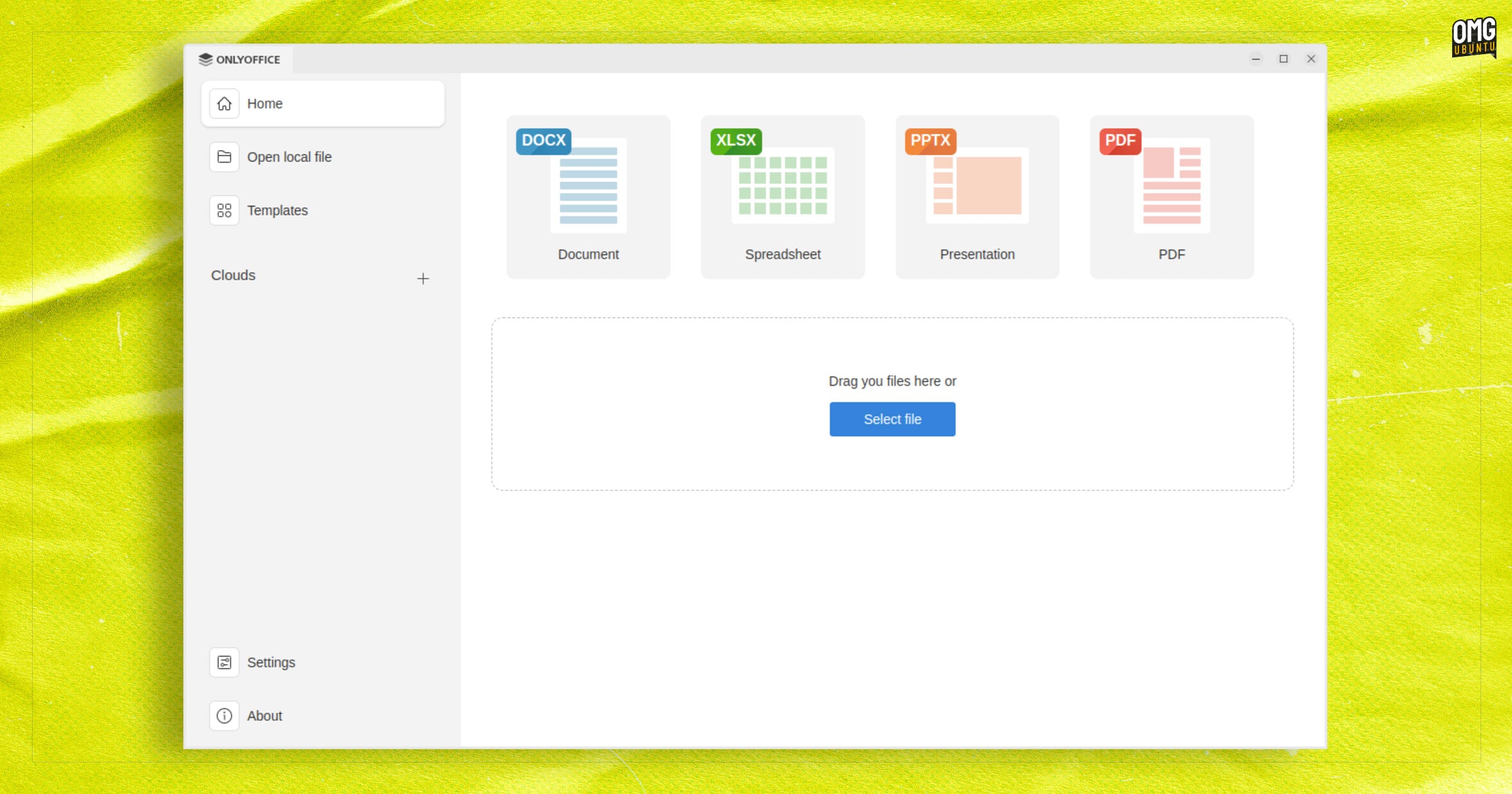
While the new “modern” themes and streamlined launch page are the most visible changes, they won’t have the most impact on day-to-day work as the new features will.
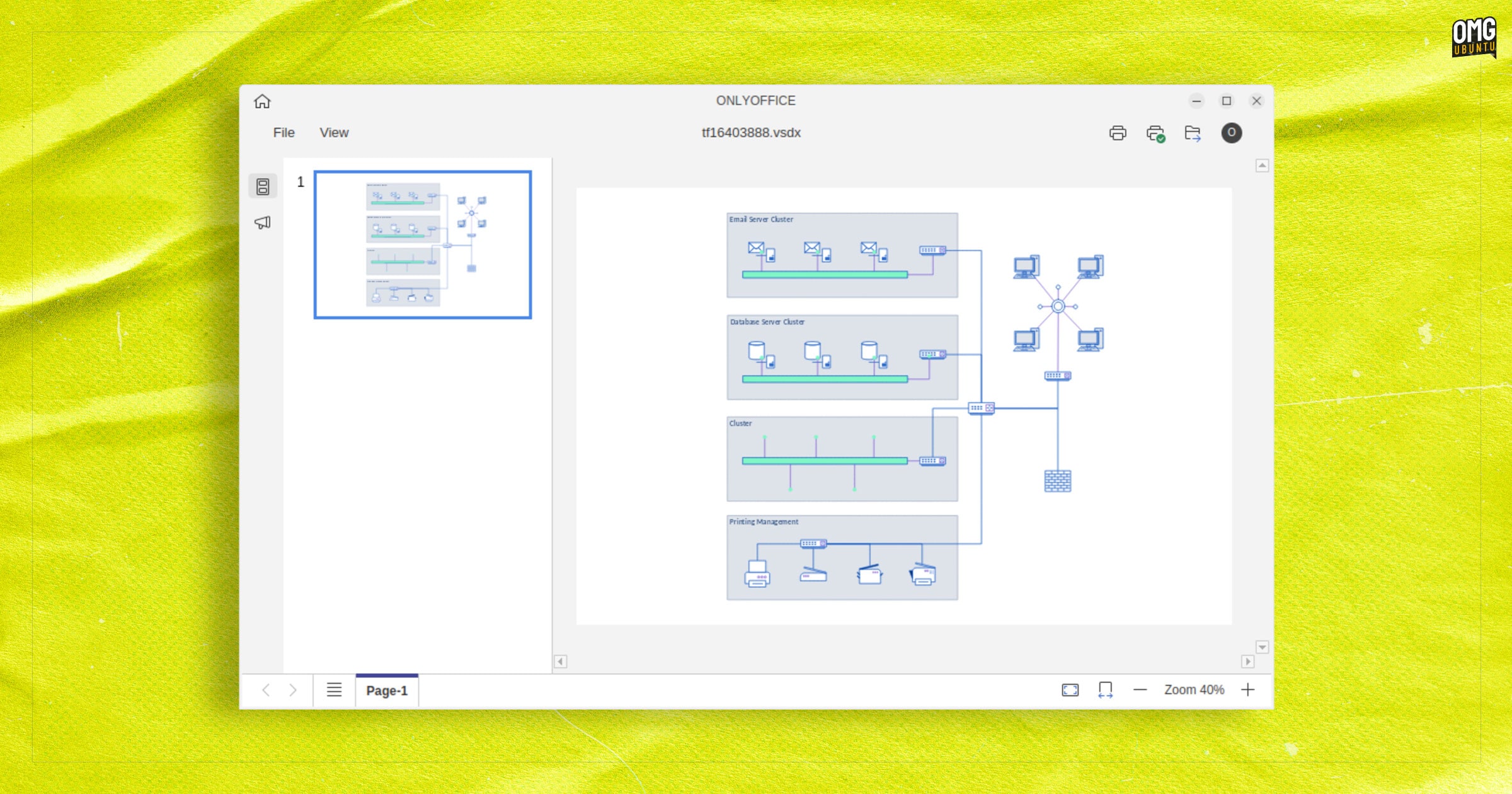
On the new features front, a brand new Diagram Viewer tool is now provided out of the box. This is able to open and view diagrams in various industry-standard formats, including Microsoft .vsdx files.
While these diagrams can only be viewed (not edited), the ability to work with them does add another string to this versatile office suite’s bow.
Other new file formats supported in ONLYOFFICE 9.0 include Markdown (.md); OpenDocument Graphic files (.odg); and Excel binary workbook files (.xlsb) files — all directly editable, without the need for conversion which is handy.
ONLYOFFICE 9.0 includes AI tools the makers say are “designed to boost your productivity”. Whether they will ‘boost’ your productivity or saddle you with cleanup, corrections and handholding will, I guess, vary on your needs and enthusiasm for cognitive offloading.
New AI features in ONLYOFFICE 9.0:
- Extract text from scanned PDF files using OCR
- Apply smart formulas and run complex data analysis in spreadsheets
- Create new ONLYOFFICE macros based on prompts
- Convert VBA macros to ONLYOFFICE macros
Beyond that, notable changes in specific ONLYOFFICE 9.0 components:
- PDF Editor: drag-and-drop reordering of pages
- PDF Editor: page duplication pages using copy/paste
- Spreadsheet Editor: RTL support
- Spreadsheet Editor: Asynchronous calculations
- Document Editor: Improved content controls
- Document Editor: Paragraph borders toolbar button
- Presentation Editor: Text animation previews in slideshow mode
Plus changes across all editors:
- Define font size type in Simplified Chinese
- Display numbers using Hindi numerals
- TextArt text settings inside chart labels
- Improved data and chart customisations
- Print files without using OS dialog
- Customise file association during installation (Windows)
Finally, on Linux, you can now enable/disable spelling language detection in ONLYOFFICE Settings.
Download ONLYOFFICE 9.0
You can download ONLYOFFICE Desktop Editors for Windows, macOS and Linux directly from the official website (make sure to download the desktop edition, not the docs).
The Linux package is available as a DEB for use on Ubuntu, Linux Mint, and related distributions. This doesn’t add any kind of APT repo from which future updates are fetched, though.
For automatic updates on new releases, opt for the official ONLYOFFICE Snap or the official Flatpak build available on Flathub (at the time of writing the Snap version is yet to updated to v9.0 in the stable channel. That will change shortly).
More details on this release can be found on the ONLYOFFICE blog announcement, or by sifting thong the GitHub changelog.