

There’s a clutch of new features in Ubuntu 24.10, but plenty of smaller, less obvious fixes for “paper cuts” – a decades-long issue with thumbnails in the GTK file picker among them.
Feeling deja-vu?
GNOME 44 (shipped in Ubuntu 23.04) included a thumbnail grid in the GTK file picker to make it quicker and easier to select the right files to upload, or open in an app, and so on. A feature long overdue, resolving a “bug” which had been open for 20 years!
Only, there is a bit of a problem with how it works — some of you may have noticed.
See, the GTK file chooser often only shows existing file thumbnails, i.e., ones already generated through the Nautilus file manager, a process that happens whenever you open/reload a folder with new files in.
The GTK file picker itself does not generate file thumbnails.
This means if you, say, go to upload an image you downloaded earlier, and you haven’t opened the download location in Nautilus since, you may not see a thumbnail preview of that file in the GTK file picker, just the generic placeholder icon.
While this isn’t the kind of bug that ruins anyone’s day, it is a tad annoying — especially for me.
See, I upload a lot of screenshots to this blog—screenshots which I take, but rarely load in Nautilus prior to adding them to articles.
This means that when I go to upload a screenshot through Firefox, which opens the GTK file picker, I don’t see thumbnail previews that help be distinguish between them:

Compounding this (albeit not hugely) issue is that the generated file thumbnails in the cache may be cleaned out, be it by an automated system process or the use of a third-party cleaning tool like BleachBit (which is a handy way to free space on Ubuntu).
You can ‘test’ this quirk out yourself, assuming you’re on Ubuntu 24.04 LTS and reading this article in the Firefox snap package1: –
- Right-click on an image in the article
- Click ‘save image as…’ and choose a folder
- Press
ctrl+oto open the file chooser - Navigate to the file you downloaded
- You won’t see a thumbnail preview
To my mind, this is the very definition of a ‘paper cut’. It’s not something that impacts day-to-day computing, but it’s a little flaw – a speck on the user experience that could easily be solved.
But there is some good news
Ubuntu 24.10 fixes this by making the (new in GNOME 47) Nautilus file chooser the default picker for snap apps that use XDG Desktop Portals (like the Firefox snap): –
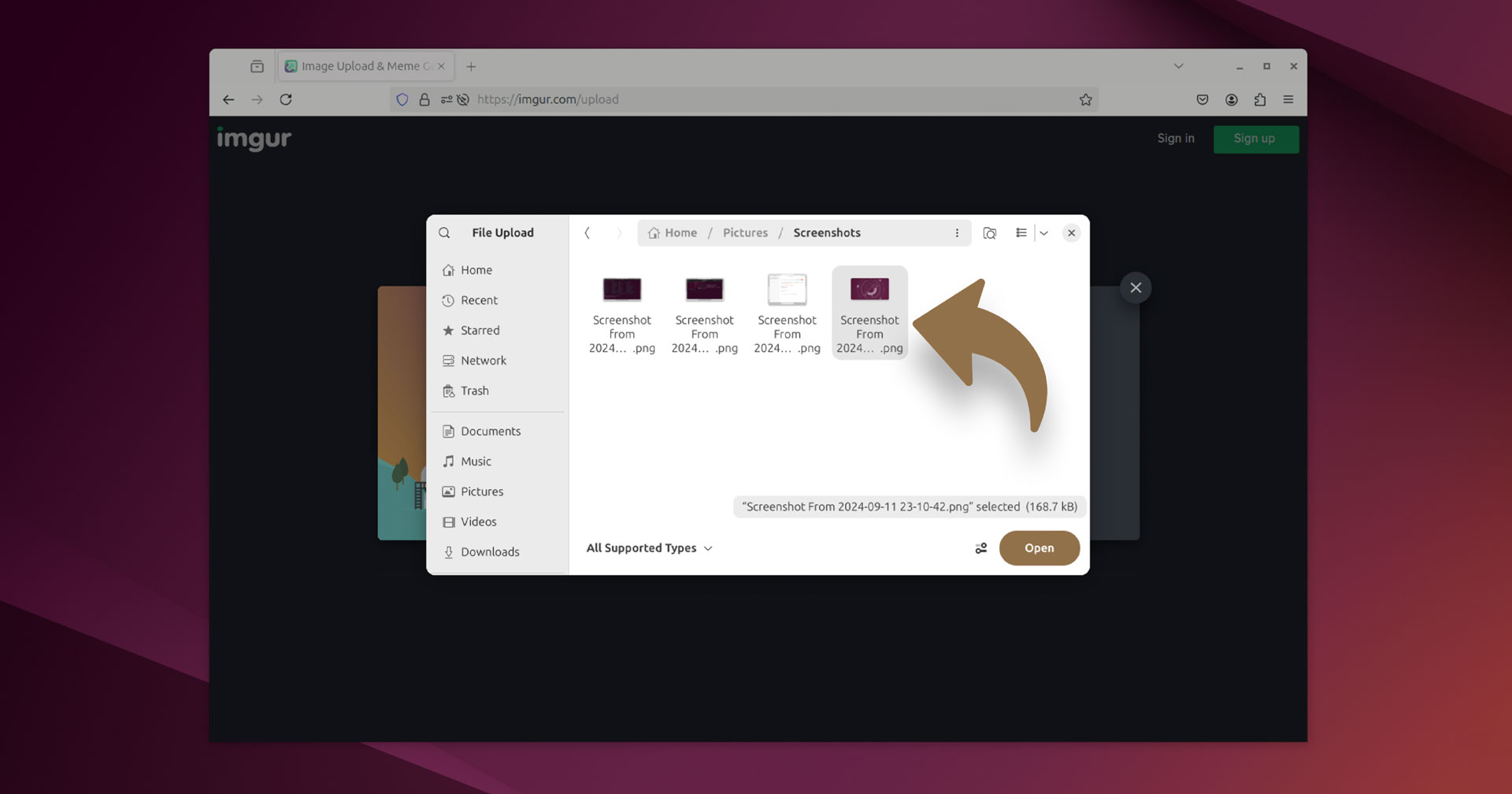
Given that the underlying “issue” remains in the regular GTK file picker any apps that use it to save/open files will continue to have ‘missing thumbnails’ for new files until generated. Upstream is said to be working out a fix for that but, alas, it’s not as simple as it seems.
Anyway, given a) this is a minor issue, and b) I imagine the friction is most keenly felt when sharing files through a web browser, Ubuntu’s workaround is a fitting one — it may not be the best feature in Ubuntu 24.10, but it’s perhaps the most welcome fix!
Thanks Vadim
- As this is what I use, it’s all I checked. Experience in other apps/formats may be different ↩︎