


Proton has released desktop apps for its Lumo AI chatbot on all major desktop OSes, including Linux.
Lumo is the Swiss privacy company’s own AI assistant, introduced last year and available to use on line. It offers the same sort of features as other generative AI chatbots, including text and image generation, memory, web searching and editable canvases.
It runs on ‘open models’, touts better privacy safeguards and encrypts users’ chat history. It’s free to use (with limits) on a free Proton account. Users with paid plans can use additional features, and enjoy higher usage limits.
How open Lumo’s models are is up for debate. On launch, the European Open Source AI Index described Lumo as the “least open ‘open’ AI assistant” in a blog post.
The desktop app is open source. The GitHub repo states that it “wraps the Lumo web app in a native Tauri shell and gives it access to your computer and your tools, with your approval”.
Lumo can manage local files

With the desktop app, Proton adds three new features to Lumo that allow its AI to do more than sit passively awaiting your input.
Connectors let you grant Lumo access to local folders and run commands, with controls over it can do access with or without your explicit approval. And you can connect to a variety of online services as well as any MCP server.

Schedules let you create tasks that run, well, on a schedule, e.g., connect it to your Proton Mail account and it can go through your inbox once a week to provide a summary of what’s there (accurate or otherwise).
Skills let you define files with instructions/prompts to re-use in a conversation, rather than continually copy and paste from a .txt file or one of your earlier conversations.
Get Lumo Desktop
If you fancy checking it out – reminder: a free Proton account is required to use it – you can download Lumo Desktop for Windows, macOS and Linux.
For Linux, RPM and Debian installers are provided, with the former supporting Ubuntu 24.04 LTS and up.
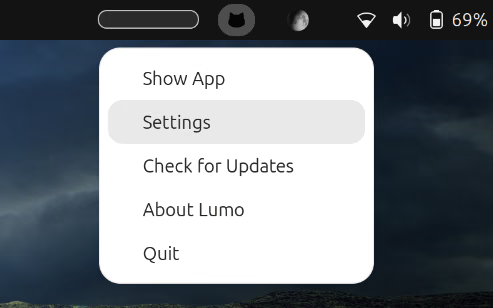
If you install it, you may not notice it adds a tray icon to the top bar because the icon is black, and so is the panel. If you hover of it you can see the icon more clearly and access a simple menu.
Proton will be hoping to recoup some community kudos with the launch. Its CEO, Andy Yen, attracted criticism for his aggressive AI push within the company, even referring to one employee’s request for time to do proper security testing as ‘loser thinking‘.