





Autumnal vibes may be blowing in (for the top-half of the globe, at least) but Linux app developers aren’t minded to hunker down. Aa varied set of Linux app updates were released in September 2026.
Big releases to merit a full write up included the redesigned Audacity 4.0 and gThumb 4.0 releases (the former overdue, the latter looking like a new app entirely). I also covered Calibre’s wave of (peculiar) AI feature integrations, if reading books isn’t what you want to do.
A pair of (count ’em) Firefox updates arrived, though it was the rollout of the Nova theme in Firefox 157 that picked up the most attention. Vivaldi 8.2 added an address bar calculator, and a new beta of Orion for Linux added a toolbar editor.
This article rounds-up software releases I didn’t cover on this site with a dedicated post.
Shotcut added adjustment clips and new logo
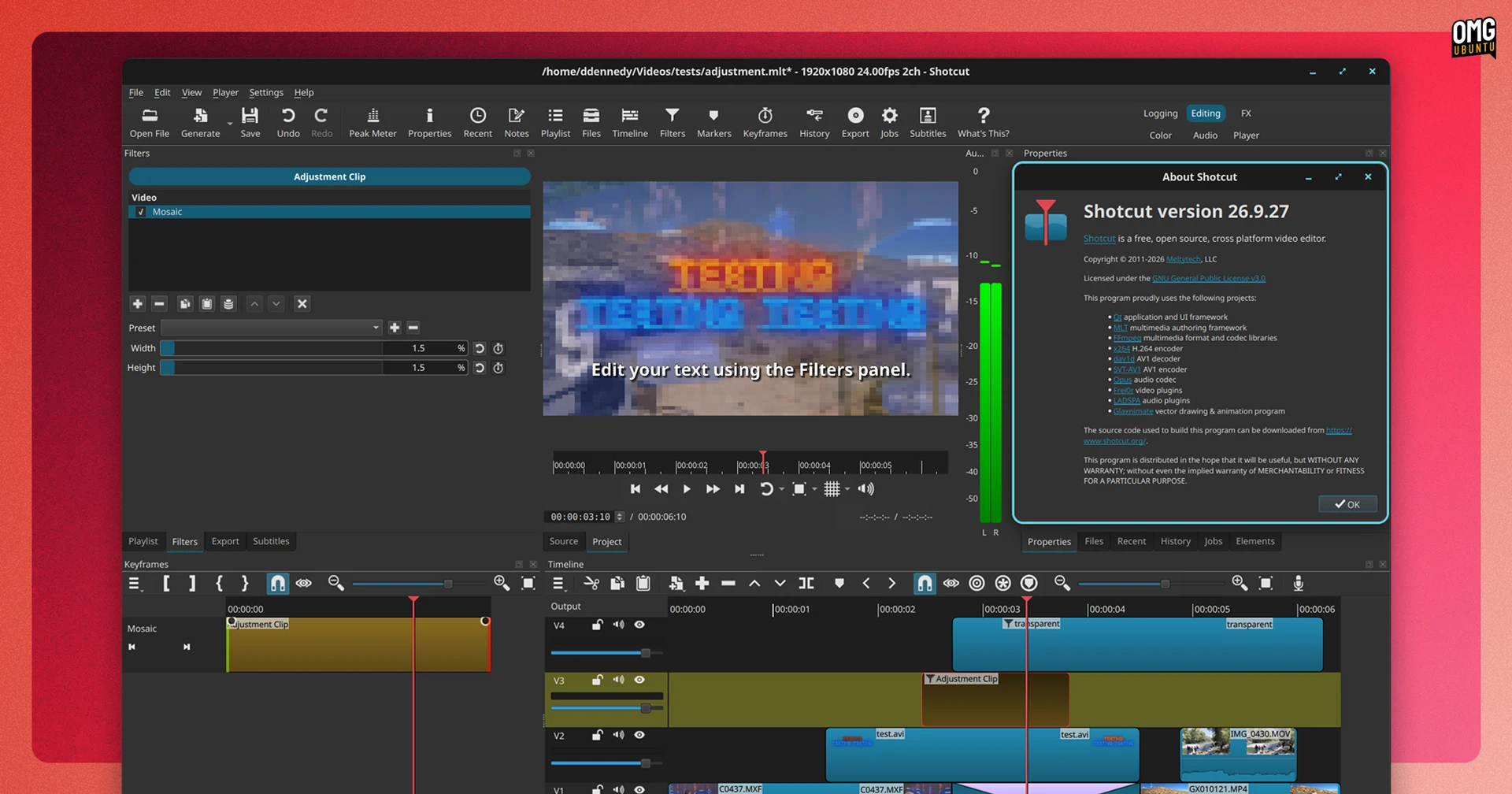
Shotcut 26.9.27 debuted at the end of September.

The update brings, among other changes, a brand new app logo and rounder corners in some parts of the user interface (the latter done to improve consistency with system themes rather than “do a Nova” – see Firefox 157).
The big new feature (in my view) are adjustment clips. A ‘dummy’ video clip can be generated that has no video, but to which you apply filters and those affect the composite of all video tracks below it.
Love them; adjustment layers clips are a lazy editor’s best pal.
Elsewhere, automatic audio ducking can be turned on for audio timeline tracks. This tries to automatically lower volume when speech or other audio in tracks above plays. Even if never perfect, it makes the (tedious) task of manual ducking a bit quicker.
Other changes features too, including an update to FFmpeg v9.0, audio mixing controls in track headers and a boost in timeline performance. VA-API HEVC hardware encoding on Linux is fixed in v26.9, as are a stack of other bugs
Shotcut 26.9 is available now from shotcut.org, or get it from the Snap Store.
Audacity’s big release got a big bug fix
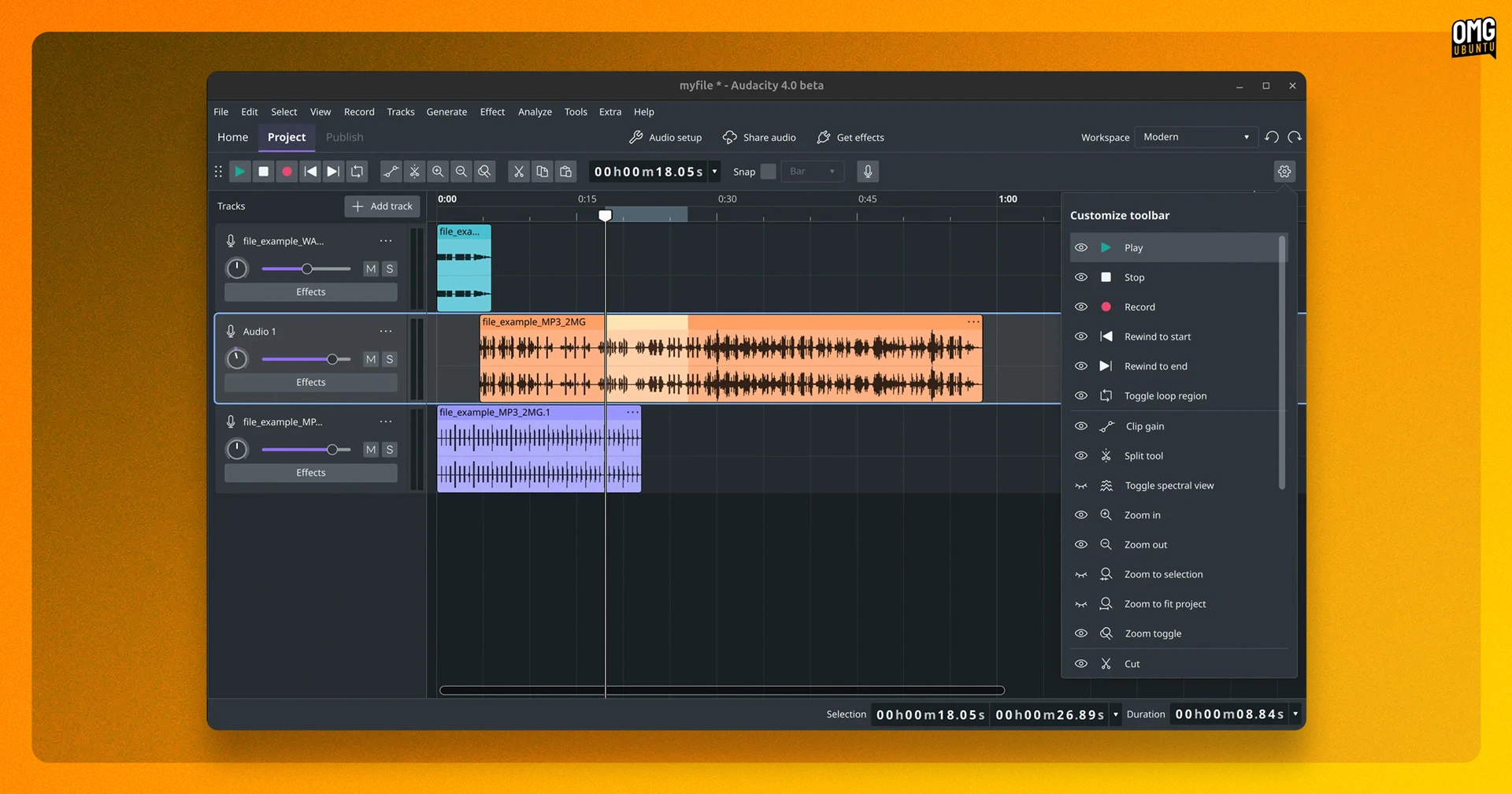
Audacity 4.0 delivered a modernised interface and better editing tools, to much applause, but it wasn’t without a few quirks. The 4.0.1 update released in September fixes a stack of issues found, and resolves a few regressions that slipped by unnoticed.
A crop of Audacity 3-era keyboard shortcuts (some ingrained to workflows, like Home and End to move to start and end respectively) didn’t work in v4.0, while the ‘Export’ dialog lost the option for multi-track exports to separate audio files. Both restored in v4.0.1.
Bug fixes are numerous, taking in everything from clips flickering when selected and file names being randomly shortened after export to WAV files not being recognised in Audacity when run on Linux. VST3 settings were also getting reset between sessions – now sorted.
And if you tried to open the Audacity 4 AppImage on Ubuntu 26.04 LTS or a non-systemd Linux distribution and it refused to run, good news: this version will.
Audacity is free, open-source software available to download from the official Github for Windows, macOS and Linux.
Plank fork straightened out duplicate icons
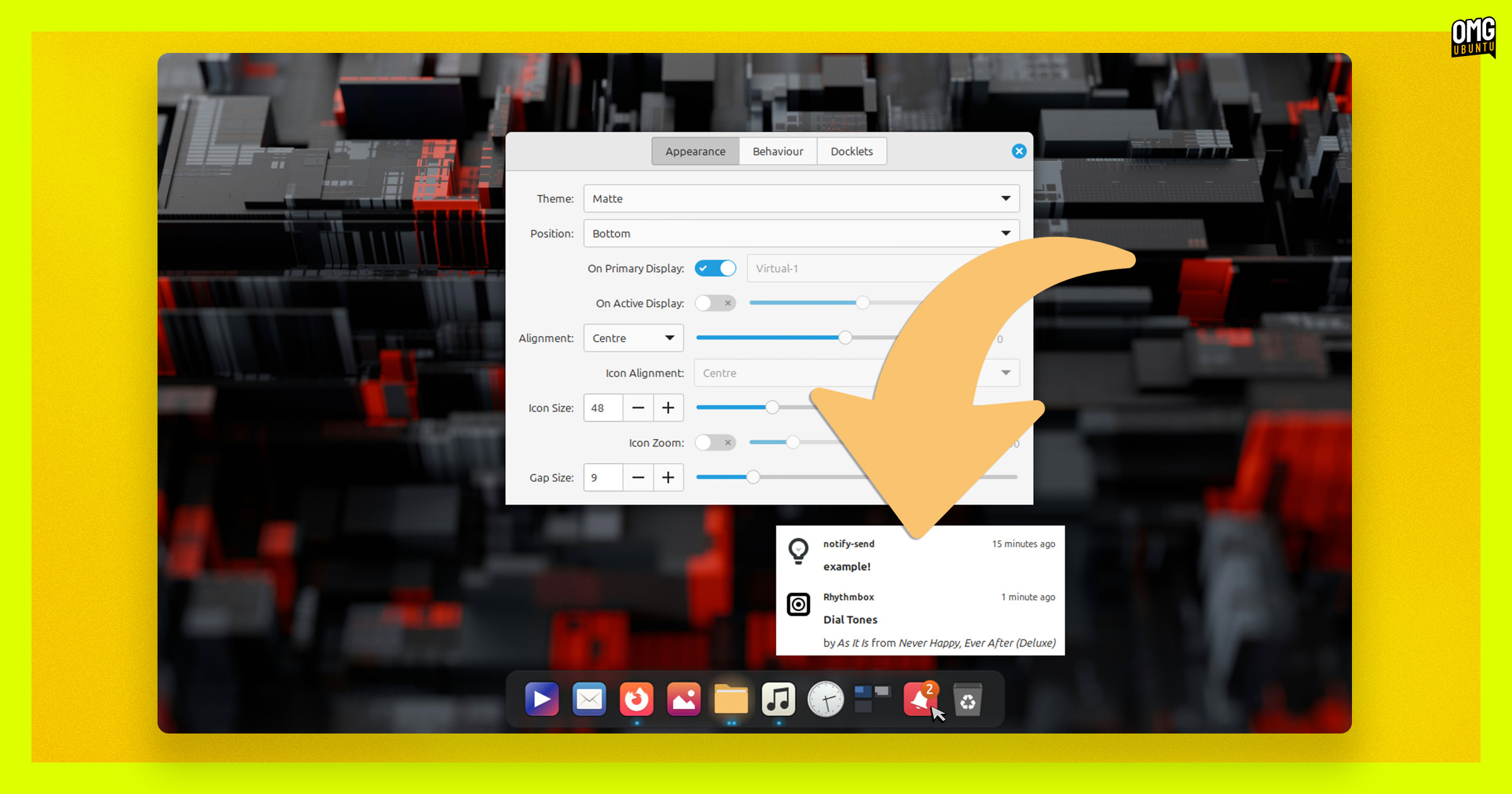
Users of Plank Reloaded, a fork of the Plank desktop dock, will want to update to v0.11.174. It’s a bug fix release that resolves a slew of niggles, like duplicate icons caused by BAMF class conflicts and ensuring pinned launchers match to running apps.
The latest update also adds support for showing badges and progress for apps that are in your data folder, subfolders or have spaces in their names, and prevents dock icons using art drawn for half their size from a 2x theme folder – i.e., fewer blurry icons.
Plank Reloaded is available to download from the project’s GitHub releases page.
PeaZip made archive passwords safer
PeaZip 11.3.0 zipped out, but if you keep archive passwords in the built-in ‘password manager’ you should be aware that it now now requires a master password.
The developers recommend you set a password in your current version – i.e., before you update to the new version – then right-click the password list and choose Export > Encrypted. You can then replace the pm file in PeaZip’s config folder with your export.
PeaZip 11.3.0 will now ask for confirmation before opening more file types, and the prompt gets shown if picking ‘Open/Preview with associated application’ (not just on double-clic).
Elsewhere, Shift + F12 opens a new ‘Open with’ screen for custom apps, scripts and web services, new Blue and Blue-Dark themes were added (find them under Options > Themes) and PEA archives now have a Test mode.
Download PeaZip from the official website, which has installers and builds for Windows, macOS and Linux, including .deb installers for Ubuntu with a choice of GTK2 or Qt6 UI.
Tributary music app added an equaliser
A new alpha of Tributary, the Rhythmbox-inspired music player made with GTK4, slipped out in September with a additional functionality.
When connected to a Subsonic, Jellyfin, Plex or DAAP server you can right-click tracks in Tributary v0.7.0 alpha and choose Download to snag a local copy for offline listening. A 10-band graphic equaliser was also added. There’s a button in the header bar to open it.
Drag and drop is working. Dragging tracks out of Tributary’s browser into a file manager will create a copy, while dragging tracks on to a playlist adds it. Tracks and playlists can now be copied to external media (USB drives, MTP-mounted media players, etc).
Tributary is currently in alpha, but installers (including .deb) are available to download from the project’s GitHub releases page.
Fooyin gave CDs a new spin
Fooyin, a Qt music player inspired by Foobar2000, released v0.13 in September with support for playing music from CDs (yeah, the round shiny things).
A ‘Open audio CD’ option was added to the File menu, allowing users to play tracks from CDs, read CD-Text and metadata or even add tracks to playlists.
Fooyin v0.13 can also rip CDs to MP3 and Opus files and run AccurateRip checking afterwards. I wrote about Laser, a GTK4/libadwaita CD ripping tool last month (that post proved popular) – maybe physical media really is back in vogue!
Other changes include a reworked playback queue, support for loving tracks on Last.fm and new global shortcuts letting you pause, skip or adjust volume when the main window is minimised/out of view. Assign shortcuts under Edit > Settings > Shortcuts.
Fooyin is free, open-source software. Download the latest release from GitHub – unfurl the Assets to get a ready-made .deb installer for Ubuntu, an AppImage or sandboxed Flatpak.
OpenShot sharpened the Razor tool
Shotcut wasn’t only open-source, cross-platform and Qt-based video editor to see an update last month.
Hot the heels of its mammoth OpenShot 4.0 release – which added colour grading tools and more AI integrations, among other changes – came a v4.0.1 follow up. It adds a flurry of smaller, but not necessarily small, improvements.
For one, OpenShot 4.0.1 makes the Razor tool more powerful. It now shows a preview of the frame under the pointer, allowing for more precise cuts.
It also adds click actions to speed-up junking clip ends. A regular click still splits a clip but shift + click keeps only the portion to the left, and ctrl + click keeps the section to the right. Cut guides appear on the timeline track itself to indicate what’ll happen.
Other improvements mainly focus on usability (e.g., easier zooming, consistent thumbnails), performance (e.g., zooming in on projects with lots of keyframes) and stability (e.g., undo is working again, screen-recording audio is now in sync with video).
As I reported last month, OpenShot is now available on the Snap Store. You can find it in Ubuntu’s App Center or run sudo snap install openshot-qt to get it. An OpenShot PPA is also available.
Other updates last month
Smaller September update saw qBittorrent v5.2.4 seed a flurry of fixes in its core app and WebUI; a beta build of KeePassXC 2.8.0 unlocked a new Qt 6 UI available to test; and CLI system info Fastfetch v2.69.0 brought support animated GIF and APNG logos.
Got app news? Let me know
That’s it’s for this roundup. As ever, if you learn of a software update that you think other readers of this site may be interested in knowing about, get in touch via the contact form – your news tips, typo pokes and article suggestions are much appreciated.