



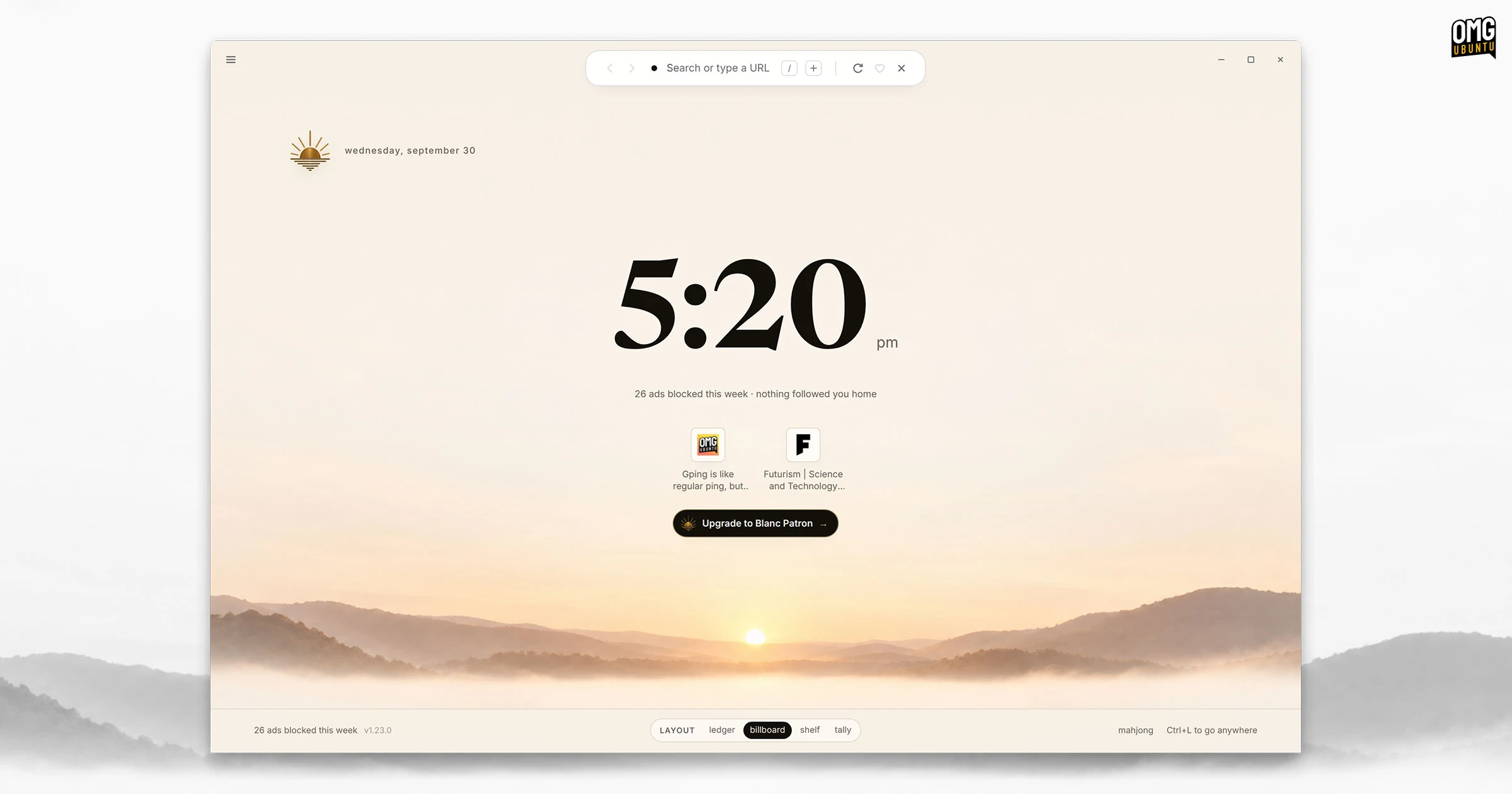
Blanc is a new open-source web browser that swaps a traditional, always-visible tab strip and address toolbar for a minimal floating ‘island’.
A dynamic pill sits top the of the browser’s window (not over the web page, which feels a missed trick) so that the site address and site security info is visible, and provide quick buttons to open new tab, navigate back/forward and favouriting sites.
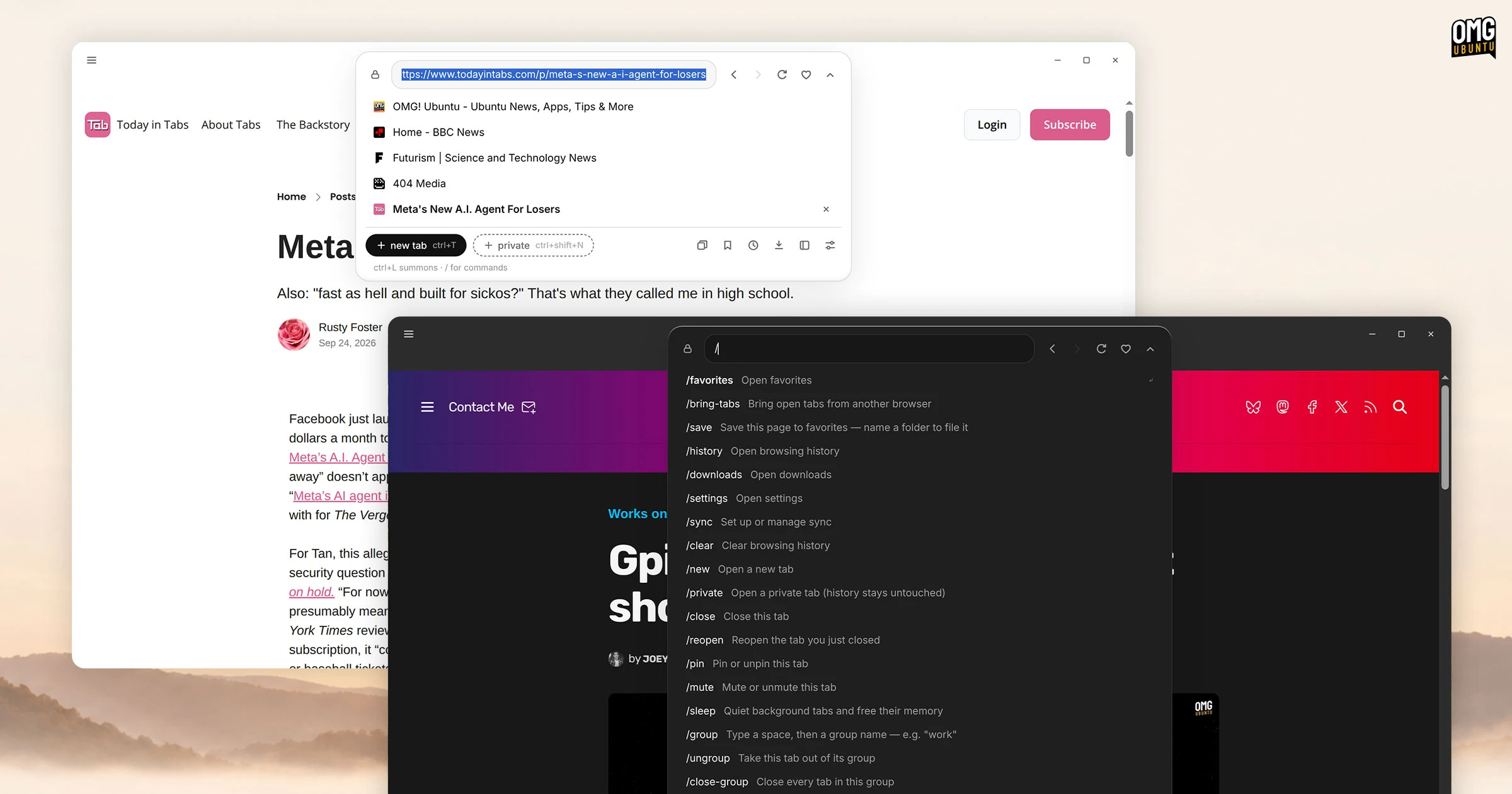
It’ll expand as-needed, from where you can open, manage and switch between tabs, type web addresses, run searches or sift through your browsing history and bookmarks. Click the island to open it or press super + l instead.
Type / in the expanded island to run commands (toggle settings, perform page actions, etc).
Blanc uses Electron (and thus Chromium). Despite the framework’s reputation as a memory glutton, developer Anthony J. Loria claims Blanc uses a quarter of the RAM Vivaldi or Chrome do when tasks with running 6 heavy news sites in tabs.
Despite no traditional tabs, you can still do common tab-based things like pinned tabs and put tabs into groups (tasks). It’s just surfaced in a different way via the island.
There’s also a handy Glance feature to get a quick split-view-like way to show another tab next to the current one.

Ad and tracker blocking is also built-in (uses EasyList and EasyPrivacy), and private tabs and browsing profiles are provided to help keep data separate. For those who want to run Blanc on multiple devices there is optional end-to-end encrypted sync.
You won’t find AI assistants, co-pilots or page summarisers built in. Blanc‘s slogan is that it is “a little less browser” than people may be used to, many of which are increasingly stuffed to the gills with callouts, nags and and attention capture gimmicks.
Why make a new browser?
Loria says he missed when browsers were for browsing, rather than products for extractions. He wanted to to make webpages “the main event again: no AI bot, no parade of extras, and no requirement to hand over an identity just to browse”.
“No AI bot, no parade of extras, and no [sign up] just to browse”
Blanc’s developer
Despite the sentiment, Blanc has a small parade of extras itself.
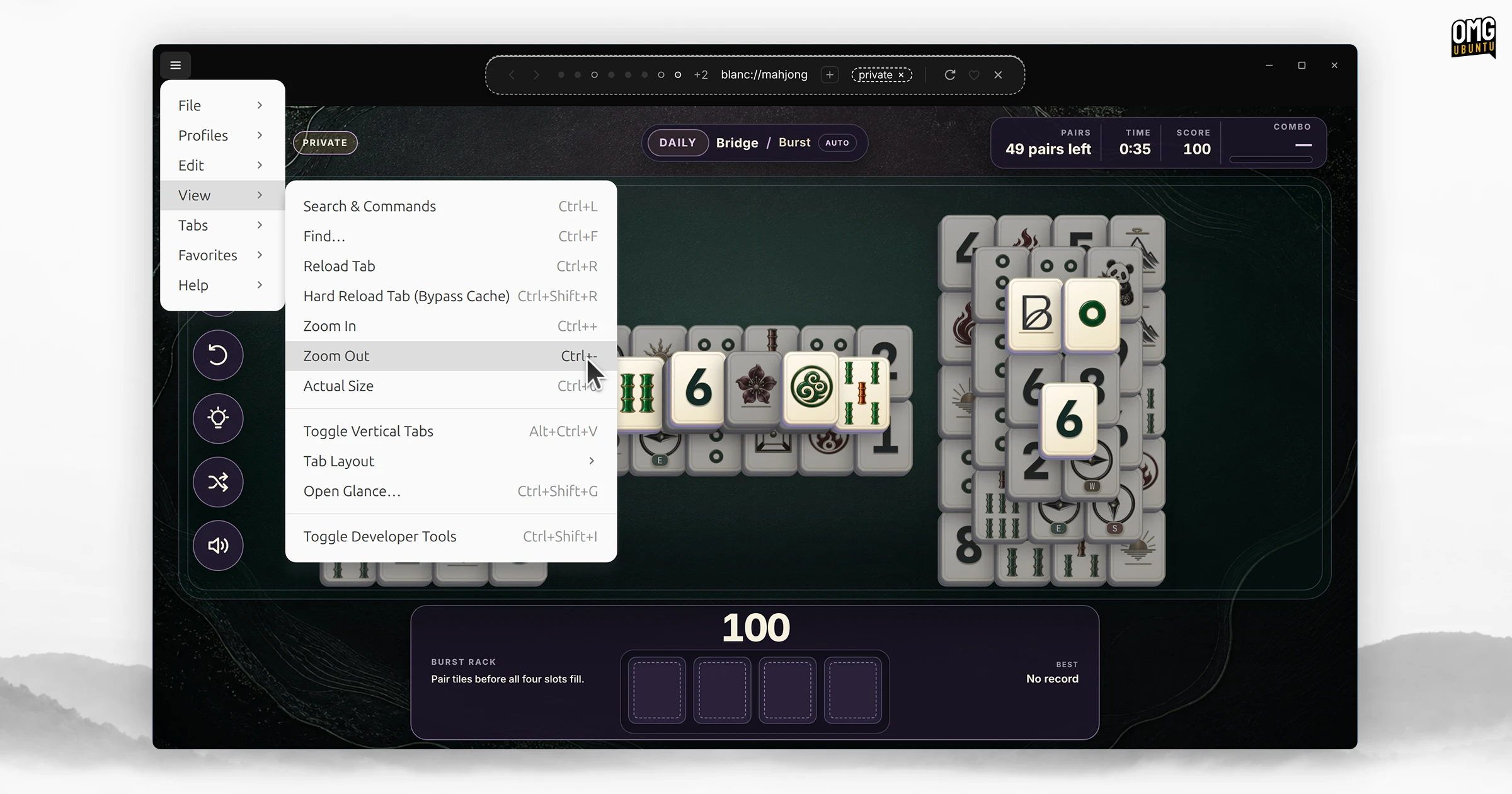
There’s a Mahjong game built-in, accessible from the new tab page, that has various features and game modes that fans of the tile-matching puzzle are sure to enjoy. Others? Maybe not. A number of (slightly) different new tab page layouts are available too.
Blanc doesn’t offer everything you’d expect. There’s no web extension support (which may annoy those who rely on password managers) and there are no mobile versions (less of a concern, but some are used to picking up/off on the go).
One feature, named workspaces, can only be used with a paid ‘patron’ subscription (starts at $4 a month, which also supports the browsers development). A nag button is present on the new tab page and can’t, in the current version, be removed/hidden.
But all of the things that make a browser a browser are usable as-is, without any sign-up or subscriptions, and the source code is available on GitHub under an MIT license.
Download Blanc browser for Linux
Blanc offers a different UX to traditional desktop browsers. Novelty or evolution? Subjective, perhaps. Different ways of doing familiar things can catch on. A few ‘novelties’ found in Firefox fork Zen have since been mirrored in Firefox itself.
Download the latest version from the Blanc GitHub releases page, with installers for macOS and Windows, and an AppImage for Linux users.
While I don’t see it mentioned on the project’s website – in its boilerplate “Claude design” aesthetic glory – the Blanc GitHub suggest this is part-developed using AI coding tools. I mention it so you’re aware (and, thus, it gets a nutrition tag here).