



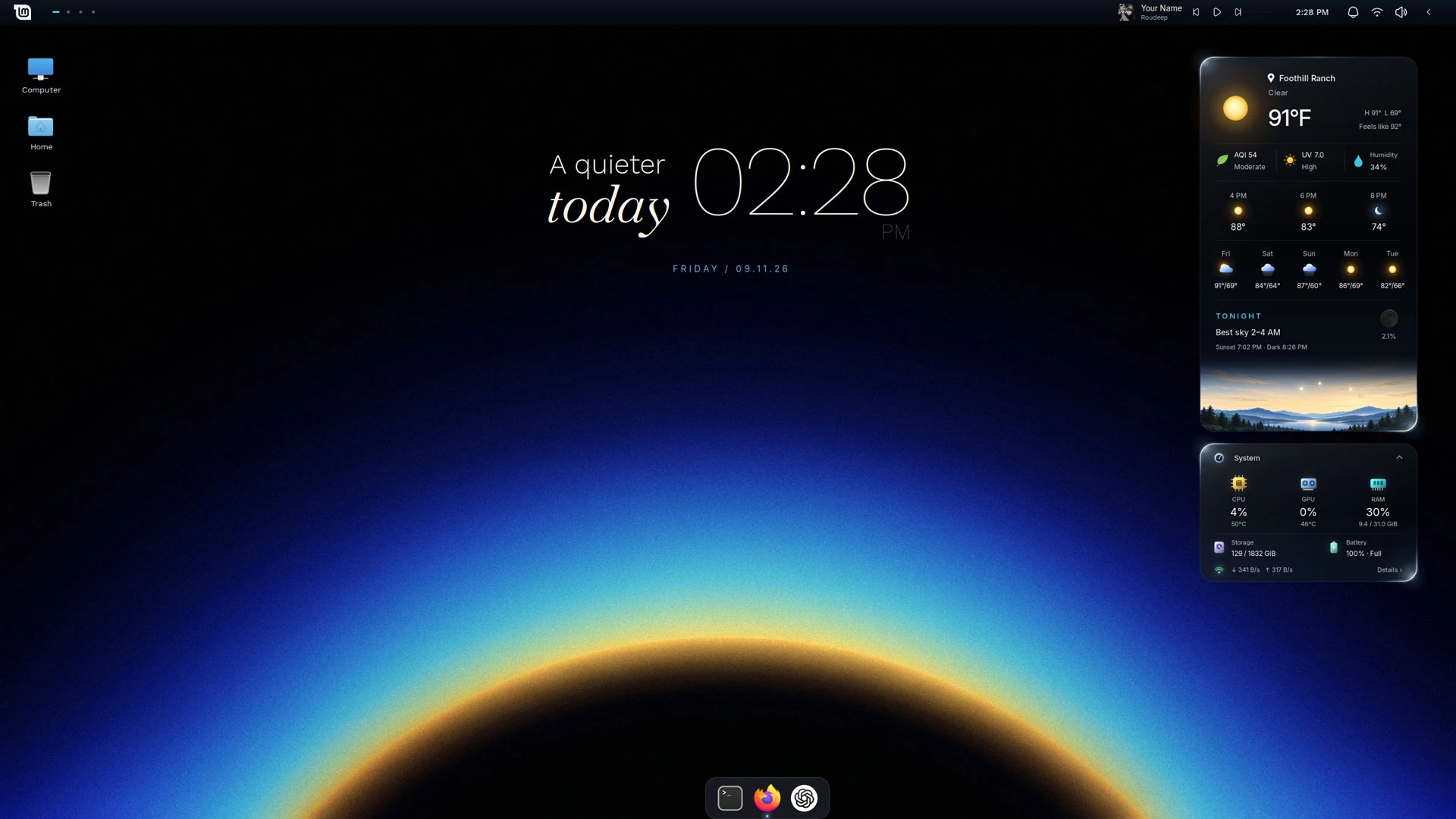
The refrain goes that ‘Linux Mint looks dated’, yet the Cinnamon desktop is highly customisable – something a new transformation pack shows to eye-catching effect.
Silent Horizon is a Linux Mint makeover script that installs a set of customdesklets, panel applets, a wallpaper, Plank dock theme and minor Cinnamon layout tweaks.
It’s the work of ~PersianVibeCoder – yes, their actual username – who says Silent Horizon helps to create a “calm, minimal desktop with little details that make it feel alive”.
It is those “little details” which add more dynamism than your typical ‘makeover pack’.
Take the weather and system monitor desklets. The cards have an animated rim light that continuously circle around the edge of each card. Hit play on this video to see them in action (albeit sped up to make the effect more obvious):

And the illustrated horizon card in the weather desklet? It too is more than decoration. The horizon view changes over the course of the day to show the position of the sun, moon and major planets visible above the horizon in your actual location1.
Alongside the weather and system monitor cards (which can be expanded or collapsed) is a configurable desktop clock widget. This has a text label you can customise if the stock slogan of ‘a quieter today’ sound too schmaltzy for your sensibilities:
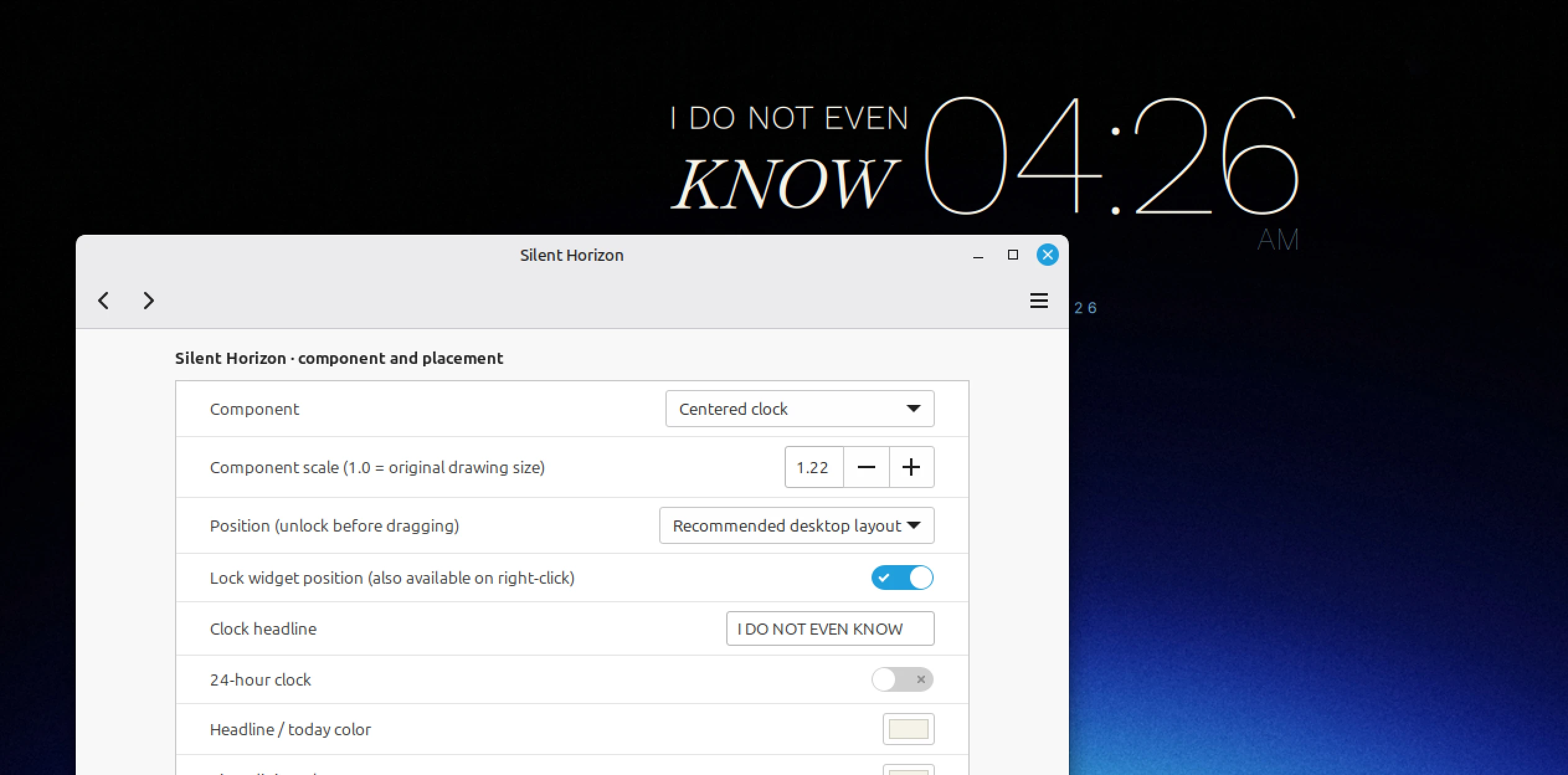
Plank, the desktop dock, is used for managing open windows. It uses a custom theme to mirror the ‘glassy’ desklets (widgets) and top panel theme.
Pulling it all together are the Quiet Line panel applets comprised of a GNOME Shell-style workspace switcher, a Now Playing controller that shows artist, track title and cover art from MPRIS players (and a Cava-powered sound meter too), and this:

Yes – a collapsible tray applet with non-system icons used for key indicators. There’s no way to choose which indicators are in the collapsable half, nor can you configure its auto-close behaviour. But all applets stay fully functional in use.
Silent Horizon showcases a lot of bling but some may find it looks better than it runs.
Fancy, but buggy
As makeover packs go, Silent Horizon is transformative. Running on script gives Linux Mint’s default desktop a dramatic new look that’s darker and sleeker. At first glance, few would be hard pushed to tell it was Cinnamon as it’s more like that of a modern tiling setup.
The downside is its performance.
On my laptop and in a VM, CPU usage for Cinnamon stayed at >24% with the desklets running. My Chuwi laptop with its modest Intel m3-8100y runs regular Linux Mint (and full-fat Ubuntu) without a hitch. It crawled when I was using this.
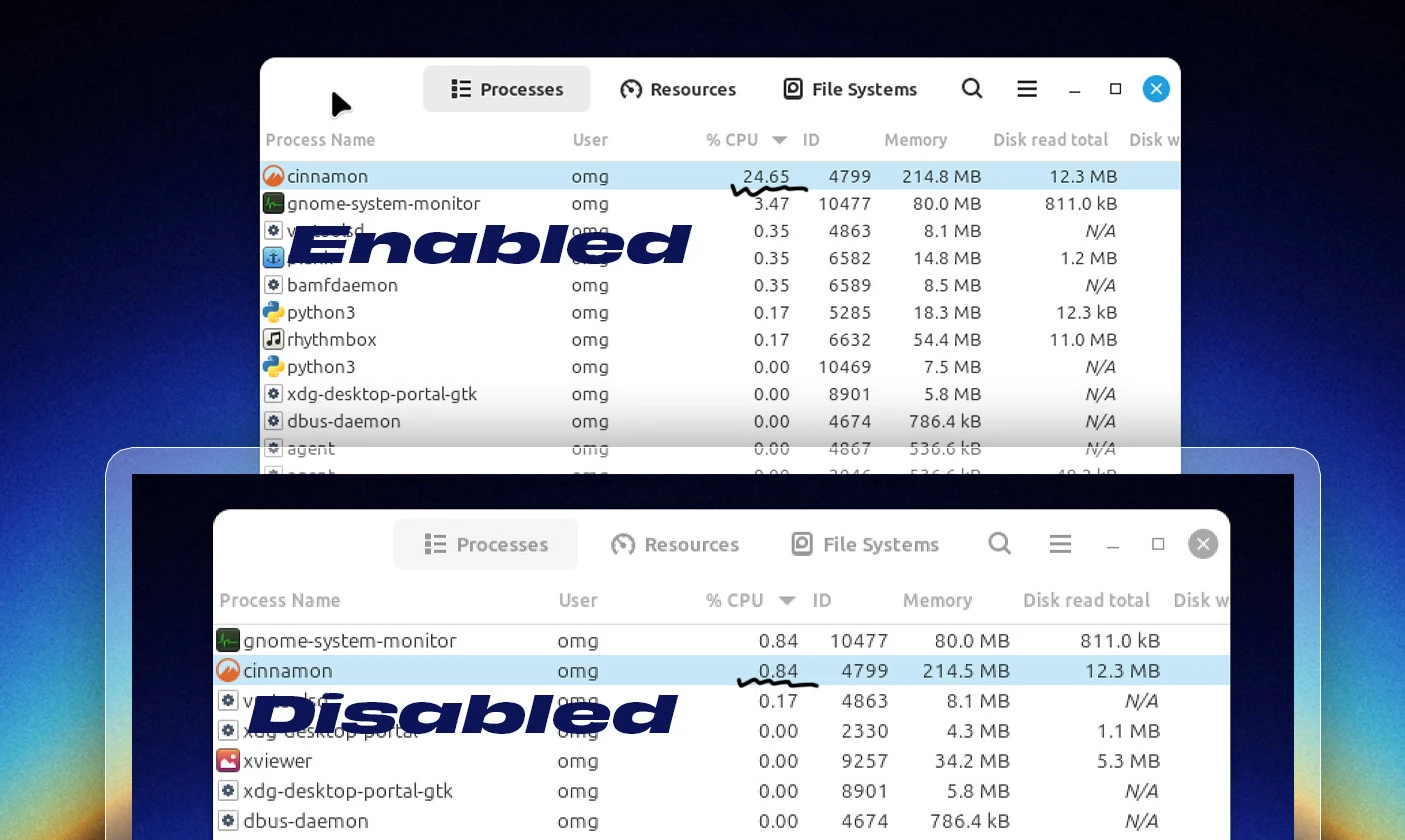
The cause of the high CPU must be the weather/system desklets. As soon as I removed them, Cinnamon’s CPU usage2 dropped to <1%.
But those desklets are somewhat the visual hook in all this, so it’s a shame they add so much weight.
Perhaps the creator of this has a beefy gaming rig, which doesn’t break a sweat rendering the animation on loop continuously?
Alas, my laptop, with me trying to do things besides “look prettier than stock” struggled, and battery life melted away faster than it otherwise does.
That running glow effect that travels around the border of the desklets must be the cause. There’s no option to turn that effect off (yet), nor is it possible to disable the system monitor card (which refreshes stats every second or so, which also adds a small performance cost).
Another issue – more vibe-coded seams showing, perhaps – are the desklets’ configuration. Confusing? Yes. Buggy? That too. Select one to configure and another will vanish, or create a clone that, in the case of the clock, stacks and you don’t notice.
This is all code; I’m hoping the developer can tackle the CPU hit – or get their AI agent of choice to – or at least make the system, weather and horizon desklets separate so users can pick and choose the ones they want to give up CPU cycles for.
Install Silent Horizon on Linux Mint 22.3
Silent Horizon supports Cinnamon desktop, and has only been tested on Cinnamon 22.3 (used in Linux Mint 22.3). Before you install this transformation pack, use Linux Mint’s backup tool to take a snapshot: if it messes something up, you’ve got an easy “undo”.
Download the latest version from the project GitHub releases’ page, then extract the ZIP.
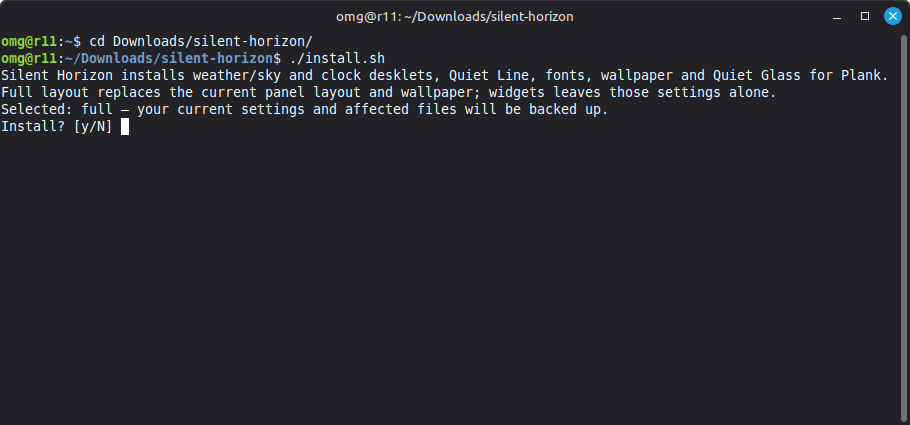
Inside are folders, files and an executable install script. Read the install script (rather, the python script it points to) carefully in a text editor before you run anything. Running random scripts from the web is a security no-no – it’s on you to check you’re happy with the contents.
Then, open the folder in a terminal (right-click inside of it and choose ‘open in terminal) and run:
./install.sh
Allow the installation to complete (it fetches packages you may not have, like Plank and Cava), then log out and back in. The last step is important as Silent Horizon’s changes and configurations all need to click together and a logout does that.
All being well, you’ll be be greeted by something that looks like this the screenshot. You may find it is not optimised for your screen resolution, but you can manually adjust the scale and size of the panel, fonts, desklets etc.
Right-click any of the desklets to access a configuration panel. There, enter a location (latitude, longitude and elevation) for the weather and horizon, choose whether to lock position of freely move desklets, set a scale value, adjust colours, fonts and more.
Let me know what you think of this down in the comments.
- You need to enter the location in the configuration panel, as it’s not auto-detected. Annoyingly you need to enter co-ordinates as a value. ↩︎
- Desklets etc run within the main Cinnamon process so there wasn’t a clear way in the default system monitor to see a breakdown of what individual component was at fault. As the issue vanished when the desklets were removed, all signs point to them. ↩︎