

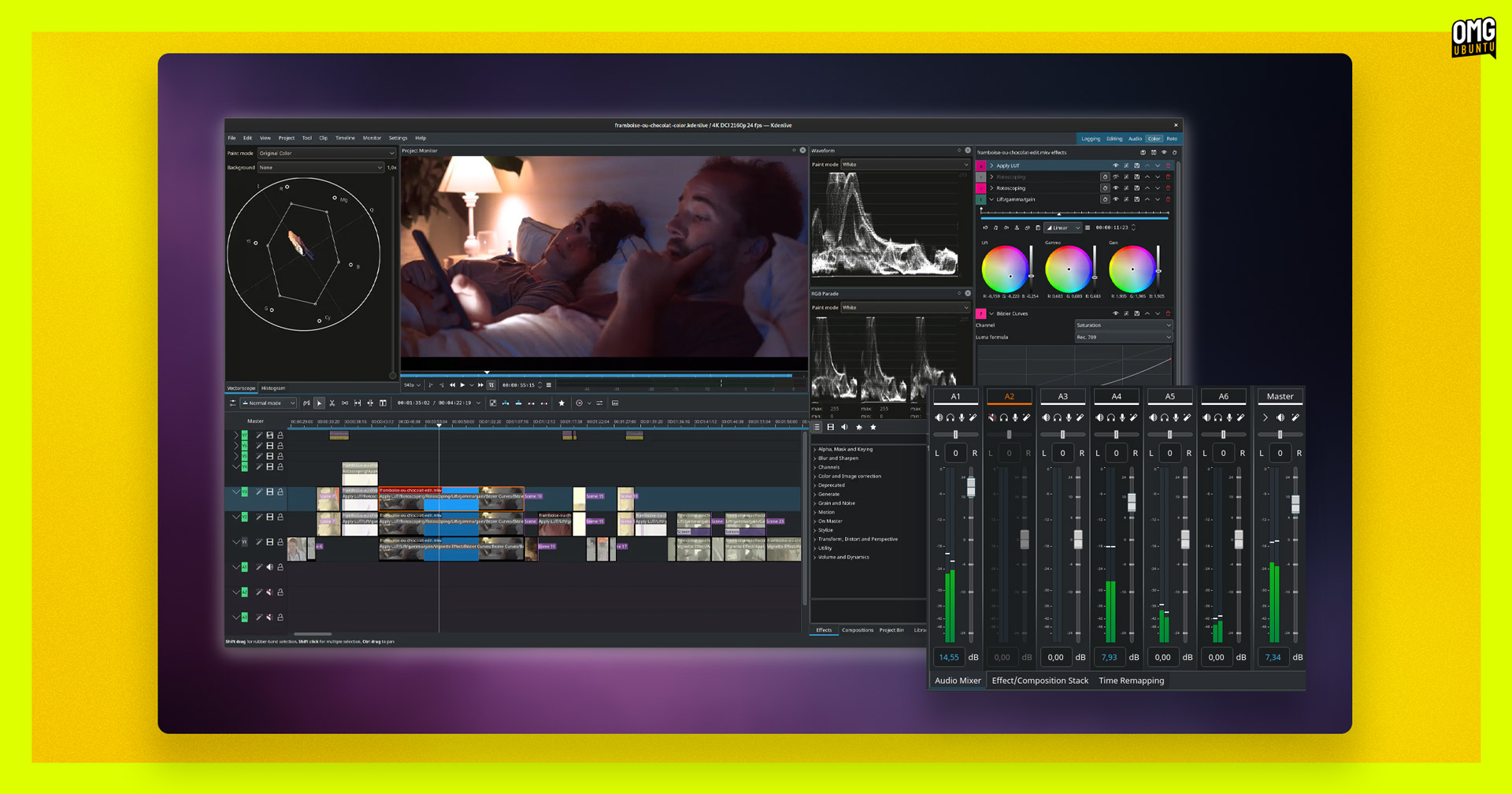
A new version of Kdenlive, the free, open source video editor for Windows, macOS, and Linux, has been released with improvements its makers hope will “give you a pleasant editing experience”.
Kdenlive 25.08.0 improves audio mixing. A redesigned sound control board offers “clearer visuals and thresholds” for fine-tuned level tweaking. The mixer’s also seen underlying code refactoring and cleanups, and is said to scale better on HiDPI displays.
The Titler receives “some much needed love”, per the devs. SVG and images can be freely moved and easily resized (with or without preserving aspect ratio), or scaled from the center by holding shift and dragging from an edge:
A new Timecode widget is included with drag to seek functionality, while developers addressed various annoying quirks including issues with thumbnails not updating in the timeline and the panel width resetting each time it was reopened.
Kdenlive 25.08 also improves colour styling of Scopes; sees an overhaul of the Markers system (including integration with project notes, which also receive improvements in this update); and adds a handle to rotate an item (using the Transform effect) on the monitor.
Notably, the Kdenlive 25.08.0 release adds support for 10-bit H.265 encoding on NVIDIA GPUs, and includes 10-bit export profiles in its rendering dialog. However, Kdenlive converts 10-bit content to standard 8-bit if you use “compositing or effects not provided by avfilter”.
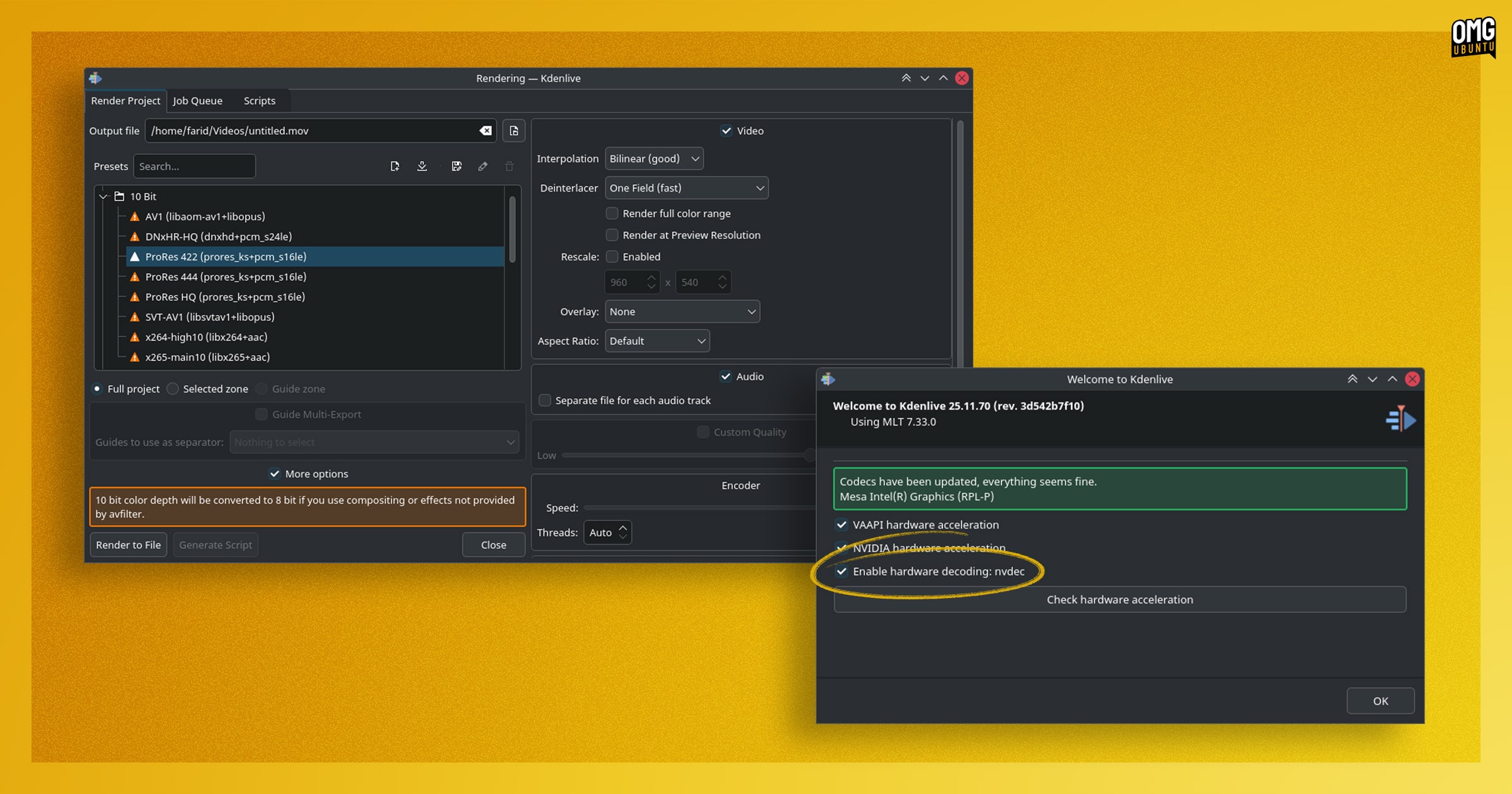
SVT-AV1 replaces the old AV1 profile with preset option to control quality and speed, and SVT-AV1 has been added to codecs that use the CRF option (reminder: lower CRF values produce higher-quality video with larger file sizes).
A new Enable Hardware Decoding option is present in the Config Wizard, although this has only been added in preparation for future hardware acceleration features.
- Optimised interface for use on lower resolution screens
- Lower memory usage in background removal (SAM2) feature
- Allow installing specific CUDA version for Whisper and SAM2
- Power management support to inhibit sleep during playback or rendering
- Ability to show log files in render dialog Job Queue tab
- OpentimelineIO (OTIO) fixes
Beyond the new features and UI fine-tuning are a flurry of bug fixes — macOS users can now double-click on a project file to open it, a 3 year old bug — and solutions to over 15 crash fixes.
Stability helps give those working on complex edits the confidence to rely on Kdenlive, and helps to expand its appeal beyond FOSS users and into more professional circles — where users are bored of proprietary vendor lock-ins and ever-increasing subscription fees.
Download Kdenlive 25.08
Kdenlive is free, open-source software. Download the latest version for Windows, macOS or Linux from the project website or from the Kdenlive GitHub repo.
If you’re on Ubuntu, you can make use of the official AppImage that’s available above, opt for the official Snap, or fetch the official Flatpak release from Flathub.
The official Kdenlive PPA was discontinued last year, but if you don’t need the latest features older versions of Kdenlive are provided as a DEB in the Ubuntu repos.