


Ubuntu’s Flutter-based App Center can now open and install 3rd-party DEB installers.
An App Center update that adds support for ‘side-loading’ DEB packages began rolling out to users on Ubuntu 24.04 LTS in the past few weeks (but as snaps update in the background silently, without any indication or alert, I only just noticed).
To be clear: this is about being able to install DEB packages you download from the web (e.g., Google Chrome, Discord, Steam, Vivaldi, Slack, etc) using App Center. It’s not about installing DEBs from the Ubuntu repos, which was already possible.
With this update it is (once again) possible to:
- Double-click on a DEB to open in with App Center
- Right-click on a DEB and select ‘Open with App Center’
From there, a simple page appears showing a warning about the potential security risks of untrusted software downloaded from the web, some information on the package (like it’s size), and an all-important ‘install’ button.
Hitting that shows a secondary warning:
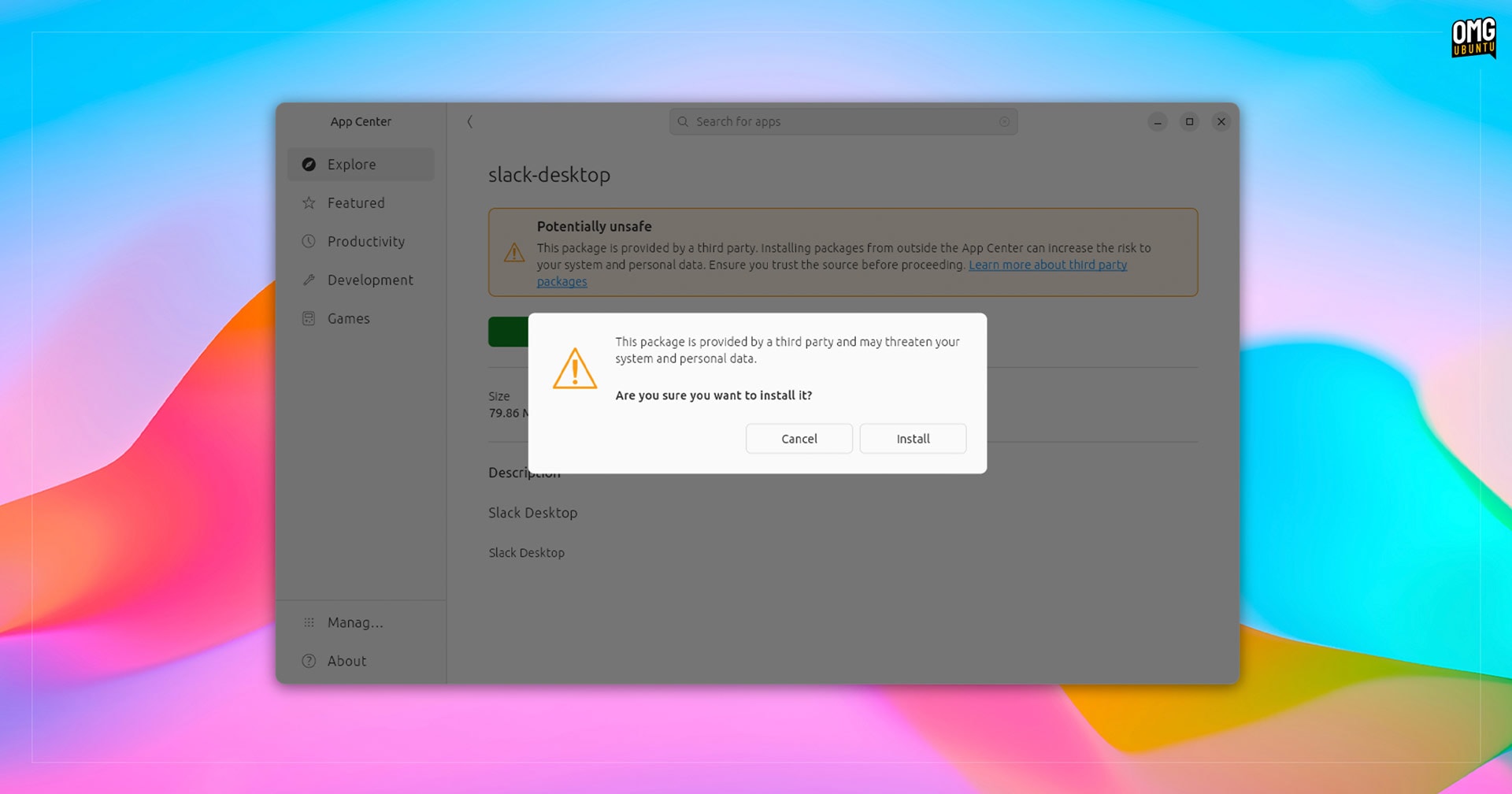
The rest? That’s as it ever was…
App Center DEB Support
It’s fair to that this capability has been missed. Most Ubuntu users are long-accustomed to going to, for example, the Google Chrome website, clicking the ‘download’ button for Ubuntu, getting a DEB package, then double-clicking on it to install with the default software tool.
But since Ubuntu 23.10, when the Flutter-based App Center arrived, that’s not been the case.
Instead, users were shown a vague “Could Not Display… there is no app installed for ‘Debian package’ files” dialog. No tips, no pointers, no help – left to find a solution for themselves (solutions which are obvious to ardent Linux users, less so to newcomers).
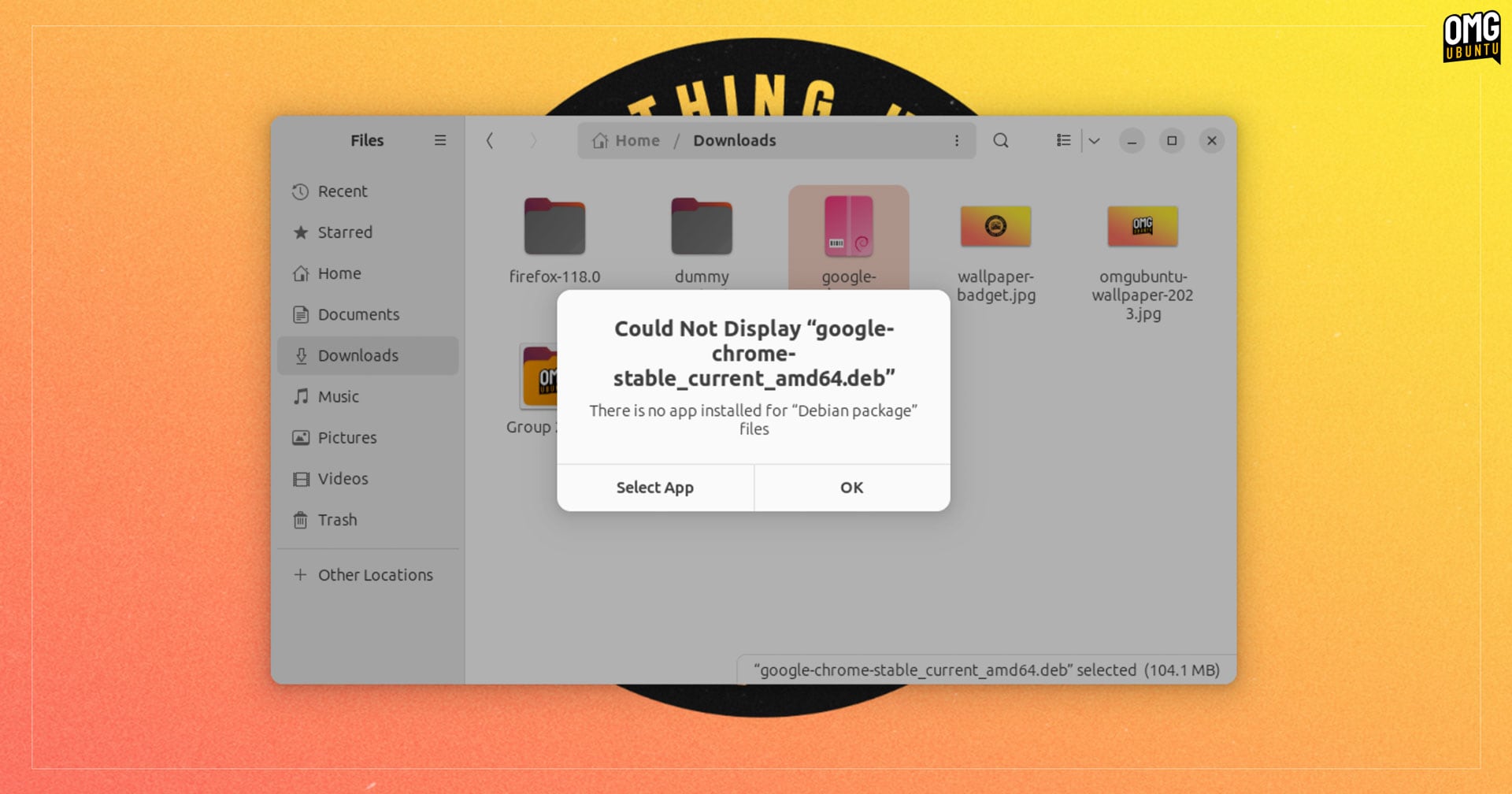
With millions about to upgrade to Ubuntu 24.04 LTS from 22.04 LTS (the upgrade route officially opens next month), this fundamental feature being absent would have caused friction and frustration, making this update timely indeed.
Right now, it’s not possible to uninstall applications you install as DEBs through App Center.
You also can’t reinstall a DEB that’s installed, either. Some Linux apps don’t have a repository (or do but users choose to not add it) so ‘updates’ require downloading the newest DEB and reinstalling the app. For now, Gdebi or apt will have to fill-in for those use-cases.
But hey: gotta start somewhere.
Belated news, apologies
When reporting that work was underway to add this feature I said to look out for a separate post once it landed (as said, snaps update in the background without any alert, so it’s easy to never know something changed).
Ubuntu also doesn’t publish changelogs for App Center, and while development, merges, and pushing happen on on Github, I find it all a bit impenetrable — it’s not clear when a new version is release, or which commits/merges are in what release.
All that matters is that the core, raw ability to install DEBs via a GUI without any faff or ‘research’ required is here — regardless of my belated awareness to the arrival!
If you’ve not updated App Center for a while, or thought to try installing a DEB using it instead of an interim solution like Gdebi, now you know.