

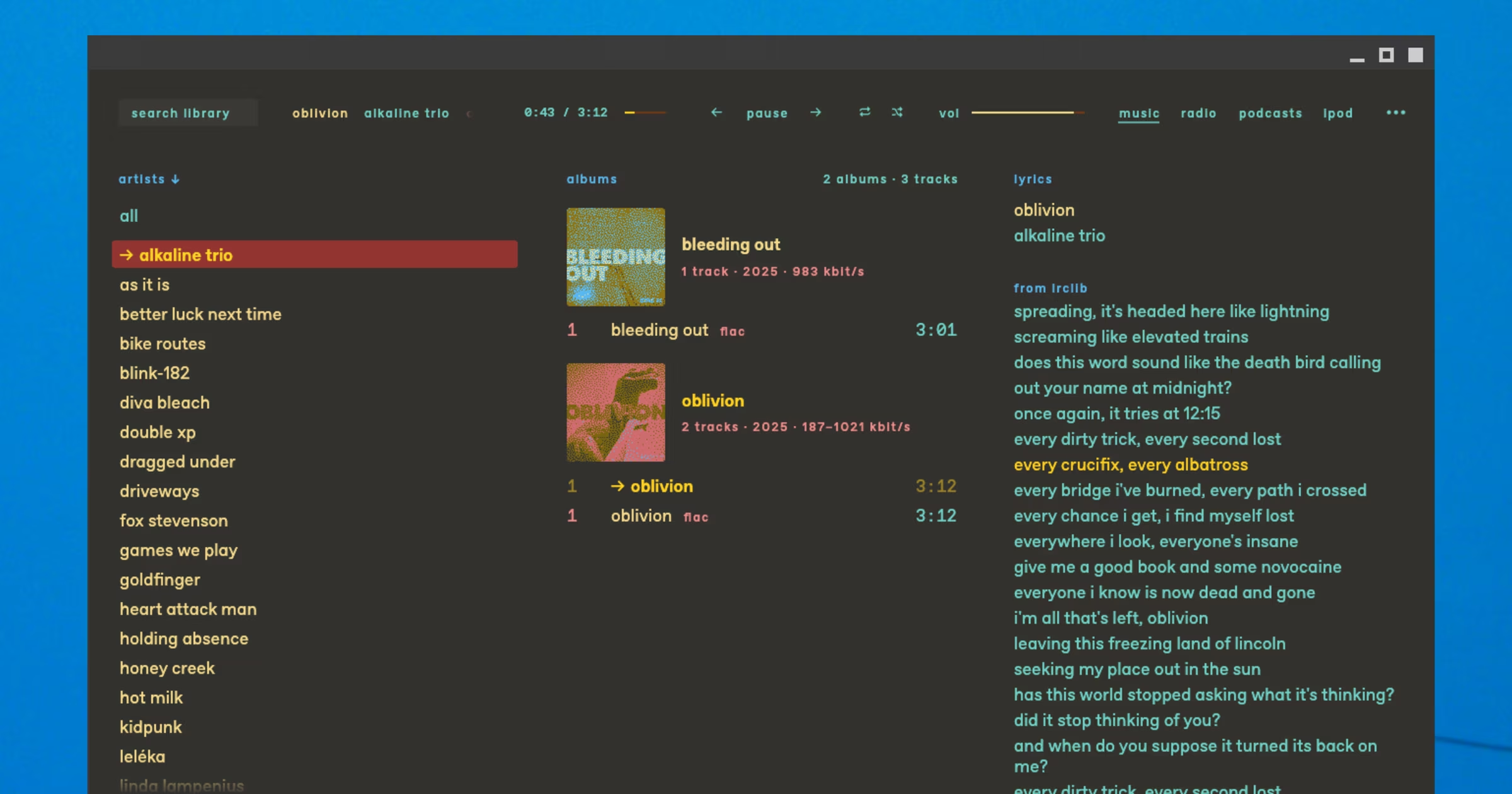
kessler is a new, open-source music player with a zine-style design, dithered album artwork and iPod support.
It was also made with AI coding tools.
Kessler’s developer, Felix, an artist and designer from Germany, told me this upfront in an email, saying “like everyone on the internet right now i started making an application with the help of a coding assistant”.
He inherited an old iPod and found modern music player support for it was lacking
I get a lot of software pitches now (more than at any point in my 16 years of blogging). AI agents don’t sleep and don’t feel shame, serving me plate after plate of adjective-laden word salad in hopes I bite (sorry, I hate salad).
Felix’s mail was more down to earth. He explained why he made it – no huffery-puffery on ‘gaming-changer’ this and ‘revolutionary’ that. The reason was humdrum: to make use of some old tech.
After getting an old iPod from a friend, he found most modern music players have iffy-to-no support for Apple’s old music players (having recently dug out my old iPod nano, I agree).
Plus, his music library is mostly .flac files these days, which aren’t natively supported on his old player.
Leaning on his background in web development, indie publishing and design he created an HTML mockup of a tool that would convert the flacs and sync them to his iPod. He fed it to Claude, which created a working app.
Inspired, it quickly grew into a proper music player/manager.
kessler is a music player (and more)
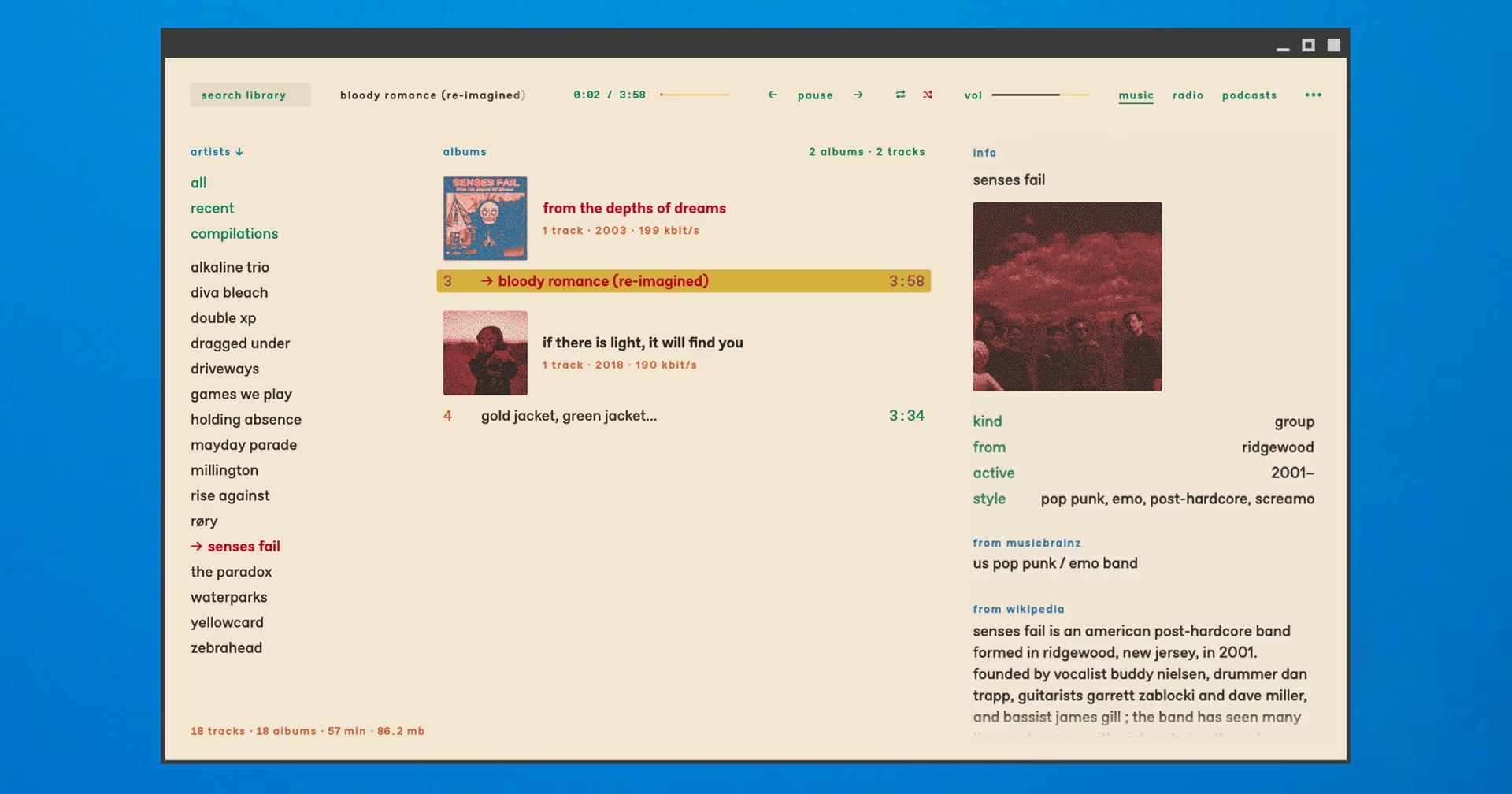
Felix told me that kessler’s design looks “a bit like an old phone book or a terminal window”.
Admittedly, this is not a look everyone is going to love, but it is a look most won’t have seen 100 variations of within the past week – no glassmorphism, rounded cards, dark purple gradients or other ‘Claude Design’ tropes.
It keeps to an intentionally lo-fi look, aided by a custom font (muto) and the use of lowercase typography throughout. Solid colours (various colour schemes are included) and text create structure rather than typical UI chrome like dividers and buttons.
The indie ‘vibe’ extends to album artwork, which is dithered by default. The amount/style of dithering can be configured, or the effect disabled entirely. Turning it off gives the app a less “just faxed in” tone.
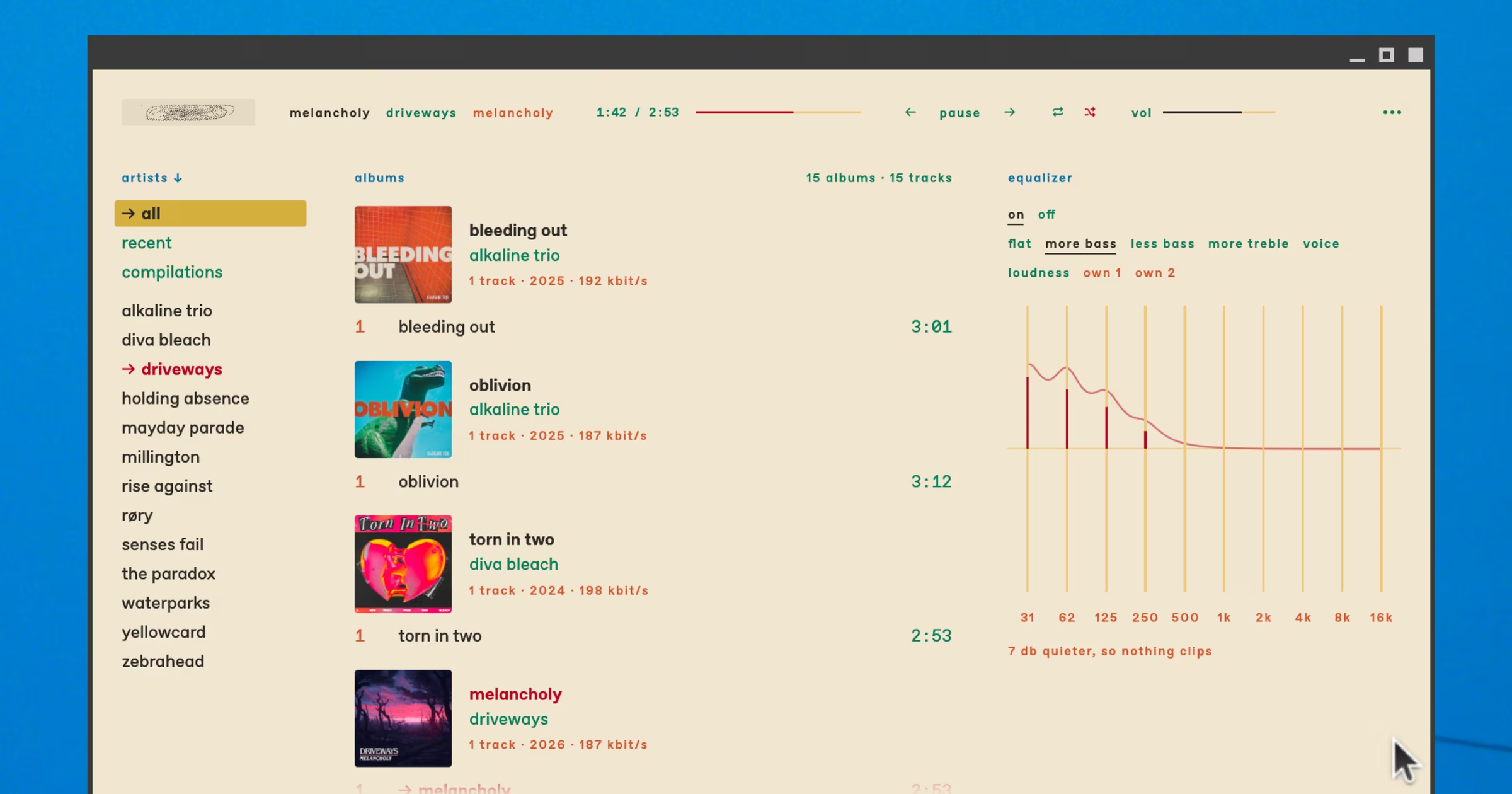
The layout is adaptable, with plenty of ways to customise what’s shown and when. I prefer the super compact headers, a combined artist + album view and made use of the resizeable panes to reduce the amount of empty space.
Some of Felix’s own artwork is hidden inside too. The idle search field can show animations (various styles available, including a Snake game) and an audio visualiser screensaver option can kick in after a set period (this only shows over the app window).
It may be coded by an LLM but a lot of human-ness comes through. The quickness is subtle; I felt like I was using something ground in an idea rather than, as with a lot of vibe-coded ware, hopes of a quick cash-grab.
It plays music as well as anything else does
Features-wise, kessler is a fully-formed local music player. You point it at a folder full of tracks and then browse them by artist name, with options to also show compilations, all artists and albums.
You can tidy up your library too by finding or replacing cover art and editing and amending track tags.
Online integrations include support for synced lyrics and artist details from MusicBrainz and Wikipedia. As a long-time last.fm devotee, I’m always happy to see scrobble support.
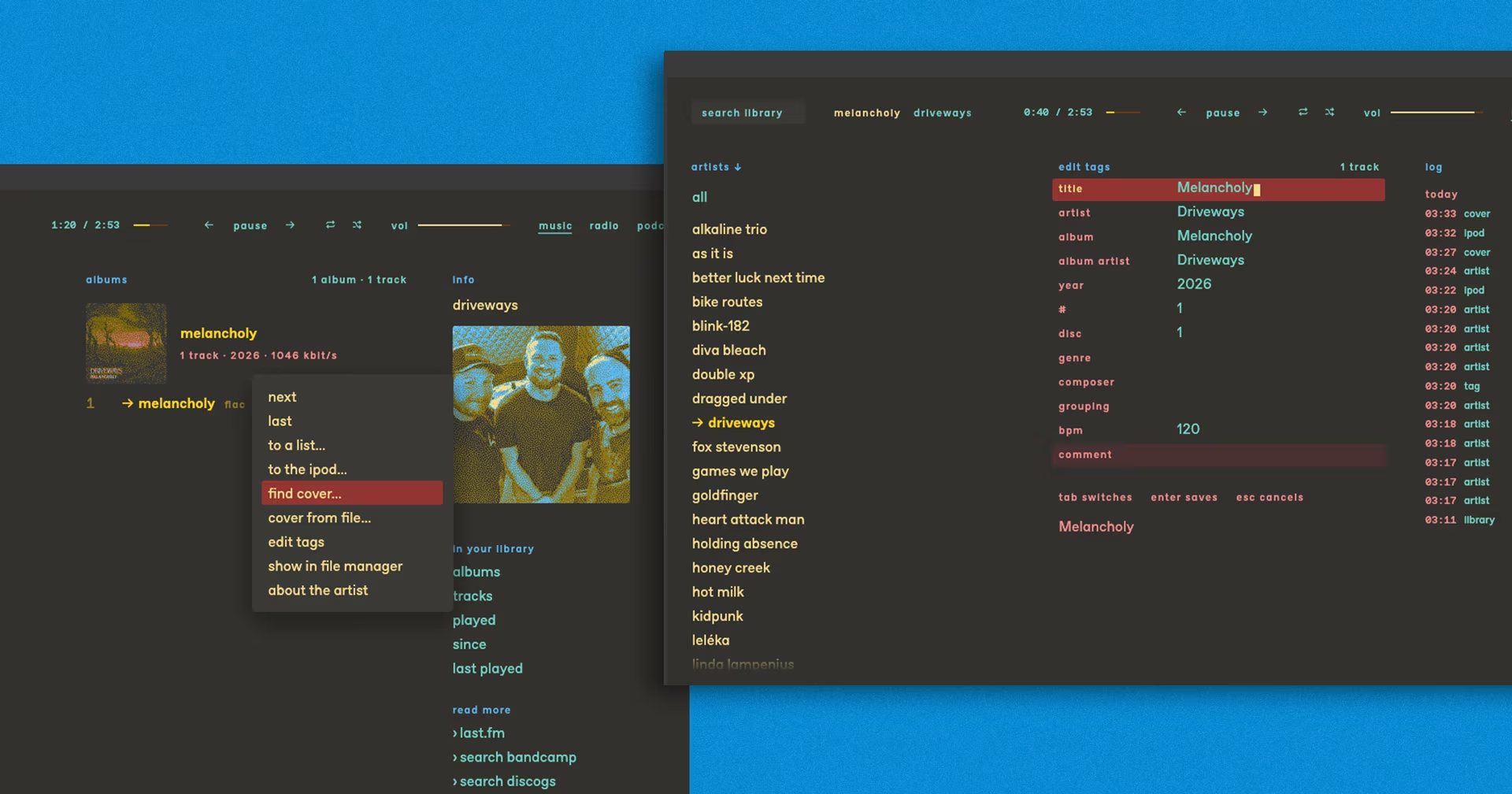
Plus other things you’d expect to find, like gapless playback, an equaliser (with presets and spots for saving two custom ones), playlist and play queues, shuffle and loop modes.
Code-style keybindings also allow you to use kessler using your keyboard alone (though it works fine with a mouse). Many views are panels which can be hidden and revealed on demand to help keep a clean look.
Press ctrl + ? to bring up a (searchable) keyboard shortcut sheet.
iPod, radio and podcast features too

It was kessler’s iPod support that got me to try it.
Most people don’t use a dedicated music player these days, and most modern music players don’t support syncing to them. It is neat to see a modern(ish) one that does.
Not that it supports them perfectly either.
Kessler didn’t detected my iPod model correctly, but all of the important details, like free space, syncing (uses a queue system1) and removing files worked.
Part of Felix’s motivation in making kessler was to more easily transfer .flac files from his music library to the iPod in a format, it can play, but without the faff of manually converting them in another app first,
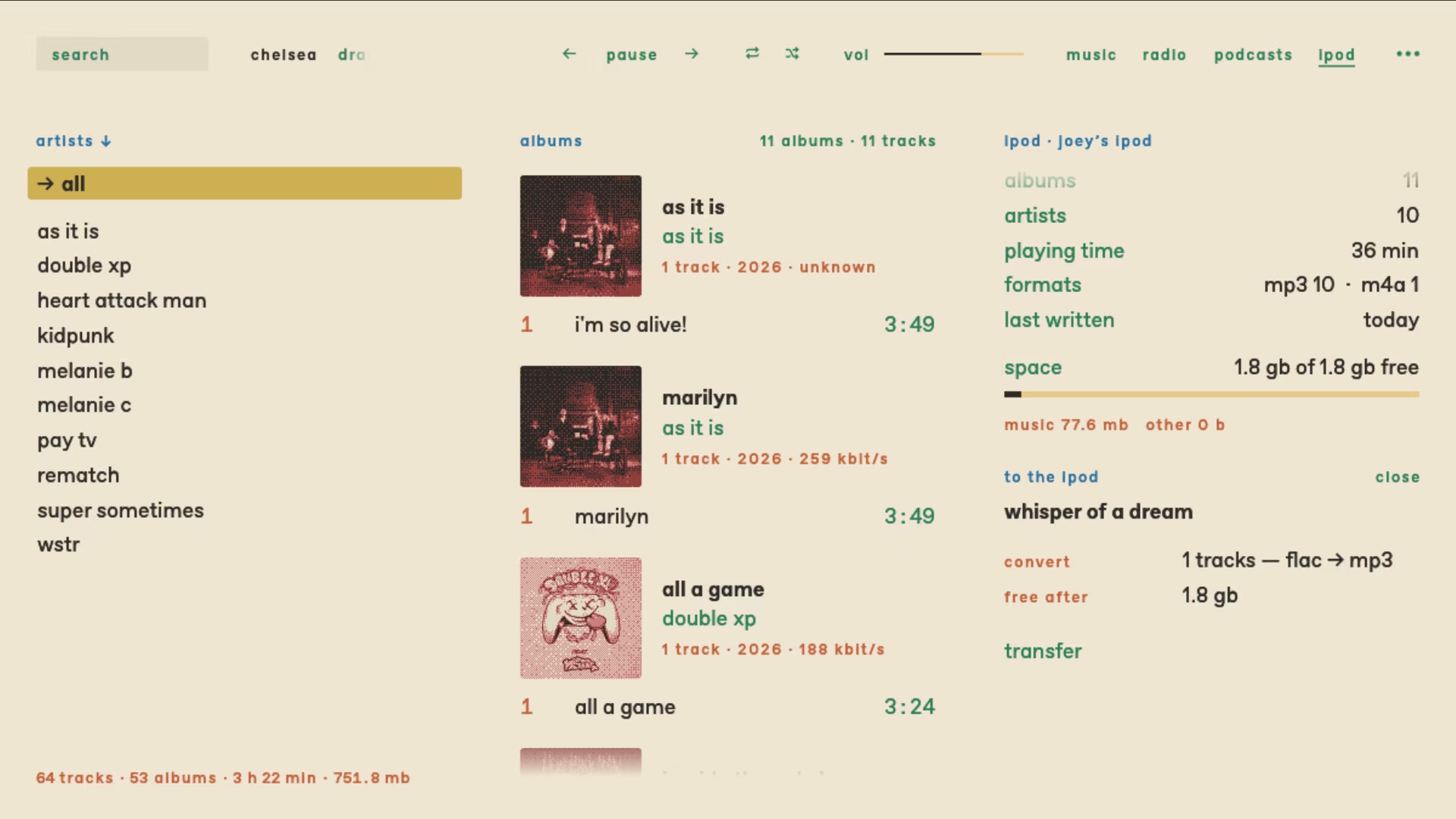
I tried it out and, hurrah: I’m pleased to say it works!
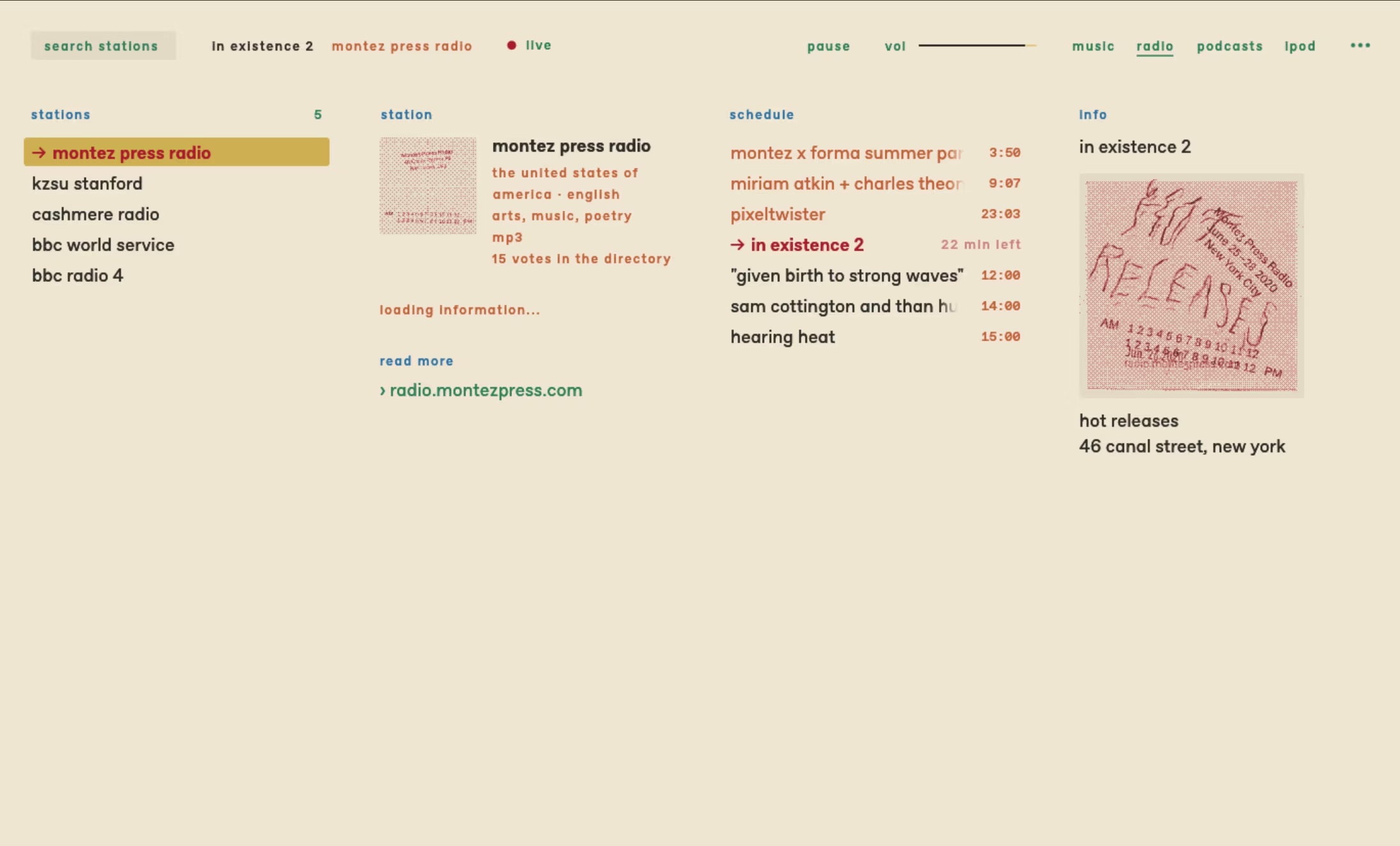
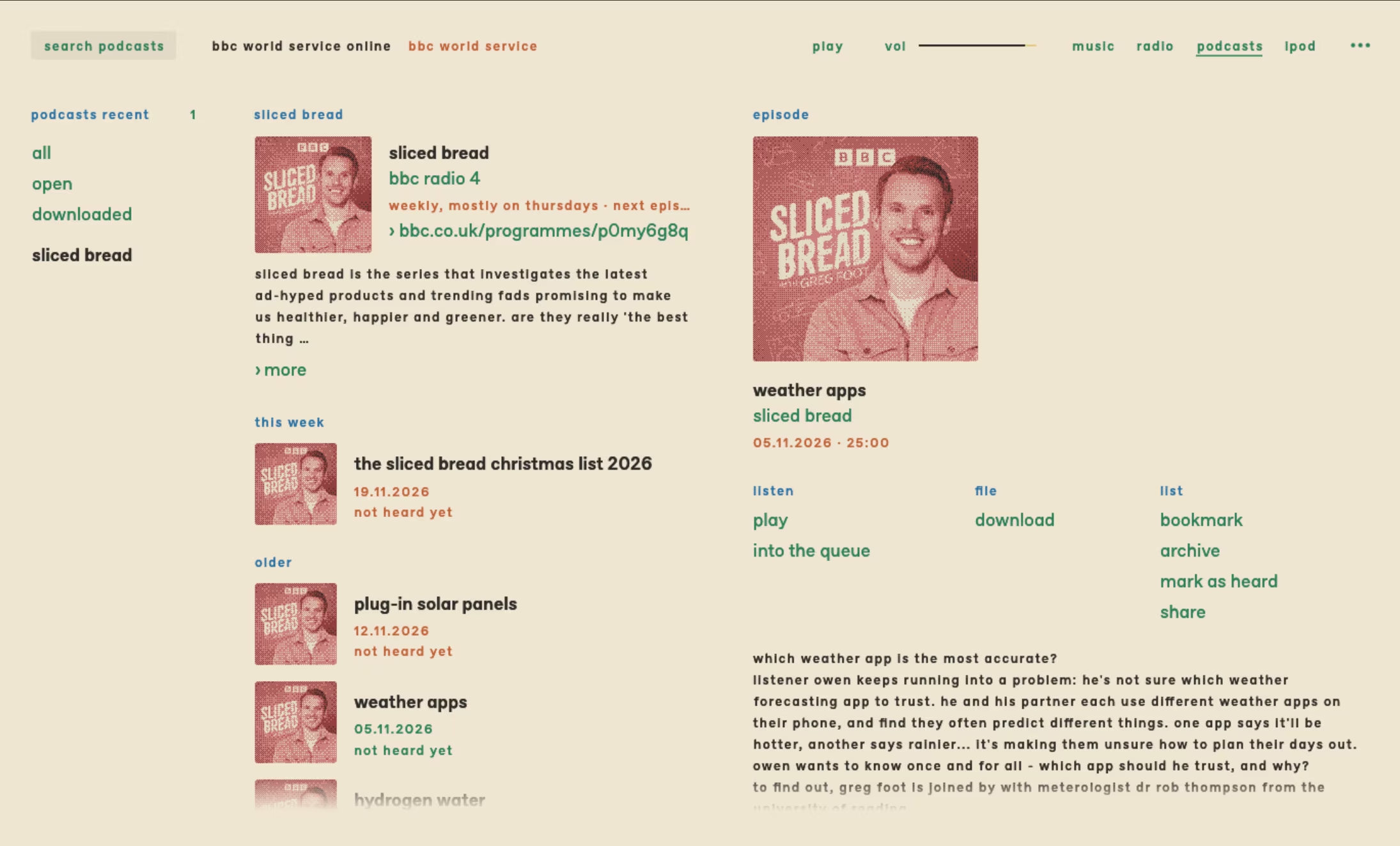
Kessler also has dedicated radio and podcast views, both of which include a search feature so you can find (and save) stations and shows, and also supports pasting in custom URLs.
I didn’t play around with these too much, but playback from one station I searched for worked, and the podcast I looked for showed up, listed episodes and displayed details on the show and each episode.
How to try Kessler on Ubuntu
Kessler (it’s lowercase, but autocorrect has won the battle at this point) is a cross-platform app built in Rust. It’s open-source and available for macOS and Linux (including ARM64).
Download the latest release from GitHub. The Linux build is an archive, so unzip then double-click on the kessler binary inside.
For iPod support on Ubuntu, you may want to check that libgpod4t64 is installed on your system. If not, install it via apt.
Felix told me he isn’t expecting this to become anyone’s main player. He made it for himself, and then some friends picked it up. He’s sharing it in hopes ‘other people could get some value out of it’ too.
h/t Felix
- You right-click on a track and choose to send it ‘to the iPod’. Then, on the iPod page, you’ll see a list of queued tracks pending sync (which you can edit first). Click transfer to send ’em over. ↩︎