



You can bring Ubuntu’s clock, calendar and weather app icons to life with the Dynamic Calendar, Clocks and Weather Icons [Reborn]1 GNOME Shell extension – which has been updated with new icon styles.
The extension already has Yaru, Adwaita, Paprius, Big Sur and other icon styles built-in (the dynamic versions don’t depend on the icon sets themselves), so you see real-time clock, date and weather info on icons that look like their static equivalents.
Two new icon choices land in latest update, v9, released this week (17 August 2026), Stylish and Pure:
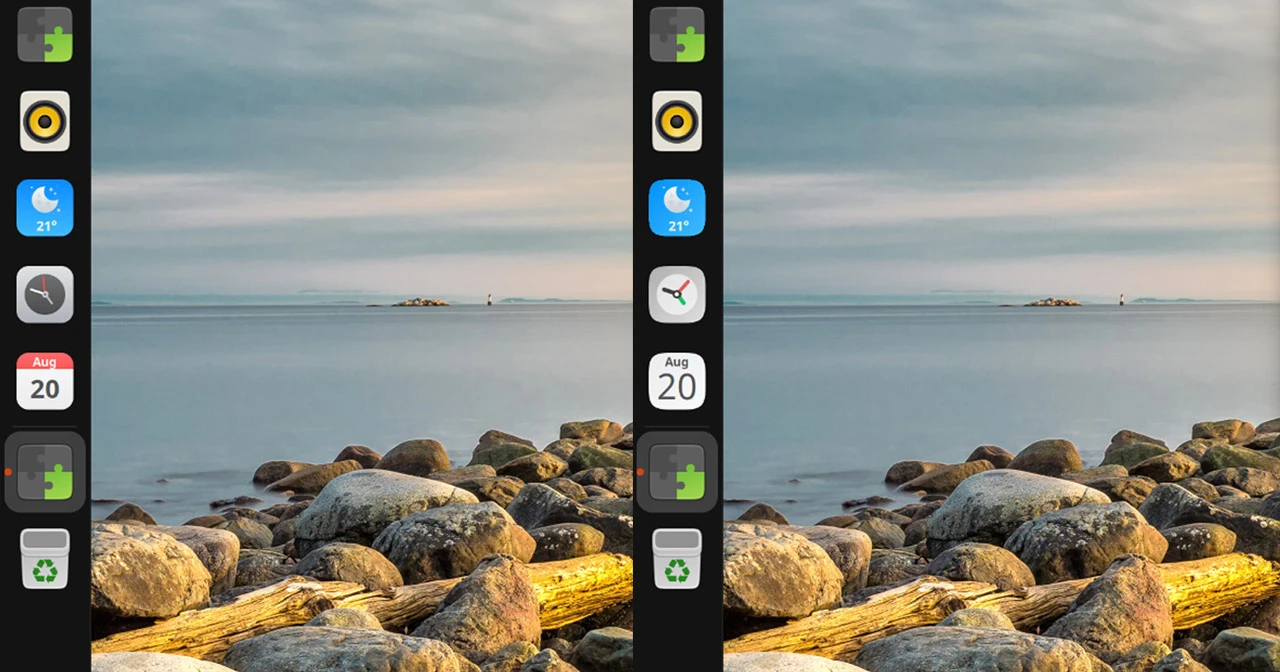
In the screenshot above, you can see how both of the new icon styles look on the Ubuntu Dock, albeit with the rest of the system still using the standard Yaru icon set.
Yaru users benefit from a couple of now icon looking a little more right, as some minor visual inconsistency have been sorted out.
A 1px difference in the calendar icon were accounted for, as was a date entering issue. And dates ending in a 1 are said to result in the month/day view on the calendar icon looking “more fitting”, per a fix commit.
The calendar icon also now uses the the Ubuntu font, and extra sizes of the calendar base icon have been added. As a result, the dynamic versions now look more like their non-dynamic siblings, especially on the Ubuntu Dock.
What’s dynamic about it?

If you aren’t familiar with this extension, it’s “dynamic” because, once installed, it makes icons for three apps “live” – the actual date on the GNOME Calendar icon, moving clock hands on GNOME Clocks‘ icon and current weather conditions and temperature on GNOME Weather icon.
Some elements can be turned on or off, including month and day of the week for calendar, seconds hand on the clock and temperature and the icon background for the weather icon. You can selectively choose which icons are dynamic too.
You can install Dynamic Calendar, Clocks and Weather Icons [Reborn] from GNOME Extensions. The latest version supports GNOME 46 to 50, so if you’re on Ubuntu 24.04 LTS or later, you’re good to go.
- It’s an improved fork of an earlier extension that hasn’t been updated for years, hence ‘reborn’. ↩︎