



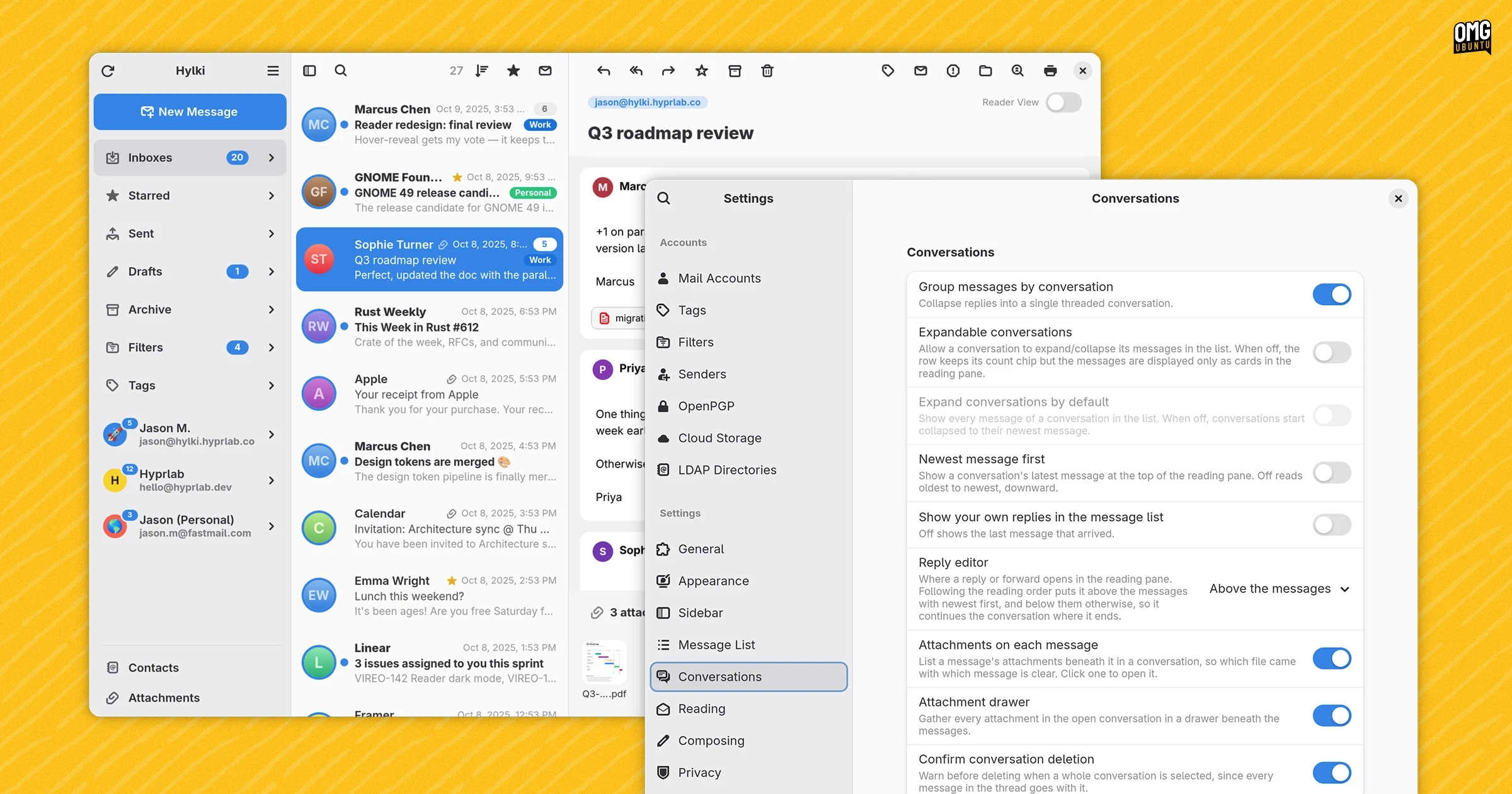
Hylki is a Rust-based email client designed for the GNOME desktop with an incredibly amount of customisation packed in.
Like Postcard, Convey and Letters, Hylki is part of the new(ish) Linux mail clients aiming to serve as a modern Geary-like alternative to more powerful email clients Thunderbird and Evolution.
GTK4/libadwaita interface? Check. 3 column vertical layout? Built around conversations? Check. Oh, and ‘this wouldn’t exist without AI coding tools?’ Check – I come to that aspect further down.
On the website, Hylki describes itself as “fast to open, effortless to read, and private by default” – but is it?
Modern mail client for GNOME
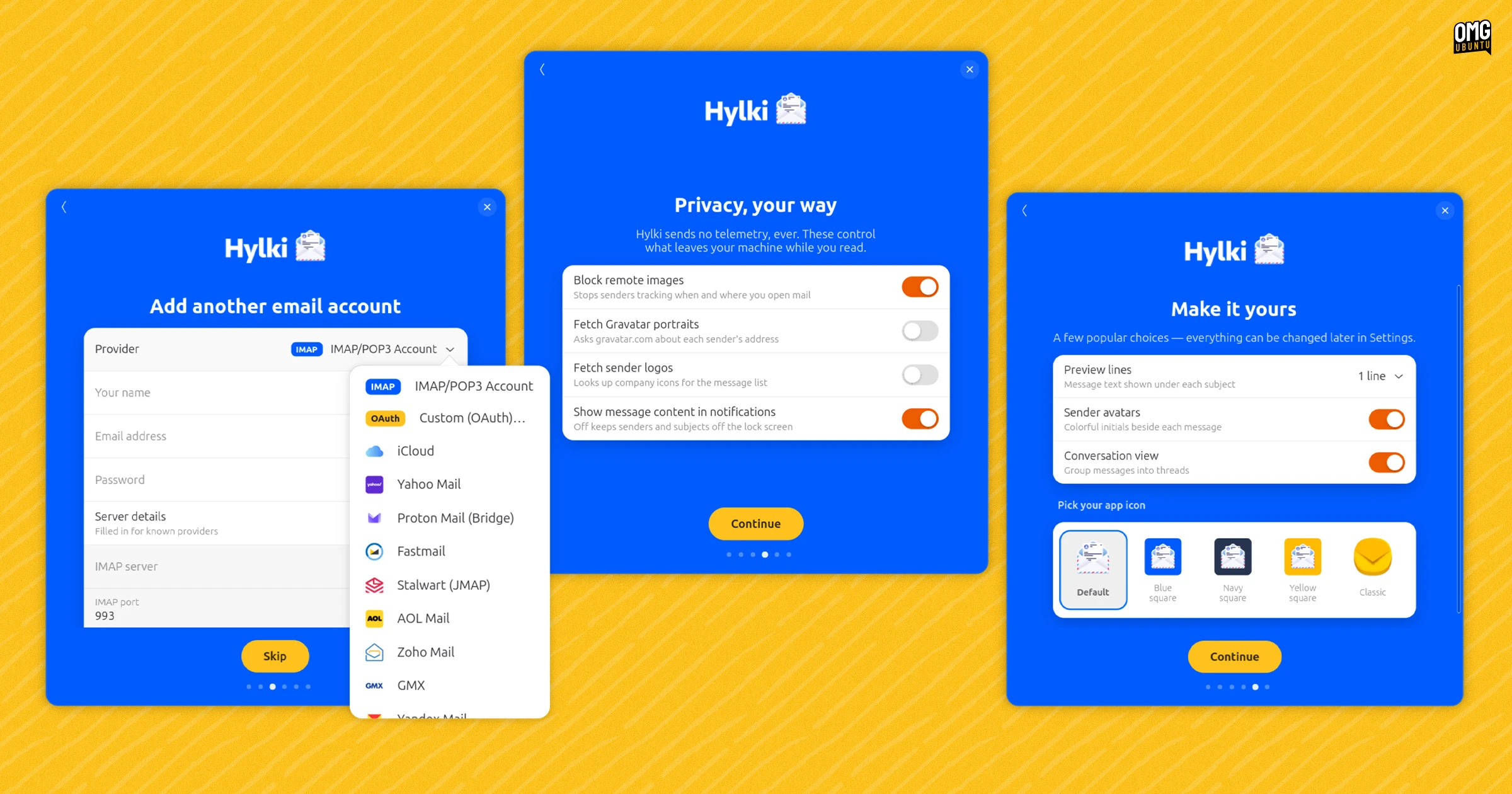
Hylki can connect to any email account(s) you have setup via GNOME Online Accounts, to you can add an account using manual POP3/IMAP account configuration. It supports multiple accounts which you can access individually as well as via a unified inbox to.
I did enjoy the first-run onboarding flow. It’s normally the kind of thing I click-mash skip, next, skip, skip on. Here, it was a nice touch mix of options and preferences to set things up ahead of time – a few of which you can see in the screenshot above.
Standard mail management features and actions are accounted for and like Geary and modern webmail providers, messages use conversation threading (i.e., they appear together, in the same view).
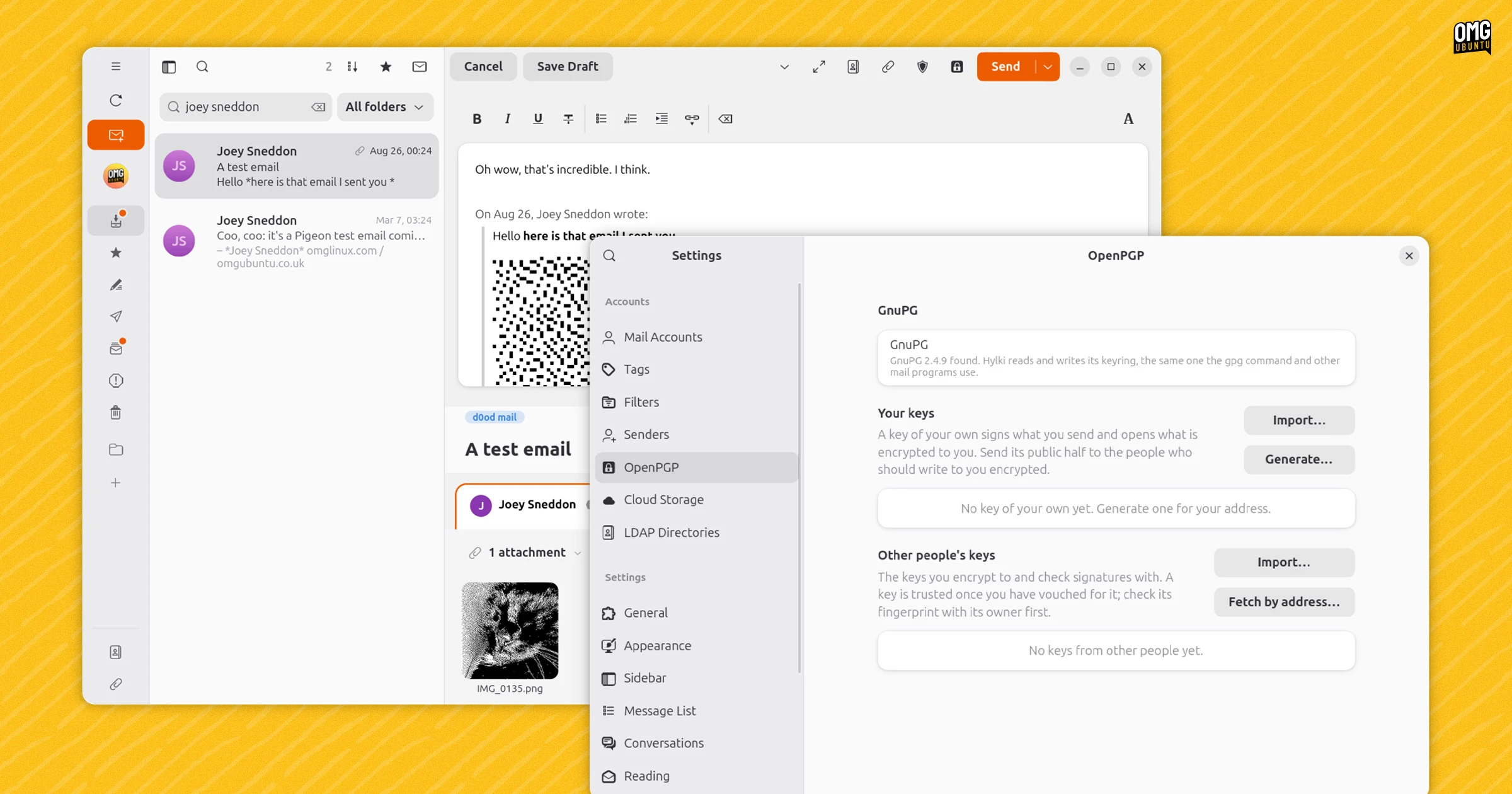
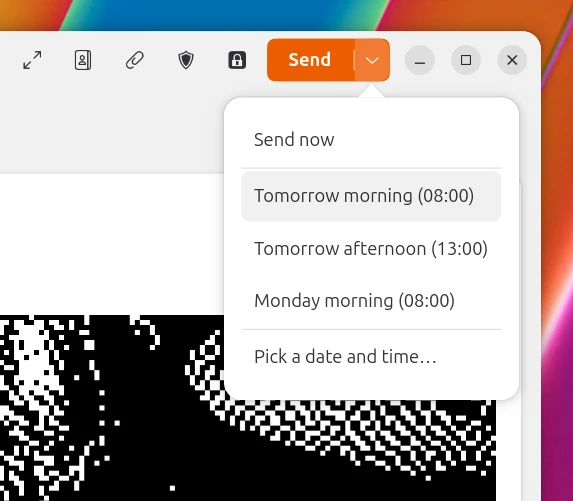
New messages can be composed inline or in a pop out window and content written in rich text, Markdown, HTML or plain text. You can even choose to queue messages to ‘send later’ rather than right away. OpenPGP is supported (via host packages) to read, sign and encrypt mail.

Other novel features include a “reader mode” (strips mail content down to the text), a set of colour schemes and alternative app icons, a dedicated attachment view, “focus mode” to hide icons and other visual fluff out of view and GNOME Contacts interactions.
Creature comforts include single-key shortcuts (Gmail-style), background app mode, gesture support and the option to run the app in a language different to the system default.
And that’s all without touching on a mammoth range of customisation options and configuration settings available.
Seriously, there’s a lot – from configuring the number of lines shown in inline message previews to editing the order of buttons in the toolbar through to creating local mail filters and managing LDAP directories.
Made by an LLM, albeit with direction
Hylki’s developer says that Anthropic’s Claude was used to write the majority of the code, albeit under direction and with every output ‘reviewed and tested by a human maintainer who signs off on every release’.
“The large majority of the Rust code in […] was written with Anthropic’s Claude”
Official website
The app itself doesn’t include AI features, local or cloud, so there’s no direct risk of important emails or an entire inbox being hosed by an LLM over-indexing on the wrong token to achieve the set task (anxieties from machine-generated quirks still exist).
But all artwork in Hylki – an Icelandic word meaning ‘capsule’ – is said to be human-made. The main application icon and logo were drawn by Yiannis Ioannides.
AI provenance aside – different folks draw red lines in different places around the use, not all of it solely on philosophical concerns, but the intent and skill of the pressing enter – Hylki looks nice enough and worked well, if a little…
It may be psychological, but I always find something a little off in the UI of LLM-made GTK apps. I can’t quite describe it. It’s like a juxtaposition of a lack of attention to small things in some places, mixed with over-attention to detail in others.
Install Hylki
You can install Hylki as a Flatpak, available to download from its GitHub page or website, or via the command line to save a bit of time.
Ubuntu doesn’t preinstall Flatpak, so install that first:
sudo apt install flatpak
Hylki requires the GNOME 50 runtime, which is available on Flathub. This is a shared runtime, and is downloaded alongside the first app that requires it:
flatpak remote-add --if-not-exists flathub https://flathub.org/repo/flathub.flatpakrepo
Then install Hylki via its Flatpak file:
flatpak install --from https://hylki.hyprlab.co/flatpak/co.hyprlab.Hylki.flatpakref
Once installed, open it from the application grid and follow the onboarding. It supports GNOME Online Accounts, so, for peace of mind, you may prefer to authorise your email account via Settings > Online Accounts.
Is Hylki better than Postcard or Convey or any other Geary-a-like? That’s for you to decide. Hylki was previously known as Vireo (a naming conflict with a macOS developer forced a rethink) so maybe you already have.