


Linux Mint’s next release will offer a hibernation mode, so you can close your laptop mid-session and not worry about returning to a drained battery.
A new Sleep Modes page in the System Administration tool in Linux Mint 27, out this December, makes it easy to enable hibernation and ensure it’s setup the way you need.
Current versions of Linux Mint suspend when you close the laptop lid. Though snoozing, the device continues to use some power. If the battery runs out while sleeping, the suspended session is kaput – an outcome “worse than a normal shutdown”, say Mint.
Hibernation saves your session to disk and shuts down. When you start up, the session is restored (while battery still depletes while devices are turned, it’s less than as it would’ve been if suspended).
Hibernation has its downsides. It’s slower than suspend, resume isn’t as fast and it needs a large swap space to live in.
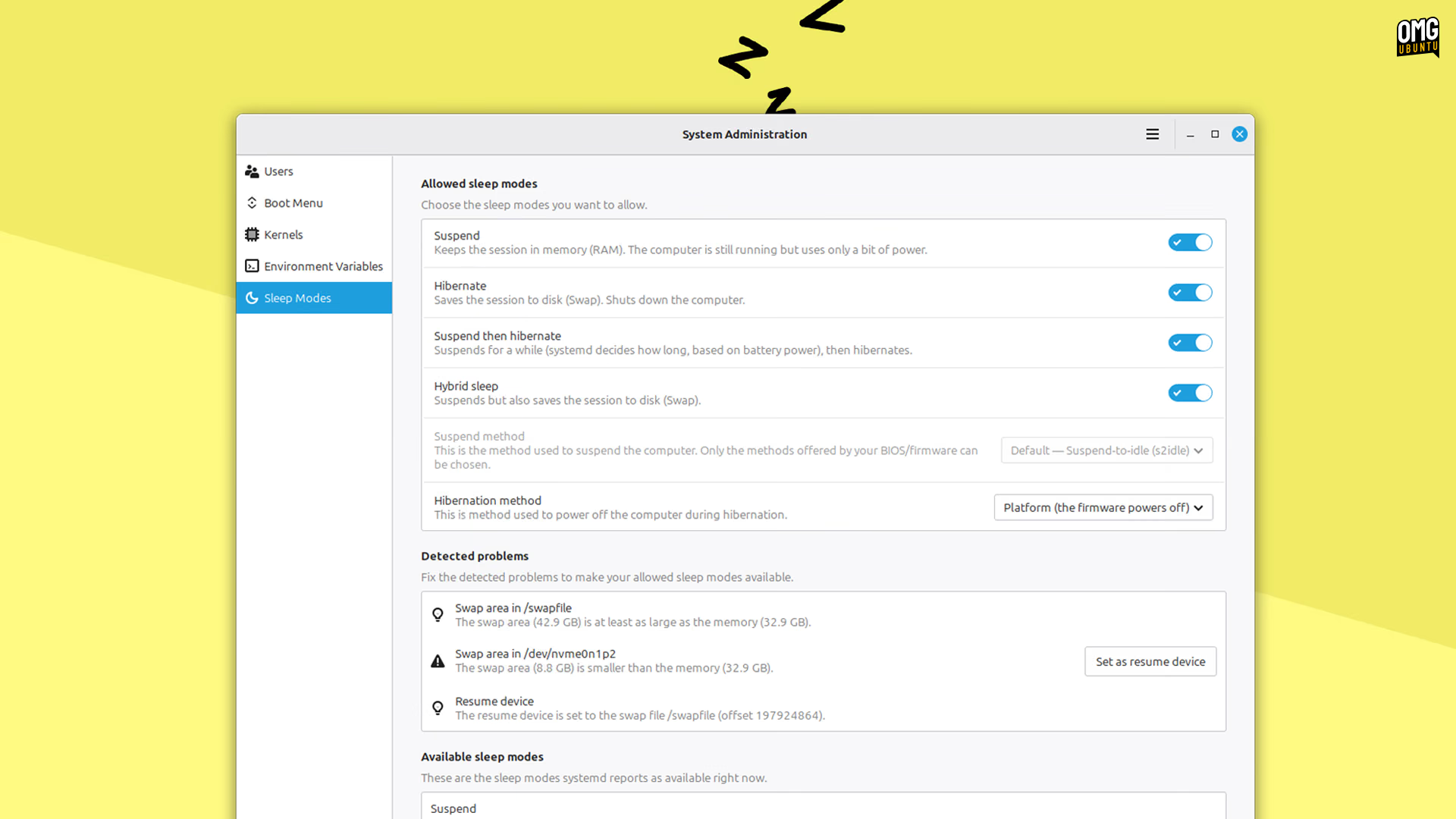
Linux Mint will offer two hybrid modes: Hybrid Sleep and Suspend-then-Hibernate.
Hybrid Sleep suspends your device and saves your session to disk at the same time, so you can still restore it if the battery runs flat while you’re away. Suspend-then-Hibernate suspends first, then enters hibernation mode once the battery runs critically low.
Both offer more flexible behaviours than what’s currently provided, and as the standard suspend is sticking around, no-one is going to miss out.
Linux Mint says Ubuntu removed hibernation from its available sleep modes, and this is why it was absent from Mint too. Ubuntu still has it off by default, and it’s usually blocked if Secure Boot is active too.
“We’re bringing it back”, the team says.