


Beta builds of Linux Mint 27 ‘Adrien’ have hit the distro’s official download mirrors, though there’s been no official announcement yet.
Linux Mint 27 is based on Ubuntu 26.04 LTS and Linux 7.0 kernel. The main edition ships with Cinnamon 6.8 desktop. Versions with Xfce 4.20 and MATE 1.26 desktops are available too.
Now, Linux Mint hasn’t publicly fired the starting pistol for testing (the bug repo isn’t open either), so keep that in mind. As noted on Linux Mint forums, the beta ISO may be replaced by a newer one before the announcement.
Linux Mint 27: What’s New?
Mint 27 migrates to Ubuntu 26.04 LTS, inheriting a host of underlying package bumps and driver updates. It boots from Linux 7.0. Newer kernel versions will come via the Ubuntu HWE updates, with Linux 7.3 due shortly.
It also ships with a new(ish) installer, replacing Ubuntu’s Ubiquity with the live installer it uses in Linux Mint Debian Edition (LMDE). The flow is mostly the same, but if you’re used to the old installer, pay extra attention during the partition setup.
Cinnamon 6.8 is a sizeable update with many changes. Multi-monitor setups can use a different wallpaper on each screen, trackpad gestures are one-to-one and it’s easier to pin a window to float on top using the window list context menu.
WireGuard and VPN connections are now grouped in the Network applet, while turning off volume overamplification in the Sound applet drops audio levels back to 100%. You can view keyboard layout without additional tools too.
There are more changes besides that, and I’ll do a deeper dive for the final, stable release.
Linux Mint 27 no longer marks the Wayland session ‘experimental’, thought it doesn’t mean it’s a flawless experience or default. Project lead Clement Lefebvre said back in June the distro will keep X11 as the default for the time being.
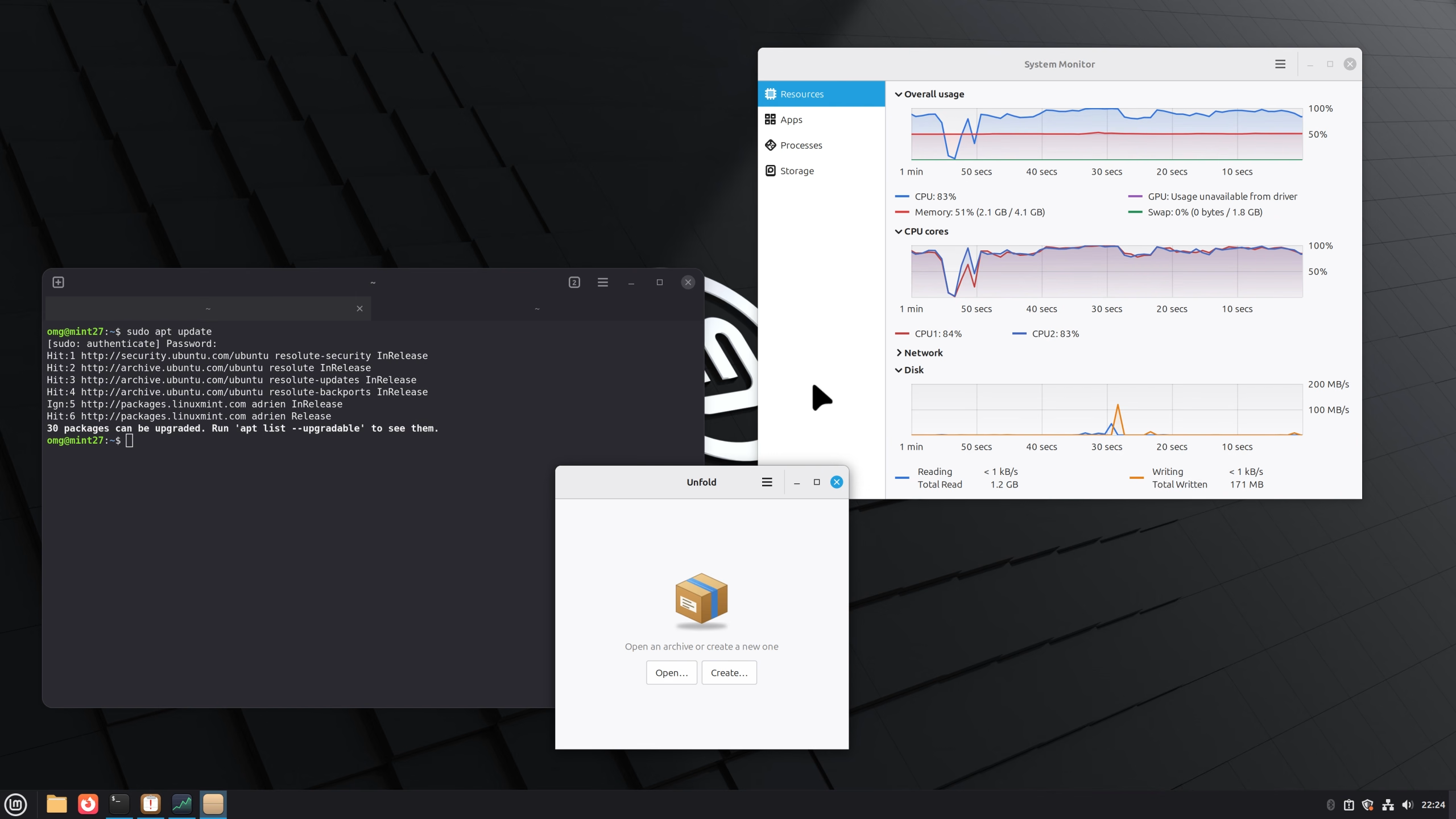
Several new apps are included, all developed by Linux Mint under its desktop-agnostic XApps project. Velocitty is the default terminal, there’s the (terrific) Superlight system monitor, Unfold archive manager (no drag and drop yet) and Xepub e-book reader.
And a brand new calendar app and clocks tool debut. These helps resolve issues raised by GNOME developers, who asked that Mint rebrand its apps on its distro if it was not willing to offer the very latest versions (bored of bug reports for things they’d since fixed).
And for laptop users, hibernation is also back. There’s a new Sleep Modes settings panel to configure sleep behaviour. And you can now preview images, audio and video files in a new within the Nemo file manager by pressing F7 with a file(s) selected.
Download Linux Mint 27 Beta
For anyone confused by the version number jump, Linux Mint 27 is the direct successor to Linux Mint 22.x series and reflects Mint’s move to yearly releases. The new versioning uses numbers for the year ahead.
The final version of Mint 27 is expected at Christmas.
You can download the Linux Mint 27 beta from any official Linux Mint mirror (where the stable releases come from too). E.g., https://pub.linuxmint.io/testing.