



Image, PDF and other supported file thumbnails will once again appear on the (literal) Ubuntu 24.04 LTS desktop, after nearly a year of not showing up.
According to a bug report filed in May last year, file thumbnail previews do not show on the Ubuntu 24.04 desktop itself, appearing only as generic file icons. When the ~/Desktop folder is viewed in the Nautilus file manager, the thumbnails do show.
Ubuntu preinstalls the Desktop Icons NG (DING) GNOME Shell extension specifically so users can put folders, files, web links and other shortcuts on the desktop itself. It is a feature common across many Linux desktop environments.
As the bug reporter notes, being able to see thumbnail previews is useful since “they allow to identify at a glance the content of some files, like pictures or PDF documents”.
Missing desktop thumbnails was a bug
The reason that file thumbnails have not been showing on the desktop in Ubuntu 24.04 is down to security. The DING extension uses GNOME thumbnail APIs which, in turn, use invoke the Bubblewrap (bwrap) security layer to run.
Since Ubuntu 23.10, the distro uses AppArmor to lock down unprivileged user namespaces. That results in bwrap calls to generate a thumbnail failing. No call, no thumbnail.
Explicit exceptions have been added to newer versions of the DING extension, such as those used in Ubuntu 24.10 and later. But the version included in Ubuntu 24.04 LTS continued to lack them — until now.
When Will the Fix Arrive?
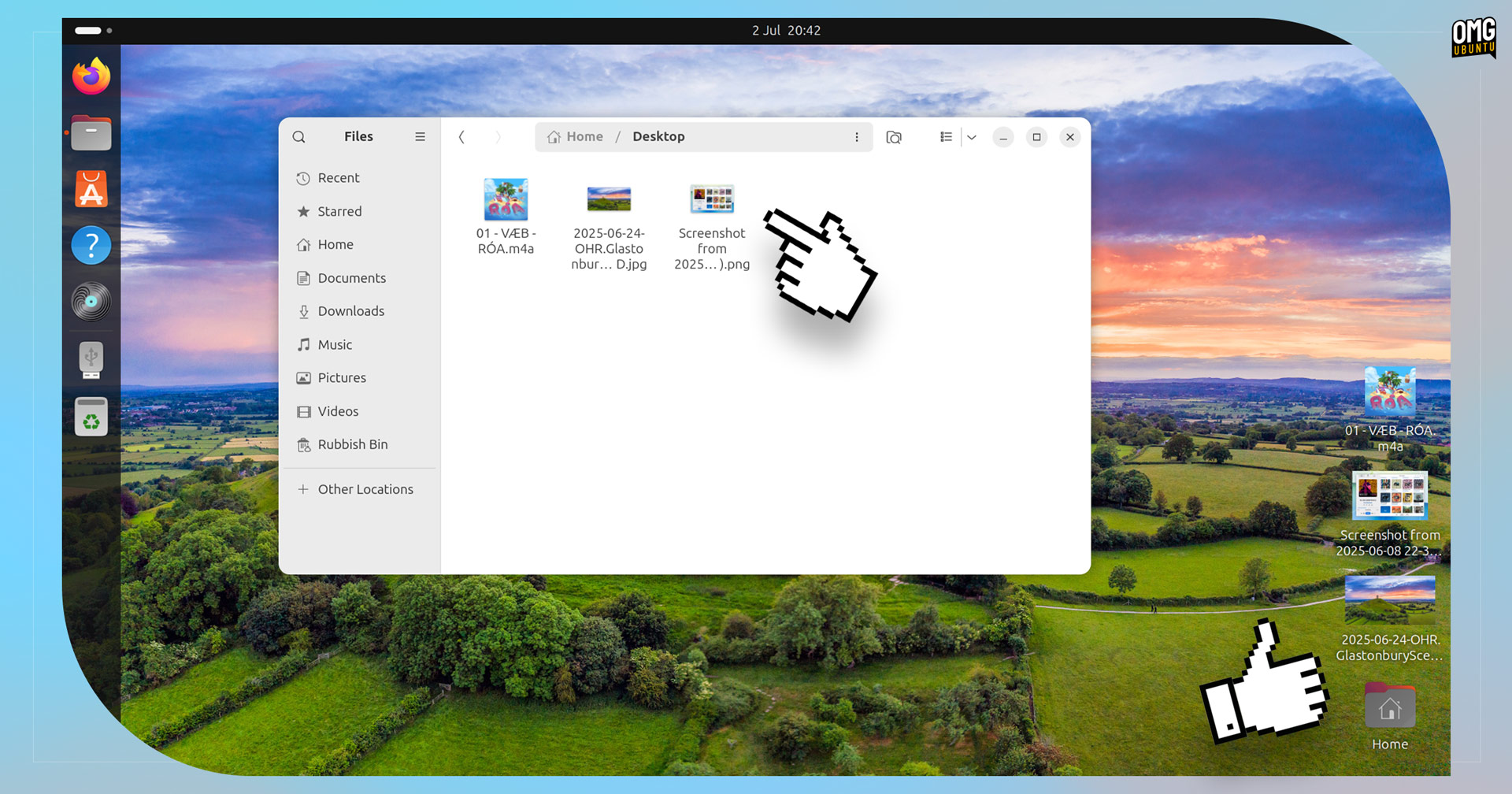
An update to the gnome-shell-extension-desktop-icons-ng is queued up. It includes a couple of fixes, including one to resolve the lack of file thumbnails.
The update is currently in the noble-proposed repo. If no issues are found, it will pass to noble-updates repos in a week’s time. Once ready, all users on Ubuntu 24.04 LTS will be able to update through the Software Updater.
In the meantime, anyone eager to get file thumbnails working can choose to download the fixed DEB from Launchpad and install it manually, then reboot (logging out and back in might work, but since AppArmor exceptions are involved, rebooting is best).
Alternatively, users can switch to the upstream version of Desktop Icons NG (DING). First, uninstall the Ubuntu repo version (sudo apt remove gnome-shell-extension-desktop-icons-ng, and then install the version on GNOME Extensions.