


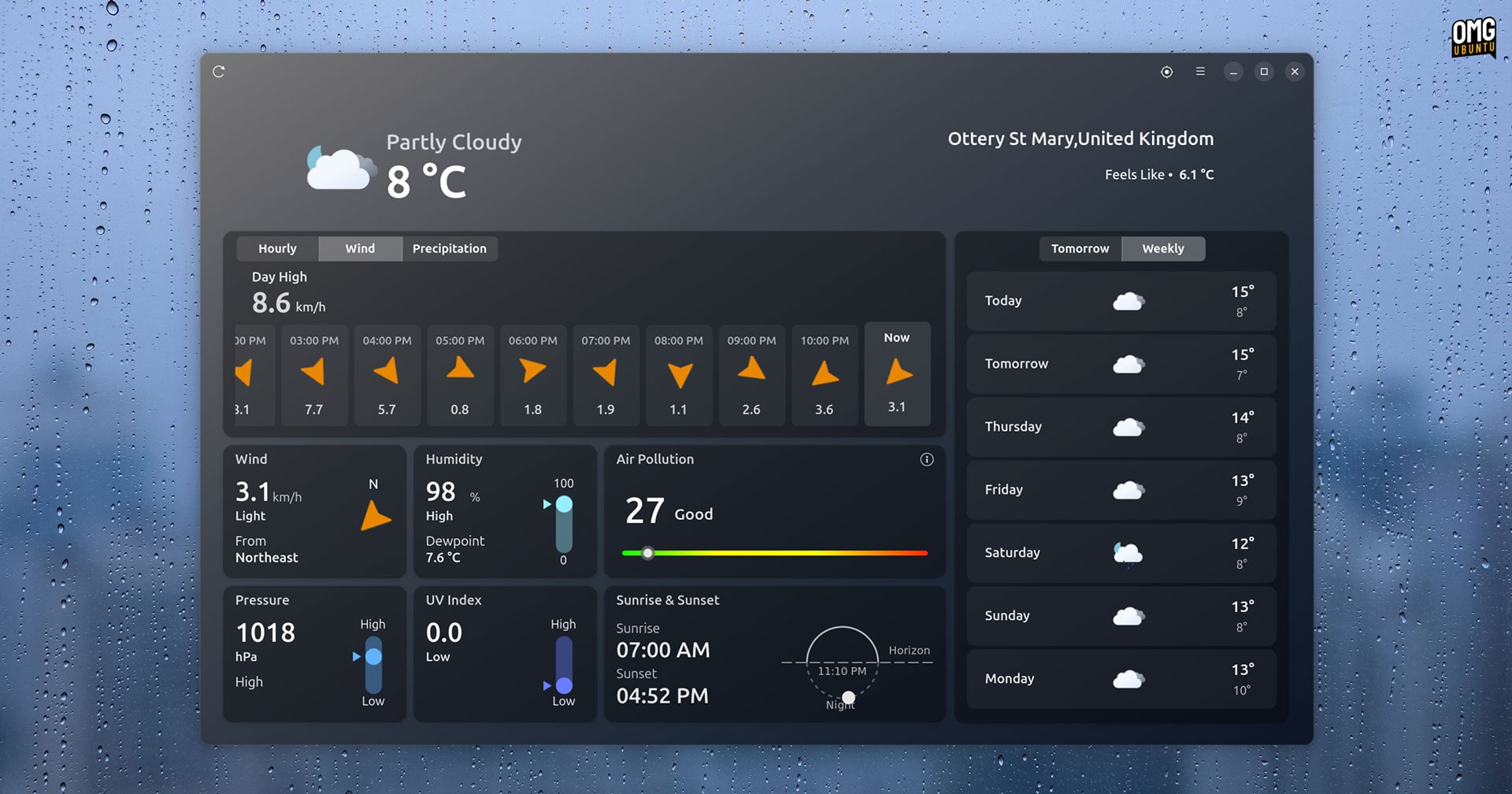


As a Linux nerd, I rarely venture outside —a joke— but knowing what the weather is doing beyond my basement walls —still a joke— is useful, if only because it gives me an excuse to stay inside compiling my own kernel —not a joke.
Lots of Linux weather apps, widgets and add-ons exist and all of them deliver the essential information: current conditions, current temperature and, if you’re lucky, a near-term forecast.
It’s enough to answers‘will I need a jacket?’, ‘will it rain today?’, ‘is it warm enough to justify getting my biceps out?’, and similar questions.
But what if you want to find out more than the meteorological minimum?
Most weather apps and widgets will direct you to a web browser tab to see detailed information, but a torrent of discretions – auto-play videos, newsletter nags and push notification requests – often cloud your view when you’re there.
Not so with Mousam, a GTK4/libadwaita weather app for Linux desktops made by Amit Chaudhary and using the open-meteo weather API.
A comprehensive weather dashboard for Linux
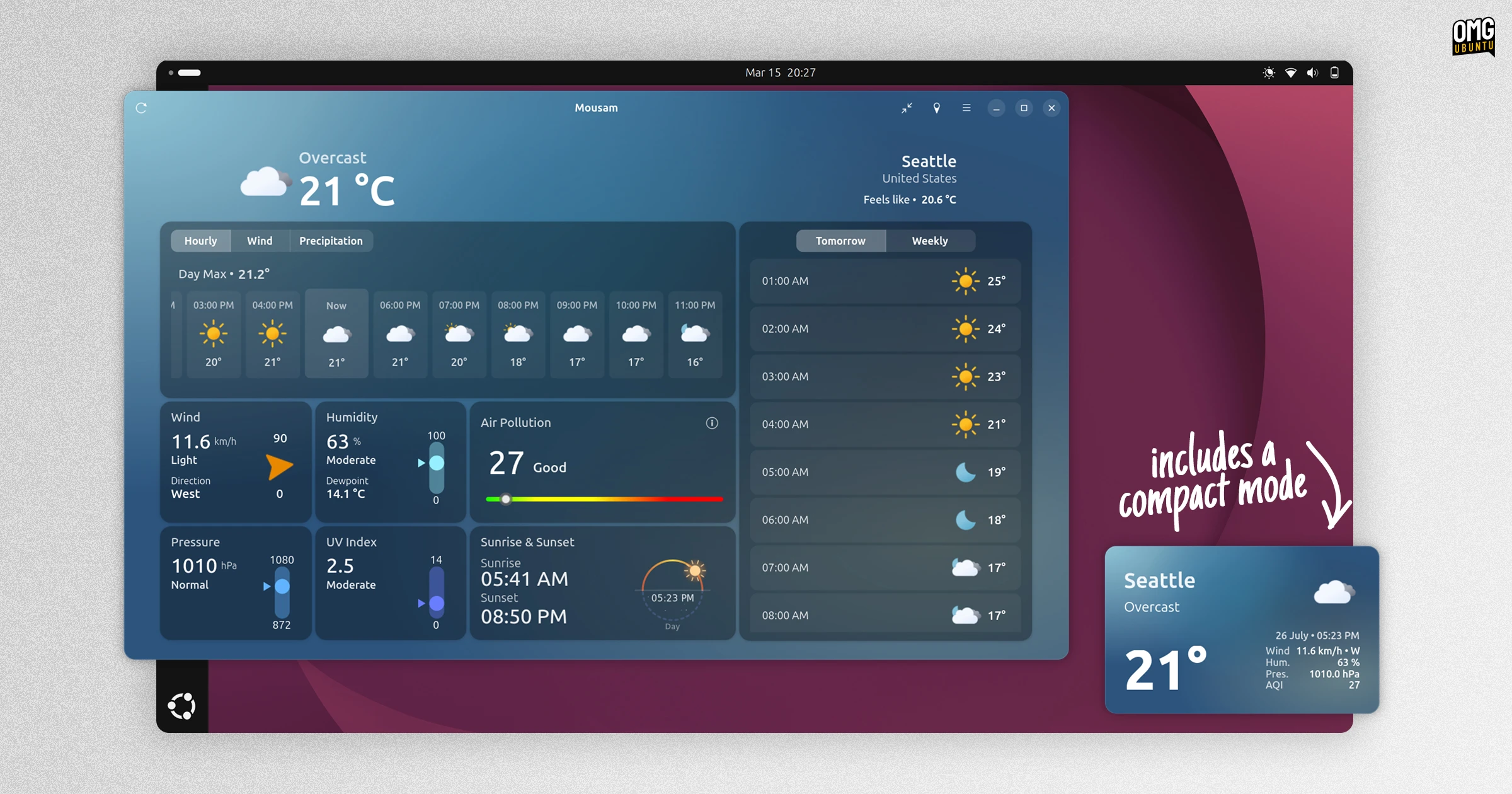
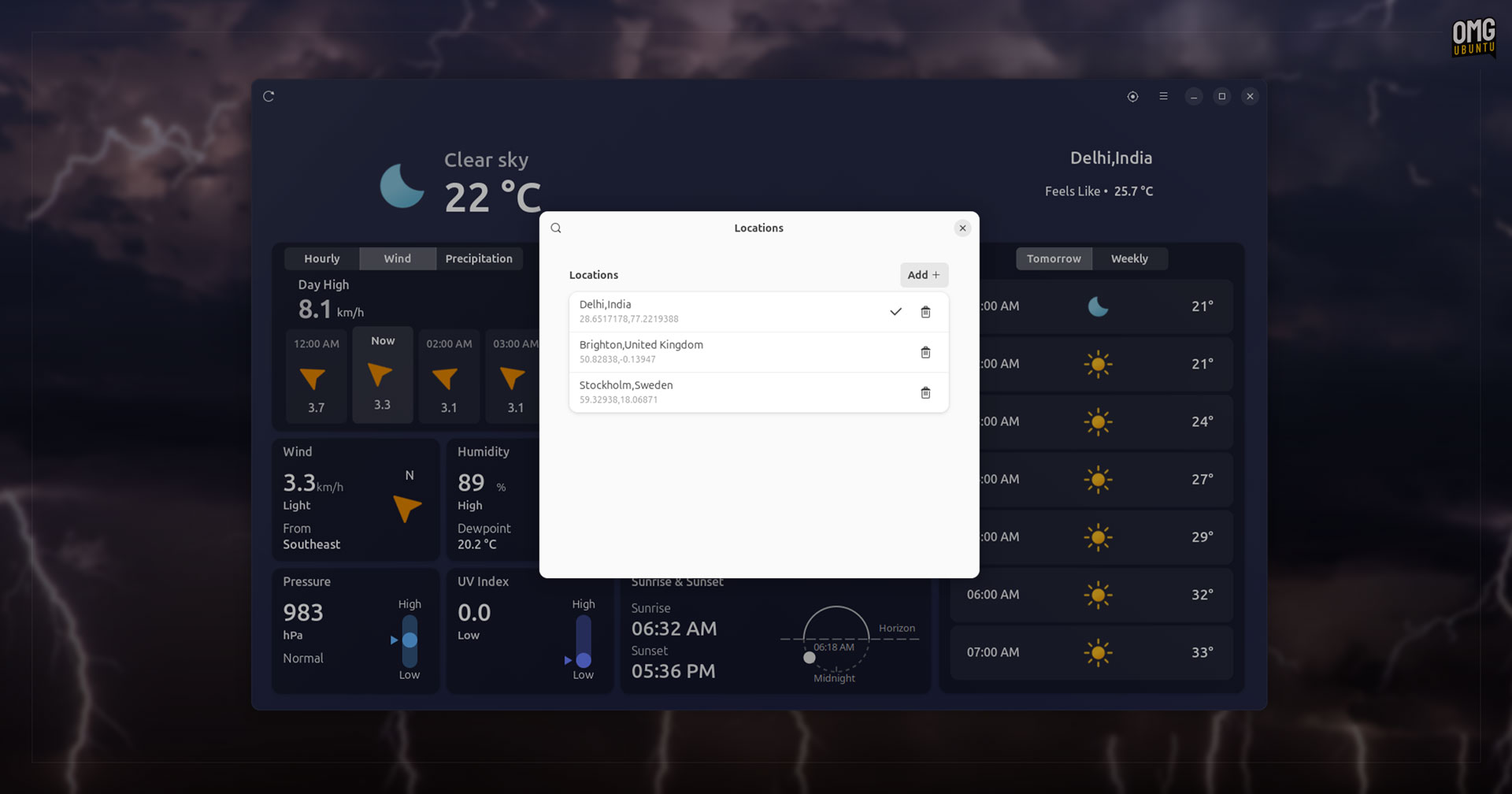
Mousam provides a comprehensive dashboard of weather stats for any location you wish to add, plus the ability to save and switch between different locations at any time.
A lot of information is shown upfront, but a ‘bento box’ layout, with clear colourful graphs, bars and other visual cues, make the data scannable and easy to parse. It borrows from the style of the Weather app on macOS and iPadOS, but that’s no bad thing.
Mousam features at-a-glance:
- Current conditions, temperature, and ‘feels like’
- By-hour forecast for current day with max temperatures
- Tomorrow and week-ahead forecasts
- Precipitation
- Wind speed and direction
- Sunrise and sunset times
- UV index
- Air quality
- Humidity and dewpoint
- Air pressure
When it comes to configuration:
- In-app location search
- Add/switch between multiple locations
- Manual refresh button
- Choice of metric or imperial units
- Weather notifications (optional)
- Background colour based on current weather (can be disabled)
- Compact mode
Do any of this need that much information about the weather? No, but it sure looks pretty and, when you need it, helpful to have to hand.

Chances are there’s some information not shown which weather watchers might want. This is open source; there’s plenty of scope for the developer to add more information in future updates.
Moon phase info would be a good one, saving the need to rely on things like the lunar GNOME extensions. And, as a Brit, a ‘next rain due’ box would be helpful.
I’d also suggest moving the list of saved locations to a toggle-able sidebar, perhaps with each entry using a card to showing current conditions, as Apple’s Weather app does.
Nit-picks aside, Mousam is an app I am impressed by.
While passive weather tools that live in the desktop panel provide less friction since you don’t need to actively open anything to check the weather, but this will meet the needs of those who want more.
A well-designed, comprehensive Linux weather app, Mousam is more than a match for meteorological software made by the likes of Apple, Microsoft and Google.
How to install Mousam on Ubuntu
Head to the Mousam homepage to learn more about the app. Source code is available on GitHub, where is where you’ll want to head to report issues, file feature requests, or contribute to its development
Ubuntu users can find Mousam on the Snap Store, which is an official package but has known issues (like never loading weather data). If you prefer Flatpak you can install it from Flathub, an official package and the one I used to write this article.
Prefer DEBs? An unofficial PPA has Mousam packages for Ubuntu 24.04 LTS and Linux Mint. I test the DEB version and found it a little buggier, but manually installing the python3-gi-cairo package improved its stability.
Reliability isn’t perfect; the API is sometimes unreachable which means the app fails to load any data at all.
Let me know what you think of Mousam down in the comments!